

Interact.js Draggable and Resizable Dashboard Panels with Snapping
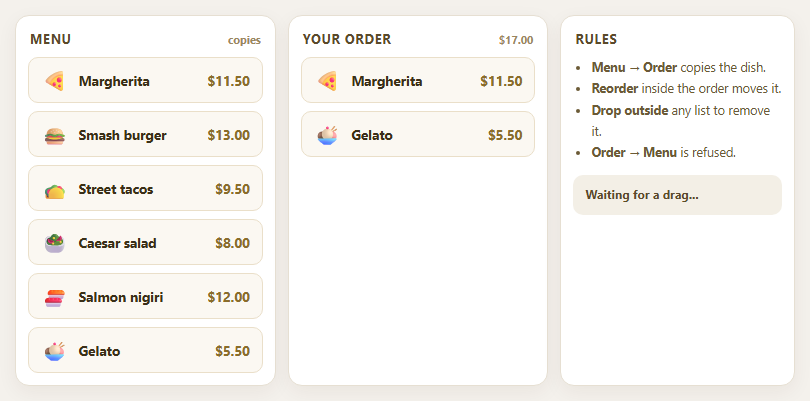
Dragula Copy vs Move Lists with Spill Control

SortableJS Shared Groups: Clone from a Palette into a Page Builder

SortableJS Drag Handle with Pinned and Locked Rows
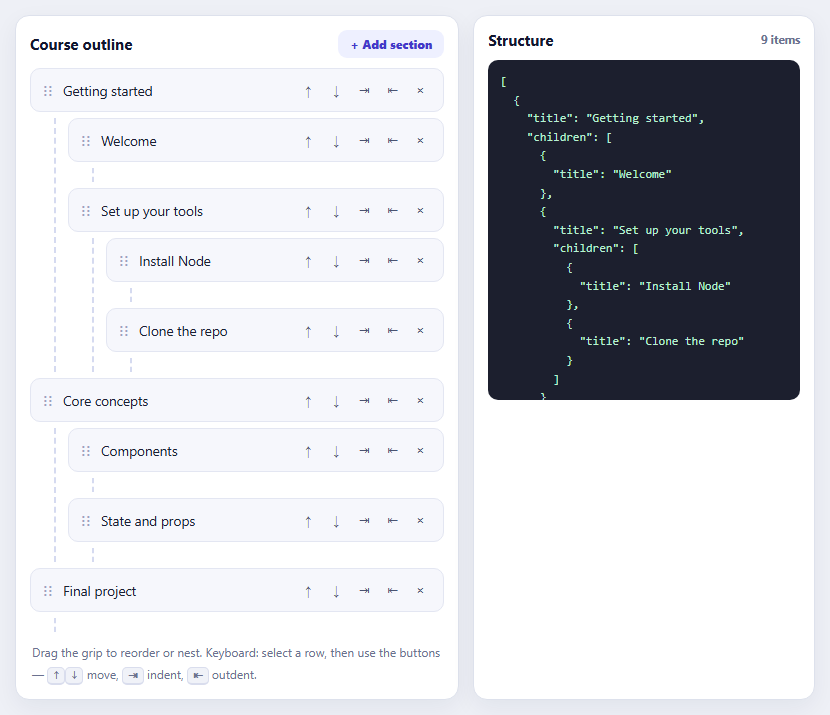
SortableJS Nested Sortable Tree with Keyboard Controls
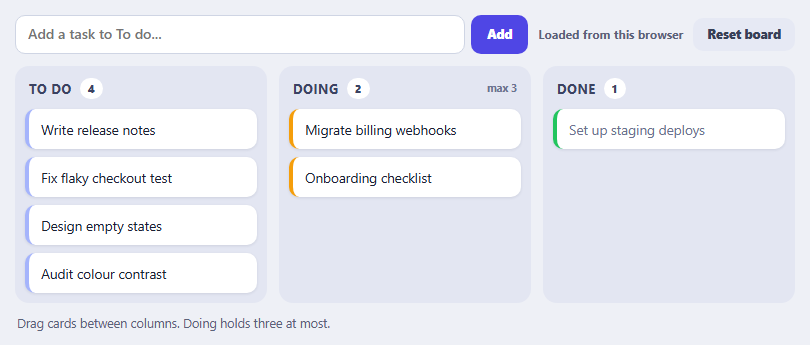
SortableJS Multi-List Kanban with Persistence and WIP Limit
Candidate Pipeline Kanban — Free Recruiting Board With Real Drag & Drop
Candidate Pipeline Kanban · Dashboards · Plain HTML, CSS & JS · Live preview
Copy & paste
Source Code
<div class="cpk-board" id="cpkBoard">
  <section class="cpk-col" data-stage="applied">
    <header class="cpk-col-head"><h3>Applied</h3><span class="cpk-count" id="cpkCount-applied">3</span></header>
    <div class="cpk-dropzone" data-stage="applied">
      <article class="cpk-card" draggable="true" data-id="c1">
        <div class="cpk-card-top"><span class="cpk-avatar" style="background:#6d5efc">MK</span><strong>Maya Kessler</strong></div>
        <p class="cpk-role">Senior Product Designer</p>
        <div class="cpk-tags"><span class="cpk-tag">Figma</span><span class="cpk-tag">Design Systems</span></div>
      </article>
      <article class="cpk-card" draggable="true" data-id="c2">
        <div class="cpk-card-top"><span class="cpk-avatar" style="background:#22d3ee">RT</span><strong>Ravi Thakur</strong></div>
        <p class="cpk-role">Backend Engineer</p>
        <div class="cpk-tags"><span class="cpk-tag">Go</span><span class="cpk-tag">Postgres</span></div>
      </article>
      <article class="cpk-card" draggable="true" data-id="c3">
        <div class="cpk-card-top"><span class="cpk-avatar" style="background:#f472b6">SL</span><strong>Sara Lindqvist</strong></div>
        <p class="cpk-role">Growth Marketer</p>
        <div class="cpk-tags"><span class="cpk-tag">SEO</span><span class="cpk-tag">Paid Media</span></div>
      </article>
    </div>
  </section>

  <section class="cpk-col" data-stage="screening">
    <header class="cpk-col-head"><h3>Screening</h3><span class="cpk-count" id="cpkCount-screening">2</span></header>
    <div class="cpk-dropzone" data-stage="screening">
      <article class="cpk-card" draggable="true" data-id="c4">
        <div class="cpk-card-top"><span class="cpk-avatar" style="background:#34d399">JB</span><strong>Jordan Blake</strong></div>
        <p class="cpk-role">Data Analyst</p>
        <div class="cpk-tags"><span class="cpk-tag">SQL</span><span class="cpk-tag">Python</span></div>
      </article>
      <article class="cpk-card" draggable="true" data-id="c5">
        <div class="cpk-card-top"><span class="cpk-avatar" style="background:#fbbf24">EP</span><strong>Elena Popescu</strong></div>
        <p class="cpk-role">Customer Success Lead</p>
        <div class="cpk-tags"><span class="cpk-tag">SaaS</span><span class="cpk-tag">Onboarding</span></div>
      </article>
    </div>
  </section>

  <section class="cpk-col" data-stage="interview">
    <header class="cpk-col-head"><h3>Interview</h3><span class="cpk-count" id="cpkCount-interview">1</span></header>
    <div class="cpk-dropzone" data-stage="interview">
      <article class="cpk-card" draggable="true" data-id="c6">
        <div class="cpk-card-top"><span class="cpk-avatar" style="background:#f87171">DN</span><strong>Diego Nunez</strong></div>
        <p class="cpk-role">Frontend Engineer</p>
        <div class="cpk-tags"><span class="cpk-tag">React</span><span class="cpk-tag">TypeScript</span></div>
      </article>
    </div>
  </section>

  <section class="cpk-col" data-stage="offer">
    <header class="cpk-col-head"><h3>Offer</h3><span class="cpk-count" id="cpkCount-offer">0</span></header>
    <div class="cpk-dropzone" data-stage="offer"></div>
  </section>
</div>*{box-sizing:border-box}
body{margin:0;font-family:system-ui,-apple-system,sans-serif;background:#0c0e15;color:#e7e9f2;padding:28px;min-height:100vh;display:flex;align-items:center;justify-content:center}
.cpk-board{display:grid;grid-template-columns:repeat(4,minmax(240px,1fr));gap:16px;max-width:1100px;margin:0 auto}
.cpk-col{background:#12141f;border:1px solid #23273a;border-radius:14px;padding:12px;display:flex;flex-direction:column;min-height:420px}
.cpk-col-head{display:flex;align-items:center;justify-content:space-between;padding:6px 6px 12px}
.cpk-col-head h3{margin:0;font-size:13px;font-weight:700;letter-spacing:.02em;text-transform:uppercase;color:#c7cade}
.cpk-count{background:#1c2136;color:#9aa0b8;font-size:11px;font-weight:700;padding:2px 8px;border-radius:99px}
.cpk-dropzone{flex:1;display:flex;flex-direction:column;gap:10px;border-radius:10px;padding:4px;min-height:80px;transition:background .12s ease}
.cpk-dropzone.cpk-dragover{background:#1a1e2e;outline:2px dashed #6d5efc;outline-offset:-2px}
.cpk-card{background:#181b27;border:1px solid #262b3f;border-radius:12px;padding:12px;cursor:grab;transition:transform .12s ease,box-shadow .12s ease}
.cpk-card:active{cursor:grabbing}
.cpk-card.cpk-dragging{opacity:.4}
.cpk-card:hover{border-color:#3a3f5c;box-shadow:0 4px 14px rgba(0,0,0,.3)}
.cpk-card-top{display:flex;align-items:center;gap:8px;margin-bottom:8px}
.cpk-avatar{width:26px;height:26px;border-radius:50%;display:flex;align-items:center;justify-content:center;font-size:10.5px;font-weight:700;color:#0c0e15;flex:none}
.cpk-card-top strong{font-size:13.5px}
.cpk-role{margin:0 0 8px;font-size:12px;color:#9aa0b8}
.cpk-tags{display:flex;gap:6px;flex-wrap:wrap}
.cpk-tag{font-size:10.5px;font-weight:600;color:#8a8fa8;background:#1c2136;padding:3px 8px;border-radius:99px}
@media (max-width:860px){.cpk-board{grid-template-columns:1fr}}const board = document.getElementById('cpkBoard');
let draggedCard = null;
function updateCounts() {
board.querySelectorAll('.cpk-col').forEach((col) => {
const stage = col.dataset.stage;
const n = col.querySelectorAll('.cpk-card').length;
const badge = document.getElementById('cpkCount-' + stage);
if (badge) badge.textContent = String(n);
});
}
// Real HTML5 drag-and-drop: dragstart marks the source card, dragover permits
// dropping on a dropzone, and drop actually moves the card element in the DOM.
board.querySelectorAll('.cpk-card').forEach((card) => {
card.addEventListener('dragstart', () => {
draggedCard = card;
card.classList.add('cpk-dragging');
});
card.addEventListener('dragend', () => {
card.classList.remove('cpk-dragging');
draggedCard = null;
});
});
board.querySelectorAll('.cpk-dropzone').forEach((zone) => {
zone.addEventListener('dragover', (e) => {
e.preventDefault(); // required to allow a drop
zone.classList.add('cpk-dragover');
const afterEl = getDragAfterElement(zone, e.clientY);
if (!draggedCard) return;
if (afterEl == null) {
zone.appendChild(draggedCard);
} else {
zone.insertBefore(draggedCard, afterEl);
}
});
zone.addEventListener('dragleave', (e) => {
if (e.target === zone) zone.classList.remove('cpk-dragover');
});
zone.addEventListener('drop', (e) => {
e.preventDefault();
zone.classList.remove('cpk-dragover');
updateCounts();
});
});
function getDragAfterElement(container, y) {
const cards = [...container.querySelectorAll('.cpk-card:not(.cpk-dragging)')];
return cards.reduce((closest, child) => {
const box = child.getBoundingClientRect();
const offset = y - box.top - box.height / 2;
if (offset < 0 && offset > closest.offset) {
return { offset, element: child };
}
return closest;
}, { offset: Number.NEGATIVE_INFINITY, element: null }).element;
}
updateCounts();Extend with AI
Take This Snippet Further With AI
The AI prompt for this one is for Patreon supporters ($3 a month, 7 days free), along with a site with no ads. Supporters enter the passcode once and it is remembered in this browser.
What's included
Features
About this UI Snippet
Candidate Pipeline Kanban — Draggable Recruiting Stages
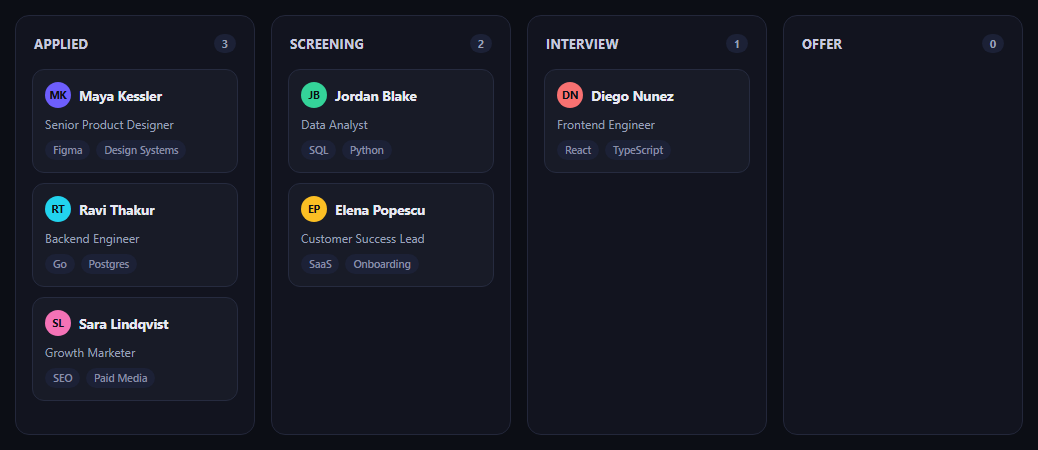
The candidate pipeline kanban is the recruiter's home screen: candidates as cards moving through Applied, Screening, Interview, and Offer columns. This snippet implements genuinely working drag-and-drop using the native HTML5 Drag and Drop API — no library, and no click-to-move fallback standing in for real dragging.
Real HTML5 drag events, not a simulation
Every card has draggable="true". dragstart records the dragged element and fades it with cpk-dragging; dragend cleans that state up. Each column's .cpk-dropzone listens for dragover (calling e.preventDefault(), which is what tells the browser this element is a valid drop target at all) and drop. Without that preventDefault call, the browser's default is to reject the drop entirely — it's the one line that makes the whole interaction possible.
Cards actually move in the DOM
On dragover, getDragAfterElement compares the pointer's Y position against the vertical midpoint of every other card in that column to find where the dragged card should land, then insertBefore/appendChild physically relocates the dragged element — the same node, not a clone — into its new position. That's what makes this real drag-and-drop: the element you picked up is the element that lands, mid-column reordering included, not just a column swap.
Visual feedback during the drag
The dragged card gets partial opacity via cpk-dragging, and the column currently under the pointer gets a dashed outline via cpk-dragover — both cleared on dragend/dragleave so the board never gets stuck in a mid-drag visual state.
Counts stay in sync
updateCounts() recounts each column's .cpk-card children and updates its badge after every drop, so the header numbers never drift from what's actually rendered.
Customizing it
Wire the drop handler to persist the new stage to your backend, add a confirmation before moving a candidate to Offer, or add a WIP limit per column. Pair it with a kanban board for a general task-board version, a drag-sort-list for single-column reordering, or a job listing card for the postings these candidates applied to.
Step by step
How to Use
- 1Paste the HTML, CSS, and JSFour columns of candidate cards render.
- 2Press and drag a cardIt fades slightly and follows your cursor.
- 3Drag over another columnThat column outlines with a dashed border.
- 4Drop the cardIt actually relocates into the DOM at that position.
- 5Drag within the same columnCards reorder based on where you drop.
- 6Watch the column countsBadges update to match the real card counts.
Real-world uses
Common Use Cases
getDragAfterElement for position-aware reordering inside a column.Got questions?
Frequently Asked Questions
It is real HTML5 drag-and-drop. Cards carry draggable="true" and the script listens for the actual dragstart, dragover, and drop events the browser fires during a native drag gesture. The dragover handler calls e.preventDefault(), which is required by the spec to mark an element as a valid drop target — without it the browser's default behavior rejects the drop.
getDragAfterElement compares the current pointer Y position against the vertical midpoint of every other card in that column (excluding the one being dragged) using getBoundingClientRect, and finds the closest card whose midpoint is still below the pointer. The dragged element is then inserted before that card with insertBefore, or appended to the end if none qualifies — so mid-column reordering works, not just column-to-column moves.
The same DOM node moves. draggedCard holds a reference to the actual element clicked in dragstart, and dragover repeatedly calls insertBefore or appendChild on that exact reference as the pointer moves — so by the time drop fires, the card has already been physically relocated in the DOM tree, not swapped for a clone.
In the drop handler (after updateCounts() runs), read the dragged card's data-id and the dropzone's data-stage attribute, then send that pair to your API. Since the DOM move already happened during dragover, the drop handler is purely the moment to fire the network request — you don't need to move anything there yourself.
Native HTML5 drag-and-drop events work the same way inside any framework component — bind dragstart/dragover/drop with your framework's event syntax and keep a ref or local variable for the dragged item's id. On drop, update your state's stage field for that candidate rather than moving DOM nodes directly, and let the framework re-render the columns from state. The getDragAfterElement positioning logic ports as-is since it only reads layout geometry.