
GLightbox Mixed Media Lightbox — Free JS Snippet
GLightbox Mixed Media Lightbox (Image, Video and HTML) · Media · Plain HTML, CSS & JS · Live preview
What's included
Features
About this UI Snippet
GLightbox Mixed Media Lightbox — HTML, CSS & JavaScript
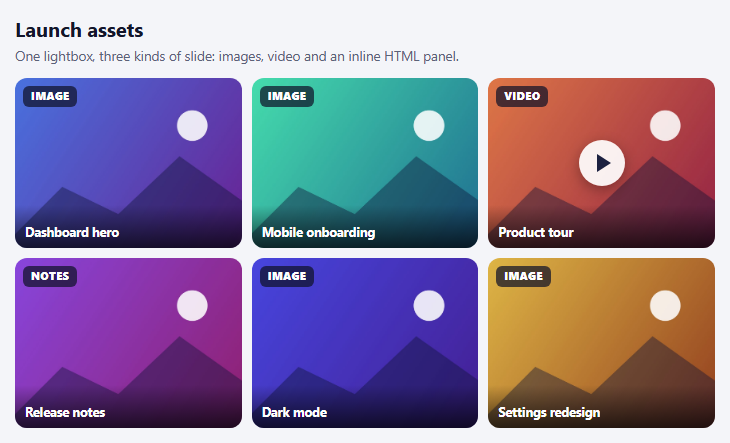
Most lightbox demos show a wall of photos. Real content is messier: a product launch page has screenshots, a walkthrough video and a block of release notes, and forcing each into its own modal means three different interaction patterns for what a visitor thinks of as one collection. GLightbox treats slides as typed objects — image, video, iframe or inline HTML — so one lightbox can move between all of them with the same swipe and keyboard behaviour.
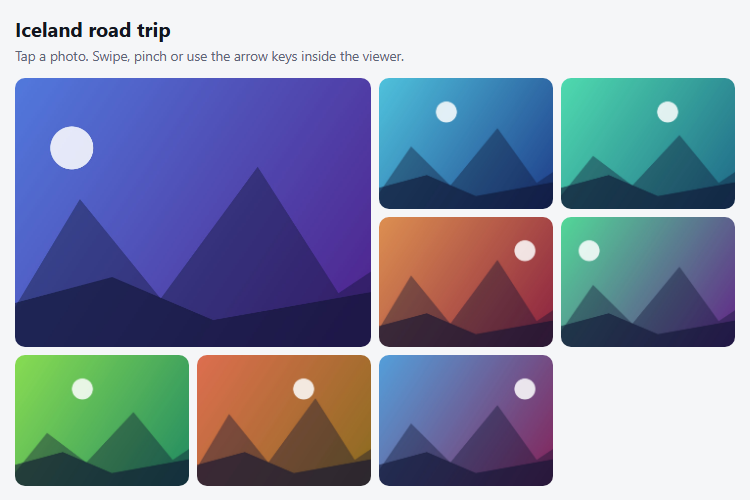
There are two ways to feed it. The declarative way is to add class="glightbox" links and let it discover them. This snippet uses the programmatic way, passing an elements array where each slide states its own type: an image with a title and description, a video with source: 'local' and a width, and an inline slide whose content is the HTML of a hidden element. The array approach matters because it decouples the thumbnail grid from the lightbox. The grid here is custom-styled buttons with badges and a play glyph, and a click handler calls lightbox.openAt(index), so the tiles can look like anything without being anchor tags.
Inline slides are the underrated feature. The release notes panel is ordinary HTML — a heading, a list and a button with a click handler — rendered inside the lightbox and still interactive, which is useful for forms, sign-up prompts and rich detail views that a bare image cannot carry. Two configuration choices are worth copying: autoplayVideos is false, so a video never starts making noise without a deliberate click, and loop wraps navigation so the arrows never dead-end.
GLightbox handles touch swipe, pinch zoom on images, drag to close and keyboard control, and it needs no dependencies. The demo video is a public CC0 clip loaded from a URL; if you host your own, use the local source type for MP4 files, or youtube and vimeo for embeds, which GLightbox wraps in a responsive frame. The thumbnails and images are generated on canvases so the layout works offline.
Step by step
How to Use
- 1Open an imageClick a tile marked Image. It opens in the lightbox with its title and description below.
- 2Move between slidesSwipe or press the arrow keys. The lightbox moves between image, video and notes slides seamlessly.
- 3Play the videoOpen the Product tour tile and press play; it never autoplays.
- 4Use the notes slideOpen Release notes. It is real HTML, and its button stays clickable inside the lightbox.
- 5Close itPress Escape, click outside the slide, click ×, or drag the slide away on a touch screen.
Real-world uses
Common Use Cases
Got questions?
Frequently Asked Questions
Pass an elements array to GLightbox. Each object sets its own type: "image", "video", "iframe" or "inline" with content.
Keep a reference to the instance and call lightbox.openAt(index) from your click handler.
Use type: "video" with source: "youtube" or "vimeo" and the video URL as href; GLightbox builds the embed.
Yes. Inline slides accept any HTML through the content property, and events inside it keep working.
Set autoplayVideos: false. Users then start playback themselves.
No. GLightbox is dependency-free vanilla JavaScript.
Yes. Use the JSX, Vue, Angular or Tailwind export buttons on this page to convert the markup and styles. The behaviour comes from GLightbox, so in a framework project install it with npm install glightbox instead of the CDN tag, create it in useEffect / onMounted / ngAfterViewInit, and release it with destroy() when the component unmounts.
Build with AI
Build, Understand, Optimize, and Extend It With AI
Ask an AI assistant like Claude to add a YouTube slide, pause a playing video when the user navigates away, or add a thumbnail strip along the bottom of the lightbox.
Prompt to recreate it
Copy this into your AI assistant of choice to build the effect from scratch, or as a jumping-off point for your own variant:
Build a mixed-media lightbox with GLightbox 3 loaded from a CDN (script and CSS).

Requirements:
- Create one GLightbox instance from an elements array containing image slides, a local MP4 video slide (source: 'local') and an inline HTML slide whose content comes from a hidden element.
- Render a custom thumbnail grid of buttons with a type badge and a play icon for video, and open the lightbox with openAt(index).
- Set touchNavigation, loop, keyboardNavigation, zoomable and autoplayVideos: false.
- Make the inline slide contain a list and a button that remains interactive.
- Generate thumbnails and images on canvases; give each button an aria-label describing its media type.
Want to tighten it up first? Run this prompt through the AI Prompt Studio to score it across 8 quality dimensions, catch anti-patterns, and tune the wording for Claude, ChatGPT, or Gemini before you paste it in.
Source Code
<div class="gl-wrap">
<h3>Launch assets</h3>
<p class="gl-sub">One lightbox, three kinds of slide: images, video and an inline HTML panel.</p>
<div class="gl-grid" id="glGrid"></div>
</div>
<div id="glInfo" style="display:none">
<div class="gl-panel">
<h4>Release notes — v2.4</h4>
<ul>
<li>New timeline view with drag-to-reorder</li>
<li>Dark mode across every screen</li>
<li>40% faster cold start</li>
</ul>
<button type="button" onclick="this.textContent='Still interactive!'">Try me</button>
</div>
</div>body { background: #f4f5f9; padding: 22px; font-family: system-ui, sans-serif; }
.gl-wrap { max-width: 700px; margin: 0 auto; }
.gl-wrap h3 { margin: 0; font-size: 20px; color: #12162a; }
.gl-sub { margin: 4px 0 14px; font-size: 13.5px; color: #5b6278; }
.gl-grid { display: grid; grid-template-columns: repeat(3, 1fr); gap: 10px; }
@media (max-width: 520px) { .gl-grid { grid-template-columns: repeat(2, 1fr); } }
.gl-tile { position: relative; aspect-ratio: 4 / 3; border: 0; padding: 0; border-radius: 12px; overflow: hidden; cursor: pointer; background: #dfe3ee; }
.gl-tile img { width: 100%; height: 100%; object-fit: cover; display: block; transition: transform .3s; }
.gl-tile:hover img { transform: scale(1.06); }
.gl-tile:focus-visible { outline: 3px solid #4f46e5; outline-offset: 2px; }
.gl-badge { position: absolute; top: 8px; left: 8px; font: 800 10.5px/1 system-ui, sans-serif; letter-spacing: .06em; text-transform: uppercase; color: #fff; background: rgba(15,18,40,.72); padding: 5px 8px; border-radius: 6px; }
.gl-play { position: absolute; inset: 0; display: grid; place-items: center; }
.gl-play i { width: 46px; height: 46px; border-radius: 50%; background: rgba(255,255,255,.92); display: grid; place-items: center; box-shadow: 0 4px 14px rgba(0,0,0,.3); }
.gl-play i::after { content: ''; margin-left: 4px; border-left: 14px solid #1c2140; border-top: 9px solid transparent; border-bottom: 9px solid transparent; }
.gl-name { position: absolute; left: 0; right: 0; bottom: 0; padding: 20px 10px 8px; text-align: left; font: 700 12.5px/1.2 system-ui, sans-serif; color: #fff; background: linear-gradient(transparent, rgba(0,0,0,.65)); }
.gl-panel { padding: 24px 28px; background: #fff; color: #171b33; border-radius: 12px; max-width: 420px; font-family: system-ui, sans-serif; }
.gl-panel h4 { margin: 0 0 10px; font-size: 18px; }
.gl-panel ul { margin: 0 0 16px; padding-left: 20px; line-height: 1.7; font-size: 14.5px; }
.gl-panel button { font: 700 13px/1 system-ui, sans-serif; color: #fff; background: #4f46e5; border: 0; border-radius: 9px; padding: 10px 16px; cursor: pointer; }function art(i, hues) {
const w = 1280, h = 853;
const c = document.createElement('canvas'); c.width = w; c.height = h;
const x = c.getContext('2d');
const g = x.createLinearGradient(0, 0, w, h);
g.addColorStop(0, 'hsl(' + hues[0] + ',72%,58%)'); g.addColorStop(1, 'hsl(' + hues[1] + ',66%,34%)');
x.fillStyle = g; x.fillRect(0, 0, w, h);
x.fillStyle = 'rgba(255,255,255,.88)'; x.beginPath(); x.arc(w * 0.75, h * 0.28, h * 0.09, 0, 7); x.fill();
x.fillStyle = 'rgba(15,20,55,.42)';
x.beginPath(); x.moveTo(0, h); x.lineTo(w * 0.24, h * (0.56 + (i % 2) * 0.08)); x.lineTo(w * 0.46, h * 0.8); x.lineTo(w * 0.7, h * 0.46); x.lineTo(w, h * 0.78); x.lineTo(w, h); x.fill();
return c.toDataURL('image/jpeg', 0.85);
}
// A tiny animated video made from a canvas would need MediaRecorder; a public CC0 clip keeps this simple.
const VIDEO = 'https://interactive-examples.mdn.mozilla.net/media/cc0-videos/flower.mp4';
const ITEMS = [
{ kind: 'image', name: 'Dashboard hero', desc: 'The redesigned overview screen', hues: [222, 280] },
{ kind: 'image', name: 'Mobile onboarding', desc: 'Three-step first-run flow', hues: [160, 200] },
{ kind: 'video', name: 'Product tour', desc: 'A 20-second walkthrough', hues: [20, 340] },
{ kind: 'inline', name: 'Release notes', desc: 'What changed in v2.4', hues: [265, 320] },
{ kind: 'image', name: 'Dark mode', desc: 'Every screen, after dark', hues: [240, 260] },
{ kind: 'image', name: 'Settings redesign', desc: 'Cleaner, searchable preferences', hues: [45, 15] },
];
const grid = document.getElementById('glGrid');
const elements = ITEMS.map(function (it) {
it.thumb = art(1, it.hues);
if (it.kind === 'image') return { href: it.thumb, type: 'image', title: it.name, description: it.desc };
if (it.kind === 'video') return { href: VIDEO, type: 'video', source: 'local', title: it.name, description: it.desc, width: '900px' };
return { content: document.getElementById('glInfo').innerHTML, type: 'inline', title: it.name, description: it.desc };
});
grid.innerHTML = ITEMS.map(function (it, i) {
const badge = it.kind === 'video' ? 'Video' : it.kind === 'inline' ? 'Notes' : 'Image';
return '<button type="button" class="gl-tile" data-i="' + i + '" aria-label="Open ' + it.name + ' (' + badge.toLowerCase() + ')">' +
'<img src="' + it.thumb + '" alt="">' + '<span class="gl-badge">' + badge + '</span>' +
(it.kind === 'video' ? '<span class="gl-play"><i></i></span>' : '') +
'<span class="gl-name">' + it.name + '</span></button>';
}).join('');
// One instance, driven by an array: each slide declares its own type.
const lightbox = GLightbox({
elements: elements,
touchNavigation: true,
loop: true,
keyboardNavigation: true,
closeOnOutsideClick: true,
zoomable: true,
draggable: true,
autoplayVideos: false, // never start playing without a click
videosWidth: '900px',
});
grid.addEventListener('click', function (e) {
const tile = e.target.closest('.gl-tile');
if (tile) lightbox.openAt(Number(tile.dataset.i));
});