

Interact.js Draggable and Resizable Dashboard Panels with Snapping
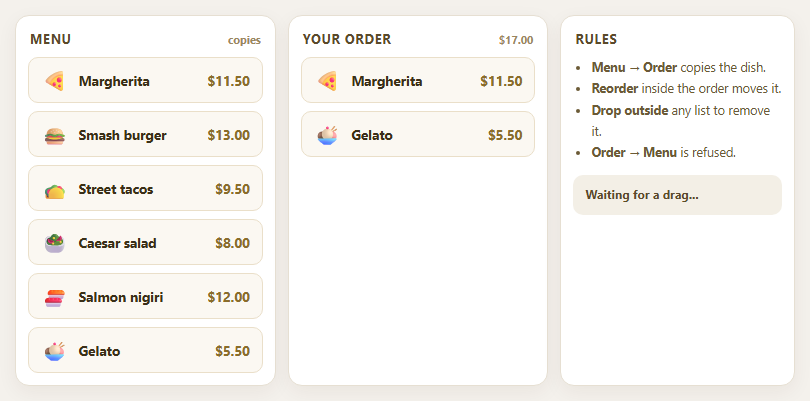
Dragula Copy vs Move Lists with Spill Control

SortableJS Shared Groups: Clone from a Palette into a Page Builder

SortableJS Drag Handle with Pinned and Locked Rows
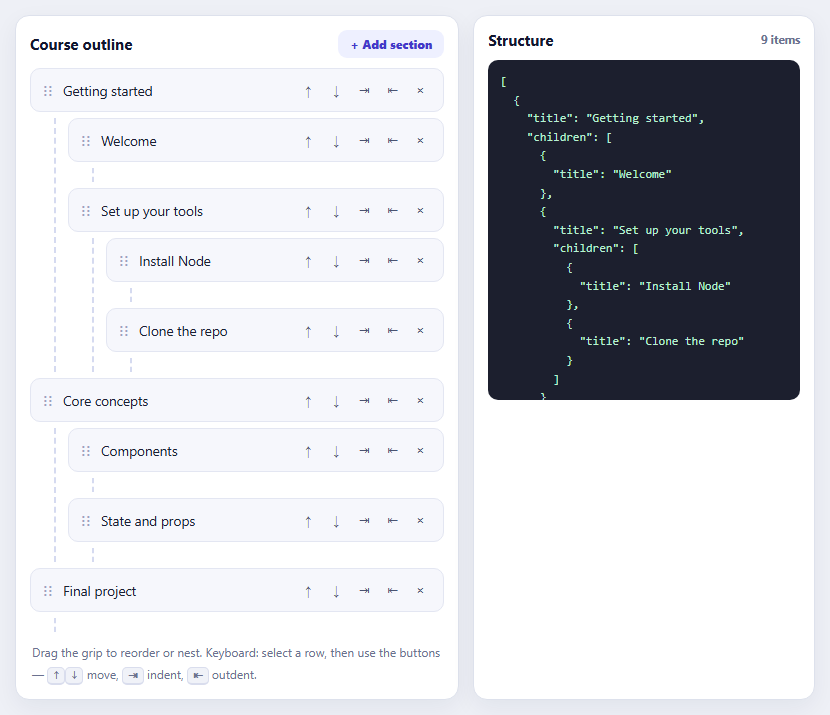
SortableJS Nested Sortable Tree with Keyboard Controls
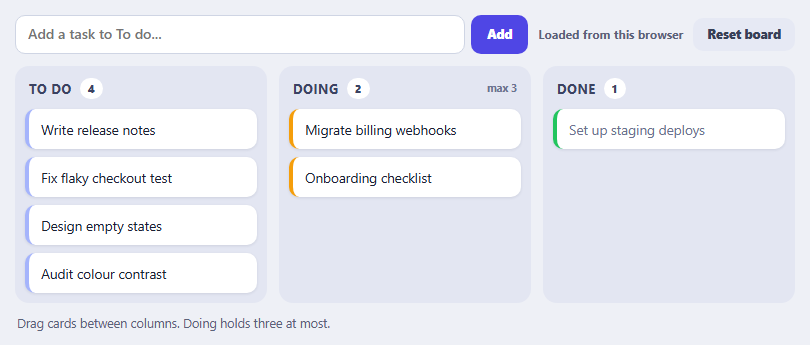
SortableJS Multi-List Kanban with Persistence and WIP Limit
Live Visitor Counter — Real-Time Viewer Count UI
Live Visitor Counter · Dashboards · Plain HTML, CSS & JS · Live preview
Copy & paste
Source Code
<div class="lvc-card">
  <span class="lvc-pulse-wrap">
    <span class="lvc-pulse-dot"></span>
  </span>
  <div class="lvc-text">
    <strong id="lvcCount">0</strong>
    <span id="lvcLabel">people viewing this page right now</span>
  </div>
</div>*{box-sizing:border-box;margin:0;padding:0}
body{font-family:system-ui,-apple-system,sans-serif;background:#f1f5f9;min-height:100vh;display:flex;align-items:center;justify-content:center;padding:24px}
.lvc-card{display:inline-flex;align-items:center;gap:11px;background:#fff;border-radius:999px;padding:11px 18px;box-shadow:0 10px 30px rgba(15,23,42,.1);border:1px solid #f1f5f9}
.lvc-pulse-wrap{position:relative;width:11px;height:11px;flex-shrink:0}
.lvc-pulse-dot{position:absolute;inset:0;border-radius:50%;background:#22c55e}
.lvc-pulse-wrap::before{content:'';position:absolute;inset:0;border-radius:50%;background:#22c55e;animation:lvcPing 1.8s cubic-bezier(0,0,.2,1) infinite}
@keyframes lvcPing{0%{transform:scale(1);opacity:.6}75%,100%{transform:scale(2.6);opacity:0}}
.lvc-text{display:flex;align-items:baseline;gap:6px;font-size:13.5px;color:#475569;font-weight:600}
.lvc-text strong{font-size:17px;font-weight:800;color:#0f172a;font-variant-numeric:tabular-nums;min-width:1.4ch;display:inline-block;text-align:right}
.lvc-text strong.bump{animation:lvcBump .3s ease}
@keyframes lvcBump{0%{transform:translateY(0)}30%{transform:translateY(-3px)}100%{transform:translateY(0)}}var count = 23 + Math.floor(Math.random() * 12);
var countEl = document.getElementById('lvcCount');
countEl.textContent = count;
function step() {
var delta = Math.random() < 0.5 ? -1 : 1;
if (Math.random() < 0.15) delta *= 2; // occasional bigger jump
count = Math.max(4, count + delta);
countEl.textContent = count;
countEl.classList.remove('bump');
void countEl.offsetWidth;
countEl.classList.add('bump');
var label = document.getElementById('lvcLabel');
label.textContent = (count === 1 ? 'person' : 'people') + ' viewing this page right now';
setTimeout(step, 2200 + Math.random() * 2600);
}
setTimeout(step, 2400);Extend with AI
Take This Snippet Further With AI
The AI prompt for this one is for Patreon supporters ($3 a month, 7 days free), along with a site with no ads. Supporters enter the passcode once and it is remembered in this browser.
What's included
Features
About this UI Snippet
Live Visitor Counter — Random-Walk Count, Pulsing Dot & Per-Update Bump
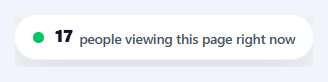
"23 people are viewing this right now" is a small but effective urgency cue used across e-commerce and ticketing sites — it signals active demand without the harder sell of a discount or a deadline. This snippet builds a believable live-counter widget: a pulsing presence dot, a count that drifts realistically rather than mechanically, and a tiny bump animation marking every change.
A random walk, not random noise
Rather than picking a fresh random number on every tick (which would jump around with no continuity and immediately look fake), step() nudges the *existing* count by ±1, occasionally ±2 on a 15% chance for a slightly bigger jump, clamped with Math.max(4, …) so it never drops to an unbelievable near-zero. This random-walk approach — each new value derived from the last, not generated independently — is what makes the number feel like it's tracking something real instead of visibly randomizing.
Irregular timing reads as more real than a fixed interval
Each update schedules the *next* one with setTimeout(step, 2200 + Math.random() * 2600) — a randomized 2.2–4.8 second gap — rather than a fixed setInterval. A perfectly regular tick is one of the easiest "this is fake" tells for any live-data widget; irregular timing, even though it's still simulated, matches how real, independent visitor arrivals and departures would actually look.
A pulsing dot built from one extra layer
The presence indicator is two stacked elements at the same position: a solid dot and a ::before pseudo-element of the same color that scales up to 2.6× while fading out on a 1.8-second loop — the classic CSS "ping" effect, requiring no JavaScript and no extra real DOM node beyond the one dot <span>.
A bump animation that announces the change without text noise
Every time the count updates, its number element gets a .bump class removed and immediately re-added (with a forced reflow via void countEl.offsetWidth so the animation retriggers even on consecutive updates) — a quick upward nudge-and-settle that draws the eye to the new value for an instant without a distracting color flash or a layout-shifting size change.
Use real data once you have it
This widget is built to demonstrate the interaction, not to manufacture demand — once connected to genuine concurrent-viewer data from real analytics, the exact same rendering and animation logic applies unchanged; only the source of the number differs. Treat the random-walk version as a placeholder for development and design review, not as something to ship in front of real visitors.
Step by step
How to Use
- 1Paste HTML, CSS, and JSA pill-shaped counter renders with a pulsing green dot and a starting count between 23 and 34.
- 2Watch it driftEvery few seconds (an irregular 2.2–4.8s gap), the count nudges up or down by 1 or 2, with a small bump animation marking each change.
- 3Notice the floorThe count never drops below 4, however many consecutive decreases occur in a row.
- 4Check the singular/plural labelIf the count ever reaches exactly 1, the label automatically switches from "people" to "person."
- 5Adjust the starting range or drift sizeChange the initial count formula or the ±1/±2 delta logic in step() to tune how active or volatile the counter feels.
- 6Connect a real visitor countReplace the random-walk step() logic with a value from your real-time analytics (a WebSocket or short-poll endpoint), keeping the same bump-animation update call.
Real-world uses
Common Use Cases
Got questions?
Frequently Asked Questions
Replace the random-walk logic in step() with a value from your analytics provider — either a WebSocket pushing live concurrent-viewer counts, or a short-poll fetch every few seconds — and call the same textContent/bump-class update with the real number instead of the simulated delta.
Many regions and platforms (and several countries' advertising/consumer-protection rules) treat fabricated scarcity or demand signals as a deceptive practice if presented as real data — use simulated numbers only for demos, mockups, or prototypes, and connect this to genuine analytics before shipping it to real users.
Check the current time (or fetch a server-provided value) before starting the step() loop, and conditionally hide the whole .lvc-card element (or skip rendering it) outside your desired active window.
Key your real visitor-count data by product id and pass the relevant count into this component's update logic per product card, rendering one counter instance per product rather than one global page-level counter.
In React, keep count in useState and run the randomized setTimeout loop inside useEffect with cleanup on unmount; in Vue, use ref()/onUnmounted for the same timer cleanup; in Angular, use a component field with ngOnDestroy. The random-walk and bump-animation-retrigger logic is plain JavaScript and ports directly.