





Scroll Direction Theme Shift — Free Direction-Aware Color Theme Effect
Scroll Direction Theme Shift · Scroll · Plain HTML, CSS & JS · Live preview
Copy & paste
Source Code
<div class="dt-indicator" id="dtIndicator"><span id="dtArrow">↓</span><span id="dtLabel">Scrolling down</span></div>
<section class="dt-intro"><h1>Scroll up and down</h1><p>The accent palette shifts to a "down" theme while scrolling down, and a distinct "up" theme while scrolling up — based on comparing consecutive scroll positions, not just how far you've scrolled.</p></section>
<section class="dt-block"><h2>Section one</h2><p>Direction is recomputed on every scroll event by comparing the current position against the last one.</p></section>
<section class="dt-block"><h2>Section two</h2><p>Scroll down a while, then scroll back up mid-page — the theme flips immediately, not at the top.</p></section>
<section class="dt-block"><h2>Section three</h2><p>A small deadband ignores sub-pixel jitter so the theme doesn't flicker on a still page.</p></section>
<section class="dt-outro"><p>Try scrolling down, pausing, then scrolling up from anywhere on the page.</p></section>*{box-sizing:border-box;margin:0;padding:0}
:root{--dt-accent:#22d3ee;--dt-accent-2:#6366f1;--dt-bg:#0a0b13;--dt-bg-2:#0d1020}
body{font-family:system-ui,-apple-system,sans-serif;background:var(--dt-bg);color:#fff;transition:background .6s ease}
.dt-indicator{position:fixed;top:20px;right:20px;display:flex;align-items:center;gap:8px;padding:9px 16px;border-radius:999px;background:rgba(13,15,28,.85);backdrop-filter:blur(8px);border:1px solid rgba(255,255,255,.12);font-size:13px;font-weight:700;color:var(--dt-accent);z-index:10;transition:color .5s ease}
#dtArrow{font-size:16px;transition:transform .3s ease}
.dt-intro,.dt-outro{min-height:80vh;display:flex;flex-direction:column;justify-content:center;align-items:center;text-align:center;gap:12px;padding:24px}
.dt-intro h1{font-size:clamp(32px,6.5vw,58px);letter-spacing:-.02em;background:linear-gradient(135deg,var(--dt-accent-2),var(--dt-accent));-webkit-background-clip:text;background-clip:text;color:transparent;transition:background .5s ease}
.dt-intro p,.dt-outro p{color:#9aa0b8;font-size:16px;max-width:520px}
.dt-block{min-height:70vh;display:flex;flex-direction:column;justify-content:center;gap:12px;max-width:640px;margin:0 auto;padding:24px;border-top:1px solid rgba(255,255,255,.06)}
.dt-block h2{font-size:clamp(24px,4vw,36px);letter-spacing:-.01em;color:var(--dt-accent);transition:color .5s ease}
.dt-block p{color:#9aa0b8;font-size:16px;line-height:1.6;max-width:480px}
body.dt-up{background:var(--dt-bg-2)}(function () {
var root = document.documentElement;
var indicator = document.getElementById('dtIndicator');
var arrow = document.getElementById('dtArrow');
var label = document.getElementById('dtLabel');
var DOWN_THEME = { accent: '#22d3ee', accent2: '#6366f1', bg: '#0a0b13', bg2: '#0d1020' };
var UP_THEME = { accent: '#f472b6', accent2: '#facc15', bg: '#150912', bg2: '#1a0d17' };
var lastY = window.scrollY;
var direction = 'down';
var DEADBAND = 2; // px of jitter to ignore so a still page doesn't flicker
function applyTheme(theme, dir) {
root.style.setProperty('--dt-accent', theme.accent);
root.style.setProperty('--dt-accent-2', theme.accent2);
root.style.setProperty('--dt-bg', theme.bg);
root.style.setProperty('--dt-bg-2', theme.bg2);
document.body.classList.toggle('dt-up', dir === 'up');
arrow.textContent = dir === 'up' ? '↑' : '↓';
arrow.style.transform = dir === 'up' ? 'rotate(0deg)' : 'rotate(0deg)';
label.textContent = dir === 'up' ? 'Scrolling up' : 'Scrolling down';
}
function onScroll() {
var currentY = window.scrollY;
var delta = currentY - lastY;
if (Math.abs(delta) < DEADBAND) return; // ignore jitter, keep last direction
// Real direction detection: compare this position against the
// previous one on every event, not just "am I near the top."
var newDirection = delta > 0 ? 'down' : 'up';
if (newDirection !== direction) {
direction = newDirection;
applyTheme(direction === 'up' ? UP_THEME : DOWN_THEME, direction);
}
lastY = currentY;
}
window.addEventListener('scroll', onScroll, { passive: true });
applyTheme(DOWN_THEME, 'down');
})();Extend with AI
Take This Snippet Further With AI
The AI prompt for this one is for Patreon supporters ($3 a month, 7 days free), along with a site with no ads. Supporters enter the passcode once and it is remembered in this browser.
What's included
Features
About this UI Snippet
Scroll Direction Theme Shift — A Palette That Responds to Which Way You Scroll
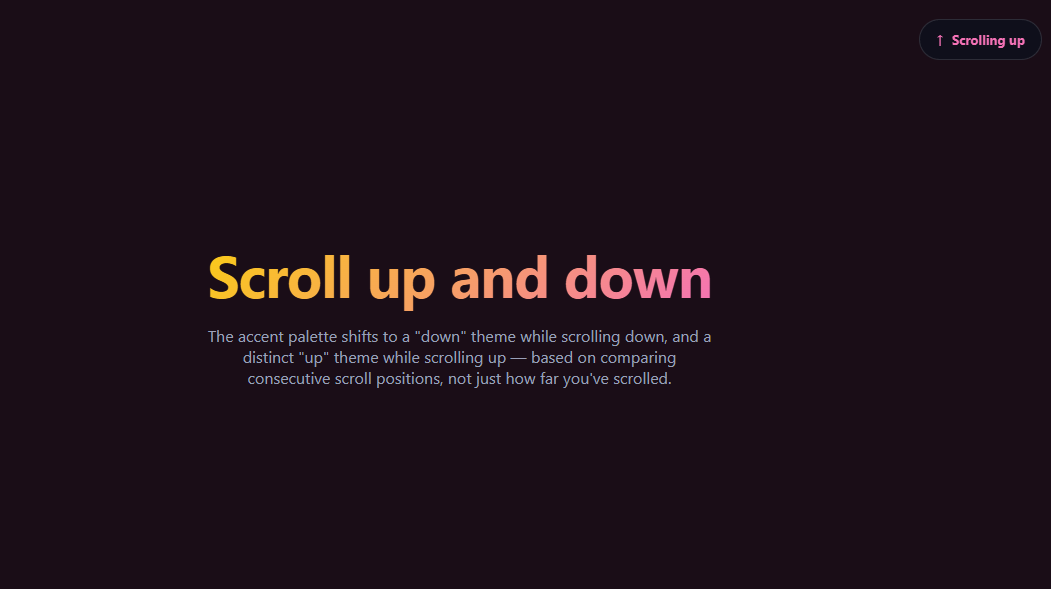
Most "scroll-aware" theme effects only check one thing: has the user scrolled past some threshold, usually near the top of the page. This snippet checks something different and more genuinely direction-aware — which way the user is currently scrolling, determined fresh on every scroll event by comparing the current position against the previous one. Scroll down anywhere on the page and the accent colors shift to a cyan/indigo palette; scroll up from anywhere — not just near the top — and it shifts to a distinct pink/amber palette instead. Built entirely in vanilla JavaScript with CSS custom properties.
Comparing consecutive positions, not absolute position
The core of the effect is four lines: read window.scrollY, subtract the value recorded on the previous scroll event, and the sign of that difference is the direction. This is fundamentally different from checking scrollY > 100 or scrollY === 0 — those only know *where* you are on the page, not *which way* you're currently moving. A user paused halfway down the page could be about to scroll either direction; only comparing consecutive reads reveals which.
A deadband against jitter
Trackpads, certain mice, and even some scroll-restoration behaviors can fire scroll events with a pixel or two of noise even when the page is visually still. A small DEADBAND of 2px means deltas smaller than that are ignored entirely rather than treated as a direction change, so the theme doesn't flicker between states when nothing meaningful is happening.
CSS custom properties as the single source of truth
Rather than toggling many individual color declarations, the direction handler writes four CSS custom properties (--dt-accent, --dt-accent-2, --dt-bg, --dt-bg-2) on the root element, and every colored element in the CSS simply references those variables with a transition. Changing direction is then just four setProperty calls, and the whole page's palette cross-fades together via CSS transitions with no JavaScript animation loop needed.
Direction only changes state when it flips
The handler tracks the last known direction string and only calls applyTheme when the newly computed direction actually differs from it — so hundreds of consecutive "still scrolling down" events don't re-trigger the same transition repeatedly; only the moment of reversal does.
Customizing it
Add a third, more neutral theme for "scroll velocity near zero" using the deadband window, tie the shift to a background gradient position instead of flat colors, or apply it per-section instead of globally. Pair it with scroll color sections for position-driven color, or a dark mode toggle for manual theme control.
Step by step
How to Use
- 1Paste HTML, CSS, and JSAn intro, three content blocks, an indicator, and an outro render.
- 2Scroll downThe palette shifts to cyan/indigo and the indicator shows ↓.
- 3Scroll up from mid-pageThe palette flips to pink/amber immediately, not just near the top.
- 4Pause, then continueA small deadband prevents flicker while the page is still.
- 5Watch the indicatorIt shows the currently detected direction and arrow.
- 6Customize the themesEdit DOWN_THEME and UP_THEME's color values.
Real-world uses
Common Use Cases
Got questions?
Frequently Asked Questions
A "scrolled past top" effect only checks the absolute scroll position — usually a single threshold like scrollY > 100. This snippet instead subtracts the previous scroll position from the current one on every scroll event; the sign of that difference is the real, instantaneous scroll direction, which works correctly no matter where on the page the user currently is, including mid-scroll reversals far from the top.
Some input devices and browser scroll-restoration behaviors fire scroll events with a pixel or two of noise even when the page looks visually still. The DEADBAND constant ignores any delta smaller than 2px, so that noise doesn't get misread as a direction change and cause the theme to flicker when nothing meaningful is happening.
No — the handler computes the direction on every event but compares it against the last known direction, and only calls applyTheme (which writes the CSS custom properties and toggles the class) when the direction has actually flipped. Hundreds of consecutive "still scrolling down" events do nothing beyond updating the stored last position.
Writing four CSS custom properties on the root element means every element that references var(--dt-accent) and similar updates together automatically, and the built-in CSS transition on those properties handles the cross-fade with no JavaScript animation loop. It also makes customizing the palettes a one-line edit to the DOWN_THEME and UP_THEME objects rather than hunting through class definitions.
Attach the passive scroll listener in a mount effect, keeping lastY and direction in refs so they persist across renders without causing re-renders on every scroll event. Write the CSS custom properties via document.documentElement.style.setProperty exactly as in the vanilla version, since that state lives outside the component tree. Return a cleanup that removes the scroll listener.