

Scroll Paper Fold Brochure — Free HTML CSS JS Snippet
Scroll Paper Fold Brochure · Scroll · Plain HTML, CSS & JS · Live preview
Copy & paste
Source Code
<div class="hint">Scroll ↓ to unfold the brochure</div>
<section class="fold-section">
  <div class="brochure-stage">
    <div class="brochure">
      <div class="panel cover">
        <h2>Trailhead</h2>
        <p>A three-panel guide to the ridge walk</p>
      </div>
      <div class="panel middle" id="panelMiddle">
        <h3>The Route</h3>
        <p>6.2 miles, 900ft gain, moderate difficulty. Trailhead parking opens at dawn.</p>
      </div>
      <div class="panel right" id="panelRight">
        <h3>What to Bring</h3>
        <p>Water, layered clothing, a paper map — signal drops past the ridge line.</p>
      </div>
    </div>
  </div>
</section>
<div class="spacer"></div>
* { box-sizing: border-box; }
body { margin: 0; font-family: 'Helvetica Neue', Arial, sans-serif; background: #eef1ea; color: #223326; }
.hint { position: sticky; top: 12px; text-align: center; font-size: 13px; letter-spacing: 0.05em; color: #5a7a5f; z-index: 5; padding: 10px; }
.fold-section { height: 280vh; }
.spacer { height: 15vh; }
.brochure-stage { position: sticky; top: 14vh; height: 72vh; display: flex; align-items: center; justify-content: center; }
.brochure { display: flex; width: min(90vw, 600px); height: 380px; }
.panel { width: 33.333%; height: 100%; padding: 28px 22px; display: flex; flex-direction: column; justify-content: center; gap: 10px; box-shadow: 0 10px 30px rgba(34,51,38,0.15); }
.cover { background: linear-gradient(160deg, #2f6b45, #1c4530); color: #eef1ea; position: relative; z-index: 3; }
.cover h2 { font-size: 26px; margin: 0; }
.cover p { font-size: 13px; opacity: 0.85; margin: 0; }
.middle, .right { backface-visibility: hidden; }
.middle { background: #f8f6ee; transform-origin: left center; transform: rotateY(-140deg); position: relative; z-index: 2; }
.right { background: #eef1ea; border-left: 1px solid #d6ddd0; transform-origin: left center; transform: rotateY(-140deg); position: relative; z-index: 1; }
.panel h3 { font-size: 16px; margin: 0; color: #2f6b45; }
.panel p { font-size: 13px; line-height: 1.6; margin: 0; color: #445a48; }gsap.registerPlugin(ScrollTrigger);
var panelMiddle = document.getElementById('panelMiddle');
var panelRight = document.getElementById('panelRight');
// transformPerspective gives each panel its OWN local vanishing point,
// centered on its own transform-origin, instead of sharing one perspective
// centered on the whole .brochure-stage. With a single shared perspective,
// a panel hinged at its own left edge -- off-center from that shared
// vanishing point -- visually drifts away from the seam as it rotates
// instead of swinging flush against the panel beside it.
gsap.set([panelMiddle, panelRight], { rotateY: -140, transformStyle: 'preserve-3d', transformPerspective: 1600 });
var tl = gsap.timeline({
scrollTrigger: {
trigger: '.fold-section',
start: 'top top',
end: 'bottom bottom',
scrub: 0.5,
pin: false,
},
});
tl.to(panelMiddle, { rotateY: 0, ease: 'none', duration: 1 }, 0.05)
.to(panelRight, { rotateY: 0, ease: 'none', duration: 1 }, 0.45);Extend with AI
Take This Snippet Further With AI
The AI prompt for this one is for Patreon supporters ($3 a month), along with a site with no ads. Supporters enter the passcode once and it is remembered in this browser.
What's included
Features
About this UI Snippet
Scroll Paper Fold Brochure — CSS 3D Hinge Rotation, transform-origin & Sequential Scrub
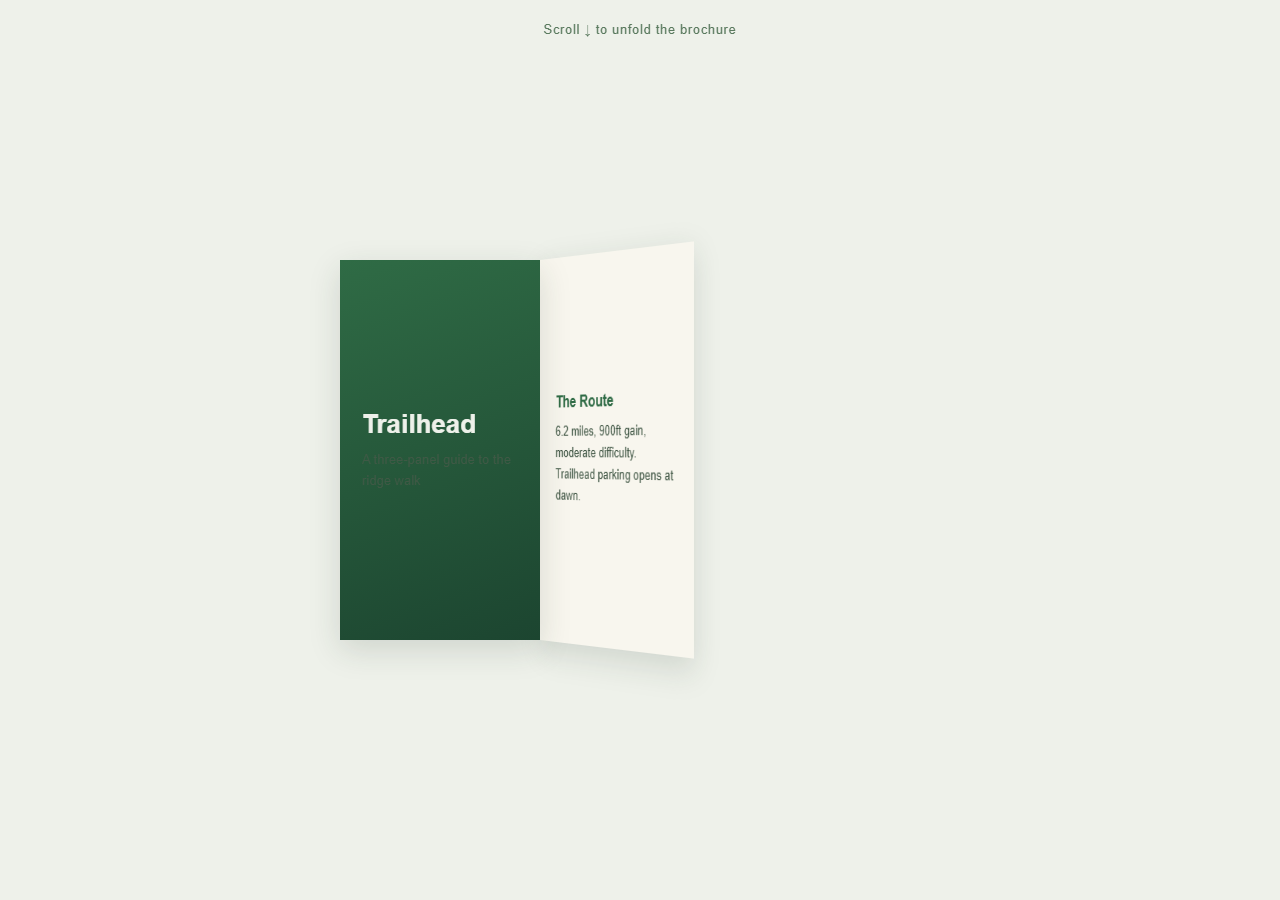
A tri-fold brochure that starts closed and opens one panel at a time as the page scrolls, each panel rotating open on its hinge exactly like unfolding a real paper brochure. Pair with Scroll Sticky Stack for another sticky-staged sequential reveal, or Scroll Parallax Layers for a simpler scrub effect.
A sticky stage inside a tall section, not a hard pin
.fold-section is 280vh tall, defining the scroll distance the unfold takes. .brochure-stage inside it uses position: sticky to hold itself in view for that distance, while the ScrollTrigger driving the animation explicitly sets pin: false — sticky positioning handles the visual staging, letting the brochure unfold across a normal-height scrolling section rather than a hard-pinned one.
Hinge rotation via transform-origin
Both the middle and right panels start at rotateY(-140deg) — folded back behind the cover panel — with transform-origin: left center, so rotation pivots around their left edge exactly like a real paper hinge rather than the panel's own center.
A local perspective per panel, not one shared on the parent
A single perspective on the parent .brochure-stage is the more commonly seen approach, but it centers its one vanishing point on the whole brochure — not on either panel's own hinge. A panel rotating around its own left edge, off-center from that shared vanishing point, visually drifts away from the seam as it opens instead of swinging flush against the panel beside it, leaving a distracting gap right at the hinge. GSAP's transformPerspective (set once via gsap.set) gives each rotating panel its own local vanishing point centered on its own transform-origin instead, which is what keeps it pinned flush against the seam through the entire rotation.
backface-visibility: hidden hides the closed panels correctly
-140deg is past the ±90deg point at which a rotated element stops showing its front and starts showing its back. Without backface-visibility: hidden, a closed panel would render that back face directly at the viewer — mirrored and upside-down, since nothing else styles or hides it — instead of reading as "folded away." Setting backface-visibility: hidden on both panels makes the back face render as nothing at all while past that threshold, so a closed panel is genuinely invisible rather than showing garbled reversed text, and it swings cleanly into normal, correctly-oriented view the moment its rotation crosses back past ±90deg toward 0.
Sequential unfolding on one scrubbed timeline
A single GSAP timeline rotates the middle panel from -140deg to 0deg starting at timeline position 0.05, then the right panel through the same rotation starting at 0.45 — staggered so panels open one after another rather than simultaneously, mimicking how a person's hand would unfold a physical brochure fold by fold.
Reversibility
Because both hinge rotations are scrubbed tweens on the same timeline, scrolling back up refolds the panels in reverse order — the right panel closes first, then the middle — exactly retracing the unfolding motion.
Step by step
How to Use
- 1Scroll through the sectionScroll down slowly — the middle panel unfolds open first, then the right panel unfolds, revealing brochure content on each.
- 2Scroll back upThe panels refold in reverse order — right panel first, then middle — confirming full reversibility.
- 3Edit panel contentChange the heading and paragraph text inside .cover, #panelMiddle, and #panelRight in the HTML panel to your own brochure copy.
- 4Adjust fold timingChange the timeline positions (0.05 and 0.45) in the JS panel to make panels unfold closer together or further apart.
- 5Add a fourth panelAdd another .panel div with rotateY(-140deg) and transform-origin: left center, then add a matching tween to the timeline at a later position.
- 6Export in your formatClick "HTML" for a standalone file, "JSX" for React, or "Tailwind" for a React + Tailwind version.
Real-world uses
Common Use Cases
Got questions?
Frequently Asked Questions
The brochure unfolds across a normal-height tall section rather than needing a fixed "stage" the whole time — position: sticky on the wrapping element achieves the same staying-in-view effect without GSAP inserting pin-spacer elements, which better suits content meant to transition while the page continues scrolling.
transform-origin: left center means rotation pivots around the panel's left edge, not its center — exactly where a real paper hinge would be. Combined with its own transformPerspective, the rotating panel swings through genuine 3D space, flush against the seam, rather than just skewing flat or drifting away from the panel beside it.
A single perspective on the parent stage centers one vanishing point on the whole brochure, not on either panel's own hinge. A panel rotating around its own left edge, off-center from that shared point, visually drifts away from the seam as it opens — a distracting gap appears right where the hinge should stay flush. transformPerspective gives each rotating panel its own local vanishing point centered on its own transform-origin instead, which is what keeps it pinned to the seam through the whole rotation.
Both panel rotations are tweens on one shared scrubbed timeline, but placed at different timeline start positions (0.05 and 0.45) — this staggers them so the middle panel finishes most of its unfold before the right panel begins, mimicking how a hand would open a real brochure fold by fold.
The closed rotation angle, -140deg, is past the ±90deg point where a rotated element switches from showing its front to showing its back. Without backface-visibility: hidden, a closed panel would render that back face — mirrored and upside-down — directly at the viewer instead of reading as tucked away. Setting it hides that back face entirely, so the panel is genuinely invisible while closed and swings into correctly-oriented view only once its rotation crosses back past ±90deg.
Yes — add another .panel element with the same starting rotateY(-140deg) and transform-origin: left center, then add a tween for it to the timeline at a later position than the existing panels, and extend the section height proportionally.
Yes — CSS 3D transforms and rotateY are broadly supported. On very narrow viewports you may want to reduce the transformPerspective value or panel widths so panels stay legible; the max-width: 90vw sizing already keeps the brochure responsive.