




Scrollama Scrollytelling: Sticky Story with Live Timeline
Scrollama Scrollytelling · Scroll · Plain HTML, CSS & JS · Live preview
Copy & paste
Source Code
<header class="sss-intro">
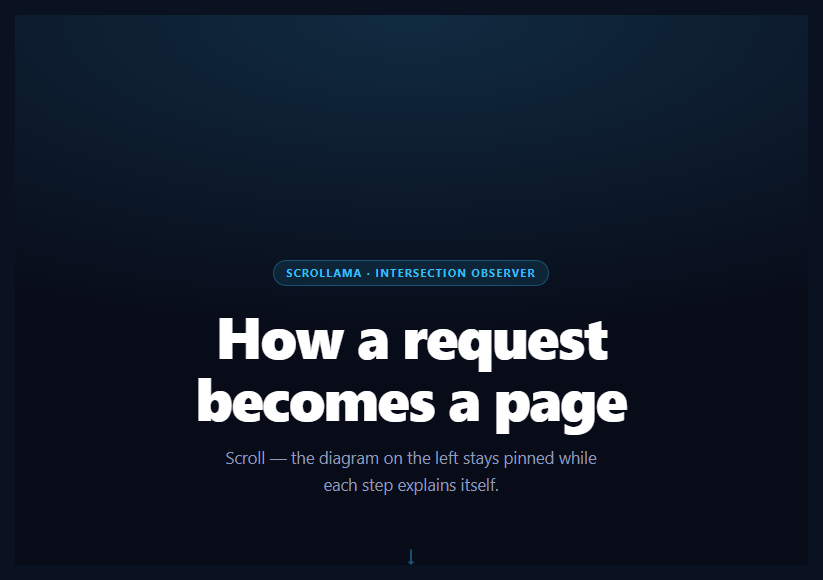
  <span class="sss-tag">scrollama · intersection observer</span>
  <h1>How a request becomes a page</h1>
  <p>Scroll. The graphic stays pinned while each step explains itself, and a packet travels the pipeline as you read.</p>
  <span class="sss-cue" aria-hidden="true">↓</span>
</header>

<section class="sss-scrolly" id="sssRoot">
  <figure class="sss-sticky">
    <figcaption class="sss-clock"><b id="sssClock">0</b><span>ms</span><em>to a usable page</em></figcaption>

    <div class="sss-diagram" id="sssDiagram">
      <div class="sss-node" data-node="0"><b>Browser</b><small>Request</small><em class="sss-chip">waiting</em></div>
      <div class="sss-node" data-node="1"><b>Edge</b><small>Cache</small><em class="sss-chip">waiting</em></div>
      <div class="sss-node" data-node="2"><b>Server</b><small>Render</small><em class="sss-chip">waiting</em><span class="sss-chunks" aria-hidden="true"><i></i><i></i><i></i><i></i></span></div>
      <div class="sss-node" data-node="3"><b>Client</b><small>Hydrate</small><em class="sss-chip">waiting</em></div>
      <i class="sss-packet" id="sssPacket" aria-hidden="true"></i>
    </div>

    <div class="sss-seg" role="img" aria-label="Time spent in each of the four steps">
      <span style="flex:120"><i></i></span><span style="flex:40"><i></i></span><span style="flex:380"><i></i></span><span style="flex:300"><i></i></span>
    </div>

    <nav class="sss-dots" aria-label="Story steps">
      <button type="button" class="sss-dot" data-go="0" aria-label="Go to step 1: The request leaves"></button>
      <button type="button" class="sss-dot" data-go="1" aria-label="Go to step 2: The edge answers first"></button>
      <button type="button" class="sss-dot" data-go="2" aria-label="Go to step 3: The server renders"></button>
      <button type="button" class="sss-dot" data-go="3" aria-label="Go to step 4: The client takes over"></button>
    </nav>
  </figure>

  <div class="sss-steps">
    <div class="sss-step" data-step="0" tabindex="0">
      <span class="sss-num">Step 1 · 120 ms</span>
      <h2>The request leaves</h2>
      <p>A URL is resolved, a connection is negotiated, and a single GET goes out. Everything after this is latency you are choosing to spend.</p>
    </div>
    <div class="sss-step" data-step="1" tabindex="0">
      <span class="sss-num">Step 2 · 40 ms</span>
      <h2>The edge answers first</h2>
      <p>If a cached copy exists within a few hundred kilometres, the origin is never contacted. This is the cheapest millisecond in the whole chain.</p>
    </div>
    <div class="sss-step" data-step="2" tabindex="0">
      <span class="sss-num">Step 3 · 380 ms</span>
      <h2>The server renders</h2>
      <p>On a miss, the origin builds the document: data fetched, components resolved, HTML streamed out as it becomes available rather than all at once.</p>
    </div>
    <div class="sss-step" data-step="3" tabindex="0">
      <span class="sss-num">Step 4 · 300 ms</span>
      <h2>The client takes over</h2>
      <p>Markup paints immediately, then JavaScript attaches behavior to what is already on screen. Done well, the user never sees the seam.</p>
    </div>
  </div>
</section>

<footer class="sss-foot">
  <p><b>840 ms</b> from click to a usable page <small>(illustrative timings)</small></p>
  <button type="button" class="sss-replay" id="sssReplay">↑ Replay the story</button>
</footer>
<p class="sss-sr" id="sssLive" aria-live="polite"></p>*{box-sizing:border-box;margin:0;padding:0}
body{font-family:system-ui,-apple-system,sans-serif;background:#080b18;color:#fff}
.sss-sr{position:absolute;width:1px;height:1px;overflow:hidden;clip:rect(0 0 0 0);white-space:nowrap}
.sss-intro{min-height:88vh;display:flex;flex-direction:column;align-items:center;justify-content:center;text-align:center;padding:40px 24px;background:radial-gradient(110% 70% at 50% 0%,rgba(56,189,248,.18),transparent 60%)}
.sss-tag{display:inline-block;font-size:10.5px;font-weight:700;letter-spacing:.14em;text-transform:uppercase;color:#38bdf8;background:rgba(56,189,248,.11);border:1px solid rgba(56,189,248,.3);padding:5px 12px;border-radius:99px;margin-bottom:18px}
.sss-intro h1{font-size:clamp(30px,6.6vw,58px);font-weight:800;letter-spacing:-.03em;line-height:1.07;max-width:16ch}
.sss-intro p{font-size:clamp(14px,2.4vw,16.5px);color:#8f9ab8;margin-top:16px;max-width:46ch;line-height:1.65}
.sss-cue{margin-top:34px;font-size:22px;color:#38bdf8;animation:sssBob 1.8s ease-in-out infinite}
@keyframes sssBob{50%{transform:translateY(9px);opacity:.5}}
.sss-scrolly{position:relative;display:grid;grid-template-columns:1fr 1fr;gap:40px;max-width:1060px;margin:0 auto;padding:0 24px}
/* The graphic column sticks to the top, full viewport height, and centres its content */
.sss-sticky{position:sticky;top:0;height:100vh;display:flex;flex-direction:column;align-items:center;justify-content:center;gap:22px}
.sss-clock{display:flex;align-items:baseline;gap:6px;font-variant-numeric:tabular-nums}
.sss-clock b{font-size:44px;font-weight:800;letter-spacing:-.03em;min-width:3ch;text-align:right}
.sss-clock span{font-size:16px;font-weight:700;color:#38bdf8}
.sss-clock em{font-style:normal;font-size:12px;color:#7d87a8;margin-left:6px}
.sss-diagram{position:relative;width:min(300px,80vw);display:flex;flex-direction:column;gap:26px}
.sss-node{position:relative;z-index:1;padding:14px 20px;border-radius:14px;background:rgba(255,255,255,.04);border:1px solid rgba(255,255,255,.1);text-align:center;transition:opacity .45s cubic-bezier(.22,1,.36,1),transform .45s cubic-bezier(.22,1,.36,1),border-color .45s,background .45s}
.sss-node b{font-size:15px;font-weight:800;display:block}
.sss-node small{font-size:11px;color:#8f9ab8;letter-spacing:.06em;text-transform:uppercase}
.sss-chip{position:absolute;top:8px;right:10px;font-style:normal;font-size:9.5px;font-weight:700;letter-spacing:.05em;text-transform:uppercase;color:#6b7494}
.sss-js .sss-node{opacity:.34;transform:scale(.95)}
.sss-js .sss-node.is-on{opacity:1;transform:scale(1);background:rgba(56,189,248,.13);border-color:#38bdf8;box-shadow:0 18px 40px -20px rgba(56,189,248,.85)}
.sss-js .sss-node.is-done{opacity:.66;transform:scale(.97);border-color:rgba(56,189,248,.35)}
.sss-node.is-on .sss-chip{color:#38bdf8}
.sss-node.is-done .sss-chip{color:#5eead4}
/* Wires: a real line between each pair of nodes, filled with the progress of the step that travels it (--w, 0 to 1) */
.sss-node:nth-child(-n+3)::after{content:'';position:absolute;left:50%;top:100%;width:2px;height:26px;margin-left:-1px;background:linear-gradient(to bottom,#38bdf8 calc(var(--w,0)*100%),rgba(255,255,255,.14) calc(var(--w,0)*100%))}
.sss-packet{position:absolute;left:0;top:0;z-index:2;width:14px;height:14px;border-radius:50%;background:#fff;box-shadow:0 0 0 4px rgba(56,189,248,.35),0 0 18px 4px rgba(56,189,248,.7);pointer-events:none;will-change:transform;opacity:0}
.sss-js .sss-packet.is-ready{opacity:1}
/* HTML streaming into the Server node while step 3 is read */
.sss-chunks{display:flex;gap:4px;margin-top:8px}
.sss-chunks i{flex:1;height:4px;border-radius:99px;background:rgba(255,255,255,.12);transform-origin:left;position:relative;overflow:hidden}
.sss-chunks i::after{content:'';position:absolute;inset:0;background:#a78bfa;transform:scaleX(var(--c,0));transform-origin:left}
/* Waterfall: one segment per step, as wide as its time, filled as the step is read */
.sss-seg{display:flex;gap:3px;width:min(300px,80vw)}
.sss-seg span{height:6px;border-radius:99px;background:rgba(255,255,255,.09);overflow:hidden}
.sss-seg i{display:block;height:100%;transform-origin:left;transform:scaleX(0)}
.sss-seg span:nth-child(1) i{background:#38bdf8}
.sss-seg span:nth-child(2) i{background:#5eead4}
.sss-seg span:nth-child(3) i{background:#a78bfa}
.sss-seg span:nth-child(4) i{background:#fbbf24}
.sss-dots{display:flex;gap:10px}
.sss-dot{appearance:none;width:11px;height:11px;border-radius:50%;border:1.5px solid rgba(255,255,255,.35);background:transparent;cursor:pointer;padding:0;transition:background .2s,border-color .2s,transform .2s}
.sss-dot:hover{border-color:#fff}
.sss-dot[aria-current="step"]{background:#38bdf8;border-color:#38bdf8;transform:scale(1.25)}
.sss-dot:focus-visible,.sss-replay:focus-visible,.sss-step:focus-visible{outline:2px solid #38bdf8;outline-offset:4px}
.sss-steps{padding:30vh 0}
.sss-step{min-height:82vh;display:flex;flex-direction:column;justify-content:center;border-radius:12px}
.sss-js .sss-step{opacity:.3;transition:opacity .4s}
.sss-js .sss-step.is-on{opacity:1}
.sss-num{align-self:flex-start;font-size:11px;font-weight:700;letter-spacing:.1em;text-transform:uppercase;color:#7d87a8;margin-bottom:10px}
.sss-step:nth-child(1) .sss-num{color:#38bdf8}.sss-step:nth-child(2) .sss-num{color:#5eead4}.sss-step:nth-child(3) .sss-num{color:#a78bfa}.sss-step:nth-child(4) .sss-num{color:#fbbf24}
.sss-step h2{font-size:clamp(21px,3.6vw,30px);font-weight:800;letter-spacing:-.02em}
.sss-step p{font-size:clamp(14px,2.2vw,16px);color:#96a0c4;margin-top:12px;line-height:1.8;max-width:46ch}
.sss-foot{text-align:center;padding:90px 24px 130px;color:#8f9ab8;font-size:15px}
.sss-foot b{color:#fff;font-size:22px}
.sss-foot small{color:#5f688a}
.sss-replay{appearance:none;margin-top:22px;background:transparent;border:1px solid rgba(255,255,255,.2);color:#cfd6f0;font:700 13px system-ui;padding:10px 20px;border-radius:99px;cursor:pointer;transition:border-color .2s,color .2s}
.sss-replay:hover{border-color:#38bdf8;color:#fff}
/* Phones: the graphic becomes a compact strip pinned to the top, the steps scroll underneath it */
@media (max-width:820px){
.sss-scrolly{grid-template-columns:1fr;gap:0;padding:0 18px}
.sss-sticky{height:auto;padding:12px 0 12px;gap:10px;z-index:5;background:rgba(8,11,24,.92);backdrop-filter:blur(10px);border-bottom:1px solid rgba(255,255,255,.08);margin:0 -18px;padding-left:18px;padding-right:18px}
.sss-clock b{font-size:30px}
.sss-diagram{flex-direction:row;width:100%;gap:20px}
.sss-node{flex:1;min-width:0;padding:10px 4px}
.sss-node b{font-size:13px}
.sss-node small{font-size:9.5px}
.sss-chip{position:static;display:block;margin-top:3px;font-size:8.5px}
.sss-node:nth-child(-n+3)::after{left:100%;top:50%;width:20px;height:2px;margin:-1px 0 0;background:linear-gradient(to right,#38bdf8 calc(var(--w,0)*100%),rgba(255,255,255,.14) calc(var(--w,0)*100%))}
.sss-chunks{display:none}
.sss-seg{width:100%}
.sss-dots{display:none}
.sss-steps{padding:12vh 0 34vh}
.sss-step{min-height:62vh}
}
@media (prefers-reduced-motion:reduce){.sss-cue{animation:none}.sss-node,.sss-step,.sss-dot{transition:none}}(function () {
var root = document.getElementById('sssRoot');
var steps = [].slice.call(document.querySelectorAll('.sss-step'));
var nodes = [].slice.call(document.querySelectorAll('.sss-node'));
var chips = [].slice.call(document.querySelectorAll('.sss-chip'));
var chunks = [].slice.call(document.querySelectorAll('.sss-chunks i'));
var segs = [].slice.call(document.querySelectorAll('.sss-seg i'));
var dots = [].slice.call(document.querySelectorAll('.sss-dot'));
var diagram = document.getElementById('sssDiagram');
var packet = document.getElementById('sssPacket');
var clock = document.getElementById('sssClock');
var live = document.getElementById('sssLive');
var reduce = window.matchMedia('(prefers-reduced-motion: reduce)').matches;
// Without Scrollama (CDN blocked) the page stays a normal article: every step fully visible
if (!window.scrollama) return;
root.classList.add('sss-js');
var MS = [120, 40, 380, 300]; // time spent in each step (illustrative)
var FROM = [0, 1, 1, 2], TO = [1, 1, 2, 3]; // the packet travels from node FROM to node TO while a step is read
var WIRE_STEP = [0, 2, 3]; // wire k (node k to node k+1) fills during this step
var STATE = ['requesting', 'cache lookup', 'rendering', 'hydrating'];
var TITLES = ['The request leaves', 'The edge answers first', 'The server renders', 'The client takes over'];
var ins = [], outs = [];
// Where the packet enters and leaves each node: on the node's EDGES (top and bottom in the desktop column, left and
// right in the phone row), never its centre, so the packet rides the wires and cannot cover a label.
// Measured ONCE (and again on resize), so render() never reads layout while you scroll.
function measure() {
var col = nodes[1].offsetTop > nodes[0].offsetTop + 2; // a column, or a row on phones
ins = nodes.map(function (n) {
return col ? { x: n.offsetLeft + n.offsetWidth / 2 - 7, y: n.offsetTop - 7 } : { x: n.offsetLeft - 7, y: n.offsetTop + n.offsetHeight / 2 - 7 };
});
outs = nodes.map(function (n) {
return col ? { x: n.offsetLeft + n.offsetWidth / 2 - 7, y: n.offsetTop + n.offsetHeight - 7 } : { x: n.offsetLeft + n.offsetWidth - 7, y: n.offsetTop + n.offsetHeight / 2 - 7 };
});
}
var cur = 0;
// ONE pure function draws the whole graphic from (step index, progress through that step 0..1).
// Both Scrollama callbacks call it, so a fast scroll or a jump never leaves anything half-updated.
function render(i, p) {
p = Math.max(0, Math.min(1, p));
var before = 0, k;
for (k = 0; k < i; k++) before += MS[k];
clock.textContent = Math.round(before + MS[i] * p);
segs.forEach(function (bar, j) { bar.style.transform = 'scaleX(' + (j < i ? 1 : j === i ? p : 0) + ')'; });
// Travelling: leave the previous node's exit edge, arrive at the next node's entry edge. Holding at a node
// (step 2, the cache lookup) the packet rests on that node's entry edge.
var a = FROM[i] === TO[i] ? ins[TO[i]] : outs[FROM[i]], b = ins[TO[i]];
if (a && b) {
packet.style.transform = 'translate(' + (a.x + (b.x - a.x) * p).toFixed(1) + 'px,' + (a.y + (b.y - a.y) * p).toFixed(1) + 'px)';
packet.classList.add('is-ready');
}
WIRE_STEP.forEach(function (ws, w) { nodes[w].style.setProperty('--w', i > ws ? 1 : i === ws ? p : 0); });
chunks.forEach(function (c, j) { c.style.setProperty('--c', i > 2 ? 1 : i === 2 ? Math.max(0, Math.min(1, p * 4 - j)) : 0); });
chips.forEach(function (chip, n) {
chip.textContent = n < i ? 'done ✓' : n > i ? 'waiting' : (n === 1 ? (p > 0.5 ? 'miss → origin' : STATE[1] + '…') : STATE[n] + '…');
});
}
// Discrete state: which step is current, which nodes are done, what a screen reader hears
function setActive(i) {
cur = i;
steps.forEach(function (s, n) { s.classList.toggle('is-on', n === i); });
nodes.forEach(function (n, k) { n.classList.toggle('is-on', k === i); n.classList.toggle('is-done', k < i); });
dots.forEach(function (d, n) { if (n === i) d.setAttribute('aria-current', 'step'); else d.removeAttribute('aria-current'); });
live.textContent = 'Step ' + (i + 1) + ' of ' + steps.length + ': ' + TITLES[i];
}
// Trigger when a step reaches 55% down the viewport, not the very top:
// the reader should be looking at it before the graphic changes.
var OFFSET = 0.55;
// Scrollama says WHEN to look; the exact state is read from where the steps are right now. A jump (dragging
// the scrollbar, a dot, Replay) can skip progress events, so on enter and exit the current step and its
// progress are worked out from the step positions: the story always lands in the right state.
function sync() {
var line = window.innerHeight * OFFSET, i, r, p = 0;
for (i = 0; i < steps.length; i++) {
if (steps[i].getBoundingClientRect().bottom > line) break;
}
if (i === steps.length) { i = steps.length - 1; p = 1; } // below the last step: the story is finished
else {
r = steps[i].getBoundingClientRect();
p = r.top <= line ? (line - r.top) / r.height : 0; // above the first step: not started yet
}
if (i !== cur) setActive(i);
render(i, p);
}
var scroller = scrollama();
scroller
.setup({ step: '.sss-step', offset: OFFSET, progress: true })
.onStepEnter(sync)
.onStepExit(sync)
.onStepProgress(function (response) {
render(response.index, response.progress); // the cheap path while scrolling steadily: no layout reads
});
// One case Scrollama cannot see: a jump from one end of the page to the other crosses no step at all, so no
// enter or exit fires. The intro and the footer are watched too (still an IntersectionObserver, no scroll
// listener), and sync() runs whenever either one comes into or leaves the viewport.
if ('IntersectionObserver' in window) {
var edges = new IntersectionObserver(function () { sync(); });
edges.observe(document.querySelector('.sss-intro'));
edges.observe(document.querySelector('.sss-foot'));
}
// Scrollama caches step offsets on setup; a rotated phone or a resized window would leave every trigger
// point measured against the old layout. The node edge positions change with the layout too.
function relayout() { scroller.resize(); measure(); sync(); }
window.addEventListener('resize', relayout);
window.addEventListener('orientationchange', relayout);
if (document.fonts && document.fonts.ready) document.fonts.ready.then(function () { measure(); sync(); });
// Dots jump to a step; the steps are focusable, so Tab also moves through the story
var behavior = reduce ? 'auto' : 'smooth';
dots.forEach(function (d) {
d.addEventListener('click', function () { steps[+d.getAttribute('data-go')].scrollIntoView({ behavior: behavior, block: 'center' }); });
});
document.getElementById('sssReplay').addEventListener('click', function () { window.scrollTo({ top: 0, behavior: behavior }); });
measure();
setActive(0);
sync(); // the page may load already scrolled (the browser restores the scroll position)
})();Extend with AI
Take This Snippet Further With AI
This snippet is a good prompt for asking an AI to reason about scroll-driven state: paste it into an assistant like Claude and ask why both Scrollama callbacks call one render(index, progress) function, what would go wrong if onStepProgress alone drew the graphic when you drag the scrollbar to the end, and why onStepEnter and onStepExit recompute the state from the step positions instead of assuming progress 0. Then ask how the traveling packet avoids layout reads while you scroll (the node edge positions are measured once and cached) and why it rides the node edges instead of resting on a node centre, where it would cover the label and what has to be re-measured on resize. To extend it: ask for a map or chart in place of the pipeline, a second sticky element that scrubs a video from progress, a data-driven version that builds the steps and nodes from an array, or a "skip" link and a print stylesheet that shows every step as a normal article.
Prompt to recreate it
Copy this into your AI assistant of choice to build the effect from scratch, or as a jumping-off point for your own variant:
Build a scrollytelling page with Scrollama (v3, global scrollama factory from a CDN) in plain HTML, CSS and JavaScript. The topic is a request travelling through Browser, Edge, Server and Client.

Requirements:
- A tall intro hero, then a two-column CSS grid: a sticky graphic column (position: sticky; top: 0; height: 100vh, content centred) and a steps column (four steps, min-height 82vh each, padding 30vh above and below). Below 820px the grid is one column and the graphic becomes a compact strip pinned to the top (nodes in a row, a translucent blurred background) while the steps scroll underneath.
- The graphic has a large millisecond clock, four nodes (Browser, Edge, Server, Client) each with a small status chip, real connector lines between them (a CSS gradient with a hard stop at calc(var(--w) * 100%), custom property --w from 0 to 1), a glowing packet dot, a four-segment waterfall bar whose segments are as wide as their step's milliseconds (120, 40, 380, 300), four small HTML "chunks" inside the Server node, and four dots to jump between steps.
- Set up Scrollama with step: '.step', offset: 0.55 and progress: true. Explain offset: a fraction from the top of the viewport where a step counts as entered; 0 is too early and 1 too late.
- Write ONE pure function render(index, progress) that draws everything: the clock (milliseconds of finished steps plus the current share), the waterfall fills, the packet (translate along the wires between cached node edge positions (exit edge of the previous node to the entry edge of the next, never the centre, so it cannot cover a label): Browser to Edge in step 1, held at Edge in step 2, Edge to Server in step 3, Server to Client in step 4), the wire fills, the chunks filling during step 3, and chips (done ✓, waiting, or a current label; the Edge chip changes from "cache lookup…" to "miss → origin" past 50%). Call it from onStepProgress, and from onStepEnter and onStepExit through a sync() function that finds the first step whose bottom is below the 55% line, derives the progress as (line - step top) / step height (0 when the line is above the first step, 1 when it is below the last) and calls setActive and render. This keeps jumps from the scrollbar, a dot or Replay correct. Also call sync() on load and after every resize, and from a second IntersectionObserver that watches the intro and the footer, so a jump from one end of the page to the other (which crosses no step) still resets or finishes the story. Still no scroll listener.
- onStepEnter also sets discrete state: current and completed node classes (three states, completed nodes stay dimmed), aria-current="step" on the active dot and an aria-live="polite" line reading "Step 3 of 4: The server renders".
- Measure each node's entry and exit edges once with offsetLeft / offsetTop and cache them; never read layout inside render. On window resize, orientationchange and document.fonts.ready call scroller.resize() and re-measure.
- Accessibility: steps have tabindex="0" with a visible focus outline, the dots are buttons that call scrollIntoView, and prefers-reduced-motion removes transitions and the bobbing cue and uses instant scrolling.
- Only add the class that dims inactive steps and nodes after confirming window.scrollama exists, so that a failed CDN leaves a fully visible article. Add a footer with the total time and a "Replay the story" button that scrolls to the top. Style it dark with a cyan accent.
Want to tighten it up first? Run this prompt through the AI Prompt Studio to score it across 8 quality dimensions, catch anti-patterns, and tune the wording for Claude, ChatGPT, or Gemini before you paste it in.
What's included
Features
About this UI Snippet
Scrollama Scrollytelling — A Sticky Graphic Scrubbed by Step and Progress Callbacks
Scrollytelling, a graphic that stays put while text scrolls past and drives it, is the format behind most modern data journalism. The naive build is a scroll listener that calls getBoundingClientRect() on every step on every event, which fires hundreds of times a second and forces layout each time. Scrollama is a ~3kb wrapper around the Intersection Observer API: the browser watches the steps and reports threshold crossings off the main thread. This snippet goes beyond lighting up a node. A packet travels the pipeline as you read, the wires fill, the HTML streams into the server node and a millisecond clock counts up, all from the same two callbacks.
The layout does most of the work
The page is a two-column grid: .sss-sticky { position: sticky; top: 0; height: 100vh } beside a normally scrolling steps column. The explicit height: 100vh matters, because a sticky element with auto height sticks at its content height and drifts out of vertical alignment. Each step is min-height: 82vh, about a screenful per beat, and the steps column has padding: 30vh 0 so the first and last steps can sit centred. Below 820px the graphic becomes a compact strip pinned to the top with the four nodes in a row, and the steps scroll underneath it, so the reader never loses the diagram.
offset: where a step counts as entered
offset: 0.55 is a fraction of the viewport height measured from the top. At 0 a step triggers as it touches the very top, before the reader has begun reading it. At 1 it triggers at the bottom, before the text is legible. Just past halfway is the sweet spot: the reader is looking straight at the step as the graphic responds.
One render function, two callbacks
Everything is drawn by one pure function, render(index, progress). onStepProgress calls it continuously while you scroll steadily, which is cheap because it reads no layout. onStepEnter and onStepExit call a small sync() that works out the current step and its progress from where the steps are right now, measured against the same 55% line. That matters because a jump, such as dragging the scrollbar, clicking a dot or pressing Replay, can skip the progress events. With sync() the story always lands in the right state: back above the first step it resets to the start, past the last step it shows the finished story, and in between it picks up at the exact progress. One case Scrollama cannot see is a jump from one end of the page to the other, which crosses no step at all, so the intro and the footer are watched by a second IntersectionObserver that also calls sync(). The same call runs on load, so a page restored halfway down starts in the right place.
Scrubbing a packet, wires and a clock
The packet is a dot moved with a translate from the bottom edge of one node to the top edge of the next, along the wire (right edge to left edge on a phone), so it never covers a label, and a step's progress is how far along it is. Step 1 sends it from Browser to Edge, step 2 holds it at the Edge while the cache lookup turns into a miss, step 3 carries it to the Server while four chunks of HTML stream in, and step 4 takes it to the Client. Each wire is a CSS gradient with a hard stop at calc(var(--w) * 100%), so filling it is one custom property. The clock adds the milliseconds of the finished steps to the current step's share, and a four-part waterfall bar shows where the time goes. The timings are illustrative. Node edge positions are measured once and cached, so render() never reads layout while you scroll.
Three-state nodes with status chips
Nodes are upcoming, current or completed rather than on and off. Completed nodes stay at reduced opacity with a "done ✓" chip, so scrolling back shows a trail of where you have been, and the current node's chip names what it is doing: requesting, cache lookup, rendering, hydrating.
Navigation without a mouse wheel
Four dots jump to a step with scrollIntoView, the steps are focusable (tabindex="0") so Tab moves through the story and the browser scrolls each one into view, and a visually hidden aria-live region announces "Step 3 of 4: The server renders". The dot for the current step carries aria-current="step".
Resize, fonts and orientation
Scrollama measures every step during setup() and caches the offsets. A rotated phone, a resized window or a late web font all invalidate that cache, so the script calls scroller.resize() and re-measures the node edge positions on resize, orientation change and when fonts finish loading. Without it the steps fire at visibly wrong moments, a bug that rarely shows up in desktop testing.
Reduced motion and missing scripts
With prefers-reduced-motion the bobbing cue and transitions are switched off and the dots jump instead of scrolling smoothly. The scrubbing itself stays, because the reader drives it. If the CDN fails to load, the sss-js class is never added, so every step and node stays fully visible and the page reads as a normal article. Compare with scroll pin steps for a GSAP version, scroll progress if you only need a bar, or an onboarding tour for a guided alternative.
Step by step
How to Use
- 1Add the Scrollama CDNInclude scrollama from the CDN panel; it exposes a global scrollama() factory.
- 2Build a two-column gridA position: sticky graphic with height: 100vh beside a normal steps column, with min-height: 82vh per step.
- 3Set up ScrollamaPass step: ".sss-step", offset: 0.55 and progress: true, then chain onStepEnter and onStepProgress.
- 4Write one render(index, progress)Draw the packet, wires, clock and chips from those two numbers; call it from both callbacks.
- 5Sync on enter and exitWork out the current step and progress from the step positions, so jumps from a dot, the scrollbar or Replay always land correctly.
- 6Call resize() when the layout changesRe-measure on resize, orientation change and font load, and cache the node edge positions instead of reading layout while scrolling.
- 7Add the dots and focusable stepsButtons call scrollIntoView, tabindex="0" lets Tab walk the story and an aria-live line announces each step.
Real-world uses
Common Use Cases
Got questions?
Frequently Asked Questions
A scroll listener fires hundreds of times a second and usually calls getBoundingClientRect on every step, forcing layout each time. Scrollama wraps the Intersection Observer API, so the browser reports threshold crossings off the main thread and there is no throttling code to write.
Where in the viewport a step must reach before it counts as entered, as a fraction from the top. At 0 it fires before the reader has begun reading it, and at 1 before the text is legible. A value just past halfway, such as 0.55, fires as the reader looks at the step.
Both callbacks call it, so the packet, wires, clock and chips are always drawn from the same two numbers. A fast scroll that skips a progress event, or a jump from a dot, can then never leave the graphic half updated or out of step with the text.
Progress events only arrive while a step crosses the offset line, and a jump (the scrollbar, a dot, Replay) can skip them. Reading the step positions once on enter and exit gives the exact step and progress, so the story never stays half drawn or stuck on the last step after a jump to the top.
Scrollama measures each step during setup and caches the result, so a rotated phone, resized window or late web font leaves the triggers measured against a layout that no longer exists. The script also re-measures the node edge positions, because the packet moves between them.
Create the scroller in a mount effect after the steps have rendered, because setup measures the DOM, and call scroller.destroy() in the cleanup. Keep the active step in state for the classes and chips, but write the progress-driven transforms and CSS variables straight to refs, not through state.