


Typing Speed Test (WPM Counter) with Levels & Daily Test
Typing Speed Test (WPM Counter) · Games · Plain HTML, CSS & JS · Live preview
About this UI Snippet
Typing Speed Test — Net WPM, True Accuracy, Code Mode, Weak-Key Practice, 20 Levels and a Daily Test
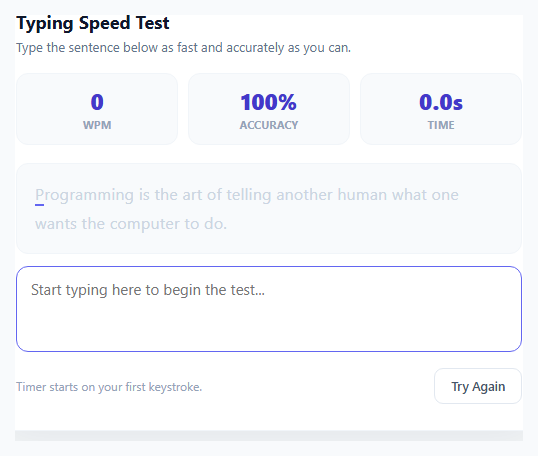
A good typing test measures speed and accuracy honestly, and gives you a reason to practise. This version does both. It is a timed test (15, 30, 60 or 120 seconds) with five kinds of text, a live WPM and accuracy display, a ghost caret that races your personal best, a chart of your speed over time, 20 levels with target speeds, a Daily Test with a streak and a Weak keys mode that practises the letters you miss. It is plain HTML, CSS and JavaScript with no libraries, images or audio files.
Measuring speed and accuracy properly
Words per minute is defined as correct characters divided by five, divided by minutes. correctChars() counts the characters of every word you typed correctly (plus the space after it) and the correct start of the word you are typing now, so a mistyped word does not count towards your WPM. Accuracy is different: every key press is counted as correct or wrong at the moment it is made, and a mistake stays counted even if you fix it with Backspace. That is what makes the figure honest. The test also shows the raw speed (all characters typed), and a consistency score computed from the spread of your speed second by second.
A word-based typing model
Text is a list of words, and the caret moves through the current word. Space ends the word, Backspace deletes a character, Ctrl+Backspace deletes the word, and Backspace on an empty word steps back into the previous word only if it was wrong. Extra letters typed after the end of a word are shown in red and limited to eight. Only the letters of the word you are typing are repainted on each key press, so the test stays fast, and the caret and ghost positions come from the offsets of the letter elements.
Five kinds of text, all seeded
makeSource() returns a generator for each mode: common words, sentences with punctuation, numbers (decimals, prices, dates, colours, phone numbers and percentages), real code snippets (JavaScript, CSS, HTML, SQL and shell), and a mix that adds capital letters and punctuation. A small seeded random generator (mulberry32) makes the levels and the Daily Test the same text for every player. The text is extended as you type, so a two-minute test never runs out.
Weak keys, ghost and chart
Every key press is recorded per letter (attempts and mistakes). The Weak keys mode builds its words from the letters you miss most, and the result screen lists the keys to practise. The ghost caret moves at your personal-best pace for the same test, so you can see whether you are ahead or behind as you type. After each test an SVG chart plots net WPM (solid) and raw WPM (dashed) per second, with a dot on the baseline for every mistake.
Levels, stars and the daily test
Each of the 20 levels names a mode, a duration, a target WPM and a minimum accuracy. Passing earns one star, a second star with 15 percent to spare and a third with 98 percent accuracy. Passing a level unlocks the next. The Daily Test is a 60-second mixed test from a seed based on the date, with a streak and a Copy result button. Your last 30 tests are saved and drawn as a sparkline on the menu, and all progress is saved to localStorage inside try/catch.
An on-screen keyboard that teaches
Below the text, a keyboard lights up the next key to press (and the Shift key when a capital or a symbol needs it), flashes every key you press, and tints the keys you miss most often in red, using the same per-letter statistics as the Weak keys mode. It helps beginners find the keys and shows experienced typists where their mistakes cluster.
Feel and accessibility
The text scrolls line by line to keep the caret on the second row, the caret glows and slides, and the page blurs with a "click to focus" message if the input loses focus. Typing sound is off by default and can be switched on. The game works with touch keyboards through an input fallback, scales to short preview areas and stacks on phones.
What's included
Features
Step by step
How to Use
- 1Choose a testOn the menu, pick a mode (Words, Sentences, Numbers, Code, Mixed or Weak keys) and a duration (15, 30, 60 or 120 seconds) and press Start test. Or play the Daily Test, or start with level 1 of the 20 levels.
- 2Start typingThe clock starts with your first key. Type the words as shown: Space moves to the next word, Backspace fixes a mistake, Ctrl+Backspace deletes the whole word. Wrong letters turn red and extra letters show in dark red.
- 3Watch the live numbersWPM counts only correct characters, accuracy counts every mistake you made even if you fixed it, and Raw counts everything you typed. A purple ghost caret runs at your personal best pace for this test.
- 4Read the resultsAt the end you get your WPM, accuracy, raw speed, consistency and a chart of your speed during the test, with a dot for every mistake. A new personal best is celebrated, and the keys you miss most are listed.
- 5Pass the levelsEach level has a target WPM and a minimum accuracy. Pass with 15 percent to spare for a second star, and with 98 percent accuracy for a third. Passing a level unlocks the next one.
- 6Practise your weak keys and keep your streakChoose Weak keys to get words built from the letters you miss most. Play the Daily Test every day to build a streak, and press Tab to restart a test or Esc to return to the menu.
Real-world uses
Common Use Cases
Got questions?
Frequently Asked Questions
Correct characters divided by five, divided by the minutes elapsed. correctChars() counts the characters (and the spaces) of the words you typed correctly, plus the correct start of the word in progress. A word with a mistake in it adds nothing, so errors lower your WPM. The Raw figure uses every character you typed, right or wrong.
Because accuracy is measured when you press each key: every key press is counted as correct or wrong at that moment and the count is never reduced by Backspace. Fixing a mistake restores your WPM but not your accuracy, which is how most serious typing tests work and why the number is honest.
Every letter you type is recorded with how often you miss it. Weak keys picks the four letters with the highest miss rate (after at least eight attempts each) and builds the test from words that contain them. The result screen also lists the keys to practise. The statistics are saved in your browser.
Each level sets a mode, a duration, a target WPM and a minimum accuracy. Reaching both passes it for one star, finishing 15 percent above the target gives a second star and 98 percent accuracy a third. The next level unlocks when the previous one is passed. The Daily Test uses a 60-second mixed text seeded from the date, so everyone types the same text, and clearing it on consecutive days builds a streak.
Add strings to the SENTENCES or CODE arrays, or words to the WORDS string. Each sentence or code line is split on spaces into words, so keep a space between tokens. To add a new mode, add an entry to MODES and a branch in makeSource() that returns a function producing words.
Yes. All localStorage access is in try/catch, so a blocked storage only means that records are not saved, and every sound call is wrapped. A hidden input captures the keyboard, and on touch devices the typed text is read from the input event as a fallback. On narrow screens the layout stacks and the page scrolls.
Copy & paste
Source Code
<div class="tw-fit" id="tw-fit"><div class="tw-wrap" id="tw-wrap">
<div class="tw-panel" id="tw-panel">
<div class="tw-hud">
<div class="tw-hud-left">
<span class="tw-kicker" id="tw-kicker">Typing Test</span>
<span class="tw-name" id="tw-name">Pick a test</span>
</div>
<div class="tw-hud-btns">
<button class="tw-btn-sm" id="tw-restart" type="button" title="Restart (Tab)">Restart <em>Tab</em></button>
<button class="tw-btn-sm" id="tw-menu-btn" type="button" title="Menu (Esc)">Menu <em>Esc</em></button>
<button class="tw-btn-sm" id="tw-mute" type="button" aria-pressed="true">Sound off</button>
</div>
</div>
<div class="tw-stats">
<div class="tw-stat big"><span class="tw-label">WPM</span><b id="tw-wpm">0</b></div>
<div class="tw-stat"><span class="tw-label">Accuracy</span><b id="tw-acc">100%</b></div>
<div class="tw-stat"><span class="tw-label" id="tw-time-label">Time</span><b id="tw-time">30</b></div>
<div class="tw-stat"><span class="tw-label">Raw</span><b id="tw-raw">0</b></div>
<div class="tw-stat"><span class="tw-label" id="tw-goal-label">Best</span><b id="tw-goal">-</b></div>
</div>
<div class="tw-progress"><div class="tw-progress-bar" id="tw-progress"></div></div>
<div class="tw-box" id="tw-box">
<div class="tw-view" id="tw-view"><div class="tw-text" id="tw-text"></div><i class="tw-caret" id="tw-caret"></i><i class="tw-ghost" id="tw-ghost"></i></div>
<div class="tw-focus" id="tw-focus">Click here or just start typing</div>
<input class="tw-capture" id="tw-input" type="text" autocomplete="off" autocorrect="off" autocapitalize="off" spellcheck="false" aria-label="Type here">
</div>
<p class="tw-hint" id="tw-hint">The clock starts with your first key. Space moves to the next word, Backspace fixes a mistake.</p>
<div class="tw-kb" id="tw-kb" aria-hidden="true"></div>
<div class="tw-overlay show" id="tw-menu">
<p class="tw-logo">Typing Test</p>
<p class="tw-tagline">Find out how fast you type, then get faster. WPM counts only correct characters, accuracy counts every mistake, even the ones you fixed.</p>
<div class="tw-menu-row">
<button class="tw-daily" id="tw-daily" type="button">
<span class="tw-daily-title" id="tw-daily-title">Daily Test</span>
<span class="tw-daily-sub" id="tw-daily-sub">60 seconds, the same text for everyone</span>
</button>
<div class="tw-practice">
<span class="tw-practice-label">Free test</span>
<div class="tw-chips" id="tw-modes"></div>
<div class="tw-chips" id="tw-durs"></div>
<button class="tw-start" id="tw-start" type="button">Start test</button>
</div>
<div class="tw-totals"><span>Best <b id="tw-best">0</b> WPM</span><span>Average <b id="tw-avg">0</b> WPM</span><span>Daily streak <b id="tw-streak">0</b></span><span><b id="tw-star-total">0</b> / 60 stars</span><svg class="tw-spark" id="tw-spark" viewBox="0 0 160 40" preserveAspectRatio="none"></svg></div>
</div>
<div class="tw-tiers" id="tw-tiers"></div>
</div>
<div class="tw-overlay" id="tw-result">
<p class="tw-result-title" id="tw-result-title">Test complete</p>
<div class="tw-result-stars" id="tw-result-stars"><span>★</span><span>★</span><span>★</span></div>
<div class="tw-result-grid">
<div><span class="tw-label">WPM</span><b id="tw-r-wpm">0</b></div>
<div><span class="tw-label">Accuracy</span><b id="tw-r-acc">0%</b></div>
<div><span class="tw-label">Raw</span><b id="tw-r-raw">0</b></div>
<div><span class="tw-label">Consistency</span><b id="tw-r-con">0%</b></div>
<div><span class="tw-label">Characters</span><b id="tw-r-chars">0</b></div>
</div>
<svg class="tw-chart" id="tw-chart" viewBox="0 0 400 110" preserveAspectRatio="none"></svg>
<p class="tw-result-sub" id="tw-result-sub"></p>
<div class="tw-result-btns">
<button class="tw-btn" id="tw-next" type="button">Next level</button>
<button class="tw-btn tw-btn-ghost" id="tw-retry" type="button">Try again</button>
<button class="tw-btn tw-btn-ghost" id="tw-share" type="button">Copy result</button>
<button class="tw-btn tw-btn-ghost" id="tw-menu-back" type="button">Menu</button>
</div>
</div>
</div>
</div></div>* { box-sizing: border-box; margin: 0; padding: 0; }
body {
font-family: system-ui, -apple-system, 'Segoe UI', sans-serif; color: #e2e8f0;
background: radial-gradient(ellipse at top, #1d2250 0%, #0a0d26 60%, #05071a 100%);
min-height: 100vh; display: flex; align-items: center; justify-content: center; padding: 12px 14px; overflow: hidden;
}
/* The game scales itself to the space it is given (fitToView): .tw-fit takes the scaled size, .tw-wrap is laid out at its
natural size and then shrunk with transform. */
.tw-fit { flex: none; }
.tw-wrap { width: 900px; transform-origin: top left; }
.tw-panel {
position: relative; display: flex; flex-direction: column; gap: 12px; padding: 18px; border-radius: 20px; overflow: hidden; min-height: 640px;
background: linear-gradient(180deg, rgba(28,34,82,0.74), rgba(9,12,34,0.95));
border: 1px solid rgba(148,163,184,0.16); box-shadow: 0 30px 80px rgba(0,0,0,0.55), 0 0 90px rgba(99,102,241,0.14);
}
.tw-hud { display: flex; align-items: center; gap: 14px; flex-wrap: wrap; }
.tw-hud-left { display: flex; flex-direction: column; line-height: 1.15; margin-right: auto; min-width: 0; }
.tw-kicker { font-size: 10px; font-weight: 800; letter-spacing: 0.09em; text-transform: uppercase; color: #fbbf24; }
.tw-name { font-size: 17px; font-weight: 800; color: #f8fafc; white-space: nowrap; }
.tw-hud-btns { display: flex; gap: 5px; }
.tw-btn-sm { background: rgba(255,255,255,0.06); color: #cbd5e1; border: 1px solid rgba(255,255,255,0.1); border-radius: 8px; padding: 6px 10px; font: inherit; font-size: 11px; font-weight: 700; cursor: pointer; }
.tw-btn-sm:hover { background: rgba(255,255,255,0.14); }
.tw-btn-sm em { font-style: normal; font-size: 9px; color: #64748b; margin-left: 4px; }
.tw-stats { display: flex; align-items: flex-end; gap: 34px; padding: 4px 6px; }
.tw-stat { display: flex; flex-direction: column; line-height: 1.1; }
.tw-label { font-size: 9px; font-weight: 700; letter-spacing: 0.08em; text-transform: uppercase; color: #64748b; }
.tw-stat b { font-size: 26px; font-weight: 800; color: #94a3b8; font-variant-numeric: tabular-nums; }
.tw-stat.big b { font-size: 44px; color: #fbbf24; text-shadow: 0 0 20px rgba(251,191,36,0.35); }
.tw-progress { height: 4px; background: rgba(255,255,255,0.07); border-radius: 4px; overflow: hidden; }
.tw-progress-bar { height: 100%; width: 0; background: linear-gradient(90deg, #6366f1, #a78bfa, #f472b6, #fbbf24); }
.tw-box { position: relative; padding: 18px 22px; border-radius: 14px; background: rgba(5,8,26,0.55); border: 1px solid rgba(148,163,184,0.14); cursor: text; }
.tw-view { position: relative; height: 138px; overflow: hidden; font-family: 'SFMono-Regular', Consolas, 'Liberation Mono', Menlo, monospace; font-size: 26px; line-height: 46px; }
.tw-text { position: relative; transition: transform 0.18s ease; user-select: none; -webkit-user-select: none; }
.tw-word { display: inline-block; white-space: nowrap; }
.tw-word i { font-style: normal; display: inline-block; color: #5b6491; }
.tw-word i.ok { color: #e2e8f0; }
.tw-word i.bad { color: #f87171; }
.tw-word i.extra { color: #b91c1c; background: rgba(248,113,113,0.12); }
.tw-word.wrong { text-decoration: underline wavy #f87171; text-decoration-thickness: 1px; text-underline-offset: 6px; }
.tw-caret { position: absolute; width: 3px; height: 32px; border-radius: 2px; background: #fbbf24; box-shadow: 0 0 10px rgba(251,191,36,0.8); transition: left 0.08s ease, top 0.08s ease; pointer-events: none; animation: tw-blink 1s step-end infinite; }
.tw-box.typing .tw-caret { animation: none; }
@keyframes tw-blink { 50% { opacity: 0; } }
.tw-ghost { position: absolute; width: 3px; height: 32px; border-radius: 2px; background: #818cf8; opacity: 0.8; transition: left 0.15s linear, top 0.15s linear; pointer-events: none; display: none; }
.tw-box.blurred .tw-view { filter: blur(5px); opacity: 0.45; }
.tw-focus { position: absolute; inset: 0; display: none; align-items: center; justify-content: center; font-size: 15px; font-weight: 700; color: #cbd5e1; pointer-events: none; }
.tw-box.blurred .tw-focus { display: flex; }
.tw-capture { position: absolute; left: -9999px; top: 0; opacity: 0; width: 1px; height: 1px; }
.tw-hint { font-size: 12px; color: #64748b; text-align: center; min-height: 18px; }
.tw-kb { display: flex; flex-direction: column; align-items: center; gap: 6px; margin-top: 2px; }
.tw-kb-row { display: flex; gap: 6px; }
.tw-key { min-width: 46px; height: 42px; padding: 0 6px; display: flex; align-items: center; justify-content: center; border-radius: 8px; font-size: 14px; font-weight: 700; text-transform: uppercase; color: #94a3b8; background: rgba(255,255,255,0.05); border: 1px solid rgba(255,255,255,0.09); box-shadow: 0 2px 0 rgba(0,0,0,0.35); transition: background 0.12s, transform 0.08s, border-color 0.12s, color 0.12s; }
.tw-key.space { min-width: 300px; }
.tw-key.shift { min-width: 70px; font-size: 11px; }
.tw-key.next { border-color: #fbbf24; color: #fde68a; box-shadow: 0 0 14px rgba(251,191,36,0.6), 0 2px 0 rgba(0,0,0,0.35); }
.tw-key.press { transform: translateY(2px); background: rgba(129,140,248,0.45); color: #fff; box-shadow: none; }
.tw-key.press.wrong { background: rgba(248,113,113,0.6); }
.tw-overlay { position: absolute; inset: 0; z-index: 30; display: flex; flex-direction: column; align-items: center; justify-content: center; gap: 12px; padding: 18px; text-align: center; overflow-y: auto; background: radial-gradient(ellipse at center, rgba(9,12,34,0.965), rgba(4,6,20,0.985)); opacity: 0; pointer-events: none; transition: opacity 0.25s; }
.tw-overlay.show { opacity: 1; pointer-events: auto; }
.tw-logo { font-size: 44px; font-weight: 900; letter-spacing: -0.02em; line-height: 1.05; background: linear-gradient(90deg, #818cf8, #f472b6, #fbbf24); -webkit-background-clip: text; background-clip: text; color: transparent; }
.tw-tagline { font-size: 13px; color: #94a3b8; max-width: 560px; line-height: 1.5; }
.tw-menu-row { display: flex; align-items: stretch; justify-content: center; gap: 14px; flex-wrap: wrap; }
.tw-daily { display: flex; flex-direction: column; align-items: flex-start; justify-content: center; gap: 2px; padding: 10px 18px; border-radius: 12px; cursor: pointer; font: inherit; text-align: left; color: #fef3c7; border: 1px solid rgba(250,204,21,0.45); background: linear-gradient(135deg, rgba(250,204,21,0.18), rgba(251,146,60,0.1)); transition: transform 0.15s, box-shadow 0.15s; }
.tw-daily:hover { transform: translateY(-2px); box-shadow: 0 8px 24px rgba(250,204,21,0.2); }
.tw-daily-title { font-size: 14px; font-weight: 800; }
.tw-daily-sub { font-size: 11px; color: #fcd34d; max-width: 190px; }
.tw-practice { display: flex; flex-direction: column; gap: 6px; align-items: flex-start; padding: 8px 12px; border-radius: 12px; border: 1px solid rgba(52,211,153,0.3); background: rgba(52,211,153,0.06); }
.tw-practice-label { font-size: 11px; font-weight: 700; color: #6ee7b7; }
.tw-chips { display: flex; gap: 5px; flex-wrap: wrap; }
.tw-chip { padding: 5px 10px; border-radius: 8px; cursor: pointer; font: inherit; font-size: 11px; font-weight: 800; color: #cbd5e1; background: rgba(255,255,255,0.05); border: 1px solid rgba(255,255,255,0.12); }
.tw-chip:hover { background: rgba(255,255,255,0.12); }
.tw-chip.on { background: #059669; border-color: #34d399; color: #fff; }
.tw-start { align-self: stretch; padding: 8px 0; border: none; border-radius: 9px; cursor: pointer; font: inherit; font-size: 13px; font-weight: 800; color: #fff; background: linear-gradient(135deg, #059669, #0d9488); }
.tw-start:hover { filter: brightness(1.1); }
.tw-totals { display: flex; flex-direction: column; justify-content: center; gap: 3px; font-size: 12px; color: #94a3b8; text-align: left; }
.tw-totals b { color: #f8fafc; }
.tw-spark { width: 160px; height: 40px; margin-top: 2px; }
.tw-spark polyline { fill: none; stroke: #818cf8; stroke-width: 2; vector-effect: non-scaling-stroke; }
.tw-tiers { display: flex; flex-direction: column; gap: 8px; width: 100%; max-width: 780px; }
.tw-tier { display: grid; grid-template-columns: 150px 1fr; align-items: center; gap: 12px; }
.tw-tier-name { font-size: 12px; font-weight: 800; letter-spacing: 0.04em; text-transform: uppercase; color: var(--g); text-align: left; line-height: 1.2; }
.tw-tier-name small { display: block; font-size: 10px; font-weight: 600; color: #64748b; text-transform: none; letter-spacing: 0; }
.tw-tier-tiles { display: grid; grid-template-columns: repeat(5, 1fr); gap: 6px; }
.tw-tile { position: relative; height: 48px; border-radius: 10px; cursor: pointer; font: inherit; color: #e2e8f0; border: 1px solid rgba(148,163,184,0.22); background: rgba(255,255,255,0.04); display: flex; flex-direction: column; align-items: center; justify-content: center; gap: 1px; transition: transform 0.12s, border-color 0.12s; }
.tw-tile:hover:not(:disabled) { transform: translateY(-2px); border-color: var(--g); }
.tw-tile::after { content: ''; position: absolute; left: 10px; right: 10px; bottom: 4px; height: 2px; border-radius: 2px; background: var(--g); opacity: 0.7; }
.tw-tile-num { font-size: 14px; font-weight: 800; }
.tw-tile-num small { font-size: 10px; font-weight: 600; color: #94a3b8; margin-left: 3px; }
.tw-tile-stars { font-size: 9px; letter-spacing: 1px; color: #334155; }
.tw-tile-stars .on { color: #facc15; }
.tw-tile:disabled { opacity: 0.32; cursor: not-allowed; }
.tw-tile.perfect { border-color: rgba(250,204,21,0.55); box-shadow: inset 0 0 12px rgba(250,204,21,0.15); }
.tw-result-title { font-size: 32px; font-weight: 900; color: #f8fafc; }
.tw-result-stars { display: flex; gap: 10px; font-size: 40px; line-height: 1; }
.tw-result-stars span { color: #1e293b; transform: scale(0.4); opacity: 0; }
.tw-result-stars span.on { color: #facc15; text-shadow: 0 0 22px rgba(250,204,21,0.75); }
.tw-overlay.show .tw-result-stars span { animation: tw-star 0.45s cubic-bezier(0.2, 1.6, 0.4, 1) forwards; }
.tw-overlay.show .tw-result-stars span:nth-child(2) { animation-delay: 0.18s; }
.tw-overlay.show .tw-result-stars span:nth-child(3) { animation-delay: 0.36s; }
@keyframes tw-star { to { transform: scale(1); opacity: 1; } }
.tw-result-grid { display: flex; gap: 34px; align-items: flex-end; }
.tw-result-grid div { display: flex; flex-direction: column; align-items: center; line-height: 1.1; }
.tw-result-grid b { font-size: 28px; font-weight: 800; color: #f1f5f9; }
.tw-result-grid div:first-child b { font-size: 52px; color: #fbbf24; text-shadow: 0 0 20px rgba(251,191,36,0.35); }
.tw-chart { width: 520px; height: 120px; border-radius: 10px; background: rgba(255,255,255,0.03); border: 1px solid rgba(255,255,255,0.08); }
.tw-chart polyline { fill: none; stroke-linejoin: round; vector-effect: non-scaling-stroke; }
.tw-chart .net { stroke: #fbbf24; stroke-width: 2.5; }
.tw-chart .raw { stroke: #64748b; stroke-width: 1.5; stroke-dasharray: 4 3; }
.tw-chart .err { fill: #f87171; }
.tw-result-sub { font-size: 13px; color: #94a3b8; line-height: 1.7; max-width: 560px; }
.tw-result-sub b { color: #f8fafc; }
.tw-result-btns { display: flex; gap: 8px; flex-wrap: wrap; justify-content: center; }
.tw-btn { padding: 10px 18px; border: none; border-radius: 10px; cursor: pointer; font: inherit; font-size: 14px; font-weight: 800; color: #fff; background: linear-gradient(135deg, #6366f1, #8b5cf6); box-shadow: 0 6px 18px rgba(99,102,241,0.35); transition: transform 0.12s; }
.tw-btn:hover { transform: translateY(-1px); }
.tw-btn-ghost { background: rgba(255,255,255,0.06); box-shadow: none; border: 1px solid rgba(255,255,255,0.12); color: #cbd5e1; }
.tw-btn[hidden] { display: none; }
.tw-confetti { position: absolute; top: -12px; width: 8px; height: 14px; border-radius: 2px; z-index: 40; pointer-events: none; animation: tw-fall linear forwards; }
@keyframes tw-fall { to { transform: translate(var(--dx), 700px) rotate(var(--rot)); opacity: 0.9; } }
.tw-narrow .tw-stats { gap: 18px; flex-wrap: wrap; }
.tw-narrow .tw-kb { display: none; }
.tw-narrow .tw-view { font-size: 20px; line-height: 38px; height: 114px; }
.tw-narrow .tw-caret, .tw-narrow .tw-ghost { height: 26px; }
.tw-narrow .tw-tier { grid-template-columns: 1fr; gap: 4px; }
.tw-narrow .tw-result-grid { gap: 16px; flex-wrap: wrap; justify-content: center; }
.tw-narrow .tw-chart { width: 100%; }
.tw-narrow .tw-logo { font-size: 32px; }/* ---------- Text sources ---------- */
const WORDS = 'the be to of and a in that have it for not on with he as you do at this but his by from they we say her she or an will my one all would there their what so up out if about who get which go me when make can like time no just him know take people into year your good some could them see other than then now look only come its over think also back after use two how our work first well way even new want because any these give day most us great between need large often hand high place hold turn move live where much mean before line right too same tell boy follow came show around form three small set put end does another must big such here why ask men went read land different home picture again spell air away animal house point page letter mother answer found study still learn should world every near add food below country plant last school father keep tree never start city earth eye light thought head under story saw left few while along might close something seem next hard open example begin life always those both paper together got group run important until children side feet car mile night walk white sea began grow took river four carry state once book hear stop without second later miss idea enough eat face watch far real almost let above girl sometimes mountain cut young talk soon list song being leave family body music color stand sun question fish area mark dog horse bird problem complete room knew since ever piece told usually friend easy heard order red door sure become top ship across today during short better best however low hours black products happened whole measure remember early waves reached listen wind rock space covered fast several hold himself toward five step morning passed vowel true hundred against pattern numeral table north slowly money map farm pulled draw voice seen cold cried plan notice south sing war ground fall king town unit figure certain field travel wood fire upon done english road half ten fly gave box finally wait correct oh quickly person became shown minutes strong verb stars front feel fact inches street decided contain course surface produce building ocean class note nothing rest carefully scientists inside wheels stay green known island week less machine base ago stood plane system behind ran round boat game force brought understand warm common bring explain dry though language shape deep thousands yes clear equation yet government filled heat full hot check object am rule among noun power cannot able six size dark ball material special heavy fine pair circle include built'.split(' ');
const SENTENCES = [
'The quick brown fox jumps over the lazy dog.',
'Practice makes progress, not perfection.',
'A small step every day beats a big leap once a year.',
'Good code is easy to read, easy to change and hard to break.',
'She packed her bags, locked the door and walked to the station.',
'Rain tapped the window while the kettle began to sing.',
'Every great project starts with a single, simple idea.',
'We shipped the feature on Friday, and nobody panicked.',
'The library was quiet, warm and smelled of old paper.',
'Wait for the page to load, then click the green button.',
'He measured twice, cut once, and still ordered extra wood.',
'Fresh bread, ripe tomatoes and a pinch of salt make a perfect lunch.',
'Our team reviewed forty pull requests before noon.',
'The train to the coast leaves at seven, so set your alarm.',
'Curiosity is the engine of learning; patience is the fuel.',
'Please keep your seat belts fastened until the plane stops.',
'A clean desk, a strong coffee and an empty inbox: bliss!',
'Mountains look small from far away, but the climb is real.',
'Why do cats always sit on the keyboard when you are busy?',
'Remember to back up your files, update your apps and drink water.',
'The market opens at nine, and the best peaches are gone by ten.',
'Learning to type well saves hours every single week.',
'Slow is smooth, and smooth is fast.',
'Under the old bridge, the river turned silver in the evening light.',
'Write the test first, then make it pass, then make it pretty.',
'Birds sang, bells rang and the whole town woke up smiling.',
'If it works on your machine, ship the machine, or write better docs.',
'The recipe calls for two cups of flour, one egg and a little patience.',
'Dream big, start small, and keep going when it gets hard.',
'A map shows you where to go; a compass keeps you on the path.',
];
const CODE = [
'const total = items.reduce((sum, item) => sum + item.price, 0);',
"document.querySelector('.menu').classList.toggle('open');",
'for (let i = 0; i < list.length; i++) { console.log(list[i]); }',
'display: grid; grid-template-columns: repeat(3, 1fr); gap: 16px;',
'<button class="btn" type="button">Save</button>',
'async function load() { const res = await fetch(url); return res.json(); }',
"if (user && user.isAdmin) { showPanel(); } else { redirect('/login'); }",
'@media (max-width: 768px) { .sidebar { display: none; } }',
"git commit -m 'fix: handle empty cart' && git push origin main",
'SELECT name, email FROM users WHERE active = 1 ORDER BY created_at DESC;',
'const [count, setCount] = useState(0);',
'items.filter(x => x.done).map(x => x.id).join(", ");',
'.card:hover { transform: translateY(-4px); box-shadow: 0 8px 24px #0003; }',
'element.addEventListener("click", (e) => e.preventDefault());',
'def greet(name): return "Hello, " + name + "!"',
'npm install --save-dev typescript @types/node',
'const sleep = ms => new Promise(r => setTimeout(r, ms));',
'<a href="/about" class="link link--muted">About us</a>',
'try { JSON.parse(text); } catch (err) { console.error(err.message); }',
'margin: 0 auto; padding: 24px 16px; max-width: 1200px;',
'const unique = [...new Set(numbers)].sort((a, b) => a - b);',
'localStorage.setItem("theme", dark ? "dark" : "light");',
'<img src="logo.png" alt="Company logo" width="120" height="40">',
'export default function App() { return <Header title="Home" />; }',
'const isValid = email.includes("@") && email.length > 5;',
'cd project && npm run build && npm run test -- --watch',
'.btn { background: linear-gradient(135deg, #6366f1, #8b5cf6); color: #fff; }',
'const { name, age = 18, ...rest } = person;',
'while (queue.length > 0) { const node = queue.shift(); visit(node); }',
'UPDATE orders SET status = "shipped" WHERE id = 42;',
];
const MODES = [
{ id: 'words', label: 'Words' },
{ id: 'sentences', label: 'Sentences' },
{ id: 'numbers', label: 'Numbers' },
{ id: 'code', label: 'Code' },
{ id: 'mixed', label: 'Mixed' },
{ id: 'weak', label: 'Weak keys' },
];
const DURATIONS = [15, 30, 60, 120];
const TIERS = [
{ name: 'Beginner', note: 'common words, 30 seconds', color: '#4ade80' },
{ name: 'Typist', note: 'sentences with punctuation, 45 seconds', color: '#60a5fa' },
{ name: 'Developer', note: 'real code snippets, 45 seconds', color: '#c084fc' },
{ name: 'Speedster', note: 'words, numbers and capitals, 60 seconds', color: '#fb923c' },
];
// mode, seconds, target WPM and the minimum accuracy needed to pass the level
const LEVELS = [
...[15, 20, 25, 30, 35].map(w => ({ mode: 'words', dur: 30, wpm: w, acc: 90 })),
...[35, 40, 45, 50, 55].map(w => ({ mode: 'sentences', dur: 45, wpm: w, acc: 94 })),
...[25, 30, 35, 40, 45].map(w => ({ mode: 'code', dur: 45, wpm: w, acc: 94 })),
...[70, 80, 90, 100, 110].map(w => ({ mode: 'mixed', dur: 60, wpm: w, acc: 96 })),
];
const LEVEL_COUNT = LEVELS.length;
const SAVE_KEY = 'typing-test-save-v1';
const DAY0 = Date.UTC(2026, 10, 11); // Daily Test #1
const MAX_EXTRA = 8; // extra letters typed after the end of a word
const $ = id => document.getElementById(id);
const boxEl = $('tw-box'), textEl = $('tw-text'), viewEl = $('tw-view'), caretEl = $('tw-caret'), ghostEl = $('tw-ghost'), inputEl = $('tw-input');
const panelEl = $('tw-panel'), menuEl = $('tw-menu'), resultEl = $('tw-result'), hintEl = $('tw-hint');
const nextBtn = $('tw-next'), shareBtn = $('tw-share'), muteBtn = $('tw-mute');
/* ---------- Saved progress (localStorage can throw in sandboxed iframes, so every access is guarded) ---------- */
function freshSave() {
return { stars: Array(LEVEL_COUNT).fill(0), best: {}, levelBest: Array(LEVEL_COUNT).fill(0), history: [], keys: {}, tests: 0, muted: true, practiceMode: 'words', practiceDur: 30, daily: { day: 0, wpm: 0, acc: 0, streak: 0, lastDay: 0 } };
}
function loadSave() {
const f = freshSave();
try {
const s = JSON.parse(localStorage.getItem(SAVE_KEY) || 'null');
if (s && Array.isArray(s.stars)) {
f.stars = f.stars.map((_, i) => s.stars[i] || 0); f.levelBest = f.levelBest.map((_, i) => (s.levelBest && s.levelBest[i]) || 0);
f.best = s.best || {}; f.history = Array.isArray(s.history) ? s.history.slice(-30) : []; f.keys = s.keys || {}; f.tests = s.tests || 0;
f.muted = s.muted !== false; f.practiceMode = s.practiceMode || 'words'; f.practiceDur = s.practiceDur || 30; Object.assign(f.daily, s.daily || {});
}
} catch (e) { /* storage blocked */ }
return f;
}
function persist() { try { localStorage.setItem(SAVE_KEY, JSON.stringify(save)); } catch (e) { /* storage blocked */ } }
let save = loadSave();
function mulberry32(a) {
return function () {
a |= 0; a = a + 0x6D2B79F5 | 0;
let t = Math.imul(a ^ a >>> 15, 1 | a);
t = t + Math.imul(t ^ t >>> 7, 61 | t) ^ t;
return ((t ^ t >>> 14) >>> 0) / 4294967296;
};
}
function todayNumber() {
const d = new Date();
return Math.max(1, Math.floor((Date.UTC(d.getFullYear(), d.getMonth(), d.getDate()) - DAY0) / 86400000) + 1);
}
/* ---------- Sound: a tiny Web Audio synth, no files (off by default, typing is noisy enough) ---------- */
let audioCtx = null, muted = save.muted;
function getAudio() {
if (!audioCtx) { try { audioCtx = new (window.AudioContext || window.webkitAudioContext)(); } catch (e) { audioCtx = null; } }
if (audioCtx && audioCtx.state === 'suspended') audioCtx.resume();
return audioCtx;
}
function tone(freq, dur, type, vol, slideTo, delay) {
if (muted || !audioCtx) return;
try {
const t0 = audioCtx.currentTime + (delay || 0);
const osc = audioCtx.createOscillator(), gain = audioCtx.createGain();
osc.type = type;
osc.frequency.setValueAtTime(freq, t0);
if (slideTo) osc.frequency.exponentialRampToValueAtTime(slideTo, t0 + dur);
gain.gain.setValueAtTime(vol, t0);
gain.gain.exponentialRampToValueAtTime(0.0001, t0 + dur);
osc.connect(gain); gain.connect(audioCtx.destination);
osc.start(t0); osc.stop(t0 + dur);
} catch (e) { /* audio is optional */ }
}
const sfx = {
key() { tone(1300 + Math.random() * 200, 0.02, 'square', 0.012); },
bad() { tone(150, 0.08, 'sawtooth', 0.03, 100); },
space() { tone(900, 0.03, 'square', 0.012); },
done() { [523, 659, 784, 1046].forEach((f, i) => tone(f, 0.2, 'triangle', 0.06, null, i * 0.11)); },
};
function syncMute() { muteBtn.textContent = muted ? 'Sound off' : 'Sound on'; muteBtn.setAttribute('aria-pressed', String(!muted)); }
muteBtn.addEventListener('click', () => { muted = !muted; save.muted = muted; persist(); if (!muted) getAudio(); syncMute(); inputEl.focus(); });
syncMute();
/* ---------- Text generation: seeded, so levels and the daily test are the same text for everyone ---------- */
function shuffled(list, R) { const a = list.slice(); for (let i = a.length - 1; i > 0; i--) { const j = Math.floor(R() * (i + 1)); const t = a[i]; a[i] = a[j]; a[j] = t; } return a; }
function numberToken(R) {
const k = Math.floor(R() * 7), d = n => String(Math.floor(R() * Math.pow(10, n))).padStart(n, '0');
if (k === 0) return d(2 + Math.floor(R() * 4));
if (k === 1) return d(1) + '.' + d(2);
if (k === 2) return '$' + d(2) + '.' + d(2);
if (k === 3) return '20' + d(2) + '-' + String(1 + Math.floor(R() * 12)).padStart(2, '0') + '-' + String(1 + Math.floor(R() * 28)).padStart(2, '0');
if (k === 4) return '#' + Math.floor(R() * 16777215).toString(16).padStart(6, '0');
if (k === 5) return d(2) + '%';
return '(' + d(3) + ')' + d(3) + '-' + d(4);
}
function makeSource(mode, R) { // returns a function that yields the next chunk of words
let pool = [], poolFn = null;
const refill = () => { pool = pool.concat(poolFn()); };
if (mode === 'sentences') {
let order = shuffled(SENTENCES, R), k = 0;
poolFn = () => { if (k >= order.length) { order = shuffled(SENTENCES, R); k = 0; } return order[k++].split(' '); };
} else if (mode === 'code') {
let order = shuffled(CODE, R), k = 0;
poolFn = () => { if (k >= order.length) { order = shuffled(CODE, R); k = 0; } return order[k++].split(' '); };
} else if (mode === 'numbers') {
poolFn = () => Array.from({ length: 12 }, () => numberToken(R));
} else if (mode === 'mixed') {
poolFn = () => Array.from({ length: 12 }, () => { const x = R(); const w = WORDS[Math.floor(R() * WORDS.length)]; return x < 0.62 ? w : x < 0.76 ? numberToken(R) : x < 0.9 ? w[0].toUpperCase() + w.slice(1) + (R() < 0.5 ? ',' : '.') : w + (R() < 0.5 ? '?' : '!'); });
} else if (mode === 'weak') {
const weak = weakLetters(), list = weak.length ? WORDS.filter(w => weak.some(l => w.includes(l))) : WORDS;
const use = list.length > 20 ? list : WORDS;
poolFn = () => Array.from({ length: 14 }, () => use[Math.floor(R() * use.length)]);
} else poolFn = () => Array.from({ length: 14 }, () => WORDS[Math.floor(R() * WORDS.length)]);
return n => { while (pool.length < n) refill(); return pool.splice(0, n); };
}
function weakLetters() { // the letters you miss most often (needs at least 8 attempts each)
return Object.keys(save.keys).filter(k => /^[a-z]$/.test(k) && save.keys[k][0] >= 8).map(k => ({ k, r: save.keys[k][1] / save.keys[k][0] })).filter(x => x.r > 0.04).sort((a, b) => b.r - a.r).slice(0, 4).map(x => x.k);
}
/* ---------- Test state ---------- */
let cfg = null, source = null, words = [], prefix = [0], wordEls = [], letterEls = [];
let wi = 0, cur = '', typedWords = [], doneCorrect = 0;
let started = false, startAt = 0, elapsed = 0, phase = 'menu', timerId = null, runId = 0, lastSecond = 0;
let strokes = 0, correctStrokes = 0, wrongStrokes = 0, rawChars = 0, samples = [], errorTimes = [], lastRawAtSecond = 0;
let pbWpm = 0, levelIndex = 0, dailyNum = 0, scaleK = 1, lineOffset = 0;
let practiceMode = save.practiceMode, practiceDur = save.practiceDur;
function appendWords(n) {
const more = source(n);
more.forEach(w => {
const idx = words.length; words.push(w);
prefix.push(prefix[idx] + w.length + 1);
const wEl = document.createElement('span'); wEl.className = 'tw-word';
const ls = [];
for (const ch of w) { const l = document.createElement('i'); l.textContent = ch; wEl.appendChild(l); ls.push(l); }
textEl.appendChild(wEl); textEl.appendChild(document.createTextNode(' '));
wordEls.push(wEl); letterEls.push(ls);
});
}
function startTest(c) {
getAudio();
cfg = c; runId++; clearInterval(timerId);
const R = mulberry32(c.seed || Math.floor(Math.random() * 1e9));
source = makeSource(c.mode, R);
words = []; prefix = [0]; wordEls = []; letterEls = []; textEl.innerHTML = '';
appendWords(90);
wi = 0; cur = ''; typedWords = []; doneCorrect = 0; started = false; startAt = 0; elapsed = 0; lastSecond = 0; lineOffset = 0;
strokes = 0; correctStrokes = 0; wrongStrokes = 0; rawChars = 0; samples = []; errorTimes = []; lastRawAtSecond = 0;
textEl.style.transform = 'translateY(0)';
pbWpm = c.level !== undefined ? save.levelBest[c.level] || 0 : (save.best[c.mode + '-' + c.dur] || 0);
phase = 'play';
menuEl.classList.remove('show'); resultEl.classList.remove('show');
boxEl.classList.remove('typing', 'blurred'); ghostEl.style.display = pbWpm ? 'block' : 'none';
$('tw-kicker').textContent = c.kicker; $('tw-name').textContent = c.name;
$('tw-goal-label').textContent = c.level !== undefined ? 'Target' : 'Best';
$('tw-goal').textContent = c.level !== undefined ? LEVELS[c.level].wpm + ' WPM' : (pbWpm ? pbWpm + ' WPM' : '-');
hintEl.textContent = 'The clock starts with your first key. Space moves to the next word, Backspace fixes a mistake.';
buildKeyboard(); fitToView(); renderStats(); placeCaret(); markNext(); inputEl.value = ''; inputEl.focus();
}
function startLevel(i) { levelIndex = i; const L = LEVELS[i]; startTest({ mode: L.mode, dur: L.dur, level: i, seed: 6000 + i * 7919, kicker: 'Level ' + (i + 1) + ' - ' + TIERS[Math.floor(i / 5)].name, name: 'Reach ' + L.wpm + ' WPM with ' + L.acc + '% accuracy in ' + L.dur + 's' }); }
function startDaily() { dailyNum = todayNumber(); startTest({ mode: 'mixed', dur: 60, daily: true, seed: dailyNum * 104729 + 9, kicker: 'Daily', name: 'Daily Test #' + dailyNum + ' (60 seconds)' }); }
function startFree() { save.practiceMode = practiceMode; save.practiceDur = practiceDur; persist(); startTest({ mode: practiceMode, dur: practiceDur, kicker: 'Free test', name: MODES.find(m => m.id === practiceMode).label + ', ' + practiceDur + ' seconds' }); }
function restart() { if (cfg) { if (cfg.level !== undefined) startLevel(cfg.level); else if (cfg.daily) startDaily(); else startTest(Object.assign({}, cfg, { seed: undefined })); } }
function showMenu() {
runId++; clearInterval(timerId); phase = 'menu';
resultEl.classList.remove('show'); menuEl.classList.add('show'); renderMenu();
$('tw-kicker').textContent = 'Typing Test'; $('tw-name').textContent = 'Pick a test';
}
/* ---------- Scoring ---------- */
function correctChars() { // characters of correct words (plus their spaces) and the correct start of the word being typed
let n = doneCorrect;
if (words[wi]) { const w = words[wi]; for (let i = 0; i < cur.length && i < w.length; i++) { if (cur[i] === w[i]) n++; else break; } }
return n;
}
function metrics() {
const min = Math.max(elapsed, 1) / 60;
return { wpm: Math.round(correctChars() / 5 / min), raw: Math.round(rawChars / 5 / min), acc: strokes ? Math.round(correctStrokes / strokes * 1000) / 10 : 100 };
}
function renderStats() {
const m = started ? metrics() : { wpm: 0, raw: 0, acc: strokes ? Math.round(correctStrokes / strokes * 100) : 100 };
$('tw-wpm').textContent = m.wpm; $('tw-raw').textContent = m.raw; $('tw-acc').textContent = (m.acc % 1 ? m.acc.toFixed(1) : m.acc) + '%';
const left = Math.max(0, cfg.dur - elapsed);
$('tw-time-label').textContent = 'Time left'; $('tw-time').textContent = Math.ceil(left);
$('tw-progress').style.width = Math.min(100, elapsed / cfg.dur * 100) + '%';
}
/* ---------- Typing ---------- */
function paintWord(i) { // colour the letters of one word from what has been typed for it
const w = words[i], t = i === wi ? cur : (typedWords[i] !== undefined ? typedWords[i] : ''), ls = letterEls[i];
while (ls.length > w.length) { wordEls[i].removeChild(ls.pop()); }
for (let k = 0; k < w.length; k++) {
const l = ls[k];
l.className = k >= t.length ? '' : (t[k] === w[k] ? 'ok' : 'bad');
}
for (let k = w.length; k < t.length; k++) {
const l = document.createElement('i'); l.className = 'extra'; l.textContent = t[k]; wordEls[i].appendChild(l); ls.push(l);
}
}
function placeCaret() {
const ls = letterEls[wi]; if (!ls) return;
const atEnd = cur.length >= ls.length, el = ls[Math.min(cur.length, ls.length - 1)];
const lineH = parseFloat(getComputedStyle(viewEl).lineHeight) || 46;
let left = el.offsetLeft + (atEnd ? el.offsetWidth : 0), top = el.offsetTop + (lineH - caretEl.offsetHeight) / 2;
// keep the line being typed on the second row of the three-line window
const line = Math.round(el.offsetTop / lineH);
if (line - lineOffset > 1) { lineOffset = line - 1; textEl.style.transform = 'translateY(' + (-lineOffset * lineH) + 'px)'; }
caretEl.style.left = left + 'px'; caretEl.style.top = (top - lineOffset * lineH) + 'px';
}
function placeGhost() {
if (!pbWpm) return;
const g = Math.floor(elapsed * pbWpm * 5 / 60); let k = 0;
while (k < words.length - 1 && prefix[k + 1] <= g) k++;
const ls = letterEls[k]; if (!ls) return;
const idx = Math.min(g - prefix[k], ls.length - 1), el = ls[Math.max(0, idx)], lineH = parseFloat(getComputedStyle(viewEl).lineHeight) || 46;
ghostEl.style.left = el.offsetLeft + 'px'; ghostEl.style.top = (el.offsetTop + (lineH - ghostEl.offsetHeight) / 2 - lineOffset * lineH) + 'px';
}
/* ---------- On-screen keyboard: shows the next key, flashes pressed keys and tints the keys you miss most ---------- */
const KB_ROWS = ['1234567890-='.split(''), 'qwertyuiop[]'.split(''), "asdfghjkl;'".split(''), 'zxcvbnm,./'.split('')];
const SHIFTED = { '!': '1', '@': '2', '#': '3', '$': '4', '%': '5', '^': '6', '&': '7', '*': '8', '(': '9', ')': '0', '_': '-', '+': '=', '{': '[', '}': ']', ':': ';', '"': "'", '<': ',', '>': '.', '?': '/' };
const kbKeys = {};
function buildKeyboard() {
const kb = $('tw-kb'); kb.innerHTML = '';
KB_ROWS.forEach((row, ri) => {
const rowEl = document.createElement('div'); rowEl.className = 'tw-kb-row';
if (ri === 3) { const sh = document.createElement('div'); sh.className = 'tw-key shift'; sh.textContent = 'Shift'; rowEl.appendChild(sh); kbKeys.shiftL = sh; }
row.forEach(ch => {
const k = document.createElement('div'); k.className = 'tw-key'; k.textContent = ch; rowEl.appendChild(k); kbKeys[ch] = k;
const st = save.keys[ch]; // tint the keys that you miss often
if (st && st[0] >= 8 && st[1] / st[0] > 0.04) k.style.background = 'rgba(248,113,113,' + Math.min(0.55, 0.12 + st[1] / st[0] * 1.6).toFixed(2) + ')';
});
if (ri === 3) { const sh = document.createElement('div'); sh.className = 'tw-key shift'; sh.textContent = 'Shift'; rowEl.appendChild(sh); kbKeys.shiftR = sh; }
kb.appendChild(rowEl);
});
const sp = document.createElement('div'); sp.className = 'tw-key space'; sp.textContent = 'space';
const spRow = document.createElement('div'); spRow.className = 'tw-kb-row'; spRow.appendChild(sp); kb.appendChild(spRow); kbKeys[' '] = sp;
}
function keyFor(ch) { // which key to press for a character, and whether Shift is needed
if (ch === ' ') return { key: ' ', shift: false };
if (SHIFTED[ch]) return { key: SHIFTED[ch], shift: true };
if (/[A-Z]/.test(ch)) return { key: ch.toLowerCase(), shift: true };
return { key: ch, shift: false };
}
let nextKeys = [];
function markNext() {
nextKeys.forEach(k => k.classList.remove('next')); nextKeys = [];
const w = words[wi]; if (!w || phase !== 'play') return;
const ch = cur.length < w.length ? w[cur.length] : ' ', f = keyFor(ch), k = kbKeys[f.key];
if (k) { k.classList.add('next'); nextKeys.push(k); }
if (f.shift) { const side = /[a-z0-9]/.test(f.key) && 'qwertasdfgzxcvb12345'.includes(f.key) ? kbKeys.shiftR : kbKeys.shiftL; if (side) { side.classList.add('next'); nextKeys.push(side); } }
}
function flashKey(ch, ok) {
const k = kbKeys[keyFor(ch).key]; if (!k) return;
k.classList.remove('press', 'wrong'); void k.offsetWidth; k.classList.add('press'); if (!ok) k.classList.add('wrong');
setTimeout(() => k.classList.remove('press', 'wrong'), 110);
}
function beginClock() {
started = true; startAt = performance.now(); boxEl.classList.add('typing');
const id = runId;
timerId = setInterval(() => {
if (id !== runId || phase !== 'play') return;
elapsed = (performance.now() - startAt) / 1000;
if (Math.floor(elapsed) > lastSecond) { // one sample per second for the chart and the consistency score
lastSecond = Math.floor(elapsed);
const m = metrics(); samples.push({ t: lastSecond, net: m.wpm, raw: m.raw, inst: (rawChars - lastRawAtSecond) * 12 }); lastRawAtSecond = rawChars;
}
placeGhost();
renderStats();
if (elapsed >= cfg.dur) { elapsed = cfg.dur; finish(); }
}, 100);
}
function noteKey(expected, ok) { // per-letter statistics, used by the Weak keys test
if (!expected || !/^[a-z]$/.test(expected.toLowerCase())) return;
const k = expected.toLowerCase(), s = save.keys[k] || [0, 0]; s[0]++; if (!ok) s[1]++; save.keys[k] = s;
}
function typeChar(ch) {
if (phase !== 'play') return;
if (!started) beginClock();
const w = words[wi];
if (ch === ' ') { // space ends the word
if (!cur.length) return;
strokes++; correctStrokes++; rawChars++; sfx.space(); flashKey(' ', true);
typedWords[wi] = cur; const ok = cur === w; if (ok) doneCorrect += w.length + 1;
wordEls[wi].classList.toggle('wrong', !ok); paintWord(wi);
wi++; cur = ''; if (wi > words.length - 40) appendWords(60);
placeCaret(); markNext(); renderStats(); return;
}
if (cur.length >= w.length + MAX_EXTRA) return;
const expected = cur.length < w.length ? w[cur.length] : null, ok = expected === ch;
cur += ch; strokes++; rawChars++;
if (ok) { correctStrokes++; sfx.key(); } else { wrongStrokes++; errorTimes.push(elapsed); sfx.bad(); }
noteKey(expected, ok); flashKey(ch, ok);
paintWord(wi); placeCaret(); markNext(); renderStats();
}
function backspace(wholeWord) {
if (phase !== 'play' || !started) return;
if (cur.length === 0) { // step back into the previous word only if it was wrong
if (wi > 0 && typedWords[wi - 1] !== words[wi - 1]) { wi--; cur = typedWords[wi]; delete typedWords[wi]; wordEls[wi].classList.remove('wrong'); }
else return;
} else cur = wholeWord ? '' : cur.slice(0, -1);
paintWord(wi); placeCaret(); markNext(); renderStats();
}
/* ---------- Results ---------- */
function finish() {
if (phase !== 'play') return;
phase = 'over'; clearInterval(timerId); boxEl.classList.remove('typing'); markNext();
const m = metrics(), t = cfg.dur;
const incl = correctChars(), total = rawChars;
const insts = samples.map(s => s.inst), mean = insts.reduce((a, b) => a + b, 0) / Math.max(1, insts.length);
const sd = Math.sqrt(insts.reduce((a, b) => a + (b - mean) * (b - mean), 0) / Math.max(1, insts.length));
const consistency = mean > 0 ? Math.max(0, Math.min(100, Math.round(100 - sd / mean * 100))) : 0;
let stars = 0, passed = false;
if (cfg.level !== undefined) {
const L = LEVELS[cfg.level]; passed = m.wpm >= L.wpm && m.acc >= L.acc;
if (passed) stars = 1 + (m.wpm >= Math.ceil(L.wpm * 1.15) ? 1 : 0) + (m.acc >= 98 ? 1 : 0);
save.stars[cfg.level] = Math.max(save.stars[cfg.level], stars); save.levelBest[cfg.level] = Math.max(save.levelBest[cfg.level], m.wpm);
} else if (cfg.daily) {
const d = save.daily;
if (d.day !== dailyNum) { d.day = dailyNum; d.wpm = 0; d.acc = 0; }
if (m.wpm > d.wpm) { d.wpm = m.wpm; d.acc = m.acc; }
if (d.lastDay !== dailyNum) { d.streak = d.lastDay === dailyNum - 1 ? d.streak + 1 : 1; d.lastDay = dailyNum; }
}
const key = cfg.mode + '-' + cfg.dur, isBest = m.wpm > (save.best[key] || 0) && m.acc >= 90;
if (isBest) save.best[key] = m.wpm;
save.tests++; save.history.push({ wpm: m.wpm, acc: m.acc, mode: cfg.mode, dur: cfg.dur }); save.history = save.history.slice(-30);
persist();
sfx.done(); if (isBest || passed) confetti();
$('tw-result-title').textContent = cfg.level !== undefined ? (passed ? 'Level passed!' : 'So close!') : (isBest ? 'New personal best!' : 'Test complete');
[...$('tw-result-stars').children].forEach((el, i) => el.classList.toggle('on', i < stars));
$('tw-result-stars').style.display = cfg.level !== undefined ? 'flex' : 'none';
$('tw-r-wpm').textContent = m.wpm; $('tw-r-acc').textContent = m.acc + '%'; $('tw-r-raw').textContent = m.raw; $('tw-r-con').textContent = consistency + '%';
$('tw-r-chars').textContent = correctStrokes + '/' + wrongStrokes + ' ok/missed';
drawChart();
const slow = Object.keys(save.keys).filter(k => save.keys[k][0] >= 8).map(k => ({ k, r: save.keys[k][1] / save.keys[k][0] })).filter(x => x.r > 0.04).sort((a, b) => b.r - a.r).slice(0, 3).map(x => x.k.toUpperCase());
let sub = '';
if (cfg.level !== undefined) { const L = LEVELS[cfg.level]; sub = 'Target: <b>' + L.wpm + ' WPM</b> at <b>' + L.acc + '%</b> accuracy. ' + (passed ? '' : (m.wpm < L.wpm ? 'You were ' + (L.wpm - m.wpm) + ' WPM short. ' : 'Your accuracy was ' + (L.acc - m.acc).toFixed(1) + '% short. ')) + '3 stars: pass with 15% to spare and 98% accuracy.'; }
else if (cfg.daily) sub = 'Daily streak <b>' + save.daily.streak + '</b>. Best today: <b>' + save.daily.wpm + ' WPM</b>.';
else sub = (save.best[key] ? 'Your best for this test: <b>' + save.best[key] + ' WPM</b>.' : '');
if (slow.length) sub += (sub ? ' ' : '') + 'Keys to practise: <b>' + slow.join(', ') + '</b> (try the Weak keys test).';
$('tw-result-sub').innerHTML = sub;
nextBtn.hidden = cfg.level === undefined || !passed || cfg.level >= LEVEL_COUNT - 1;
shareBtn.hidden = !cfg.daily; shareBtn.textContent = 'Copy result';
shareBtn.dataset.text = 'Typing Test Daily #' + dailyNum + ': ' + m.wpm + ' WPM, ' + m.acc + '% accuracy, streak ' + save.daily.streak;
const id = runId;
setTimeout(() => { if (id === runId && phase === 'over') resultEl.classList.add('show'); }, 600);
}
function drawChart() {
const pts = samples; const svg = $('tw-chart');
if (pts.length < 2) { svg.innerHTML = ''; return; }
const maxV = Math.max(20, ...pts.map(p => Math.max(p.net, p.raw))) * 1.15, W = 400, H = 110, px = 8, py = 10;
const x = i => px + (W - 2 * px) * i / Math.max(1, pts.length - 1), y = v => H - py - (H - 2 * py) * v / maxV;
const line = k => pts.map((p, i) => x(i).toFixed(1) + ',' + y(p[k]).toFixed(1)).join(' ');
const errs = errorTimes.map(t => '<circle class="err" cx="' + (px + (W - 2 * px) * Math.min(1, t / cfg.dur)).toFixed(1) + '" cy="' + (H - 4) + '" r="2.2"/>').join('');
svg.innerHTML = '<polyline class="raw" points="' + line('raw') + '"/><polyline class="net" points="' + line('net') + '"/>' + errs;
}
function confetti() {
const colors = ['#818cf8', '#fbbf24', '#4ade80', '#f472b6', '#38bdf8', '#fb923c'];
for (let i = 0; i < 46; i++) {
const p = document.createElement('div');
p.className = 'tw-confetti'; p.style.left = Math.random() * 100 + '%'; p.style.background = colors[i % colors.length];
p.style.setProperty('--dx', (Math.random() * 160 - 80) + 'px'); p.style.setProperty('--rot', (Math.random() * 720 - 360) + 'deg');
p.style.animationDuration = (1.8 + Math.random() * 1.4) + 's'; p.style.animationDelay = (Math.random() * 0.5) + 's';
panelEl.appendChild(p); setTimeout(() => p.remove(), 4200);
}
}
/* ---------- Menu ---------- */
function renderMenu() {
const today = todayNumber(), d = save.daily;
if (d.lastDay && d.lastDay < today - 1) d.streak = 0; // a missed day resets the streak
const wrap = $('tw-tiers'); wrap.innerHTML = '';
TIERS.forEach((t, ti) => {
const row = document.createElement('div');
row.className = 'tw-tier'; row.style.setProperty('--g', t.color);
row.innerHTML = '<div class="tw-tier-name">' + t.name + '<small>' + t.note + '</small></div>';
const tiles = document.createElement('div'); tiles.className = 'tw-tier-tiles';
for (let k = 0; k < 5; k++) {
const i = ti * 5 + k, unlocked = i === 0 || save.stars[i - 1] > 0; // passing a level unlocks the next one
const b = document.createElement('button');
b.type = 'button'; b.className = 'tw-tile' + (save.stars[i] === 3 ? ' perfect' : '');
b.disabled = !unlocked; b.title = unlocked ? LEVELS[i].wpm + ' WPM at ' + LEVELS[i].acc + '%' + (save.levelBest[i] ? ', best ' + save.levelBest[i] : '') : 'Pass level ' + i + ' to unlock';
b.innerHTML = '<span class="tw-tile-num">' + (i + 1) + '<small>' + LEVELS[i].wpm + '</small></span><span class="tw-tile-stars">' + [0, 1, 2].map(n => '<span class="' + (n < save.stars[i] ? 'on' : '') + '">\u2605</span>').join('') + '</span>';
b.addEventListener('click', () => startLevel(i));
tiles.appendChild(b);
}
row.appendChild(tiles); wrap.appendChild(row);
});
const chips = (host, items, current, onPick) => { host.innerHTML = ''; items.forEach(it => { const b = document.createElement('button'); b.type = 'button'; b.className = 'tw-chip' + (it.v === current ? ' on' : ''); b.textContent = it.l; b.addEventListener('click', () => { onPick(it.v); renderMenu(); }); host.appendChild(b); }); };
chips($('tw-modes'), MODES.map(m => ({ v: m.id, l: m.label })), practiceMode, v => { practiceMode = v; });
chips($('tw-durs'), DURATIONS.map(n => ({ v: n, l: n + 's' })), practiceDur, v => { practiceDur = v; });
const h = save.history, best = Math.max(0, ...Object.keys(save.best).map(k => save.best[k])), last10 = h.slice(-10);
$('tw-best').textContent = best; $('tw-avg').textContent = last10.length ? Math.round(last10.reduce((a, b) => a + b.wpm, 0) / last10.length) : 0;
$('tw-streak').textContent = d.streak; $('tw-star-total').textContent = save.stars.reduce((s, v) => s + v, 0);
const sp = $('tw-spark');
if (h.length > 1) { const mx = Math.max(...h.map(x => x.wpm), 10); sp.innerHTML = '<polyline points="' + h.map((x, i) => (i / (h.length - 1) * 160).toFixed(1) + ',' + (38 - x.wpm / mx * 34).toFixed(1)).join(' ') + '"/>'; } else sp.innerHTML = '';
$('tw-daily-title').textContent = 'Daily Test #' + today;
$('tw-daily-sub').textContent = d.day === today && d.wpm ? 'Today: ' + d.wpm + ' WPM at ' + d.acc + '% (try to beat it)' : '60 seconds, the same text for everyone. Keep your streak!';
}
/* ---------- Input ---------- */
document.addEventListener('keydown', e => {
if (e.ctrlKey || e.metaKey || e.altKey) { if (phase === 'play' && e.key === 'Backspace') { e.preventDefault(); backspace(true); } return; }
const k = e.key;
if (k === 'Escape') { if (phase !== 'menu') showMenu(); return; }
if (k === 'Tab') { if (phase !== 'menu' && cfg) { e.preventDefault(); restart(); } return; }
if (phase !== 'play') return;
if (document.activeElement !== inputEl) inputEl.focus();
if (k === 'Backspace') { e.preventDefault(); backspace(false); }
else if (k.length === 1) { e.preventDefault(); typeChar(k); }
});
inputEl.addEventListener('input', e => { // touch keyboards do not send useful key names: fall back to the typed text
if (phase === 'play') { const v = inputEl.value; if (e.inputType === 'deleteContentBackward') backspace(false); else if (v) { for (const ch of v) typeChar(ch); } }
inputEl.value = '';
});
inputEl.addEventListener('focus', () => boxEl.classList.remove('blurred'));
inputEl.addEventListener('blur', () => { if (phase === 'play') boxEl.classList.add('blurred'); });
boxEl.addEventListener('pointerdown', () => { if (phase === 'play') setTimeout(() => inputEl.focus(), 0); });
$('tw-restart').addEventListener('click', restart);
$('tw-menu-btn').addEventListener('click', showMenu);
$('tw-daily').addEventListener('click', startDaily);
$('tw-start').addEventListener('click', startFree);
$('tw-retry').addEventListener('click', restart);
$('tw-menu-back').addEventListener('click', showMenu);
nextBtn.addEventListener('click', () => startLevel(cfg.level + 1));
shareBtn.addEventListener('click', () => {
const text = shareBtn.dataset.text || '', done = () => { shareBtn.textContent = 'Copied!'; };
try { navigator.clipboard.writeText(text).then(done, () => { shareBtn.textContent = text; }); } catch (e) { shareBtn.textContent = text; }
});
document.addEventListener('visibilitychange', () => { if (document.hidden && phase === 'play' && started) { /* the clock keeps running, as in a real test */ } });
/* ---------- Fit the game into the space available ---------- */
const fitEl = $('tw-fit'), wrapEl = $('tw-wrap');
function fitToView() {
const availW = Math.max(240, window.innerWidth - 28), availH = Math.max(240, window.innerHeight - 24);
const narrow = availW < 700;
wrapEl.classList.toggle('tw-narrow', narrow);
document.body.style.overflow = narrow ? 'auto' : 'hidden';
document.body.style.alignItems = narrow ? 'flex-start' : 'center';
if (narrow) { wrapEl.style.transform = 'none'; wrapEl.style.width = Math.min(560, availW) + 'px'; fitEl.style.width = wrapEl.style.width; fitEl.style.height = wrapEl.offsetHeight + 'px'; scaleK = 1; if (phase === 'play') placeCaret(); return; }
wrapEl.style.transform = 'none'; wrapEl.style.width = '900px';
const natH = wrapEl.offsetHeight || 1, k = Math.max(0.4, Math.min(1, availW / 900, availH / natH));
scaleK = k;
wrapEl.style.transform = k < 1 ? 'scale(' + k + ')' : 'none';
fitEl.style.width = Math.round(900 * k) + 'px'; fitEl.style.height = Math.round(natH * k) + 'px';
if (phase === 'play') placeCaret();
}
window.addEventListener('resize', fitToView);
if (typeof ResizeObserver !== 'undefined') new ResizeObserver(fitToView).observe(wrapEl);
startTest({ mode: 'words', dur: 30, kicker: 'Typing Test', name: 'Words, 30 seconds' });
showMenu();
fitToView();
/* wdp-share:start */
(function () {
var TITLE = 'Typing Speed Test (WPM Counter)', URL = 'https://webdevpuneet.com/ui-snippets/typing-speed-test/';
if (window.__wdpShare) return;
window.__wdpShare = true;
var blob = null, file = null, lastInfo = null;
/* ---- UI ---- */
var st = document.createElement('style');
st.textContent =
'.wdps-in,.wdps-btn,.wdps-box{touch-action:manipulation;-webkit-tap-highlight-color:transparent}.wdps-in{display:block;margin:12px auto 0;border:0;border-radius:12px;padding:11px 22px;font:800 15px/1 system-ui,sans-serif;background:#16a34a;color:#fff;cursor:pointer;box-shadow:0 3px 0 #11793a;pointer-events:auto;position:relative;z-index:5}' +
'.wdps-in:hover{background:#15803d}.wdps-in:active{transform:translateY(2px);box-shadow:0 1px 0 #11793a}' +
'.wdps-btn{position:fixed;right:12px;bottom:12px;z-index:2147483000;border:0;border-radius:99px;padding:9px 16px;font:700 13px/1 system-ui,sans-serif;background:#16a34a;color:#fff;cursor:pointer;box-shadow:0 3px 12px rgba(0,0,0,.3)}' +
'.wdps-btn.wdps-hot{animation:wdps-p 1.4s ease-in-out infinite}' +
'@keyframes wdps-p{0%,100%{box-shadow:0 0 0 0 rgba(22,163,74,.6),0 3px 12px rgba(0,0,0,.3)}50%{box-shadow:0 0 0 9px rgba(22,163,74,0),0 3px 12px rgba(0,0,0,.3)}}' +
'.wdps-btn:active{transform:translateY(1px)}' +
'.wdps-in[hidden],.wdps-btn[hidden],.wdps-box[hidden],.wdps-box [hidden]{display:none}' +
'.wdps-box{position:fixed;left:50%;bottom:12px;transform:translateX(-50%);z-index:2147483001;width:max-content;max-width:calc(100vw - 24px);box-sizing:border-box;background:#fff;color:#64748b;border:1px solid #d5e2ee;border-radius:12px;padding:8px 12px;font:700 12px/1.4 system-ui,sans-serif;box-shadow:0 8px 26px rgba(15,23,42,.25);display:flex;flex-wrap:wrap;gap:8px;align-items:center}' +
'.wdps-box button,.wdps-box a{border:1px solid #d5e2ee;background:#f8fafc;color:#1e293b;border-radius:99px;padding:5px 12px;font:700 12px system-ui,sans-serif;text-decoration:none;cursor:pointer}' +
'.wdps-box .wdps-x{border:0;background:none;font-size:19px;line-height:1;padding:0 4px;margin-left:auto;color:#475569}' +
'@media (max-width:700px){.wdps-box{width:calc(100vw - 24px);justify-content:center;padding:10px 12px}.wdps-box>span{width:100%;text-align:center}.wdps-box button,.wdps-box a{padding:9px 14px;font-size:13px}.wdps-box .wdps-x{position:absolute;top:4px;right:4px}.wdps-in{width:100%;max-width:320px}}';
document.head.appendChild(st);
var pill = document.createElement('button');
pill.type = 'button'; pill.className = 'wdps-btn'; pill.textContent = 'Share result';
var inl = document.createElement('button');
inl.type = 'button'; inl.className = 'wdps-in'; inl.textContent = 'Share result'; inl.hidden = true;
var box = document.createElement('div');
box.className = 'wdps-box'; box.hidden = true;
box.setAttribute('role', 'dialog'); box.setAttribute('aria-label', 'Share your result');
box.innerHTML =
'<span data-a="msg">Share your result:</span>' +
'<button type="button" data-a="copy">Copy image</button>' +
'<a data-a="dl" download="result.png">Download image</a>' +
'<button type="button" data-a="more" hidden>More…</button>' +
'<a data-a="wa" target="_blank" rel="noopener">WhatsApp</a>' +
'<a data-a="x" target="_blank" rel="noopener">X</a>' +
'<a data-a="fb" target="_blank" rel="noopener">Facebook</a>' +
'<button type="button" class="wdps-x" data-a="close" aria-label="Close share options">×</button>';
document.body.appendChild(box);
document.body.appendChild(pill);
function q(a) { return box.querySelector('[data-a="' + a + '"]'); }
function ours(el) { return el === inl || el === pill || !!el.closest('.wdps-box'); }
/* ---- reading the result from the screen ---- */
function shown(el) {
if (!el || !el.getClientRects().length) return false;
for (var n = el; n && n !== document.body; n = n.parentElement) {
var cs = getComputedStyle(n);
if (cs.display === 'none' || cs.visibility === 'hidden' || parseFloat(cs.opacity) < 0.1) return false;
if (n.hidden || n.getAttribute('aria-hidden') === 'true') return false;
}
return true;
}
function txt(el) { return (el.textContent || '').replace(/\s+/g, ' ').trim(); }
function sig(el) { return ((el.id || '') + ' ' + (typeof el.className === 'string' ? el.className : '')).toLowerCase(); }
var OUTCOME = /(you win|you won|win!|wins|victory|game over|time.?s up|cleared|complete|solved|defeat|you lose|you lost|lost|draw|crash|failed|success|congrat|score|result|finished|beat|all matched|well done|perfect|new best)/i;
var HEADSIG = /(title|headline|msg|message|banner|result|verdict|status)/;
var WIN = /(you win|you won|win!|wins|victory|cleared|complete|solved|success|congrat|beat|matched|perfect|new best|record)/i;
var LOSS = /(game over|time.?s up|defeat|you lose|you lost|lost|crash|failed|out of)/i;
var BOX = /(overlay|modal|banner|result|over|end|dialog|screen|popup|panel|card|finish|win)/;
function readResult() {
var head = '', sub = '', root = null, headEl = null;
var all = document.body.querySelectorAll('h1,h2,h3,h4,p,strong,div,span');
for (var i = 0; i < all.length && !head; i++) {
var el = all[i];
if (ours(el) || el.children.length > 2) continue;
if (!HEADSIG.test(sig(el))) continue;
/* a banner that holds its own title: use the title inside it instead */
var inner = false;
for (var c = 0; c < el.children.length; c++) if (HEADSIG.test(sig(el.children[c]))) inner = true;
if (inner) continue;
var t = txt(el);
if (t.length < 3 || t.length > 70 || !OUTCOME.test(t) || !shown(el)) continue;
head = t; headEl = el; root = el.parentElement;
}
if (root) {
var kids = root.querySelectorAll('p,span,div');
for (var j = 0; j < kids.length && !sub; j++) {
var k = kids[j];
if (ours(k) || k.children.length > 2 || !/(sub|text|summary|note|desc|detail)/.test(sig(k))) continue;
var tt = txt(k);
if (tt && tt !== head && tt.length >= 5 && tt.length <= 160 && shown(k)) sub = tt;
}
}
/* the result screen the button goes into: the nearest overlay / banner / result box around the headline */
var host = null;
for (var n = headEl, d = 0; n && n !== document.body && d < 4; n = n.parentElement, d++) {
if (d > 0 && BOX.test(sig(n)) && n.tagName !== 'BUTTON') { host = n; break; }
}
return { head: head, sub: sub, host: host };
}
var STATRE = /(score|moves|time|wpm|best|level|streak|accuracy|combo|coins|distance|height|points|stars|lives|wins|attempt|guess)/;
function readStats() {
var out = [], seen = {};
var all = document.body.querySelectorAll('span,strong,b,div,p,output');
for (var i = 0; i < all.length && out.length < 4; i++) {
var el = all[i];
if (ours(el) || el.children.length > 1) continue;
if (!STATRE.test(sig(el))) continue;
var t = txt(el);
if (!t || t.length > 28 || !/[0-9]/.test(t) || !shown(el)) continue;
if (!/[a-zA-Z]/.test(t) && el.parentElement) {
var parts = [], ch = el.parentElement.childNodes;
for (var p = 0; p < ch.length; p++) { var pv = (ch[p].textContent || '').replace(/\s+/g, ' ').trim(); if (pv) parts.push(pv); }
var pt = parts.join(' ');
if (pt.length <= 30 && /[a-zA-Z]/.test(pt)) t = pt;
}
var key = t.toLowerCase();
if (seen[key]) continue;
seen[key] = 1; out.push(t);
}
return out;
}
function bestCanvas() {
var cs = document.querySelectorAll('canvas'), best = null, area = 0;
for (var i = 0; i < cs.length; i++) {
var r = cs[i].getBoundingClientRect(), a = r.width * r.height;
if (a > area && a > 8000 && shown(cs[i])) { area = a; best = cs[i]; }
}
return best;
}
/* ---- show the button when a result is on screen ---- */
var lastHost = null, timer = 0;
function sync() {
timer = 0;
var r = readResult();
if (r.head && r.host) {
if (inl.parentElement !== r.host) r.host.appendChild(inl);
if (inl.hidden) inl.hidden = false;
if (!pill.hidden) pill.hidden = true;
} else {
if (!inl.hidden) inl.hidden = true;
if (pill.hidden) pill.hidden = false;
pill.classList.toggle('wdps-hot', !!r.head);
}
if (lastHost && !r.head && !box.hidden) box.hidden = true;
lastHost = r.head ? (r.host || document.body) : null;
}
function later() { if (!timer) timer = setTimeout(sync, 200); }
try {
new MutationObserver(function (list) {
for (var i = 0; i < list.length; i++) {
var t = list[i].target;
if (t.nodeType !== 1) t = t.parentElement;
if (t && !ours(t)) { later(); return; }
}
}).observe(document.body, { subtree: true, childList: true, characterData: true, attributes: true, attributeFilter: ['class', 'style', 'hidden'] });
} catch (e) {}
setInterval(later, 1500);
later();
/* ---- the card (1080 x 1080, drawn in memory, light like Pocket Artillery's) ---- */
var outline = 0;
function put(g, t, x, y) { if (outline) { g.lineJoin = 'round'; g.lineWidth = outline; g.strokeStyle = 'rgba(8,12,28,.85)'; g.strokeText(t, x, y); } g.fillText(t, x, y); }
function wrap(g, text, x, y, maxW, lh, maxLines) {
var words = text.split(' '), line = '', n = 0;
for (var i = 0; i < words.length; i++) {
var tst = line ? line + ' ' + words[i] : words[i];
if (g.measureText(tst).width > maxW && line) {
put(g, line, x, y); y += lh; n++; line = words[i];
if (n >= maxLines - 1) { line = words.slice(i).join(' '); break; }
} else line = tst;
}
if (line) {
while (line.length > 3 && g.measureText(line).width > maxW) line = line.slice(0, -2);
put(g, line, x, y); y += lh;
}
return y;
}
/* Biggest-screenshot card: the game frame fills the whole image, the text sits on top of it as an overlay. */
function bgOf(el) {
for (var n = el; n; n = n.parentElement) {
var c = getComputedStyle(n).backgroundColor;
if (c && c !== 'transparent' && c.slice(-4) !== ', 0)') return c;
}
return '#0f172a';
}
function drawBig(info, cv) {
var W = 1080, r = cv.width / cv.height, H = Math.max(810, Math.min(1350, Math.round(W / r)));
var c = document.createElement('canvas'); c.width = W; c.height = H;
var g = c.getContext('2d');
g.fillStyle = bgOf(cv.parentElement || cv); g.fillRect(0, 0, W, H);
var w = W, h = w / r;
if (h > H) { h = H; w = h * r; }
g.imageSmoothingEnabled = true; g.imageSmoothingQuality = 'high';
try { g.drawImage(cv, (W - w) / 2, (H - h) / 2, w, h); } catch (e) { return null; }
/* dark fades under the text so it stays readable on any game colours */
var g1 = g.createLinearGradient(0, 0, 0, H * 0.55); g1.addColorStop(0, 'rgba(8,12,28,.74)'); g1.addColorStop(1, 'rgba(8,12,28,0)');
g.fillStyle = g1; g.fillRect(0, 0, W, H * 0.55);
var g2 = g.createLinearGradient(0, H - 200, 0, H); g2.addColorStop(0, 'rgba(8,12,28,0)'); g2.addColorStop(1, 'rgba(8,12,28,.85)');
g.fillStyle = g2; g.fillRect(0, H - 200, W, 200);
var head = info.head || 'Can you beat me?';
var kind = /draw|tie/i.test(head) ? 'draw' : LOSS.test(head) && !WIN.test(head) ? 'loss' : 'win';
g.textAlign = 'center';
var y = 36;
g.fillStyle = 'rgba(255,255,255,.93)'; g.font = '800 34px system-ui, sans-serif'; outline = 7;
y = wrap(g, TITLE.toUpperCase(), W / 2, y + 34, 1000, 42, 1);
g.fillStyle = kind === 'draw' ? '#e2e8f0' : kind === 'loss' ? '#9db8ff' : '#ffc233';
var big = head.length > 22 ? 84 : 112; g.font = '900 ' + big + 'px system-ui, sans-serif'; outline = 16;
y = wrap(g, head, W / 2, y + big * 0.85, 1000, big * 1.05, 2);
if (info.sub) { g.fillStyle = '#fff'; g.font = '700 40px system-ui, sans-serif'; outline = 9; y = wrap(g, info.sub, W / 2, y + 6, 980, 50, 2); }
outline = 0;
if (info.stats.length) {
g.font = '800 38px system-ui, sans-serif';
var gap = 16, pad = 26, ws = [], tot = -gap;
for (var i = 0; i < info.stats.length; i++) { ws.push(g.measureText(info.stats[i]).width + pad * 2); tot += ws[i] + gap; }
var sc = tot > 960 ? 960 / tot : 1, px = (W - tot * sc) / 2, py = y + 14;
for (var k = 0; k < info.stats.length; k++) {
var w0 = ws[k] * sc;
g.fillStyle = 'rgba(8,12,28,.72)'; g.strokeStyle = 'rgba(255,255,255,.55)'; g.lineWidth = 3;
g.beginPath();
if (g.roundRect) g.roundRect(px, py, w0, 68, 34); else g.rect(px, py, w0, 68);
g.fill(); g.stroke();
g.fillStyle = '#fff'; g.font = '800 ' + Math.round(38 * sc) + 'px system-ui, sans-serif';
g.fillText(info.stats[k], px + w0 / 2, py + 47);
px += w0 + gap * sc;
}
}
outline = 8;
g.fillStyle = '#fff'; g.font = '900 52px system-ui, sans-serif'; put(g, 'Can you beat it?', W / 2, H - 84);
g.fillStyle = 'rgba(255,255,255,.92)'; g.font = '700 34px system-ui, sans-serif'; outline = 6; put(g, 'Play free at webdevpuneet.com', W / 2, H - 34);
outline = 0;
return c;
}
function finish(c, cb) {
var dataUrl = '';
try { dataUrl = c.toDataURL('image/png'); } catch (e) {}
try { c.toBlob(function (b) { cb(b, dataUrl); }, 'image/png'); } catch (e) { cb(null, dataUrl); }
}
function makeCard(info, cb) {
var cv0 = bestCanvas();
if (cv0) { var bc = drawBig(info, cv0); if (bc) { finish(bc, cb); return; } }
var S = 1080, c = document.createElement('canvas');
c.width = S; c.height = S;
var g = c.getContext('2d');
var gr = g.createLinearGradient(0, 0, 0, S);
gr.addColorStop(0, '#eaf4ff'); gr.addColorStop(1, '#fff3ef');
g.fillStyle = gr; g.fillRect(0, 0, S, S);
var cv = bestCanvas();
var head = info.head || 'Can you beat me?';
var kind = /draw|tie/i.test(head) ? 'draw' : LOSS.test(head) && !WIN.test(head) ? 'loss' : 'win';
g.textAlign = 'center';
g.fillStyle = '#1e293b'; g.font = '800 60px system-ui, sans-serif';
var y = wrap(g, TITLE, S / 2, cv ? 120 : 200, 980, 68, 1);
g.fillStyle = kind === 'draw' ? '#475569' : kind === 'loss' ? '#3b63e0' : '#e8553a';
g.font = '800 ' + (head.length > 22 ? 76 : 100) + 'px system-ui, sans-serif';
y = wrap(g, head, S / 2, y + (head.length > 22 ? 70 : 90), 980, head.length > 22 ? 84 : 108, 2);
if (info.sub) { g.fillStyle = '#475569'; g.font = '700 38px system-ui, sans-serif'; y = wrap(g, info.sub, S / 2, y + 4, 940, 48, 2); }
if (info.stats.length) {
g.font = '800 36px system-ui, sans-serif';
var gap = 18, pad = 26, ws = [], tot = -gap;
for (var i = 0; i < info.stats.length; i++) { ws.push(g.measureText(info.stats[i]).width + pad * 2); tot += ws[i] + gap; }
var sc = tot > 1000 ? 1000 / tot : 1, px = (S - tot * sc) / 2, py = y + 14;
for (var k = 0; k < info.stats.length; k++) {
var w0 = ws[k] * sc;
g.fillStyle = '#ffffff'; g.strokeStyle = '#d5e2ee'; g.lineWidth = 3;
g.beginPath();
if (g.roundRect) g.roundRect(px, py, w0, 64, 32); else g.rect(px, py, w0, 64);
g.fill(); g.stroke();
g.fillStyle = '#1e293b'; g.font = '800 ' + Math.round(36 * sc) + 'px system-ui, sans-serif';
g.fillText(info.stats[k], px + w0 / 2, py + 44);
px += w0 + gap * sc;
}
y = py + 64 + 10;
}
if (cv) {
try {
var maxW = 960, maxH = Math.max(180, 930 - y - 30), r = cv.width / cv.height;
var w = maxW, h = w / r;
if (h > maxH) { h = maxH; w = h * r; }
var x = (S - w) / 2, yy = y + 20 + Math.max(0, (maxH - h) / 2);
g.save(); g.shadowColor = 'rgba(60,100,140,0.3)'; g.shadowBlur = 30; g.shadowOffsetY = 10;
g.fillStyle = '#fff'; g.fillRect(x - 8, yy - 8, w + 16, h + 16); g.restore();
g.drawImage(cv, x, yy, w, h);
} catch (e) {}
}
g.fillStyle = '#1e293b'; g.font = '800 46px system-ui, sans-serif';
g.fillText('Can you beat it?', S / 2, 1000);
g.fillStyle = '#64748b'; g.font = '700 34px system-ui, sans-serif';
g.fillText('Play free at webdevpuneet.com', S / 2, 1050);
var dataUrl = '';
try { dataUrl = c.toDataURL('image/png'); } catch (e) {}
try { c.toBlob(function (b) { cb(b, dataUrl); }, 'image/png'); } catch (e) { cb(null, dataUrl); }
}
function shareText(info) {
var bits = [];
if (info.head) bits.push(info.head);
if (info.stats.length) bits.push(info.stats.join(', '));
return TITLE + ': ' + (bits.length ? bits.join(' - ') + '. ' : '') + 'Can you beat it? ' + URL;
}
function msg(t) { q('msg').textContent = t; }
function openFallback() {
var t = encodeURIComponent(shareText(lastInfo));
q('wa').href = 'https://wa.me/?text=' + t;
q('x').href = 'https://twitter.com/intent/tweet?text=' + t;
q('fb').href = 'https://www.facebook.com/sharer/sharer.php?u=' + encodeURIComponent(URL) + '"e=' + t;
box.hidden = false;
}
function nativeShare() {
/* a user cancel does nothing; anything else (blocked in an iframe, no permission) shows Copy / Download / links */
try {
navigator.share({ files: [file], title: TITLE, text: shareText(lastInfo) }).catch(function (e) { if (!e || e.name !== 'AbortError') openFallback(); });
} catch (e) { openFallback(); }
}
function onShare() {
var info = readResult(); info.stats = readStats();
lastInfo = info;
msg('Share your result:');
makeCard(info, function (b, dataUrl) {
blob = b; file = null;
if (b) { try { file = new File([b], 'result.png', { type: 'image/png' }); } catch (e) {} }
if (dataUrl) q('dl').href = dataUrl;
q('dl').hidden = !dataUrl;
var canNative = !!(file && navigator.share && navigator.canShare && navigator.canShare({ files: [file] }));
var touch = !!(window.matchMedia && window.matchMedia('(pointer: coarse)').matches);
q('more').hidden = !canNative;
if (canNative && touch) nativeShare();
else openFallback();
});
}
/* Games often have document/window level touch and pointer handlers (some call preventDefault, which cancels the tap's
click on phones, others restart the game on touchstart). So: keep every pointer event on our controls away from the
game, and fire on touchend as well as click (guarded so one tap shares once). */
var busy = 0;
function trigger() { if (busy) return; busy = 1; setTimeout(function () { busy = 0; }, 700); onShare(); }
function guard(el, act) {
var evs = ['pointerdown', 'pointerup', 'mousedown', 'mouseup', 'touchstart', 'touchend', 'click'];
for (var i = 0; i < evs.length; i++) el.addEventListener(evs[i], function (e) { e.stopPropagation(); });
if (act) {
el.addEventListener('touchend', function (e) { if (e.cancelable) e.preventDefault(); act(); });
el.addEventListener('click', function () { act(); });
}
}
guard(pill, trigger);
guard(inl, trigger);
guard(box);
q('more').addEventListener('click', function () { if (file) nativeShare(); });
q('close').addEventListener('click', function () { box.hidden = true; });
document.addEventListener('keydown', function (e) { if (e.key === 'Escape' && !box.hidden) box.hidden = true; });
q('copy').addEventListener('click', function () {
try {
navigator.clipboard.write([new ClipboardItem({ 'image/png': blob })]).then(
function () { msg('Image copied. Paste it into your chat or post.'); },
function () { msg('Could not copy here. Try Download image.'); }
);
} catch (e) { msg('Copying images is not supported here. Try Download image.'); }
});
})();
/* wdp-share:end */Extend with AI
Take This Snippet Further With AI
Paste this snippet's HTML, CSS and JS into an AI coding assistant like Claude and ask it to explain how correctChars() and the per-keystroke accuracy differ, how the word-based model handles Backspace into the previous word, and how placeCaret() keeps the caret on the second line of the three-line window. It is also a good base to extend: ask for a keyboard heat map of your slowest keys, a "stop on error" mode, quote passages with an author, a custom text box, a leaderboard for the Daily Test, or a multiplayer race on the same seeded text. You can also ask it to review the touch keyboard fallback for double input.
Prompt to recreate it
Copy this into your AI assistant of choice to build the effect from scratch, or as a jumping-off point for your own variant:
Build a typing speed test with levels in plain HTML, CSS and JavaScript, with no libraries, images or audio files.

Requirements:
- A timed test (15, 30, 60 or 120 seconds) that starts with the first key press and shows live WPM, accuracy, raw WPM and time left, plus a progress bar. WPM is correct characters divided by 5 per minute, where only correctly typed words (plus the space after each) and the correct start of the current word count. Accuracy counts every key press as correct or wrong when it is typed, and mistakes stay counted after Backspace. Raw WPM counts everything typed.
- A word-based model: text is a list of words in a three-line window that scrolls to keep the caret on the second line. Space commits the current word (ignored if empty), Backspace deletes a character, Ctrl+Backspace deletes the word, and Backspace on an empty word returns to the previous word only if it was wrong. Colour letters (dim, correct, wrong), show up to 8 extra letters in red, underline wrong words, and repaint only the current word on each key. Capture the keyboard with a hidden input (with a touch fallback through the input event) and blur the text with a "click to focus" message when it loses focus. Tab restarts and Esc opens the menu.
- Five seeded text modes: common words, sentences with punctuation, numbers (decimals, prices, dates, hex colours, percentages, phone numbers), code snippets (JavaScript, CSS, HTML, SQL, shell) and a mix with capitals and punctuation. Extend the text as the user types. A Weak keys mode that builds words from the letters with the highest miss rate, using per-letter statistics saved to localStorage.
- A ghost caret moving at the personal best pace for the same mode and duration, and a result screen with WPM, accuracy, raw, consistency (from per-second speed variation), characters correct/missed, a personal best celebration, the keys to practise and an SVG chart of net and raw WPM per second with a dot for each mistake.
- 20 levels in 4 tiers defined as data (mode, seconds, target WPM, minimum accuracy). Passing gives 1 star, +1 for 15 percent over the target, +1 for 98 percent accuracy, and unlocks the next level. A Daily Test (60-second mixed text from a date seed) with a day streak and a copy result button. Save progress, bests, the last 30 tests, letter statistics and the sound setting to localStorage inside try/catch, and show a sparkline of recent tests on the menu.
- Optional Web Audio key sounds (off by default), confetti on a new best or a passed level, and scale the whole game to fit the available area (down to 40 percent), stacking the layout on narrow screens.
Want to tighten it up first? Run this prompt through the AI Prompt Studio to score it across 8 quality dimensions, catch anti-patterns, and tune the wording for Claude, ChatGPT, or Gemini before you paste it in.