

Learn Coding Visually
Learn to code with interactive, live-preview playgrounds — HTML, CSS, JavaScript, React & more.
 HTML Playground42 lessons · Click-based · Live preview
 CSS PlaygroundLearn CSS with a live editor
 JavaScript Playground60 lessons · DOM · Async · Canvas
 React PlaygroundLearn React with a live code editor
 GSAP PlaygroundLearn GSAP animation interactively
 SVG Playground44 lessons · shapes · paths · animation
 SCSS Playground45 lessons · Sass modules · tokens
 Tailwind PlaygroundLearn Tailwind CSS with a live editor
 Bootstrap 5 Playground50 lessons · live preview
WhatsApp Floating Button — Free HTML CSS JS Contact Widget Snippet
WhatsApp Floating Button · Buttons · Plain HTML, CSS & JS · Live preview
What's included
Features
About this UI Snippet
WhatsApp Floating Button — HTML & CSS Floating Contact Widget
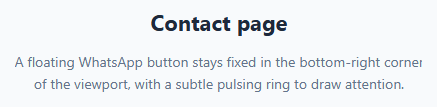
A floating WhatsApp button is one of the simplest, highest-impact additions to a small-business or support-facing website: a single fixed circular button that opens a pre-filled WhatsApp chat, no phone app plugin or chat SDK required.
This snippet builds the whole thing in plain HTML and CSS, with only an optional analytics hook in JavaScript.
How the WhatsApp link works
The button is a plain <a> tag pointing at a wa.me link: https://wa.me/15551234567?text=Hi!%20I%20have%20a%20question. wa.me is WhatsApp's own official link format — it needs no API key or app integration. The number after wa.me/ is the full international phone number with no +, spaces, or leading zeros, and the optional ?text= query parameter pre-fills the message box with a URL-encoded greeting once the chat opens, on both desktop (via WhatsApp Web) and mobile (via the native app).
How the icon is drawn
The WhatsApp logo is inline SVG path data directly in the HTML — no icon font, no external image request, and it inherits crisp rendering at any button size since SVG is vector-based.
How the pulsing ring works
Behind the button sits a second absolutely-positioned circle, .pulse-ring, sized and positioned identically to the button itself via inset: 0 and given z-index: -1 so it always renders behind the solid button. A CSS @keyframes pulse animation scales that ring from 1 to 1.9 while fading its opacity from 0.6 to 0, looping infinitely every 2.2 seconds. Because the ring is a separate element from the button, the button itself never changes size — only the ring behind it visibly "pings" outward, drawing the eye without being distracting.
Respecting reduced motion
A @media (prefers-reduced-motion: reduce) query disables the pulse animation entirely for users who've indicated they're sensitive to motion at the OS level — the button remains fully functional, just static.
Fixed positioning
position: fixed; bottom: 24px; right: 24px keeps the button anchored to the same spot in the viewport regardless of page scroll position, which is the expected placement for this pattern across virtually every site that uses it.
Build with AI
Build, Understand, Optimize, and Extend It With AI
Give this snippet's HTML and CSS to an AI coding assistant like Claude and ask it to explain exactly how the wa.me link format and its text= query parameter work across desktop WhatsApp Web versus the native mobile app, and to double check the URL-encoding of any custom pre-filled message you want to use for special characters. It's also worth asking the assistant to help extend the pulse-ring technique shown here to other floating action buttons on your site (like a chat bubble or feedback button) so your fixed UI elements share a consistent "ping" animation language, and to confirm the prefers-reduced-motion fallback is applied consistently everywhere you reuse the pattern.
Prompt to recreate it
Copy this into your AI assistant of choice to build the effect from scratch, or as a jumping-off point for your own variant:
Build a floating WhatsApp contact button in plain HTML and CSS — no JavaScript required for the core functionality, no chat widget library or SDK.

Requirements:
- A circular button fixed to the bottom-right corner of the viewport, implemented as a real anchor tag pointing at an official wa.me deep link with a phone number and a URL-encoded pre-filled text= message parameter.
- Use an inline SVG for the WhatsApp logo icon rather than an icon font or an external image file.
- Add a second absolutely-positioned circular element sitting directly behind the button, sized and positioned identically to it, with its own infinite CSS keyframe animation that scales it up while fading its opacity to zero — creating a pulsing "ping" ring that radiates outward without ever changing the size of the actual button in front of it.
- Wrap the pulse animation in a prefers-reduced-motion media query so it is disabled entirely for users who have that OS-level accessibility preference set, while the button itself remains fully functional either way.
- Give the link a proper aria-label describing its purpose, a visible focus-visible outline for keyboard users, and open it in a new tab safely using rel="noopener noreferrer".
Want to tighten it up first? Run this prompt through the AI Prompt Studio to score it across 8 quality dimensions, catch anti-patterns, and tune the wording for Claude, ChatGPT, or Gemini before you paste it in.
Source Code
<div class="page-demo">
  <h1>Contact page</h1>
  <p>A floating WhatsApp button stays fixed in the bottom-right corner of the viewport, with a subtle pulsing ring to draw attention.</p>
</div>

<a class="whatsapp-fab" href="https://wa.me/15551234567?text=Hi!%20I%20have%20a%20question" target="_blank" rel="noopener noreferrer" aria-label="Chat with us on WhatsApp">
  <span class="pulse-ring"></span>
  <svg viewBox="0 0 32 32" width="28" height="28" fill="#fff">
    <path d="M16.004 3C9.373 3 4 8.373 4 15.004c0 2.65.86 5.1 2.32 7.09L4.5 28.5l6.58-1.79a11.9 11.9 0 0 0 4.92 1.07h.005c6.63 0 12.004-5.373 12.004-12.004S22.634 3 16.004 3zm0 21.8h-.004a9.78 9.78 0 0 1-4.98-1.36l-.357-.212-3.68 1 .984-3.586-.233-.368a9.77 9.77 0 0 1-1.5-5.27c0-5.4 4.396-9.8 9.8-9.8 2.617 0 5.077 1.02 6.93 2.87a9.73 9.73 0 0 1 2.868 6.93c0 5.4-4.397 9.796-9.828 9.796zm5.36-7.34c-.293-.147-1.735-.856-2.004-.953-.27-.098-.466-.147-.663.147-.196.293-.76.953-.932 1.15-.172.196-.343.22-.636.073-.293-.147-1.238-.456-2.358-1.454-.872-.777-1.46-1.737-1.632-2.03-.172-.293-.018-.452.13-.598.133-.132.293-.343.44-.514.146-.172.195-.294.293-.49.098-.196.049-.368-.024-.514-.073-.147-.663-1.6-.91-2.19-.24-.575-.482-.497-.663-.507l-.564-.01c-.196 0-.514.073-.783.368-.27.294-1.03 1.007-1.03 2.456 0 1.45 1.055 2.85 1.202 3.046.147.196 2.076 3.17 5.03 4.443.703.303 1.25.484 1.678.62.705.224 1.347.192 1.855.117.566-.084 1.735-.71 1.98-1.395.245-.686.245-1.273.172-1.395-.073-.123-.27-.196-.563-.343z"/>
  </svg>
</a>
* { box-sizing: border-box; }
body { font-family: system-ui, sans-serif; background: #f8fafc; margin: 0; min-height: 100vh; }
.page-demo { padding: 60px 24px; max-width: 460px; margin: 0 auto; text-align: center; }
.page-demo h1 { font-size: 22px; color: #1e293b; margin: 0 0 10px; }
.page-demo p { font-size: 14px; color: #64748b; line-height: 1.6; }
.whatsapp-fab {
position: fixed;
bottom: 24px;
right: 24px;
width: 58px;
height: 58px;
border-radius: 50%;
background: #25d366;
display: flex;
align-items: center;
justify-content: center;
text-decoration: none;
box-shadow: 0 8px 24px rgba(37, 211, 102, 0.4);
transition: transform 0.15s ease, box-shadow 0.15s ease;
z-index: 10;
}
.whatsapp-fab:hover {
transform: scale(1.08);
box-shadow: 0 10px 28px rgba(37, 211, 102, 0.5);
}
.whatsapp-fab:focus-visible {
outline: 3px solid #128c7e;
outline-offset: 3px;
}
/*
The pulse ring is a second, absolutely-positioned circle behind the
button, sharing its exact size and position. It scales up and fades
out on an infinite loop, creating a "ping" effect that radiates
outward from the button without affecting the button's own size.
*/
.pulse-ring {
position: absolute;
inset: 0;
border-radius: 50%;
background: #25d366;
z-index: -1;
animation: pulse 2.2s cubic-bezier(0.4, 0, 0.6, 1) infinite;
}
@keyframes pulse {
0% { transform: scale(1); opacity: 0.6; }
100% { transform: scale(1.9); opacity: 0; }
}
@media (prefers-reduced-motion: reduce) {
.pulse-ring { animation: none; }
}// This snippet is fully functional with pure HTML/CSS — the link and
// pulse animation need no JavaScript. This handler is a placeholder for
// optional analytics tracking on click.
document.querySelector('.whatsapp-fab')?.addEventListener('click', () => {
// analytics.track('whatsapp_fab_clicked');
});Step by step
How to Use
- 1Load the snippetClick "WhatsApp Floating Button" in the sidebar Library tab. The preview shows the pulsing green button fixed in the bottom-right corner.
- 2Set your phone numberIn the HTML panel, replace 15551234567 in the wa.me link with your business's full international number, digits only, no + or leading zeros.
- 3Customize the pre-filled messageEdit the text= query parameter value in the same link — remember to URL-encode spaces as %20 and other special characters.
- 4Adjust the positionIn the CSS panel, change bottom/right on .whatsapp-fab to reposition it, or switch to left for a bottom-left placement.
- 5Tune the pulse animationIn the CSS panel, edit the pulse keyframes' scale and opacity values, or the animation duration, to make the ping subtler or more prominent.
- 6Export in your formatClick "HTML" for a standalone file, "JSX" for React, or "Tailwind" for React + Tailwind CSS.
Real-world uses
Common Use Cases
Got questions?
Frequently Asked Questions
No. This uses wa.me, WhatsApp's free official click-to-chat link format that works with any regular or Business WhatsApp account — no API key, approval process, or paid integration required.
Use the full number in international format with the country code, but with no plus sign, spaces, dashes, or leading zeros — for example 15551234567 for a US number starting with +1.
Append ?text=YOUR_MESSAGE to the wa.me link, with the message URL-encoded — spaces become %20, and other special characters need their own percent-encoding. The message appears in the chat input box, ready for the user to send or edit.
Yes, with no special detection code needed. On mobile it opens the native WhatsApp app if installed (or prompts to install it); on desktop it opens WhatsApp Web in a new browser tab, or the desktop app if the OS is configured to handle wa.me links.
The ring is a separate absolutely-positioned element sitting behind the button (via z-index: -1) with the exact same size and position. Its own CSS animation scales and fades it independently, so the button itself stays a fixed size while the ring visibly pulses outward from behind it.
Yes. Remove the animation property from .pulse-ring in the CSS panel, or simply delete the .pulse-ring span from the HTML — the button remains fully functional as a plain floating link either way.
Yes. It is a real <a> element with a descriptive aria-label ("Chat with us on WhatsApp"), reachable via Tab, with a visible focus-visible outline, and it opens like any standard link when activated with Enter.
Yes. Add a scroll listener that toggles a visibility class on .whatsapp-fab based on window.scrollY, following the same show/hide pattern used in a "back to top" button, if you don't want it visible immediately on page load.