

Interact.js Draggable and Resizable Dashboard Panels with Snapping
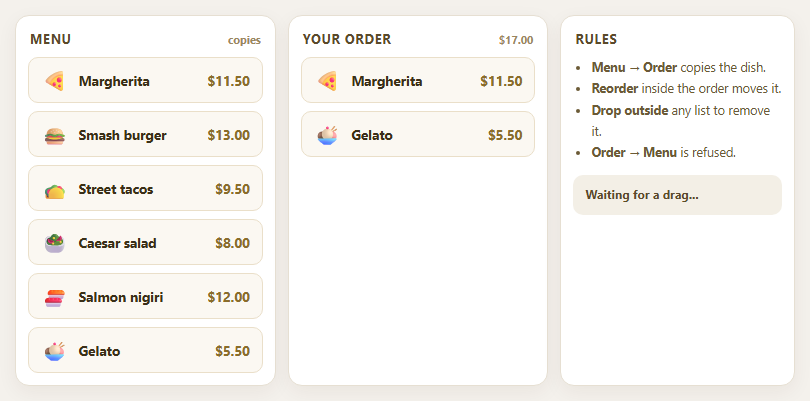
Dragula Copy vs Move Lists with Spill Control

SortableJS Shared Groups: Clone from a Palette into a Page Builder

SortableJS Drag Handle with Pinned and Locked Rows
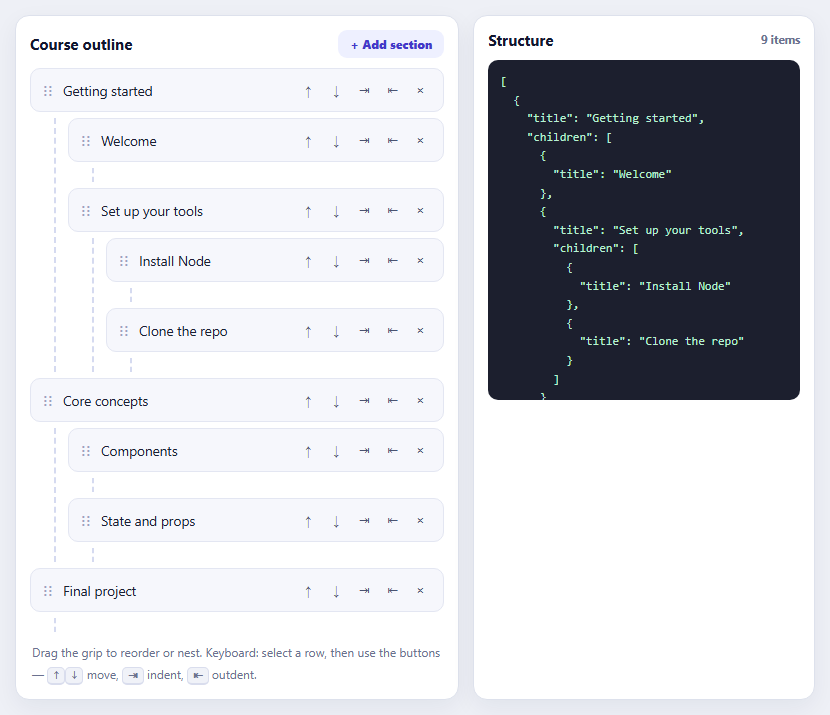
SortableJS Nested Sortable Tree with Keyboard Controls
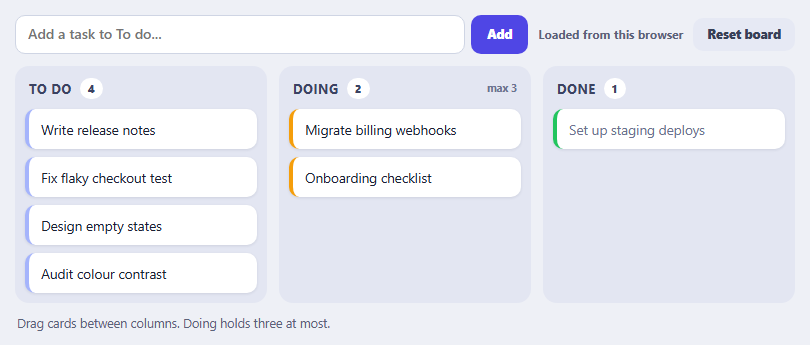
SortableJS Multi-List Kanban with Persistence and WIP Limit
API Key Manager — Free HTML CSS JS Snippet
API Key Manager · Dashboards · Plain HTML, CSS & JS · Live preview
Copy & paste
Source Code
<div class="wrap">
  <div class="header">
    <div>
      <h1 class="title">API Keys</h1>
      <p class="subtitle">Manage your API access tokens. Keep them secret — never share in public repos.</p>
    </div>
    <button class="create-btn" onclick="createKey()">
      <svg width="14" height="14" viewBox="0 0 24 24" fill="none" stroke="currentColor" stroke-width="2.5"><line x1="12" y1="5" x2="12" y2="19"/><line x1="5" y1="12" x2="19" y2="12"/></svg>
      New Key
    </button>
  </div>
  <div class="keys-list" id="keysList">
    <div class="key-row" data-key="sk_live_A4f9Kd2mNp8rTx1vYw3zQb5e">
      <div class="key-info">
        <div class="key-name">Production Key</div>
        <div class="key-meta"><span class="env-chip live">Live</span><span class="key-date">Created Jan 12, 2024</span><span class="key-last">Last used 2h ago</span></div>
      </div>
      <div class="key-val">
        <code class="key-code" data-shown="false">sk_live_••••••••••••••••••••••Qb5e</code>
        <button class="icon-btn" onclick="toggleKey(this)" title="Show key">
          <svg class="eye-off" width="15" height="15" viewBox="0 0 24 24" fill="none" stroke="currentColor" stroke-width="2"><path d="M17.94 17.94A10.07 10.07 0 0 1 12 20c-7 0-11-8-11-8a18.45 18.45 0 0 1 5.06-5.94"/><path d="M9.9 4.24A9.12 9.12 0 0 1 12 4c7 0 11 8 11 8a18.5 18.5 0 0 1-2.16 3.19"/><line x1="1" y1="1" x2="23" y2="23"/></svg>
          <svg class="eye-on" width="15" height="15" viewBox="0 0 24 24" fill="none" stroke="currentColor" stroke-width="2" style="display:none"><path d="M1 12s4-8 11-8 11 8 11 8-4 8-11 8-11-8-11-8z"/><circle cx="12" cy="12" r="3"/></svg>
        </button>
        <button class="icon-btn" onclick="copyKey(this)" title="Copy">
          <svg width="15" height="15" viewBox="0 0 24 24" fill="none" stroke="currentColor" stroke-width="2"><rect x="9" y="9" width="13" height="13" rx="2"/><path d="M5 15H4a2 2 0 0 1-2-2V4a2 2 0 0 1 2-2h9a2 2 0 0 1 2 2v1"/></svg>
        </button>
      </div>
      <div class="key-actions">
        <div class="perms"><span class="perm">read</span><span class="perm">write</span></div>
        <button class="revoke-btn" onclick="revokeKey(this)">Revoke</button>
      </div>
    </div>
    <div class="key-row" data-key="sk_test_C7h1Lm4nPq6sUv9xZa2dRg8f">
      <div class="key-info">
        <div class="key-name">Test Environment</div>
        <div class="key-meta"><span class="env-chip test">Test</span><span class="key-date">Created Mar 4, 2024</span><span class="key-last">Last used 3d ago</span></div>
      </div>
      <div class="key-val">
        <code class="key-code" data-shown="false">sk_test_••••••••••••••••••••••Rg8f</code>
        <button class="icon-btn" onclick="toggleKey(this)" title="Show key">
          <svg class="eye-off" width="15" height="15" viewBox="0 0 24 24" fill="none" stroke="currentColor" stroke-width="2"><path d="M17.94 17.94A10.07 10.07 0 0 1 12 20c-7 0-11-8-11-8a18.45 18.45 0 0 1 5.06-5.94"/><path d="M9.9 4.24A9.12 9.12 0 0 1 12 4c7 0 11 8 11 8a18.5 18.5 0 0 1-2.16 3.19"/><line x1="1" y1="1" x2="23" y2="23"/></svg>
          <svg class="eye-on" width="15" height="15" viewBox="0 0 24 24" fill="none" stroke="currentColor" stroke-width="2" style="display:none"><path d="M1 12s4-8 11-8 11 8 11 8-4 8-11 8-11-8-11-8z"/><circle cx="12" cy="12" r="3"/></svg>
        </button>
        <button class="icon-btn" onclick="copyKey(this)" title="Copy">
          <svg width="15" height="15" viewBox="0 0 24 24" fill="none" stroke="currentColor" stroke-width="2"><rect x="9" y="9" width="13" height="13" rx="2"/><path d="M5 15H4a2 2 0 0 1-2-2V4a2 2 0 0 1 2-2h9a2 2 0 0 1 2 2v1"/></svg>
        </button>
      </div>
      <div class="key-actions">
        <div class="perms"><span class="perm">read</span></div>
        <button class="revoke-btn" onclick="revokeKey(this)">Revoke</button>
      </div>
    </div>
    <div class="key-row" data-key="sk_live_Ef3jMo7qRt0wXc5yBn1pHi6k">
      <div class="key-info">
        <div class="key-name">CI/CD Pipeline</div>
        <div class="key-meta"><span class="env-chip live">Live</span><span class="key-date">Created May 1, 2024</span><span class="key-last">Last used 5m ago</span></div>
      </div>
      <div class="key-val">
        <code class="key-code" data-shown="false">sk_live_••••••••••••••••••••••Hi6k</code>
        <button class="icon-btn" onclick="toggleKey(this)" title="Show key">
          <svg class="eye-off" width="15" height="15" viewBox="0 0 24 24" fill="none" stroke="currentColor" stroke-width="2"><path d="M17.94 17.94A10.07 10.07 0 0 1 12 20c-7 0-11-8-11-8a18.45 18.45 0 0 1 5.06-5.94"/><path d="M9.9 4.24A9.12 9.12 0 0 1 12 4c7 0 11 8 11 8a18.5 18.5 0 0 1-2.16 3.19"/><line x1="1" y1="1" x2="23" y2="23"/></svg>
          <svg class="eye-on" width="15" height="15" viewBox="0 0 24 24" fill="none" stroke="currentColor" stroke-width="2" style="display:none"><path d="M1 12s4-8 11-8 11 8 11 8-4 8-11 8-11-8-11-8z"/><circle cx="12" cy="12" r="3"/></svg>
        </button>
        <button class="icon-btn" onclick="copyKey(this)" title="Copy">
          <svg width="15" height="15" viewBox="0 0 24 24" fill="none" stroke="currentColor" stroke-width="2"><rect x="9" y="9" width="13" height="13" rx="2"/><path d="M5 15H4a2 2 0 0 1-2-2V4a2 2 0 0 1 2-2h9a2 2 0 0 1 2 2v1"/></svg>
        </button>
      </div>
      <div class="key-actions">
        <div class="perms"><span class="perm">read</span><span class="perm">write</span><span class="perm admin">admin</span></div>
        <button class="revoke-btn" onclick="revokeKey(this)">Revoke</button>
      </div>
    </div>
  </div>
  <div class="empty" id="emptyState" style="display:none">
    <svg width="40" height="40" viewBox="0 0 24 24" fill="none" stroke="#94a3b8" stroke-width="1.5"><rect x="3" y="11" width="18" height="11" rx="2"/><path d="M7 11V7a5 5 0 0 1 10 0v4"/></svg>
    <p>No API keys yet</p>
    <button class="create-btn" onclick="createKey()">Create your first key</button>
  </div>
  <div class="info-bar">
    <svg width="14" height="14" viewBox="0 0 24 24" fill="none" stroke="currentColor" stroke-width="2"><circle cx="12" cy="12" r="10"/><line x1="12" y1="8" x2="12" y2="12"/><line x1="12" y1="16" x2="12.01" y2="16"/></svg>
    Revoking a key cannot be undone. Any apps using a revoked key will lose access immediately.
  </div>
</div>
* { box-sizing: border-box; margin: 0; padding: 0; }
body { font-family: system-ui, sans-serif; background: #f8fafc; min-height: 100vh; padding: 32px 20px; }
.wrap { max-width: 760px; margin: 0 auto; }
.header { display: flex; justify-content: space-between; align-items: flex-start; margin-bottom: 24px; gap: 16px; }
.title { font-size: 20px; font-weight: 800; color: #0f172a; margin-bottom: 4px; }
.subtitle { font-size: 13px; color: #64748b; max-width: 480px; }
.create-btn { display: flex; align-items: center; gap: 6px; background: #1e293b; color: #fff; border: none; padding: 10px 16px; border-radius: 10px; font-size: 14px; font-weight: 700; cursor: pointer; white-space: nowrap; transition: background 0.15s; flex-shrink: 0; }
.create-btn:hover { background: #0f172a; }
.keys-list { background: #fff; border: 1px solid #e2e8f0; border-radius: 16px; overflow: hidden; margin-bottom: 16px; }
.key-row { padding: 18px 20px; border-bottom: 1px solid #f1f5f9; display: flex; align-items: center; gap: 16px; flex-wrap: wrap; transition: background 0.1s; }
.key-row:last-child { border-bottom: none; }
.key-row:hover { background: #fafafa; }
.key-info { min-width: 180px; flex: 1; }
.key-name { font-size: 14px; font-weight: 700; color: #1e293b; margin-bottom: 4px; }
.key-meta { display: flex; align-items: center; gap: 10px; flex-wrap: wrap; }
.env-chip { font-size: 10px; font-weight: 700; padding: 2px 8px; border-radius: 20px; text-transform: uppercase; letter-spacing: 0.5px; }
.env-chip.live { background: rgba(34,197,94,0.1); color: #16a34a; }
.env-chip.test { background: rgba(245,158,11,0.1); color: #b45309; }
.key-date, .key-last { font-size: 11px; color: #94a3b8; }
.key-val { display: flex; align-items: center; gap: 6px; flex: 1; min-width: 200px; }
.key-code { font-family: 'Courier New', monospace; font-size: 13px; color: #475569; background: #f8fafc; border: 1px solid #e2e8f0; border-radius: 8px; padding: 6px 10px; flex: 1; overflow: hidden; text-overflow: ellipsis; white-space: nowrap; }
.icon-btn { background: none; border: 1px solid #e2e8f0; color: #94a3b8; width: 30px; height: 30px; border-radius: 8px; cursor: pointer; display: flex; align-items: center; justify-content: center; transition: all 0.15s; flex-shrink: 0; }
.icon-btn:hover { border-color: #cbd5e1; color: #475569; background: #f8fafc; }
.icon-btn.copied { border-color: #16a34a; color: #16a34a; background: rgba(34,197,94,0.05); }
.key-actions { display: flex; align-items: center; gap: 10px; flex-shrink: 0; }
.perms { display: flex; gap: 4px; }
.perm { font-size: 10px; font-weight: 600; padding: 2px 7px; border-radius: 6px; background: rgba(14,165,233,0.08); color: #0369a1; }
.perm.admin { background: rgba(239,68,68,0.08); color: #dc2626; }
.revoke-btn { background: none; border: 1px solid #fecaca; color: #ef4444; padding: 6px 12px; border-radius: 8px; font-size: 12px; font-weight: 600; cursor: pointer; transition: all 0.15s; }
.revoke-btn:hover { background: #fee2e2; }
.empty { text-align: center; padding: 48px 20px; background: #fff; border: 1px solid #e2e8f0; border-radius: 16px; margin-bottom: 16px; }
.empty p { font-size: 14px; color: #94a3b8; margin: 12px 0 20px; }
.info-bar { display: flex; align-items: center; gap: 8px; background: rgba(245,158,11,0.08); border: 1px solid rgba(245,158,11,0.2); border-radius: 10px; padding: 12px 16px; font-size: 12px; color: #92400e; }function toggleKey(btn) {
var code = btn.parentElement.querySelector('.key-code');
var eyeOff = btn.querySelector('.eye-off');
var eyeOn = btn.querySelector('.eye-on');
var isShown = code.dataset.shown === 'true';
var row = btn.closest('.key-row');
var fullKey = row.dataset.key;
var masked = fullKey.slice(0, 8) + Array(fullKey.length - 12).join('•') + fullKey.slice(-4);
code.textContent = isShown ? masked : fullKey;
code.dataset.shown = isShown ? 'false' : 'true';
eyeOff.style.display = isShown ? '' : 'none';
eyeOn.style.display = isShown ? 'none' : '';
}
function copyKey(btn) {
var row = btn.closest('.key-row');
var text = row.dataset.key;
function showCopied() {
btn.classList.add('copied');
var icon = btn.querySelector('svg');
icon.innerHTML = '<polyline points="20 6 9 17 4 12" stroke="currentColor" stroke-width="2.5" stroke-linecap="round"/>';
setTimeout(function() {
btn.classList.remove('copied');
icon.innerHTML = '<rect x="9" y="9" width="13" height="13" rx="2"/><path d="M5 15H4a2 2 0 0 1-2-2V4a2 2 0 0 1 2-2h9a2 2 0 0 1 2 2v1"/>';
}, 2000);
}
if (navigator.clipboard && navigator.clipboard.writeText) {
navigator.clipboard.writeText(text).then(showCopied).catch(function() { fallbackCopy(text, showCopied); });
} else {
fallbackCopy(text, showCopied);
}
}
function fallbackCopy(text, cb) {
var ta = document.createElement('textarea');
ta.value = text;
ta.style.cssText = 'position:fixed;opacity:0;top:0;left:0';
document.body.appendChild(ta);
ta.focus();
ta.select();
try { document.execCommand('copy'); cb(); } catch(e) {}
document.body.removeChild(ta);
}
function revokeKey(btn) {
if (!confirm('Revoke this API key? This cannot be undone.')) return;
var row = btn.closest('.key-row');
row.style.opacity = '0.4';
row.style.pointerEvents = 'none';
setTimeout(function() {
row.remove();
var list = document.getElementById('keysList');
if (!list.querySelector('.key-row')) {
list.style.display = 'none';
document.getElementById('emptyState').style.display = '';
}
}, 400);
}
function createKey() {
var name = prompt('Key name (e.g. Staging, Mobile App):');
if (!name) return;
var chars = 'ABCDEFGHIJKLMNOPQRSTUVWXYZabcdefghijklmnopqrstuvwxyz0123456789';
var rand = Array.from({length: 24}, function() { return chars[Math.floor(Math.random() * chars.length)]; }).join('');
var full = 'sk_test_' + rand;
var masked = 'sk_test_' + Array(24).join('•') + rand.slice(-4);
var row = document.createElement('div');
row.className = 'key-row';
row.dataset.key = full;
row.innerHTML = '<div class="key-info"><div class="key-name">' + name + '</div><div class="key-meta"><span class="env-chip test">Test</span><span class="key-date">Created just now</span><span class="key-last">Never used</span></div></div><div class="key-val"><code class="key-code" data-shown="false">' + masked + '</code><button class="icon-btn" onclick="toggleKey(this)" title="Show key"><svg class="eye-off" width="15" height="15" viewBox="0 0 24 24" fill="none" stroke="currentColor" stroke-width="2"><path d="M17.94 17.94A10.07 10.07 0 0 1 12 20c-7 0-11-8-11-8a18.45 18.45 0 0 1 5.06-5.94"/><path d="M9.9 4.24A9.12 9.12 0 0 1 12 4c7 0 11 8 11 8a18.5 18.5 0 0 1-2.16 3.19"/><line x1="1" y1="1" x2="23" y2="23"/></svg><svg class="eye-on" width="15" height="15" viewBox="0 0 24 24" fill="none" stroke="currentColor" stroke-width="2" style="display:none"><path d="M1 12s4-8 11-8 11 8 11 8-4 8-11 8-11-8-11-8z"/><circle cx="12" cy="12" r="3"/></svg></button><button class="icon-btn" onclick="copyKey(this)" title="Copy"><svg width="15" height="15" viewBox="0 0 24 24" fill="none" stroke="currentColor" stroke-width="2"><rect x="9" y="9" width="13" height="13" rx="2"/><path d="M5 15H4a2 2 0 0 1-2-2V4a2 2 0 0 1 2-2h9a2 2 0 0 1 2 2v1"/></svg></button></div><div class="key-actions"><div class="perms"><span class="perm">read</span></div><button class="revoke-btn" onclick="revokeKey(this)">Revoke</button></div>';
var list = document.getElementById('keysList');
list.style.display = '';
document.getElementById('emptyState').style.display = 'none';
list.appendChild(row);
row.scrollIntoView({ behavior: 'smooth', block: 'nearest' });
}Extend with AI
Take This Snippet Further With AI
The AI prompt for this one is for Patreon supporters ($3 a month, 7 days free), along with a site with no ads. Supporters enter the passcode once and it is remembered in this browser.
What's included
Features
About this UI Snippet
API Key Manager — Show/Hide Toggle, Copy, Revoke, and Create New Keys

An API key manager is a standard component in any developer-facing SaaS product, authentication service, or platform dashboard. It lets users create, view, copy, and revoke API access tokens from one place. This snippet provides a complete API key manager with masked key display, show/hide toggle with eye icon, copy to clipboard with checkmark feedback, revoke with confirmation dialog, create new key prompt, environment chips (Live/Test), permission badges (read/write/admin), and an empty state when all keys are revoked.
The masked key display
Each key is stored in data-key on the .key-row — never in the visible DOM by default. The .key-code element shows a masked version: the first 8 characters + bullet characters + the last 4 characters. This is the industry-standard partial masking pattern used by Stripe, Vercel, and AWS. toggleKey() reads the full key from data-key and alternates between the masked and full string.
The show/hide toggle
toggleKey() swaps the eye-off and eye-on SVG icons by toggling their display properties. code.dataset.shown tracks the current state (false = masked). The full key is always available in the row's data-key attribute — it never leaves the DOM element, so no server round-trip is needed to reveal it. In production, you would NOT store the full key in the DOM — instead, fetch it from the API on demand.
Copy to clipboard
copyKey() uses navigator.clipboard.writeText() to copy the full key. On success, the copy icon morphs to a checkmark (by replacing the SVG innerHTML) and .copied class adds a green tint. After 2 seconds, the icon reverts. This pattern is identical to the copy button snippet but embedded in the key row.
Revoke and empty state
revokeKey() shows a confirm() dialog before removing the row. On confirm, the row fades to 0.4 opacity with pointer-events: none before DOM removal (visual confirmation the action is in progress). After removal, if no .key-row elements remain, the keys list hides and the .empty empty state appears.
Security considerations for production
The snippet stores the full key in a data-key DOM attribute for demonstration. In a real application, never embed full API keys in the HTML. The recommended pattern: on key creation, return the full key in the API POST response and display it once in a modal with a "Copy and close" button. Store only a hashed (bcrypt or SHA-256) version in the database, along with a short prefix (sk_live_Qb5e) for identification. On subsequent page loads, only fetch the masked prefix from the API — the full key is never retrievable again. This is the same pattern used by Stripe, GitHub, and Vercel.
Key expiry and rotation UI
A production API key manager should support expiry dates and key rotation. Add an "Expires" column to each key row with a date picker for optional expiry. Show a warning badge on keys expiring within 7 days. The "Rotate" action (instead of Revoke) generates a new key, briefly shows both old and new keys active simultaneously for a transition window, then automatically revokes the old key after the window. This zero-downtime rotation pattern prevents service interruption during credential updates.
Step by step
How to Use
- 1Click the eye icon to reveal a keyEach row shows a masked key (sk_live_••••...Qb5e). Click the eye button to toggle between masked and full key display. The icon switches between eye-off and eye-on variants.
- 2Copy a key to clipboardClick the copy icon next to any key. The icon turns green with a checkmark for 2 seconds to confirm. The full key is copied regardless of whether it is masked or shown.
- 3Revoke a keyClick Revoke on any key row. A confirmation dialog appears. On confirm, the row fades and is removed. If all keys are revoked, the empty state appears.
- 4Create a new keyClick the New Key button. Enter a name in the prompt. A new test key row is added at the bottom with a randomly generated key.
- 5Add permission scopesEdit the .perms div in each key row to add read/write/admin chips. Wire these to a modal where users select scopes when creating a key.
- 6Export for your frameworkClick "JSX" for a React component with key state management, masked display, and clipboard integration. Click "Vue" for a Vue 3 SFC.
Real-world uses
Common Use Cases
Got questions?
Frequently Asked Questions
For a demo, yes. In production, no — never embed live API keys in the DOM. The standard pattern: on key creation, show the full key once in a modal ("Save this — it won't appear again"), then store only a hashed/masked version in your database. On subsequent page loads, only fetch the masked version. Reveal requests must go to a secure endpoint with auth.
In the browser: crypto.getRandomValues(new Uint8Array(32)) gives 32 cryptographically random bytes. Convert to hex: Array.from(bytes, b => b.toString(16).padStart(2,"0")).join(""). On the server (Node.js): crypto.randomBytes(32).toString("hex") or "base64url". Never use Math.random() for security-sensitive tokens.
Manage keys as const [keys, setKeys] = useState(initialKeys). Each key object: { id, name, masked, full, env, perms, createdAt }. Render a KeyRow component per key with show/hide state in useState(false). revokeKey filters the array: setKeys(keys.filter(k => k.id !== id)). createKey appends a new key object from an API call.
The full key lives in a data-key attribute on the .key-row, never in the visible text. The masked form is built with string slicing — the first 8 characters, a run of bullet characters, then the last 4: fullKey.slice(0, 8) + "•".repeat(n) + fullKey.slice(-4) — which preserves the recognisable sk_live_ prefix while hiding the secret middle. toggleKey() swaps the .key-code element's textContent between the masked and full value, tracks the current state in code.dataset.shown, and switches the eye / eye-off icons to match.
revokeKey() first gates on confirm("Revoke this API key? This cannot be undone."), then plays a soft exit: the row's opacity drops to 0.4 with pointer-events disabled, and after 400ms the row is removed from the DOM. If no .key-row remains, the list is hidden and the #emptyState panel is shown instead, so the UI never ends on a blank list. In production, call your DELETE /keys/:id endpoint before the animation and only remove the row on a successful response — keep the confirm step, because key revocation is irreversible.