
For supporters
Source Code
Want the source code?
Play the game for free. Become a WebDevPuneet supporter to unlock the complete HTML, CSS and JavaScript source code, the exports (HTML, React, Vue, Angular, Tailwind) and Fork.
Extend with AI
Take This Snippet Further With AI
The AI prompt for this one is for Patreon supporters ($3 a month), along with a site with no ads. Supporters enter the passcode once and it is remembered in this browser.
What's included
Features
About this UI Snippet
Battleship vs Computer — Fleet Placement, Probability AI, 12 Levels, Sonar and a Daily Fleet
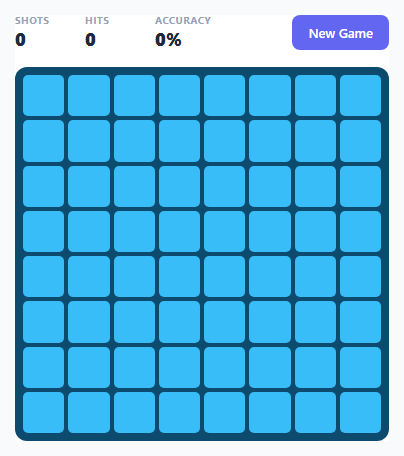
Battleship is a game of hidden information: two fleets on two grids, and each player only sees the shots they have fired. This version is a full game against a computer captain, not just a ship-finding puzzle. You place your own fleet, take turns firing with an opponent that really hunts you, and can use special weapons. It has 12 levels, a Daily Fleet with a streak, stars, saved progress and synthesized sound, in plain HTML, CSS and JavaScript with no libraries, images or audio files.
Two fleets, one model
Each side is a small object made by makeSide(): a grid of ship indexes (occ), a grid of shots fired at it (fired: 0 untouched, 1 miss, 2 hit) and a list of ships with their cells, hits and sunk flag. Your side and the enemy side use exactly the same functions, so resolve() can fire at either one, and the win test is the same allSunk() call. The boards themselves are plain CSS grids with an animated water background, and every ship is one absolutely positioned hull element sized in percentages of the board, so the same code draws an 8x8 and a 10x10 grid.
Placing your fleet
Your fleet starts randomly placed, and you can rearrange it: choose a ship in the dock, hover the grid to see a ghost hull that turns red if it would overlap another ship, and click to place it. R or a right click rotates, clicking a placed ship picks it up again, and Randomize and Clear are one click away. Ships are clamped so they always stay on the board. The enemy fleet is placed with the same randomFleet(), and for the Daily Fleet it uses a seeded random generator (mulberry32), so every player gets the same enemy layout on the same day.
An enemy captain with four levels of skill
aiPick(skill) is the opponent. Skill 0 fires at random and follows up a hit. Skill 1 hunts on a checkerboard pattern (every ship is at least two cells long, so half the cells are enough to find it) and extends lines of hits. Skills 2 and 3 use a probability map: for every ship still afloat, the AI counts every position and direction where it could still fit given the misses and the sunk ships, adds that weight to each open cell, and gives a big bonus to placements that cover a known hit. Skill 2 picks randomly among the three best cells, skill 3 always takes the best one. The AI only uses information a real player would have: hits, misses and which ships have been sunk.
Special weapons that cost a turn
Sonar pings a cell and shows how many hidden ship parts are within one square, without firing. The cross strike fires at a cell and its four neighbours in one turn. Both are limited per level, and the later levels give you fewer of them, down to none on the final level. Hovering previews exactly which cells a weapon will touch.
Levels, stars and the daily fleet
The LEVELS array holds 12 levels in four tiers (Recruit, Officer, Captain, Admiral) with the grid size, the enemy skill, the number of sonar pings and strikes, and two par values. Three stars for sinking the enemy fleet within the first par, two within the second, one for any win. Winning a level unlocks the next. Stars, best shot counts and the Daily Fleet streak are saved to localStorage inside try/catch, so the game also runs in a sandboxed iframe.
Feel
Shells splash with a ripple, hits explode into flames and turn into smoke when the ship sinks, your panel shakes when the enemy hits you, and a battle log tells you what just happened. Explosions and splashes are generated as filtered noise with the Web Audio API. The whole game scales to the space it is given, and on phones the boards stack and the page scrolls.
Step by step
How to Use
- 1Pick a level or the Daily FleetThe menu shows 12 levels in four tiers with your stars. Level 1 is open at first and each win unlocks the next level. The gold Daily Fleet card starts the enemy layout of the day, which is the same for every player.
- 2Place your fleetYour ships start randomly placed. Click a ship in the dock and then your grid to move it, press R or right-click to rotate, or click a placed ship to pick it up. Randomize and Clear are in the toolbar. Press Start battle (or Enter) when you are happy.
- 3Fire at the enemy watersClick a cell on the right grid (or move with the arrow keys and press Enter). A red flame is a hit, a ring is a miss. When all the cells of a ship are hit it sinks and its hull appears on the map.
- 4Use sonar and cross strikesPress S to ping with sonar: it shows how many hidden ship parts are within one square of a cell and costs your turn. Press X for a cross strike that fires at a cell and its four neighbours. Press F to go back to the cannon. Each level gives you a limited number.
- 5Beat the enemy captainAfter each of your turns the enemy fires at your fleet. Higher levels use smarter captains that hunt on a pattern and calculate where your ships can still be. Sink all their ships before they sink yours.
- 6Earn stars and keep your streakSink the enemy fleet in few shots for 3 stars, the par is shown on the result screen. Clearing the Daily Fleet on consecutive days builds a streak, and Copy result puts a share line on your clipboard.
Real-world uses
Common Use Cases
Got questions?
Frequently Asked Questions
It depends on the level. The easiest captain fires at random and follows up a hit. The next one hunts on a checkerboard pattern and extends lines of hits. The two strongest use a probability map: aiPick() counts every position where each surviving ship could still fit, given the misses and the sunk ships, adds a big bonus for placements that cover a known hit, and fires at the cell with the highest total. It never looks at your real ship positions.
No. It reads only your fired grid (hits and misses) and which of your ships have been sunk, exactly the information a human opponent gets. The strongest captain is simply good at statistics.
Winning gives one star. Sinking the enemy fleet within the second par value gives two, and within the first par value gives three. The par values are in the LEVELS array and are shown on the result screen. Losing gives no stars, and a win unlocks the next level.
Add an object to the LEVELS array with a name, grid (small for 8x8, classic for 10x10), ai (0 to 3), the number of sonar pings and strikes, and the two par values. The menu draws three levels per tier, so add levels in groups of three or extend the TIERS array. A new grid size is one more entry in GRIDS with a size and a fleet list.
todayNumber() counts days since a fixed start date, and the enemy fleet is placed with randomFleet() using a mulberry32 generator seeded from that number. The same seed gives the same layout, so every player faces the same enemy fleet that day. Clearing it on the next day adds one to your streak, and a missed day resets it.
Yes. All localStorage reads and writes are in try/catch, so a blocked storage only means progress is not saved. The AudioContext is created when you start a level and every sound call is wrapped. On wide areas the game scales down to fit, and on narrow ones the boards stack and the page scrolls. Cells respond to pointer events, so it is playable by touch.