

Liquid Fill Progress Indicator — Wavy SVG Loader in HTML CSS JS
Liquid Fill Progress Indicator · Loaders · Plain HTML, CSS & JS · Live preview
Copy & paste
Source Code
<div class="lf-stage">
  <div class="lf-tank" id="lfTank" role="progressbar" aria-valuemin="0" aria-valuemax="100" aria-valuenow="0" aria-label="Fill progress">
    <svg class="lf-wave" viewBox="0 0 200 200" preserveAspectRatio="none">
      <path id="lfWavePath" d=""></path>
    </svg>
    <span class="lf-pct" id="lfPct">0%</span>
  </div>
  <div class="lf-controls">
    <button type="button" class="lf-btn" id="lfMinus">−10%</button>
    <button type="button" class="lf-btn lf-primary" id="lfPlus">+10%</button>
    <button type="button" class="lf-btn" id="lfReset">Reset</button>
  </div>
</div>*{box-sizing:border-box;margin:0;padding:0}
body{font-family:system-ui,-apple-system,sans-serif;background:#0b1220;color:#e6e9f2;min-height:100vh;display:flex;align-items:center;justify-content:center;padding:24px}
.lf-stage{display:flex;flex-direction:column;align-items:center;gap:22px}
.lf-tank{position:relative;width:180px;height:220px;border-radius:90px 90px 26px 26px;background:#0f1a2e;border:3px solid #223353;overflow:hidden;box-shadow:inset 0 6px 18px rgba(0,0,0,.5)}
.lf-wave{position:absolute;left:0;bottom:0;width:100%;height:100%;transform:translateY(100%);transition:transform .7s cubic-bezier(.22,1,.36,1)}
.lf-wave path{fill:url(#lfGrad)}
.lf-pct{position:absolute;inset:0;display:flex;align-items:center;justify-content:center;font-size:30px;font-weight:800;letter-spacing:-.02em;color:#eef2ff;text-shadow:0 2px 10px rgba(0,0,0,.4);z-index:2;font-variant-numeric:tabular-nums}
.lf-controls{display:flex;gap:10px}
.lf-btn{background:#182644;border:1.5px solid #2a3c63;color:#c7d2fe;border-radius:10px;padding:10px 16px;font-size:13px;font-weight:700;cursor:pointer;font-family:inherit;transition:background .15s}
.lf-btn:hover{background:#233458}
.lf-primary{background:#6366f1;border-color:#6366f1;color:#fff}
.lf-primary:hover{background:#4f46e5}// Build the SVG gradient once (kept in JS so the file stays a single self-contained snippet).
var svgNS = 'http://www.w3.org/2000/svg';
var svg = document.querySelector('.lf-wave');
var defs = document.createElementNS(svgNS, 'defs');
defs.innerHTML = '<linearGradient id="lfGrad" x1="0" y1="0" x2="0" y2="1">' +
'<stop offset="0%" stop-color="#22d3ee"/><stop offset="100%" stop-color="#6366f1"/></linearGradient>';
svg.appendChild(defs);
var wave = document.getElementById('lfWavePath');
var tank = document.getElementById('lfTank');
var pctLabel = document.getElementById('lfPct');
var progress = 0; // real 0-100 target value
var t = 0; // continuous time driving the wave's undulation
var AMPLITUDE = 5; // wave height in viewBox units
var WAVELENGTH = 200; // one full sine cycle across the 200-wide viewBox
// Redraw the sine-wave surface every frame so the liquid keeps moving even
// while progress is holding steady at a fixed level — this is what makes it
// read as liquid rather than a rectangle sliding up.
function drawWave() {
t += 0.06;
var points = [];
var steps = 24;
for (var i = 0; i <= steps; i++) {
var x = (i / steps) * 200;
var y = 12 + Math.sin((x / WAVELENGTH) * Math.PI * 2 + t) * AMPLITUDE;
points.push(x + ',' + y.toFixed(2));
}
var d = 'M0,' + (12 + AMPLITUDE) + ' L' + points.join(' L') + ' L200,200 L0,200 Z';
wave.setAttribute('d', d);
requestAnimationFrame(drawWave);
}
requestAnimationFrame(drawWave);
function render() {
var clamped = Math.max(0, Math.min(100, progress));
// Translate the wave surface up by the real percentage — the actual liquid
// level, computed from the current progress value, not a fixed animation.
svg.style.transform = 'translateY(' + (100 - clamped) + '%)';
pctLabel.textContent = Math.round(clamped) + '%';
tank.setAttribute('aria-valuenow', String(Math.round(clamped)));
}
document.getElementById('lfPlus').addEventListener('click', function () { progress += 10; render(); });
document.getElementById('lfMinus').addEventListener('click', function () { progress -= 10; render(); });
document.getElementById('lfReset').addEventListener('click', function () { progress = 0; render(); });
render();Extend with AI
Take This Snippet Further With AI
The AI prompt for this one is for Patreon supporters ($3 a month), along with a site with no ads. Supporters enter the passcode once and it is remembered in this browser.
What's included
Features
About this UI Snippet
Liquid Fill Progress Indicator — A Tank That Fills With a Genuinely Undulating Surface
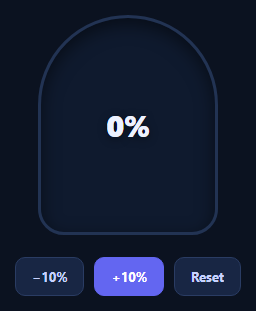
A liquid fill indicator shows progress as rising liquid inside a container rather than a bar or ring — a shape more associated with tanks, gauges, and playful onboarding or gamified UIs than a typical progress bar. The part that makes it convincing is the surface: a flat rectangle sliding up reads as a fake liquid, so this snippet draws the top edge as a real sine wave in an SVG path and keeps it moving continuously, even when the fill level is holding steady.
A sine wave, not a straight edge
The liquid's surface is an SVG <path> rebuilt every frame inside a requestAnimationFrame loop. Twenty-four points are sampled across the tank's width, each offset vertically by Math.sin((x / WAVELENGTH) * Math.PI * 2 + t), where t increments a little every frame. That constant increment is what keeps the wave rolling sideways forever — the surface never goes flat, whether progress is at 20% or sitting untouched at 70% for a minute.
The fill level is a real value
Separately from the wave's own motion, the whole SVG element is translated vertically by translateY(100 - progress + '%'), computed directly from a progress variable you control (0–100). This is the actual liquid level: incrementing progress with the demo buttons animates the tank rising or falling with a smooth cubic-bezier transition, while the sine wave keeps undulating on top of wherever that level currently sits — two independent motions (level and surface) composed together, which is what separates this from a bar with a wavy PNG background.
Two separate motions, cleanly split
Keeping "how full" (a CSS transform driven by a real percentage) and "how the surface moves" (a continuously regenerated SVG path) as two independent systems is the key architectural decision here. It means you can drive progress from a real value — an upload's loaded/total, a task counter, a battery level — while the wave animation runs untouched in its own rAF loop, never needing to know what the percentage is.
Accessible and swappable
The tank carries role="progressbar" with aria-valuenow kept in sync with the real percentage on every render, so assistive tech reports genuine progress, not just the visual. Swap the pill-shaped tank for a circle, change the gradient stops, or tune AMPLITUDE/WAVELENGTH for calmer or choppier water. Pair it with a circular progress ring for a numeric companion, or a quota usage meter for a dashboard context.
Step by step
How to Use
- 1Paste HTML, CSS, and JSA tank renders empty with a percentage label at 0%.
- 2Click +10% / −10%The liquid level rises or falls with a smooth transition to the real value.
- 3Watch the surface at restEven holding steady, the wave keeps rolling — it never goes flat.
- 4Drive it from real dataSet the progress variable from your actual percentage and call render().
- 5Tune the waveAdjust AMPLITUDE and WAVELENGTH for calmer or choppier motion.
- 6Restyle the tankChange the border-radius, gradient stops, or container shape.
Real-world uses
Common Use Cases
Got questions?
Frequently Asked Questions
The wave's shape and the fill level are two separate systems. A requestAnimationFrame loop increments a time variable t every frame and rebuilds the SVG path from Math.sin(x / WAVELENGTH * 2π + t) regardless of the progress value, so the surface keeps rolling sideways continuously. The fill level is a separate CSS transform driven only by the progress variable, so it only changes when you actually update progress.
A static background image repeats identically every cycle and cannot be resized without artifacts. Rebuilding the path from real trigonometry each frame means the wave scales cleanly to any tank width, the amplitude and wavelength are tunable numbers rather than a fixed asset, and the motion has no visible seam or restart point.
Set the progress variable to your real value (0-100) — for example from a fetch/XHR progress event's loaded/total — and call render(). The translateY transform and the aria-valuenow both update from that same variable, so the visual and the accessible value never drift apart.
Lower AMPLITUDE for a calmer, flatter surface or raise it for more dramatic waves. Increase WAVELENGTH for slower, broader swells or decrease it for tighter ripples. Changing the 0.06 increment on t controls how fast the surface scrolls sideways.
Keep the rAF wave-drawing loop in a mount effect with cleanup (cancelAnimationFrame on unmount), and drive the fill level from component state instead of a bare variable — update the transform whenever your progress prop or state changes. The SVG path generation logic is framework-agnostic and ports unchanged.