
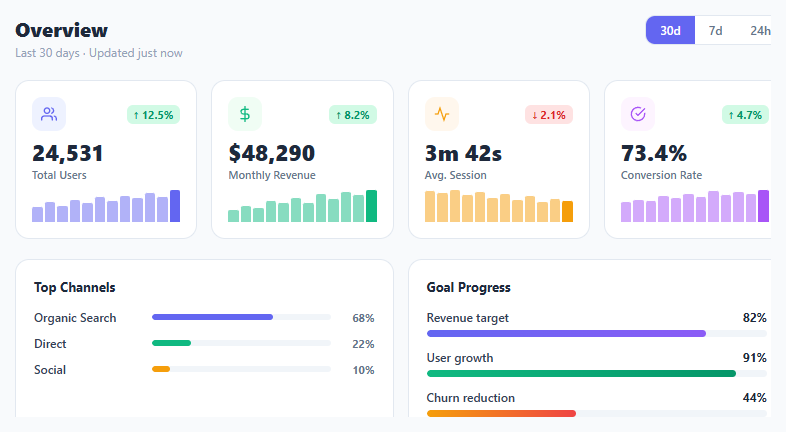
Metric KPI Card Grid

Interact.js Draggable and Resizable Dashboard Panels with Snapping
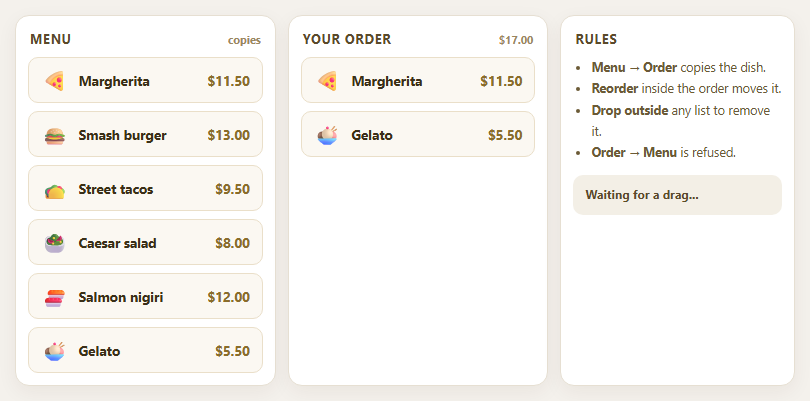
Dragula Copy vs Move Lists with Spill Control

SortableJS Shared Groups: Clone from a Palette into a Page Builder

SortableJS Drag Handle with Pinned and Locked Rows
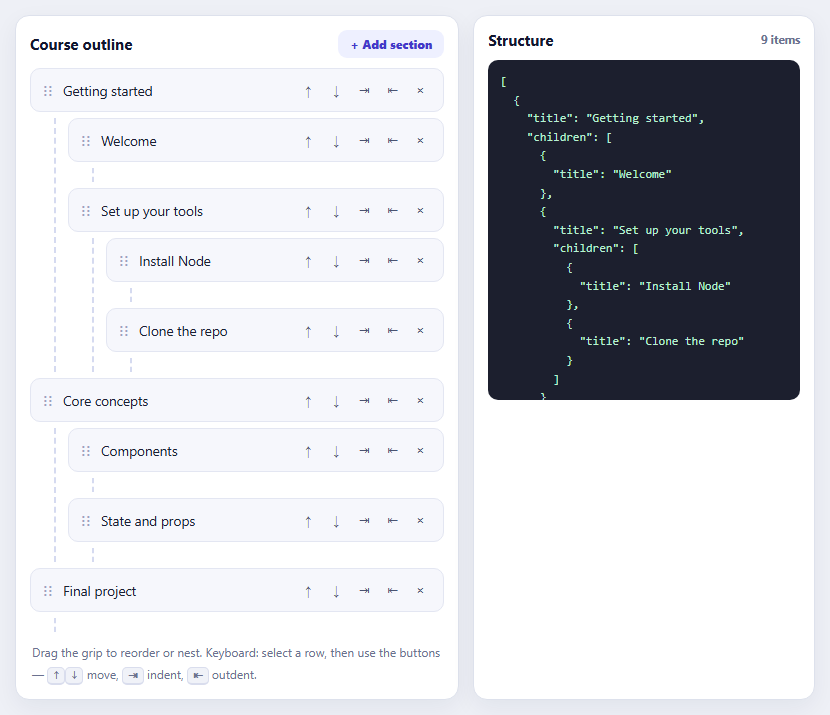
SortableJS Nested Sortable Tree with Keyboard Controls
Product Roadmap Board — HTML CSS JS Snippet
Product Roadmap Board · Dashboards · Plain HTML, CSS & JS · Live preview
Copy & paste
Source Code
<div class="wrap">
  <div class="board-header">
    <div>
      <h1 class="board-title">Product Roadmap</h1>
      <p class="board-sub">Vote on what we build next</p>
    </div>
    <div class="legend">
      <span class="dot planned"></span>Planned
      <span class="dot progress"></span>In Progress
      <span class="dot shipped"></span>Shipped
    </div>
  </div>
  <div class="board" id="board"></div>
</div>
* { box-sizing: border-box; margin: 0; padding: 0; }
body { font-family: system-ui, sans-serif; background: #f8fafc; min-height: 100vh; padding: 32px 20px; }
.wrap { max-width: 980px; margin: 0 auto; }
.board-header { display: flex; align-items: flex-end; justify-content: space-between; flex-wrap: wrap; gap: 12px; margin-bottom: 28px; }
.board-title { font-size: 24px; font-weight: 900; color: #0f172a; }
.board-sub { font-size: 14px; color: #64748b; margin-top: 4px; }
.legend { display: flex; align-items: center; gap: 14px; font-size: 13px; font-weight: 600; color: #64748b; }
.dot { width: 8px; height: 8px; border-radius: 50%; display: inline-block; }
.dot.planned { background: #e2e8f0; border: 2px solid #94a3b8; }
.dot.progress { background: #6366f1; }
.dot.shipped { background: #22c55e; }
.board { display: grid; grid-template-columns: repeat(3, 1fr); gap: 20px; align-items: start; }
.col { background: #f1f5f9; border-radius: 16px; padding: 16px; }
.col-head { display: flex; align-items: center; justify-content: space-between; margin-bottom: 14px; }
.col-label { display: flex; align-items: center; gap: 8px; font-size: 13px; font-weight: 800; color: #475569; text-transform: uppercase; letter-spacing: 0.5px; }
.col-count { background: #e2e8f0; color: #64748b; font-size: 12px; font-weight: 800; padding: 2px 8px; border-radius: 10px; }
.items { display: flex; flex-direction: column; gap: 10px; }
.item { background: #fff; border-radius: 12px; padding: 14px 16px; border: 1.5px solid #e2e8f0; transition: box-shadow 0.15s; }
.item:hover { box-shadow: 0 4px 14px rgba(0,0,0,0.06); }
.item-head { display: flex; justify-content: space-between; align-items: flex-start; gap: 8px; margin-bottom: 6px; }
.item-title { font-size: 14px; font-weight: 700; color: #0f172a; line-height: 1.35; }
.item-tag { font-size: 10px; font-weight: 800; text-transform: uppercase; letter-spacing: 0.5px; padding: 3px 7px; border-radius: 5px; flex-shrink: 0; }
.tag-bug { background: #fee2e2; color: #dc2626; }
.tag-feature { background: #ede9fe; color: #7c3aed; }
.tag-perf { background: #dbeafe; color: #1d4ed8; }
.tag-ux { background: #fef3c7; color: #b45309; }
.item-desc { font-size: 12px; color: #64748b; line-height: 1.5; margin-bottom: 10px; }
.item-footer { display: flex; align-items: center; justify-content: space-between; }
.vote-btn { display: flex; align-items: center; gap: 6px; background: #f8fafc; border: 1.5px solid #e2e8f0; border-radius: 8px; padding: 5px 10px; cursor: pointer; font-size: 13px; font-weight: 700; color: #475569; transition: all 0.15s; font-family: inherit; }
.vote-btn.voted { background: #ede9fe; border-color: #c4b5fd; color: #6d28d9; }
.vote-btn:hover:not(.voted) { border-color: #94a3b8; }
.vote-count { font-variant-numeric: tabular-nums; }
.arrow { font-size: 11px; }
.quarter { font-size: 11px; color: #94a3b8; font-weight: 600; }
.shipped-check { color: #22c55e; font-size: 15px; }var columns = [
{
id: 'planned', label: 'Planned', color: '#94a3b8',
items: [
{ id:1, title:'Dark mode support', tag:'feature', desc:'System-aware dark/light mode with manual override toggle in settings.', votes:142, quarter:'Q3 2026', voted:false },
{ id:2, title:'CSV bulk import', tag:'feature', desc:'Upload a CSV to create or update hundreds of records in one operation.', votes:98, quarter:'Q3 2026', voted:false },
{ id:3, title:'Custom webhook events', tag:'feature', desc:'Subscribe to any entity change event and receive a real-time webhook payload.', votes:76, quarter:'Q4 2026', voted:false },
]
},
{
id: 'progress', label: 'In Progress', color: '#6366f1',
items: [
{ id:4, title:'AI smart search', tag:'feature', desc:'Natural language search across all your data using our embedded vector index.', votes:211, quarter:'Q2 2026', voted:false },
{ id:5, title:'Column freeze in tables', tag:'ux', desc:'Pin one or more columns so they stay visible when scrolling wide tables.', votes:134, quarter:'Q2 2026', voted:false },
]
},
{
id: 'shipped', label: 'Shipped', color: '#22c55e',
items: [
{ id:6, title:'Keyboard shortcut panel', tag:'ux', desc:'Press ? anywhere to open a searchable list of all keyboard shortcuts.', votes:89, quarter:'Q1 2026', voted:false },
{ id:7, title:'Pagination performance fix', tag:'perf', desc:'Reduced page-load time by 60% for tables with more than 10,000 rows.', votes:55, quarter:'Q1 2026', voted:false },
{ id:8, title:'Two-factor authentication', tag:'feature', desc:'TOTP-based 2FA support for all account types via any authenticator app.', votes:203, quarter:'Q1 2026', voted:false },
]
}
];
var votes = {};
function render() {
var board = document.getElementById('board');
board.innerHTML = columns.map(function(col) {
var dotCls = col.id === 'planned' ? 'planned' : col.id === 'progress' ? 'progress' : 'shipped';
return '<div class="col">' +
'<div class="col-head">' +
'<span class="col-label"><span class="dot ' + dotCls + '"></span>' + col.label + '</span>' +
'<span class="col-count">' + col.items.length + '</span>' +
'</div>' +
'<div class="items">' +
col.items.map(function(item) {
var voted = !!votes[item.id];
var count = item.votes + (voted ? 1 : 0);
var shipped = col.id === 'shipped';
return '<div class="item">' +
'<div class="item-head">' +
'<span class="item-title">' + item.title + '</span>' +
'<span class="item-tag tag-' + item.tag + '">' + item.tag + '</span>' +
'</div>' +
'<div class="item-desc">' + item.desc + '</div>' +
'<div class="item-footer">' +
'<button class="vote-btn' + (voted ? ' voted' : '') + '" onclick="vote(' + item.id + ",'" + col.id + "')" + '">' +
'<span class="arrow">' + (voted ? '▲' : '△') + '</span>' +
'<span class="vote-count">' + count + '</span>' +
'</button>' +
(shipped ? '<span class="shipped-check">✓ Shipped</span>' : '<span class="quarter">' + item.quarter + '</span>') +
'</div></div>';
}).join('') +
'</div></div>';
}).join('');
}
function vote(id, colId) {
if (votes[id]) { delete votes[id]; } else { votes[id] = true; }
render();
}
render();Extend with AI
Take This Snippet Further With AI
The AI prompt for this one is for Patreon supporters ($3 a month), along with a site with no ads. Supporters enter the passcode once and it is remembered in this browser.
What's included
Features
About this UI Snippet
Product Roadmap Board — Planned, In Progress & Shipped with Upvotes
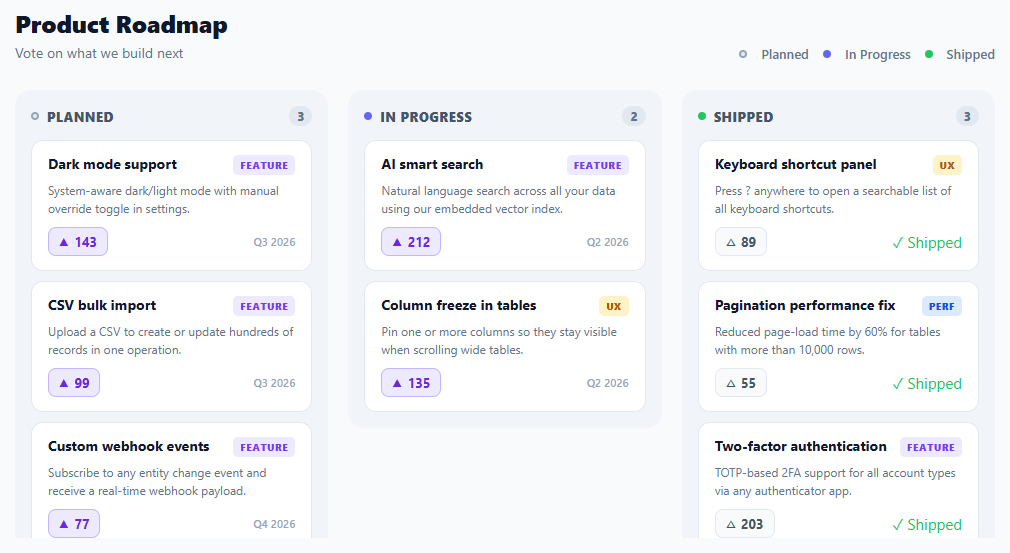
A public product roadmap board is a standard transparency feature for SaaS products and developer tools, and a frequently-searched UI component. Showing users what is coming, what is being built now, and what has shipped builds trust and reduces "when is X coming?" support requests. This snippet provides a complete three-column Kanban-style roadmap with category tags, target quarters, upvote buttons with live vote counts, and a shipped confirmation badge — the released items typically also appear in a changelog feed.
The three-column model
Planned / In Progress / Shipped is the canonical roadmap structure: planned items are committed but not yet started, in-progress items are actively being built, and shipped items are done and deployed. The columns use a CSS grid with three equal columns. Each column is a card with a coloured status dot in the header, an item count badge, and a scrollable list of feature cards.
Feature cards
Each item card shows a title, a category tag (feature, bug, perf, ux), a short description, an upvote button, and a quarter or shipped badge. The tag uses a colour-coded design: purple for features, red for bugs, blue for performance, and amber for UX — making it easy to scan by type across all three columns.
Upvote system
Each item has a vote button (△ hollow, ▲ filled when voted). Clicking toggles the voted state in a local votes map and re-renders. The displayed count is base votes + (voted ? 1 : 0), derived from the votes map rather than mutating the source array — a clean approach that makes the votes undoable. In production, votes would be persisted to a backend with user authentication to prevent duplicate voting.
Data-driven rendering
The entire board renders from a columns array of plain JavaScript objects. Adding a new feature card is adding an object to the correct column's items array; moving a card between columns is moving the object. In a real product this data would come from a backend, a headless CMS, or a product management tool like Linear, Productboard, or Canny via their public API.
Quarter and shipped labels
Planned and in-progress items show their target quarter (Q3 2026, Q4 2026). Shipped items show a green ✓ Shipped badge instead of a quarter, since the timeline is no longer relevant. This distinction is a small detail that makes the board feel genuinely useful rather than a cosmetic exercise.
Step by step
How to Use
- 1Browse the roadmapScan the three columns for planned, in-progress, and shipped items. Category tags and quarter labels give context for each item.
- 2Upvote featuresClick △ on any item to cast your vote. The count increases and the button fills. Click again to remove your vote.
- 3Add your own itemsAdd an object to any column's items array: { id, title, tag, desc, votes, quarter }. Shipped column items show a "✓ Shipped" badge.
- 4Move items between columnsCut and paste an item object from one column's items array to another — the column it is in determines its status dot and badge.
- 5Load from an APIReplace the columns array with a fetch() to your roadmap endpoint (Canny, Productboard, Linear, or your own API) and call render() in the then callback.
- 6Export for your frameworkClick "React" for a component with votes in useState and columns as props. Click "Vue" for a Vue 3 SFC with a reactive votes map.
Real-world uses
Common Use Cases
Got questions?
Frequently Asked Questions
The items array stores a base vote count that never changes. A separate votes plain object acts as a toggle map: votes[id] = true when voted. In the renderer, count = item.votes + (votes[id] ? 1 : 0) derives the displayed value from both sources. This means undoing a vote (deleting votes[id]) automatically returns the displayed count to the original, and the source data stays clean — a pattern that makes syncing to a backend much simpler because you only send the toggle event, not a raw count.
On the client side, store voted item ids in localStorage so votes persist across page reloads. On the backend, record a vote as a row in a votes table with (userId, itemId, createdAt) and a unique constraint on (userId, itemId) to enforce one vote per user per item. The vote endpoint increments a denormalized vote_count on the item row on insert and decrements on delete, returning the new total to the client.
For Linear: query the GraphQL API for issues in a specific project, filtering by state. Map "Backlog" to planned, "In Progress" to progress, and "Done" to shipped. Include the title, description, priority/votes, and target date. For Canny: GET /v1/posts with board_id and category filters. Both APIs return JSON that maps cleanly to the columns[].items shape. Refresh on a server-side schedule and cache so the public page does not hammer the external API.
Accept columns as a prop (or fetch in useEffect). Keep a votes Set in useState for voted item ids. Toggle votes: setVotes(prev => { const next = new Set(prev); next.has(id) ? next.delete(id) : next.add(id); return next; }). Render each column and item from the data, deriving the vote count as item.votes + (votes.has(item.id) ? 1 : 0). The shipped check and quarter label render conditionally based on the column id. For the Tailwind version, click "Tailwind" to get the same markup with utility classes instead of a scoped stylesheet.