





Scroll Milestone Confetti — Free One-Time Progress Burst Effect
Scroll Milestone Confetti · Scroll · Plain HTML, CSS & JS · Live preview
Copy & paste
Source Code
<div class="mc-bar" id="mcBar">
  <div class="mc-bar-fill" id="mcBarFill"></div>
  <div class="mc-bar-dot" data-pct="25" style="left:25%"></div>
  <div class="mc-bar-dot" data-pct="50" style="left:50%"></div>
  <div class="mc-bar-dot" data-pct="75" style="left:75%"></div>
  <div class="mc-bar-dot" data-pct="100" style="left:100%"></div>
</div>
<section class="mc-intro"><h1>Scroll ↓</h1><p>Four milestones ahead — each fires confetti the first time you pass it.</p></section>
<section class="mc-block" id="mcM25"><div class="mc-marker">25%</div><h2>Getting started</h2><p>You're a quarter of the way down the page.</p></section>
<section class="mc-block" id="mcM50"><div class="mc-marker">50%</div><h2>Halfway there</h2><p>Keep going — the next milestone is closer than the last.</p></section>
<section class="mc-block" id="mcM75"><div class="mc-marker">75%</div><h2>Almost done</h2><p>One more stretch to the finish.</p></section>
<section class="mc-block mc-final" id="mcM100"><div class="mc-marker">100%</div><h2>You made it!</h2><p>All four milestones unlocked.</p></section>
<canvas id="mcCanvas"></canvas>*{box-sizing:border-box;margin:0;padding:0}
body{font-family:system-ui,-apple-system,sans-serif;background:#0a0b13;color:#fff}
.mc-bar{position:fixed;top:0;left:0;right:0;height:6px;background:#161a28;z-index:10}
.mc-bar-fill{height:100%;width:0%;background:linear-gradient(90deg,#6366f1,#22d3ee);transition:width .1s linear}
.mc-bar-dot{position:absolute;top:50%;width:12px;height:12px;border-radius:50%;background:#161a28;border:2px solid #333c58;transform:translate(-50%,-50%);transition:background .3s,border-color .3s,box-shadow .3s}
.mc-bar-dot.is-unlocked{background:#22d3ee;border-color:#22d3ee;box-shadow:0 0 10px rgba(34,211,238,.8)}
.mc-intro{min-height:80vh;display:flex;flex-direction:column;justify-content:center;align-items:center;text-align:center;gap:10px;padding:24px}
.mc-intro h1{font-size:clamp(34px,7vw,64px);letter-spacing:-.02em}
.mc-intro p{color:#9aa0b8;font-size:16px;max-width:480px}
.mc-block{min-height:80vh;display:flex;flex-direction:column;justify-content:center;align-items:center;text-align:center;gap:10px;padding:24px;border-top:1px solid #191d2c}
.mc-marker{font-size:13px;font-weight:800;letter-spacing:.14em;color:#7c8cff;background:rgba(124,140,255,.1);padding:6px 14px;border-radius:999px}
.mc-block h2{font-size:clamp(26px,5vw,44px);letter-spacing:-.02em;margin-top:6px}
.mc-block p{color:#9aa0b8;font-size:16px;max-width:480px}
.mc-final h2{background:linear-gradient(135deg,#8c9bff,#22d3ee);-webkit-background-clip:text;background-clip:text;color:transparent}
#mcCanvas{position:fixed;inset:0;width:100vw;height:100vh;pointer-events:none;z-index:9}(function () {
var canvas = document.getElementById('mcCanvas');
var ctx = canvas.getContext('2d');
var barFill = document.getElementById('mcBarFill');
var dots = document.querySelectorAll('.mc-bar-dot');
function resize() {
canvas.width = window.innerWidth;
canvas.height = window.innerHeight;
}
resize();
window.addEventListener('resize', resize);
var particles = [];
var COLORS = ['#22d3ee', '#6366f1', '#f472b6', '#facc15', '#34d399'];
function burst(originYRatio) {
var count = 90;
var originX = canvas.width / 2;
var originY = canvas.height * (originYRatio || 0.35);
for (var i = 0; i < count; i++) {
var angle = Math.random() * Math.PI * 2;
var speed = 3 + Math.random() * 7;
particles.push({
x: originX,
y: originY,
vx: Math.cos(angle) * speed,
vy: Math.sin(angle) * speed - 2,
size: 5 + Math.random() * 5,
color: COLORS[Math.floor(Math.random() * COLORS.length)],
rotation: Math.random() * Math.PI,
rotSpeed: (Math.random() - 0.5) * 0.3,
life: 0,
maxLife: 70 + Math.random() * 40
});
}
}
function tick() {
ctx.clearRect(0, 0, canvas.width, canvas.height);
for (var i = particles.length - 1; i >= 0; i--) {
var p = particles[i];
p.vy += 0.16; // gravity
p.vx *= 0.99;
p.x += p.vx;
p.y += p.vy;
p.rotation += p.rotSpeed;
p.life++;
var fade = Math.max(0, 1 - p.life / p.maxLife);
if (p.life > p.maxLife || p.y > canvas.height + 40) {
particles.splice(i, 1);
continue;
}
ctx.save();
ctx.globalAlpha = fade;
ctx.translate(p.x, p.y);
ctx.rotate(p.rotation);
ctx.fillStyle = p.color;
ctx.fillRect(-p.size / 2, -p.size / 4, p.size, p.size / 2);
ctx.restore();
}
requestAnimationFrame(tick);
}
requestAnimationFrame(tick);
// Milestones fire once each, the first time the user scrolls past them.
var milestones = [
{ el: document.getElementById('mcM25'), pct: 25 },
{ el: document.getElementById('mcM50'), pct: 50 },
{ el: document.getElementById('mcM75'), pct: 75 },
{ el: document.getElementById('mcM100'), pct: 100 }
];
var observer = new IntersectionObserver(function (entries) {
entries.forEach(function (entry) {
if (!entry.isIntersecting) return;
var milestone = milestones.filter(function (m) { return m.el === entry.target; })[0];
if (!milestone || milestone.fired) return;
milestone.fired = true;
burst(0.3);
var dot = document.querySelector('.mc-bar-dot[data-pct="' + milestone.pct + '"]');
if (dot) dot.classList.add('is-unlocked');
});
}, { threshold: 0.4 });
milestones.forEach(function (m) { observer.observe(m.el); });
// A continuous top progress bar independent of the milestone unlocks.
function updateBar() {
var doc = document.documentElement;
var scrollable = doc.scrollHeight - window.innerHeight;
var progress = scrollable > 0 ? window.scrollY / scrollable : 0;
barFill.style.width = (Math.max(0, Math.min(1, progress)) * 100) + '%';
}
window.addEventListener('scroll', updateBar, { passive: true });
updateBar();
})();Extend with AI
Take This Snippet Further With AI
The AI prompt for this one is for Patreon supporters ($3 a month, 7 days free), along with a site with no ads. Supporters enter the passcode once and it is remembered in this browser.
What's included
Features
About this UI Snippet
Scroll Milestone Confetti — Celebrating Scroll Progress at Real Milestones
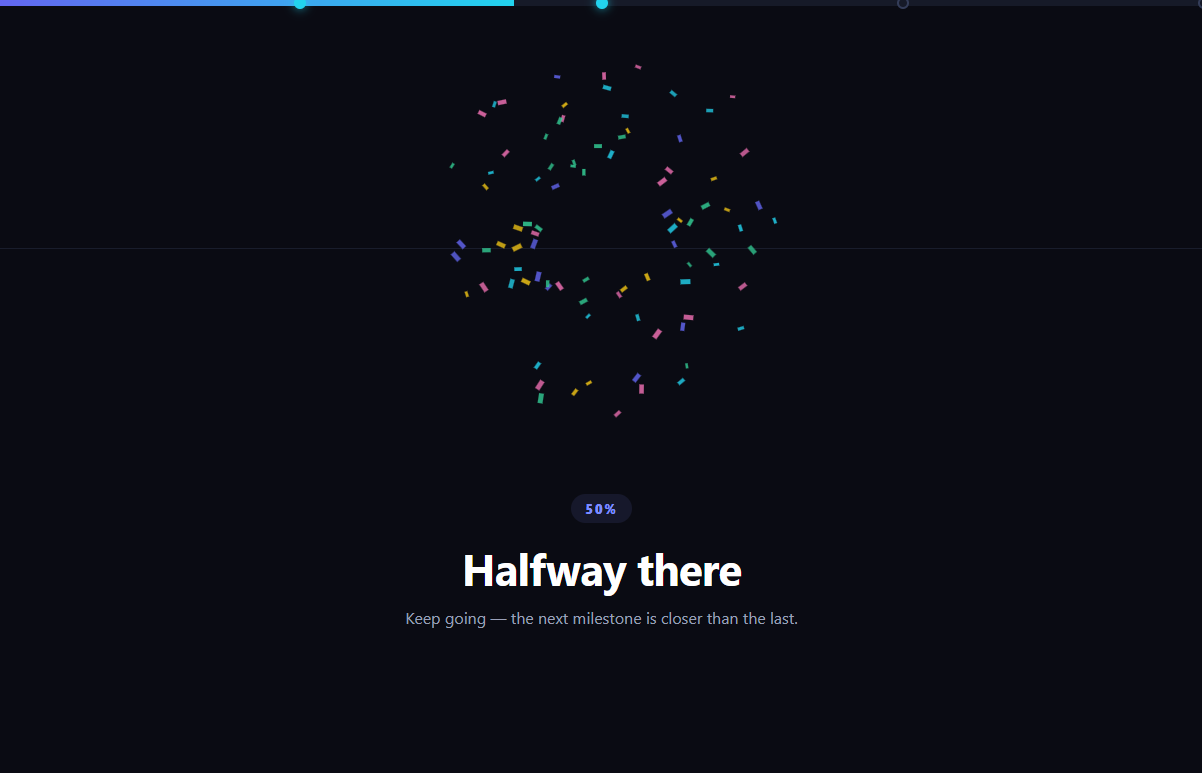
Rather than one big celebration at the end, this snippet marks four points down a long page — 25%, 50%, 75%, and 100% — and fires a small canvas confetti burst the first time the reader scrolls past each one, turning a long scroll into a small game with checkpoints. A fixed progress bar with four dots shows which milestones are already unlocked. Built with vanilla JavaScript, IntersectionObserver, and a lightweight canvas particle system — no confetti library required.
IntersectionObserver, fired once per milestone
Each milestone section is observed with a single IntersectionObserver at threshold: 0.4. When a milestone's isIntersecting flips true, the code checks a fired flag on that milestone's record before doing anything — so scrolling back up and passing the same milestone again does not double the confetti burst. This is the key difference from a plain scroll-position percentage check: each milestone independently remembers whether it has already celebrated.
A small, self-contained particle system
The confetti itself is a simple canvas-based particle simulation: each burst spawns ~90 rectangles with random angle, speed, color, and rotation, then a single requestAnimationFrame loop applies gravity, drag, and rotation to all live particles every frame, fading and removing each one once its lifespan elapses or it falls off-screen. No external confetti library is loaded — the whole effect is under 60 lines of canvas code.
Two independent progress signals
The top bar's fill width is driven by a continuous scroll-position percentage (scrollY / scrollable-height), updated on every scroll event, while the four dots along that same bar light up discretely based on the IntersectionObserver's one-time milestone unlocks. Reading both together — a smooth fill plus stepped unlocks — gives the reader both "how far am I" and "what have I actually earned" at a glance.
Cheap enough to run continuously
The particle loop runs every frame regardless of whether any particles are alive, but with an empty array the loop body is essentially a no-op clearRect, so there's no meaningful cost when no confetti is currently animating — no need to start and stop the rAF loop around each burst.
Customizing it
Change the milestone percentages or add more of them, swap the rectangle particles for circles or your brand's shapes, or trigger a bigger final burst at 100% than the earlier ones. Pair it with canvas confetti burst or a confetti celebration card for other confetti moments, or a scroll progress bar for the continuous-only version.
Step by step
How to Use
- 1Paste HTML, CSS, and JSAn intro, four milestone sections, a canvas, and a top bar render.
- 2Scroll past 25%A confetti burst fires and the first bar dot lights up.
- 3Keep scrolling50%, 75%, and 100% each fire their own one-time burst.
- 4Scroll back up and down againAlready-unlocked milestones do not re-fire confetti.
- 5Watch the top barThe fill tracks continuous scroll %, dots track unlocks.
- 6Add more milestonesAdd a section, a bar dot, and an entry in the milestones array.
Real-world uses
Common Use Cases
IntersectionObserver for cheap threshold detection instead of scroll handlers.Got questions?
Frequently Asked Questions
No. Each milestone record carries a fired boolean that gets set to true the first time its IntersectionObserver entry becomes intersecting, and the burst function is only called if that flag is still false. Scrolling back up and passing the same milestone again does nothing visually except the dot staying lit — the confetti is genuinely one-time per milestone per page load.
No — the burst is a self-contained canvas particle system: each burst pushes around 90 particle objects into an array with random velocity, color, and rotation, and a single requestAnimationFrame loop applies simple gravity and drag physics to whatever particles are currently alive, drawing them as small rotated rectangles. No external dependency is loaded.
The bar's fill width is a continuous value recalculated on every scroll event from scrollY divided by total scrollable height, so it moves smoothly with any scroll amount. The four dots on top of that bar are discrete — each one only changes state (from locked to unlocked) when its corresponding milestone's IntersectionObserver fires, so they update in steps rather than continuously.
Minimally — the requestAnimationFrame loop runs every frame regardless, but when the particles array is empty the loop body is just a canvas clearRect call with no iteration work, which is cheap enough that it does not need to be started and stopped around each burst. This keeps the code simpler than managing loop lifecycle per burst.
Render the milestone sections and canvas with refs, then in a mount effect create the IntersectionObserver scoped to those refs and start the requestAnimationFrame particle loop, storing the particles array and fired flags in refs so they persist without triggering re-renders. Return a cleanup that disconnects the observer, removes the scroll listener, and cancels the animation frame.