


Native Scroll-Snap Carousel with view-timeline Active-Slide Scale
Scroll-Snap Carousel (view-timeline Scale) · Carousels · Plain HTML, CSS & JS · Live preview
Copy & paste
Source Code
<div class="ssv-wrap">
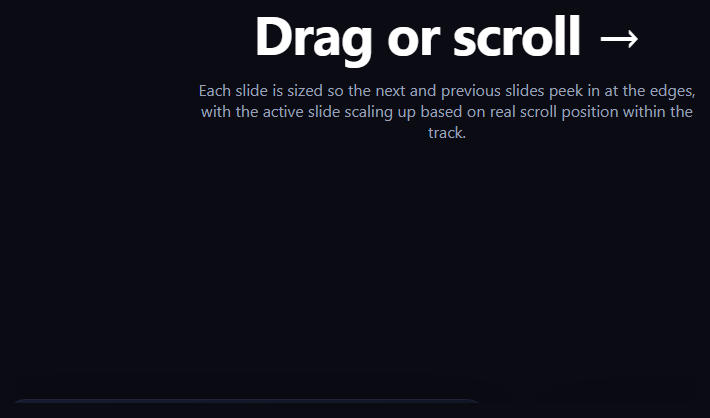
  <p class="ssv-hint">Drag, swipe, or scroll the strip below. Native CSS <code>scroll-snap-type</code> handles the snapping and the active slide's scale-up comes purely from <code>animation-timeline: view()</code> — no carousel library, no JS position tracking.</p>
  <div class="ssv-track">
    <div class="ssv-slide" style="--c1:#4338ca;--c2:#7c3aed"><span>01</span><h3>Launch Week</h3></div>
    <div class="ssv-slide" style="--c1:#0891b2;--c2:#0d9488"><span>02</span><h3>Field Notes</h3></div>
    <div class="ssv-slide" style="--c1:#db2777;--c2:#ea580c"><span>03</span><h3>Behind the Scenes</h3></div>
    <div class="ssv-slide" style="--c1:#16a34a;--c2:#65a30d"><span>04</span><h3>Studio Visit</h3></div>
    <div class="ssv-slide" style="--c1:#eab308;--c2:#dc2626"><span>05</span><h3>Year in Review</h3></div>
  </div>
</div>*{box-sizing:border-box;margin:0;padding:0}
body{font-family:system-ui,-apple-system,sans-serif;background:#0a0a12;color:#f1eefb;min-height:100vh;display:flex;align-items:center}
.ssv-wrap{width:100%;padding:40px 0}
.ssv-hint{max-width:560px;margin:0 auto 30px;padding:0 24px;text-align:center;color:#a3a0c4;font-size:14px;line-height:1.7}
.ssv-hint code{background:rgba(129,140,248,.16);color:#c7d2fe;padding:2px 6px;border-radius:5px;font-size:.9em;font-family:ui-monospace,Consolas,monospace}
.ssv-track{
display:flex;gap:18px;overflow-x:auto;padding:6vh 42vw 6vh 24px;
scroll-snap-type:x mandatory;-webkit-overflow-scrolling:touch;scrollbar-width:none;
}
.ssv-track::-webkit-scrollbar{display:none}
.ssv-slide{
flex:0 0 240px;aspect-ratio:3/4;border-radius:20px;position:relative;overflow:hidden;
display:flex;flex-direction:column;justify-content:flex-end;gap:6px;padding:22px;
background:linear-gradient(155deg,var(--c1),var(--c2));
scroll-snap-align:center;
view-timeline-name:--slide-x;
view-timeline-axis:inline;
animation:ssv-scale linear both;
animation-timeline:--slide-x;
animation-range:contain 0% contain 100%;
transform:scale(.82);
opacity:.55;
}
.ssv-slide span{font-size:12px;font-weight:700;letter-spacing:.08em;color:rgba(255,255,255,.7)}
.ssv-slide h3{font-size:19px;color:#fff;text-shadow:0 2px 10px rgba(0,0,0,.4)}
@keyframes ssv-scale{
0%{ transform:scale(.82); opacity:.5 }
50%{ transform:scale(1); opacity:1 }
100%{ transform:scale(.82); opacity:.5 }
}
@supports not (animation-timeline: view()){
.ssv-slide{transform:scale(1);opacity:1;animation:none}
}// The active-slide scale-up is entirely driven by CSS animation-timeline:
// view() on the inline axis (contain 0% to contain 100%), and the snap
// behavior itself is native scroll-snap-type -- no JS position tracking,
// no carousel library, no scroll event listener anywhere in this file.
const supportsView = typeof CSS !== 'undefined' && CSS.supports('animation-timeline: view()');
console.log('[snap-view-timeline-carousel] native inline view() timeline supported:', supportsView);
if (!supportsView) {
console.log('[snap-view-timeline-carousel] falling back to all slides shown at full scale.');
}Extend with AI
Take This Snippet Further With AI
The AI prompt for this one is for Patreon supporters ($3 a month, 7 days free), along with a site with no ads. Supporters enter the passcode once and it is remembered in this browser.
What's included
Features
About this UI Snippet
Scroll-Snap Carousel with view-timeline Scale — No Carousel Library, No JS Position Math

A "story" or "peek" carousel — a horizontal row of cards where the centered card is emphasized while neighbors sit smaller and dimmer at the edges — is normally built with a carousel library computing each slide's distance from center on scroll and writing an inline transform. This snippet builds the identical visual result with two entirely native CSS features working together: scroll-snap-type for the snapping mechanics, and a per-slide animation-timeline: view() for the scale-and-fade emphasis — zero JavaScript touches slide position at any point.
Two independent native systems, stacked
scroll-snap-type: x mandatory on .ssv-track plus scroll-snap-align: center on each .ssv-slide is the entire snapping mechanism — dragging, trackpad scrolling, and keyboard arrow navigation (once a slide receives focus) all snap crisply to the nearest slide's center with no JavaScript at all, the same technique behind Scroll Snap Peek Carousel. The scale-and-fade emphasis is a completely separate system layered on top: each slide's own view-timeline-axis: inline timeline, tracking that slide's transit across the horizontally scrolling track, drives a @keyframes animation that scales the slide up and fades it to full opacity right around the point it is centered.
Why contain instead of cover for animation-range
animation-range: contain 0% contain 100% uses the contain range rather than cover — contain represents the portion of the timeline during which the *entire* slide is contained within the scrollport, rather than any part of it being visible at all. For a slide that is narrower than the viewport, this produces a scale peak much closer to the slide's true centered position than cover would, since cover starts as soon as any single pixel of the slide is visible.
No carousel library, no active-index state
A typical JS carousel tracks an activeIndex in state and recomputes classes or inline styles for every slide whenever it changes. Here there is no index anywhere — each slide answers "how emphasized should I be right now" purely from its own view-timeline, so slides can be added, removed, or reordered in the DOM with no JavaScript changes required at all.
Browser support
scroll-snap-type has been supported everywhere for years and works today regardless of browser. The view-timeline-driven scale is the newer piece: Chromium-based browsers (Chrome, Edge, Opera, Brave) support animation-timeline: view() today, while Firefox and Safari support is still landing. An @supports not (animation-timeline: view()) block shows every slide at full scale and opacity in that case — the carousel still snaps and functions perfectly, it simply loses the scale emphasis.
Customizing it
Adjust the 0.82 minimum scale and .5 minimum opacity in @keyframes ssv-scale for a subtler or more dramatic emphasis, change the slide width or gap to control how many neighbors peek in at the edges, or add a small dot pagination indicator that mirrors scroll-snap-align targets via :target or a tiny scroll-position script for keyboard-only navigation. Pair it with Dot Pagination Carousel for an added position indicator.
Step by step
How to Use
- 1Paste the HTML, CSS, and JSA five-slide horizontal scroll-snap carousel renders — no library needed.
- 2Drag or scroll the stripEach slide snaps to center; the centered slide scales up and brightens automatically.
- 3Try keyboard navigationFocus the track and use arrow keys or Tab — native scroll-snap handles keyboard scroll targets.
- 4Adjust the emphasis amountTune scale(.82) and opacity: .5 in @keyframes ssv-scale for a subtler or bolder effect.
- 5Change slide count or widthAdd, remove, or resize .ssv-slide elements — no JS index state to update anywhere.
- 6Export in your formatClick "HTML" for a standalone file, "JSX" for a React component, or "Tailwind" for a React + Tailwind version.
Real-world uses
Common Use Cases
Got questions?
Frequently Asked Questions
No. Snapping is entirely native scroll-snap-type and scroll-snap-align, and the scale/fade emphasis is entirely native animation-timeline: view(). The included JavaScript only logs whether the browser supports view() timelines — it never tracks slide position or drives the animation.
cover represents the range during which any part of the element is visible in the scrollport, starting the instant a single pixel appears. contain represents the range during which the entire element is fully contained within the scrollport at once. For a narrower-than-viewport slide, contain produces a peak much closer to the slide's true centered position than cover would.
It doesn't "know" in the sense of comparing itself to siblings — each slide's own view timeline simply reports how far through its contain range it currently is, and the @keyframes animation happens to peak in scale and opacity at the 50% keyframe stop, which corresponds to the middle of that range. Because scroll-snap-align: center pulls the active slide toward the viewport center, its contain range midpoint and its visually centered position coincide.
Yes. Every .ssv-slide computes its own emphasis from its own view-timeline-name, so there is no index array, no activeIndex state, and no per-slide JavaScript wiring to update — adding or removing a slide element in the HTML is the only change required.
The @supports not (animation-timeline: view()) block resets every slide to full scale and full opacity with no animation, so Firefox and Safari users still get a fully functional, native scroll-snap carousel — it simply does not scale the centered slide up.
Yes, all three work natively because scroll-snap-type is a browser-level scrolling feature, not a JS-simulated one. Touch drags, trackpad gestures, mouse wheel scrolling, and keyboard-driven scroll (once an element inside the track has focus) all trigger the same native snap behavior.