Click any text to edit it · drag a photo to reposition it, scroll to zoom, click to replace
Halloween Sale — Free Holidays & Seasonal Social Post Template
Holidays & Seasonal · v1.0.0 · Updated 2026-10-18 · Instagram, Facebook & X · HTML + CSS
What's included
Features
About this template
Halloween Sale — Free Spooky Halloween Promo Post Template
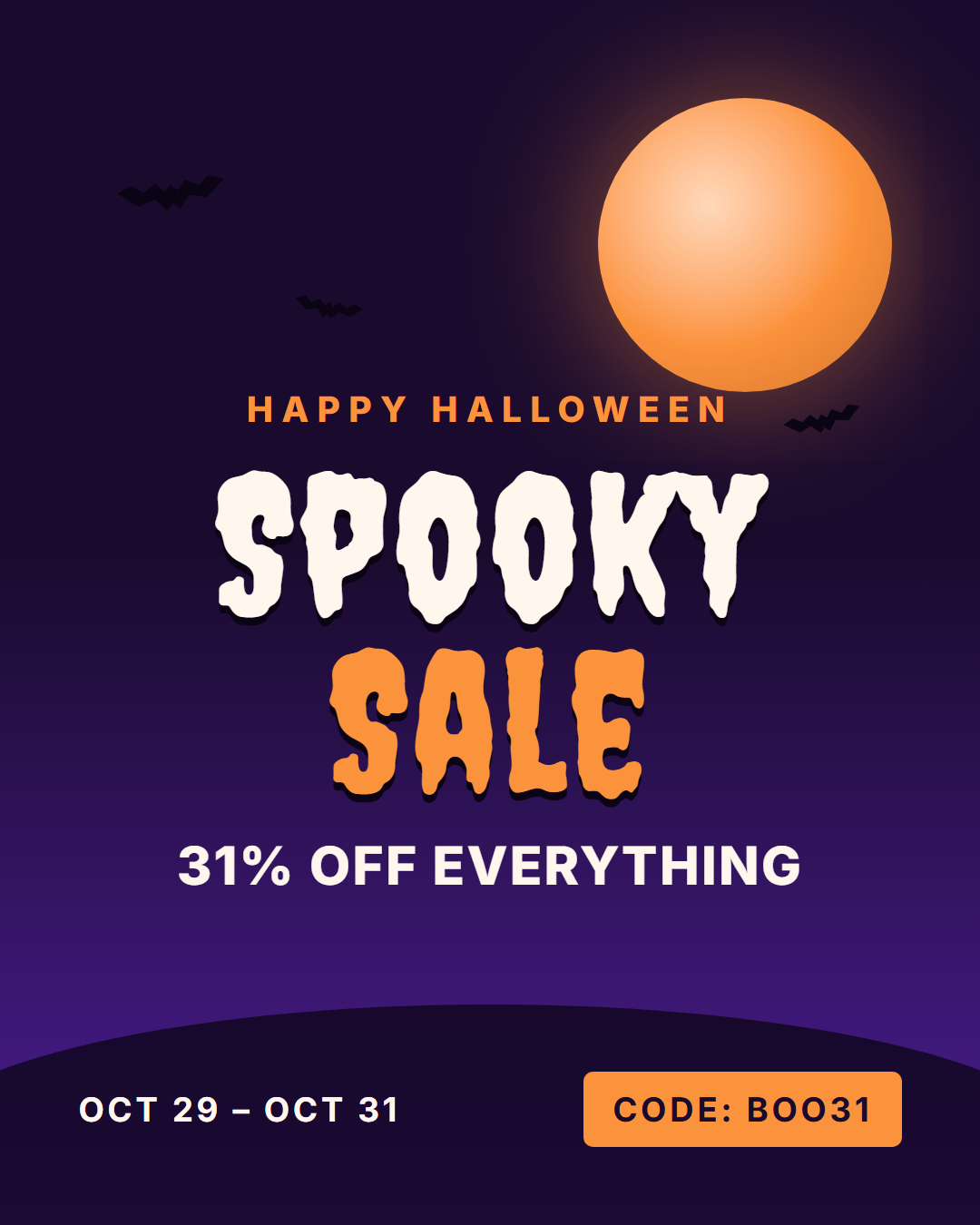
Halloween Sale is a free Halloween promo template for Instagram, Facebook, X, LinkedIn and Pinterest. A glowing orange moon rises over a midnight-purple sky with bat silhouettes and a dark hill, and a horror-style headline ("Spooky Sale") sits above your deal, the sale dates and a promo code.
Ready for October 31, 2026
Halloween falls on a Saturday in 2026, so the default dates run "Oct 29 – Oct 31" to cover the last few days before the weekend. The code chip ("BOO31") is easy to copy from the image, which matters on Instagram where captions can't hold clickable links.
Pure CSS artwork, no stock photos
The moon is a radial gradient with a soft glow, the bats are CSS clip-path silhouettes, and the hill is a rounded shape along the bottom. Everything is drawn in code, so it stays sharp at every size and recolours instantly when you change the sky, horizon or moon colour.
Fonts with character
The headline uses Creepster, a dripping horror display face from Google Fonts, over a clean Inter body. Swap it for any of the 1,900+ Google Fonts in the picker, or upload your own brand font.
Every size for the campaign
Post the 4:5 version in the feed, the 9:16 version in Stories, the 1.91:1 version on LinkedIn and the 2:3 pin on Pinterest. "All sizes (ZIP)" downloads every format at once.
Running a longer promotion? Pair it with Countdown for "2 days left" reminders, or move straight on to Black Friday Sale in November.
Why use it
Why Use the Halloween Sale Template
How it’s different
How It’s Different From Canva-Style Templates
Step by step
How to Use
- 1Pick the sizeChoose Portrait 4:5 (the Instagram feed default), Square, Story / Reel, Landscape 16:9 for X, a 1200×627 LinkedIn image or a 1000×1500 Pinterest pin. Halloween Sale opens at 1080×1350.
- 2Edit the textClick any text in the preview, or use the fields on the left (kicker, headline, deal, dates and more). Wrap words in *asterisks* to colour them.
- 3Match your brandApply your saved brand kit or one of 12 palettes, set exact colours, and choose heading and body fonts from any Google Font or your own uploaded font.
- 4Preview it in the feedSwitch the preview to Instagram, Story, X or LinkedIn to see the post with your name, handle and caption, and fix anything the quality checks flag.
- 5Download, save or bulk createDownload PNG, JPG or PDF, every size as a ZIP, or copy the HTML. Save it to My designs to reuse later, or turn a CSV into dozens of posts with Bulk create.
Real-world uses
Common Use Cases
Got questions?
Frequently Asked Questions
Halloween is on Saturday October 31, 2026. The template's default dates, Oct 29 – Oct 31, cover the days leading up to it.
Use 1080×1350 (4:5) for the feed and 1080×1920 (9:16) for Stories. The template exports both, plus square, X, LinkedIn and Pinterest sizes.
Yes. The headline uses the Creepster Google Font by default; pick any Google Font in the Fonts section or upload your own .woff2, .ttf or .otf file.
Change the headline and colours and it works for any night-themed promotion, from a midnight flash sale to a Friday the 13th deal.
Portrait post 1080×1350 (4:5): Instagram feed (recommended), Facebook and LinkedIn feeds, X portrait. Square post 1080×1080 (1:1): Instagram, Facebook, LinkedIn and X feeds. Story / Reel 1080×1920 (9:16): Instagram and Facebook Stories, Reel covers. Landscape post 1600×900 (16:9): X feed image, Facebook landscape. LinkedIn image 1200×627 (1.91:1): LinkedIn shared image and link posts, Facebook link images. Pinterest pin 1000×1500 (2:3): Pinterest standard pin (the recommended 2:3 ratio). Switch sizes in the editor and the layout adapts, or click "All sizes (ZIP)" to download every size at once.
Yes. Choose Export, then "Bulk create from CSV", and paste rows from a spreadsheet or upload a CSV whose column names match the Halloween Sale fields. Every row becomes one post, and you download them all as a ZIP.
Yes. The preview switches between the plain design and mock-ups of an Instagram feed post, an Instagram Story, an X post and a LinkedIn post, using the name, handle and logo from your brand kit and the caption you type.
Yes. "Copy HTML" and "Download .html" give you one self-contained file: the markup, all the CSS and links to the Google Fonts it uses. "Fork to My Code" saves an editable copy in the UI Snippets editor. The file records the template name and version (v1.0.0).
Yes. It is free for personal and commercial posts, with no sign-up and no watermark. Everything runs in your browser and nothing you type or upload is sent to a server.