
Tier List Post — Free Engagement Social Post Template
Engagement · v1.0.0 · Updated 2026-11-16 · Instagram, Facebook & X · HTML + CSS
Extend with AI
Take This Post Further With AI
Ask an AI assistant to adapt the Tier List HTML and CSS: suggest a controversial but fair ranking for your niche, write a caption that invites disagreement, or turn it into a weekly series with a new topic each time.
Prompt to recreate it
Copy this into your AI assistant of choice to build the effect from scratch, or as a jumping-off point for your own variant:
Create a 1080×1350 Instagram tier list post in plain HTML and CSS.

- A dark navy background (#14161f) with a soft pink radial glow in the top right corner.
- At the top, a small uppercase pink label "My honest ranking" and a large heavy display headline (Bowlby One or similar) "Code editors tier list" with "tier list" in pink.
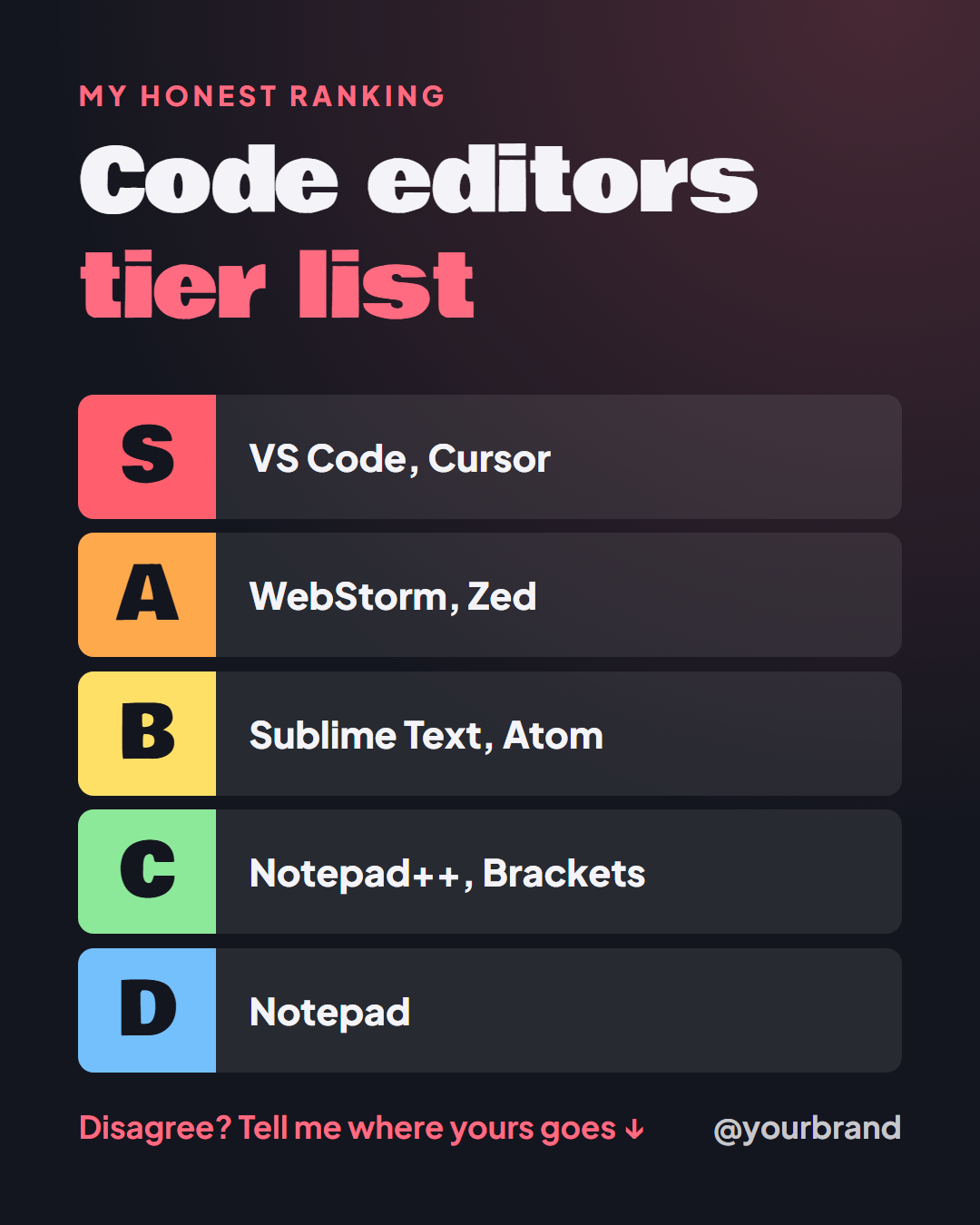
- Five stacked rows with a small gap, each a rounded rectangle in a faint translucent white. On the left of each row a square coloured letter block with a large dark letter: S in red #ff5f6d, A in orange #ffa94d, B in yellow #ffe066, C in green #8ce99a, D in blue #74c0fc. To the right of each letter, the picks in bold white text, for example "VS Code, Cursor", "WebStorm, Zed", "Sublime Text, Atom", "Notepad++, Brackets", "Notepad".
- Hide any row with no text and let the others grow, with a maximum row height.
- At the bottom, a pink line "Disagree? Tell me where yours goes ↓" on the left and the brand handle on the right.
Want to tighten it up first? Run this prompt through the AI Prompt Studio to score it across 8 quality dimensions, catch anti-patterns, and tune the wording for Claude, ChatGPT, or Gemini before you paste it in.
What's included
Features
About this template
Tier List Post Template — Rank Anything from S to D on One Post
A tier list is one of the few post formats that makes people argue in the comments, which is exactly what the feed algorithms reward. Tier List Post is a free template that gives you the familiar S to D ranking board without needing a spreadsheet or a game site.
The format everyone already understands
Five coloured rows, S in red, A in orange, B in yellow, C in green and D in blue, each with a large letter block on the left and your picks beside it. Nobody needs the format explained, so the post works in the half second before a thumb moves on. Type your picks as a comma-separated list, for example "VS Code, Cursor", and they sit on the row.
Empty rows disappear
Only ranking three tiers? Clear the C and D rows and the remaining rows grow to fill the space, so a short list looks as finished as a long one. The row heights are capped, so even a two-tier list does not become a wall of colour.
Built to start a conversation
A bold headline sits at the top ("Code editors tier list") with its key words highlighted, and the closing line, "Disagree? Tell me where yours goes", sits at the bottom with a nudging arrow in the video export. In the animated export the rows slide in one at a time from S down, which is the order people expect to read them.
What to rank
Tools, apps, frameworks, snacks, fonts, workouts, films, podcast episodes, your own past work. Opinionated beats neutral, so state your ranking with confidence and let the comments do the rest. For a one-line opinion rather than a full board, use Hot Take, and for a two-way vote try This or That.
Why use it
Why Use the Tier List Post Template
How it’s different
How It’s Different From Canva-Style Templates
Step by step
How to Use
- 1Pick the sizeChoose Portrait 4:5 (the Instagram feed default), Square, Story / Reel, Landscape 16:9 for X, a 1200×627 LinkedIn image or a 1000×1500 Pinterest pin. Tier List Post opens at 1080×1350.
- 2Edit the textClick any text in the preview, or use the fields on the left (label, headline, s tier picks, a tier picks and more). Wrap words in *asterisks* to colour them.
- 3Add your imagesClick a photo area in the preview or use Images to upload your logo. Images stay in your browser.
- 4Match your brandApply your saved brand kit or one of 12 palettes, set exact colours, and choose heading and body fonts from any Google Font or your own uploaded font.
- 5Preview it in the feedSwitch the preview to Instagram, Story, X or LinkedIn to see the post with your name, handle and caption, and fix anything the quality checks flag.
- 6Download, save or bulk createDownload PNG, JPG or PDF, every size as a ZIP, or copy the HTML. Save it to My designs to reuse later, or turn a CSV into dozens of posts with Bulk create.
Real-world uses
Common Use Cases
Got questions?
Frequently Asked Questions
A tier list ranks items into labelled tiers, usually S for best, then A, B, C and D. It started in gaming communities and is now used for any ranking. Each tier holds the items you think are about equal.
As many as fit on one line or two. Type your picks separated by commas. If a tier has many items, shorten the names or move some to a second post, so the text stays readable on a phone.
Yes. Leave a tier blank and its row is removed, then the remaining rows grow to fill the post. Many good tier lists only use S to C.
Because every ranking is an opinion someone can disagree with. A confident, slightly controversial placement gives people a reason to reply, and the closing "disagree?" prompt makes the invitation explicit.
The letter colours are the classic red to blue scale so the post is instantly recognisable. The background and accent used in the headline and prompt are editable to match your brand.
Portrait post 1080×1350 (4:5): Instagram feed (recommended), Facebook and LinkedIn feeds, X portrait. Square post 1080×1080 (1:1): Instagram, Facebook, LinkedIn and X feeds. Story / Reel 1080×1920 (9:16): Instagram and Facebook Stories, Reel covers. Landscape post 1600×900 (16:9): X feed image, Facebook landscape. LinkedIn image 1200×627 (1.91:1): LinkedIn shared image and link posts, Facebook link images. Pinterest pin 1000×1500 (2:3): Pinterest standard pin (the recommended 2:3 ratio). Switch sizes in the editor and the layout adapts, or click "All sizes (ZIP)" to download every size at once.
Yes, free. Press Play in the editor to watch the animation, then open Export and download it as an animated MP4 (or WebM) for Reels, Stories and WhatsApp Status. PNG, JPG, PDF and HTML exports are free too.
Yes, and it is free. Choose Export, then "Bulk create from CSV", and paste rows from a spreadsheet or upload a CSV whose column names match the Tier List Post fields. Every row becomes one post, and you download them all as a ZIP.
Yes. The preview switches between the plain design and mock-ups of an Instagram feed post, an Instagram Story, an X post and a LinkedIn post, using the name, handle and logo from your brand kit and the caption you type.
Yes. "Copy HTML" and "Download .html" give you one self-contained file: the markup, all the CSS and links to the Google Fonts it uses. "Fork to My Code" saves an editable copy in the UI Snippets editor. The file records the template name and version (v1.0.0).
Yes. It is free for personal and commercial posts, with no sign-up and no watermark. Everything runs in your browser and nothing you type or upload is sent to a server.