






Anime.js Stagger Grid — Free Grid-Aware Stagger Animation Snippet
Anime.js Stagger Grid · Animations · Plain HTML, CSS & JS · Live preview
Copy & paste
Source Code
<section class="ag-wrap">
  <div class="ag-head">
    <h1>Anime.js Stagger Grid</h1>
    <p>A grid-aware stagger that ripples outward from the center tile.</p>
    <button class="ag-btn" id="agReplay">Replay animation</button>
  </div>
  <div class="ag-grid" id="agGrid">
    <div class="ag-tile"></div><div class="ag-tile"></div><div class="ag-tile"></div><div class="ag-tile"></div><div class="ag-tile"></div>
    <div class="ag-tile"></div><div class="ag-tile"></div><div class="ag-tile"></div><div class="ag-tile"></div><div class="ag-tile"></div>
    <div class="ag-tile"></div><div class="ag-tile"></div><div class="ag-tile"></div><div class="ag-tile"></div><div class="ag-tile"></div>
    <div class="ag-tile"></div><div class="ag-tile"></div><div class="ag-tile"></div><div class="ag-tile"></div><div class="ag-tile"></div>
    <div class="ag-tile"></div><div class="ag-tile"></div><div class="ag-tile"></div><div class="ag-tile"></div><div class="ag-tile"></div>
  </div>
</section>*{box-sizing:border-box;margin:0;padding:0}
body{font-family:system-ui,-apple-system,sans-serif;background:#0a0b12;color:#fff;min-height:100vh;display:flex;align-items:center}
.ag-wrap{width:100%;max-width:640px;margin:0 auto;padding:clamp(24px,6vw,56px);display:flex;flex-direction:column;gap:28px;align-items:center;text-align:center}
.ag-head h1{font-size:clamp(28px,5vw,42px);letter-spacing:-.02em;background:linear-gradient(135deg,#f472b6,#818cf8);-webkit-background-clip:text;background-clip:text;color:transparent}
.ag-head p{color:#9aa0c0;margin-top:8px;font-size:15px}
.ag-btn{margin-top:16px;padding:11px 24px;border-radius:999px;border:1px solid #383f5c;background:#161a2c;color:#fff;font-family:inherit;font-size:14px;font-weight:600;cursor:pointer;transition:border-color .2s,transform .15s}
.ag-btn:hover{border-color:#818cf8}
.ag-btn:active{transform:scale(.96)}
.ag-grid{display:grid;grid-template-columns:repeat(5,1fr);gap:10px;width:100%}
.ag-tile{aspect-ratio:1;border-radius:12px;background:linear-gradient(150deg,#312e6b,#1b1533);opacity:0;transform:scale(0)}
.ag-tile:nth-child(3n+1){background:linear-gradient(150deg,#5b2154,#1b1533)}
.ag-tile:nth-child(3n+2){background:linear-gradient(150deg,#173a5e,#111a30)}const grid = document.querySelectorAll('#agGrid .ag-tile');
function playGrid() {
anime({
targets: grid,
scale: [0, 1],
opacity: [0, 1],
borderRadius: ['50%', '12px'],
easing: 'easeOutExpo',
duration: 900,
delay: anime.stagger(60, { grid: [5, 5], from: 'center' })
});
}
// Play once on load, then let the button replay it on demand.
playGrid();
document.getElementById('agReplay').addEventListener('click', playGrid);Extend with AI
Take This Snippet Further With AI
The AI prompt for this one is for Patreon supporters ($3 a month, 7 days free), along with a site with no ads. Supporters enter the passcode once and it is remembered in this browser.
What's included
Features
About this UI Snippet
Anime.js Stagger Grid — Tiles That Ripple Outward From the Center
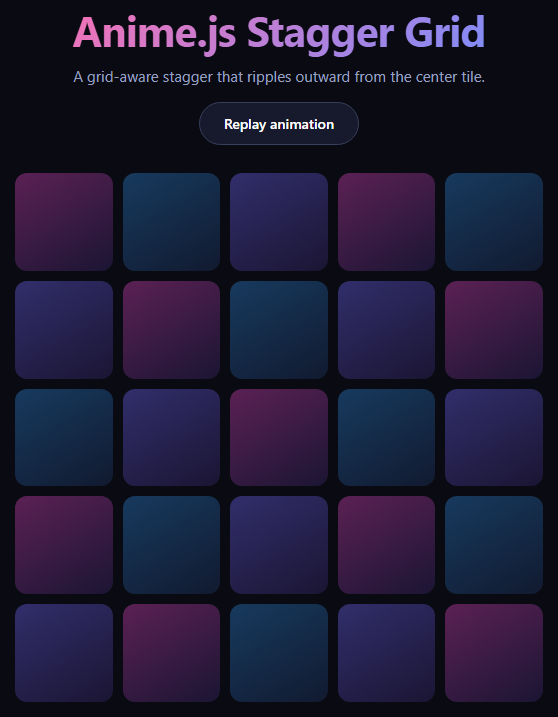
The stagger grid is the moment a dashboard, portfolio, or landing section feels alive instead of static — every tile appearing on its own beat rather than all at once. This snippet builds it with anime.js loaded from a CDN, using its grid-aware anime.stagger helper so the delay between tiles is computed from their actual row and column position rather than their order in the DOM. It's a close cousin of scroll reveal grid, but driven by a click or page-load trigger instead of scroll position, and by anime.js's own timing engine instead of GSAP.
Grid-aware stagger, not list-aware stagger
A plain anime.stagger(60) just adds 60ms per element in DOM order, which reads as a diagonal-ish line at best. Passing grid: [5, 5] tells anime.js the tiles form a five-by-five layout, so it can compute each tile's real (row, column) coordinates and derive delay from actual 2D distance. Combined with from: 'center', the delay is shortest for the middle tile and grows outward in concentric rings — a ripple, not a sweep.
One targets array, three animated properties
The single anime({...}) call animates scale, opacity, and borderRadius together across all 25 tiles. Starting scale at 0 and borderRadius at 50% means every tile begins as an invisible dot and blooms into a rounded square, which reads as more purposeful than a flat fade. easeOutExpo gives each tile a fast pop that settles gently, matching the punchy feel of the ripple.
Replayable on demand
playGrid() is a plain function called once on load and again from the "Replay animation" button, so anime.js's timeline is simply recreated each time rather than manually reversed — the simplest way to make a one-shot stagger repeatable without managing timeline state.
Where this pattern fits
Use it for onboarding checklists, dashboard widget grids, icon/feature grids, or a gallery of thumbnails that should feel choreographed on first paint. It pairs naturally with bento grid layouts and with stagger list when you need the same ripple treatment for a single column instead of a grid.
Customizing it
Change the grid dimensions to match your actual column/row count (a mismatch will still stagger, just not accurately), switch from to 'first', 'last', or a specific index, or swap the animated properties for a rotation or color shift. Anime.js also supports staggering duration and delay independently, so tiles further from center can take visibly longer as well as start later.
Step by step
How to Use
- 1Add the anime.js CDNInclude anime.min.js from the CDN panel.
- 2Paste HTML, CSS, and JSA 25-tile grid renders, hidden and scaled to zero.
- 3Watch it loadTiles pop in, rippling outward from the center.
- 4Click "Replay animation"The stagger runs again from a clean state.
- 5Adjust grid dimensionsMatch anime.stagger's grid option to your layout.
- 6Change the originSwap from: 'center' for 'first', 'last', or an index.
Real-world uses
Common Use Cases
borderRadius easing from 50% to 12px, makes each tile feel as if it is being placed.agReplay re-runs it so you can demo the timing.Got questions?
Frequently Asked Questions
It tells anime.js the targets form a 5-column by 5-row layout, so instead of using DOM order to compute each element's delay, it derives each tile's (row, column) coordinates and bases the delay on real 2D distance from the stagger's origin. Without it, anime.stagger just adds a fixed increment per element in list order, which produces a much flatter, less choreographed motion.
It sets the distance-zero point at the grid's middle tile (or the closest tile to center for an even grid), so every other tile's delay grows with its distance from that point. Tiles equidistant from the center animate at the same time, producing expanding concentric rings rather than a corner-to-corner sweep.
Because the animation starts every tile at scale: 0 and opacity: 0, simply re-running anime({...}) on the same targets restarts them from that same visual state — anime.js overwrites the in-progress or completed animation on those targets. That's simpler than keeping a timeline reference around and calling reverse(), and it works identically whether the grid finished, is still running, or was never played.
It should for accurate spacing — 25 tiles with grid: [5, 5] gives each tile a unique, correct coordinate. If the grid option doesn't match the actual tile count, anime.js still staggers using whatever grid you specify, but the computed distances no longer line up with the visual layout, so the ripple can look uneven or clipped at the edges.
Yes. anime.stagger() can be passed to the duration property too, not just delay, so tiles further from the origin can take measurably longer to complete as well as start later — for example duration: anime.stagger(400, { start: 600, grid: [5, 5], from: 'center' }) makes the ripple's edges feel like they're drifting to a stop rather than snapping in place.