
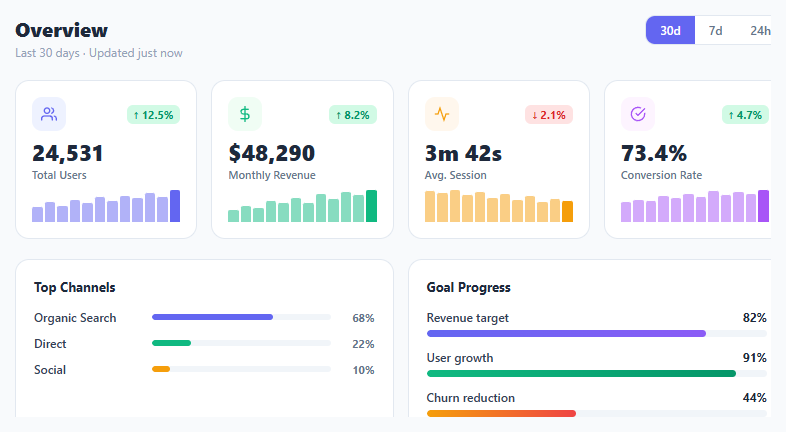
Metric KPI Card Grid

Interact.js Draggable and Resizable Dashboard Panels with Snapping
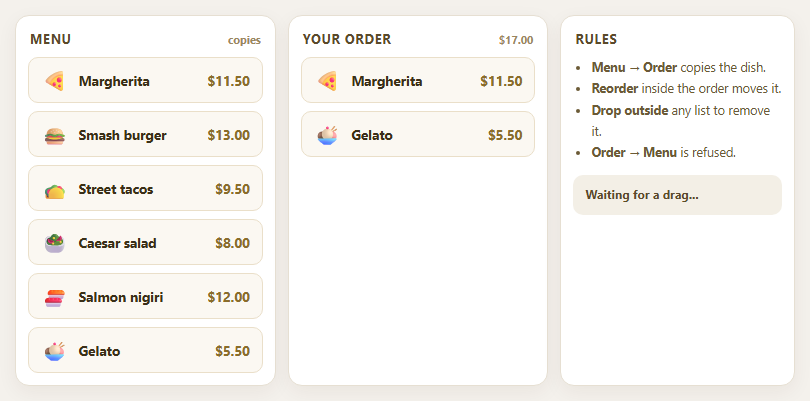
Dragula Copy vs Move Lists with Spill Control

SortableJS Shared Groups: Clone from a Palette into a Page Builder

SortableJS Drag Handle with Pinned and Locked Rows
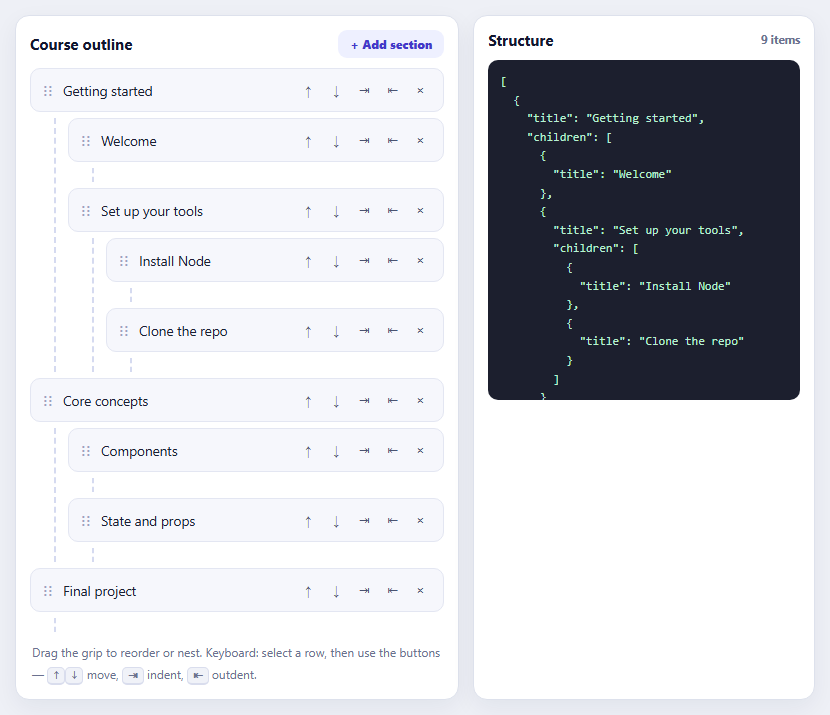
SortableJS Nested Sortable Tree with Keyboard Controls
API Response Inspector — Free HTTP Request/Response Panel UI
API Response Inspector · Dashboards · Plain HTML, CSS & JS · Live preview
Copy & paste
Source Code
<div class="ari-panel">
  <div class="ari-req-bar">
    <span class="ari-method">GET</span>
    <span class="ari-url">/v1/users/8241/orders?limit=3</span>
    <span class="ari-status" id="ariStatus">200 OK</span>
  </div>

  <div class="ari-tabs" role="tablist">
    <button class="ari-tab active" data-tab="body" role="tab" aria-selected="true">Body</button>
    <button class="ari-tab" data-tab="headers" role="tab" aria-selected="false">Headers</button>
    <button class="ari-tab" data-tab="timing" role="tab" aria-selected="false">Timing</button>
    <button class="ari-copy" id="ariCopyBtn" type="button">Copy</button>
  </div>

  <div class="ari-panels">
    <pre class="ari-panel-content active" id="ariBodyPanel" data-panel="body"><code id="ariBodyCode"></code></pre>

    <div class="ari-panel-content" id="ariHeadersPanel" data-panel="headers">
      <div class="ari-header-row"><span class="ari-h-key">content-type</span><span class="ari-h-val">application/json; charset=utf-8</span></div>
      <div class="ari-header-row"><span class="ari-h-key">cache-control</span><span class="ari-h-val">no-store</span></div>
      <div class="ari-header-row"><span class="ari-h-key">x-request-id</span><span class="ari-h-val">req_9f2a1c3d</span></div>
      <div class="ari-header-row"><span class="ari-h-key">x-ratelimit-remaining</span><span class="ari-h-val">247</span></div>
      <div class="ari-header-row"><span class="ari-h-key">server</span><span class="ari-h-val">edge-fra1</span></div>
    </div>

    <div class="ari-panel-content" id="ariTimingPanel" data-panel="timing">
      <div class="ari-timing-row"><span>DNS lookup</span><div class="ari-timing-bar"><span style="width:4%"></span></div><b>3 ms</b></div>
      <div class="ari-timing-row"><span>TCP + TLS</span><div class="ari-timing-bar"><span style="width:18%"></span></div><b>14 ms</b></div>
      <div class="ari-timing-row"><span>Waiting (TTFB)</span><div class="ari-timing-bar"><span style="width:62%"></span></div><b>48 ms</b></div>
      <div class="ari-timing-row"><span>Content download</span><div class="ari-timing-bar"><span style="width:16%"></span></div><b>12 ms</b></div>
      <div class="ari-timing-total">Total: <b>77 ms</b></div>
    </div>
  </div>
</div>*{box-sizing:border-box;margin:0;padding:0}
body{font-family:system-ui,-apple-system,sans-serif;background:#0b0e14;min-height:100vh;display:flex;align-items:center;justify-content:center;padding:32px}
.ari-panel{width:100%;max-width:560px;background:#12161f;border:1px solid #232a38;border-radius:14px;overflow:hidden;box-shadow:0 24px 60px rgba(0,0,0,.4);font-size:13px}
.ari-req-bar{display:flex;align-items:center;gap:10px;padding:13px 16px;background:#161b26;border-bottom:1px solid #232a38}
.ari-method{background:rgba(74,222,128,.15);color:#4ade80;font-weight:800;font-size:11px;padding:3px 8px;border-radius:6px;letter-spacing:.03em}
.ari-url{flex:1;color:#c3cadb;font-family:'SFMono-Regular',Consolas,Menlo,monospace;font-size:12.5px;overflow:hidden;text-overflow:ellipsis;white-space:nowrap}
.ari-status{font-weight:800;font-size:11.5px;color:#4ade80;background:rgba(74,222,128,.12);padding:4px 9px;border-radius:6px}
.ari-status.err{color:#f87171;background:rgba(248,113,113,.12)}
.ari-tabs{display:flex;align-items:center;gap:2px;padding:6px 10px;background:#0f1319;border-bottom:1px solid #232a38}
.ari-tab{background:transparent;border:none;color:#7c869c;font-family:inherit;font-size:12.5px;font-weight:700;padding:8px 12px;border-radius:8px;cursor:pointer;transition:color .15s,background .15s}
.ari-tab:hover{color:#c3cadb}
.ari-tab.active{color:#e7ebf3;background:#1c2230}
.ari-copy{margin-left:auto;background:#1c2230;border:1px solid #2b3345;color:#c3cadb;font-family:inherit;font-size:11.5px;font-weight:700;padding:6px 11px;border-radius:7px;cursor:pointer;transition:background .15s,border-color .15s}
.ari-copy:hover{border-color:#3d4a63}
.ari-copy.copied{color:#4ade80;border-color:#2f5b41}
.ari-panels{padding:14px 16px 18px;min-height:220px}
.ari-panel-content{display:none}
.ari-panel-content.active{display:block}
pre#ariBodyPanel{margin:0;font-family:'SFMono-Regular',Consolas,Menlo,monospace;font-size:12.5px;line-height:1.65;white-space:pre-wrap;word-break:break-word;color:#c3cadb}
.ari-tok-key{color:#7dd3fc}
.ari-tok-str{color:#a5d6a7}
.ari-tok-num{color:#fbbf24}
.ari-tok-bool{color:#c4b5fd}
.ari-tok-null{color:#7c869c}
.ari-tok-punc{color:#5b6577}
.ari-header-row{display:flex;justify-content:space-between;gap:16px;padding:8px 0;border-bottom:1px solid #1a202c;font-family:'SFMono-Regular',Consolas,Menlo,monospace;font-size:12px}
.ari-header-row:last-child{border-bottom:none}
.ari-h-key{color:#7dd3fc}
.ari-h-val{color:#c3cadb;text-align:right}
.ari-timing-row{display:grid;grid-template-columns:100px 1fr 48px;align-items:center;gap:10px;padding:8px 0;font-size:12px;color:#9aa4bb}
.ari-timing-bar{height:6px;border-radius:999px;background:#1a2030;overflow:hidden}
.ari-timing-bar span{display:block;height:100%;background:linear-gradient(90deg,#7dd3fc,#38bdf8);border-radius:999px}
.ari-timing-row b{color:#e7ebf3;text-align:right;font-variant-numeric:tabular-nums}
.ari-timing-total{margin-top:8px;padding-top:10px;border-top:1px solid #232a38;font-size:12.5px;color:#9aa4bb}
.ari-timing-total b{color:#e7ebf3}var responseData = {
data: [
{ id: 'ord_7f2a', total: 84.5, currency: 'USD', status: 'fulfilled', items: 3 },
{ id: 'ord_9b13', total: 129.0, currency: 'USD', status: 'pending', items: 1 },
{ id: 'ord_2c88', total: 45.99, currency: 'USD', status: 'fulfilled', items: 2 },
],
meta: { count: 3, has_more: true, cursor: null },
};
function syntaxHighlight(json) {
var escaped = json
.replace(/&/g, '&')
.replace(/</g, '<')
.replace(/>/g, '>');
return escaped.replace(
/("(\\u[a-zA-Z0-9]{4}|\\[^u]|[^\\"])*"(\s*:)?|\b(true|false)\b|\bnull\b|-?\d+(?:\.\d*)?(?:[eE][+-]?\d+)?)/g,
function (match) {
var cls = 'ari-tok-num';
if (/^"/.test(match)) {
cls = /:$/.test(match) ? 'ari-tok-key' : 'ari-tok-str';
} else if (/true|false/.test(match)) {
cls = 'ari-tok-bool';
} else if (/null/.test(match)) {
cls = 'ari-tok-null';
}
return '<span class="' + cls + '">' + match + '</span>';
}
);
}
var bodyCode = document.getElementById('ariBodyCode');
var raw = JSON.stringify(responseData, null, 2);
bodyCode.innerHTML = syntaxHighlight(raw);
var tabs = Array.prototype.slice.call(document.querySelectorAll('.ari-tab'));
var panels = {
body: document.getElementById('ariBodyPanel'),
headers: document.getElementById('ariHeadersPanel'),
timing: document.getElementById('ariTimingPanel'),
};
tabs.forEach(function (tab) {
tab.addEventListener('click', function () {
tabs.forEach(function (t) {
t.classList.toggle('active', t === tab);
t.setAttribute('aria-selected', String(t === tab));
});
Object.keys(panels).forEach(function (key) {
panels[key].classList.toggle('active', key === tab.dataset.tab);
});
});
});
var copyBtn = document.getElementById('ariCopyBtn');
copyBtn.addEventListener('click', function () {
var text = raw;
var done = function () {
var original = 'Copy';
copyBtn.textContent = 'Copied';
copyBtn.classList.add('copied');
setTimeout(function () {
copyBtn.textContent = original;
copyBtn.classList.remove('copied');
}, 1400);
};
if (navigator.clipboard && navigator.clipboard.writeText) {
navigator.clipboard.writeText(text).then(done).catch(done);
} else {
done();
}
});Extend with AI
Take This Snippet Further With AI
The AI prompt for this one is for Patreon supporters ($3 a month), along with a site with no ads. Supporters enter the passcode once and it is remembered in this browser.
What's included
Features
About this UI Snippet
API Response Inspector — Tabs, Manual JSON Highlighting & Copy
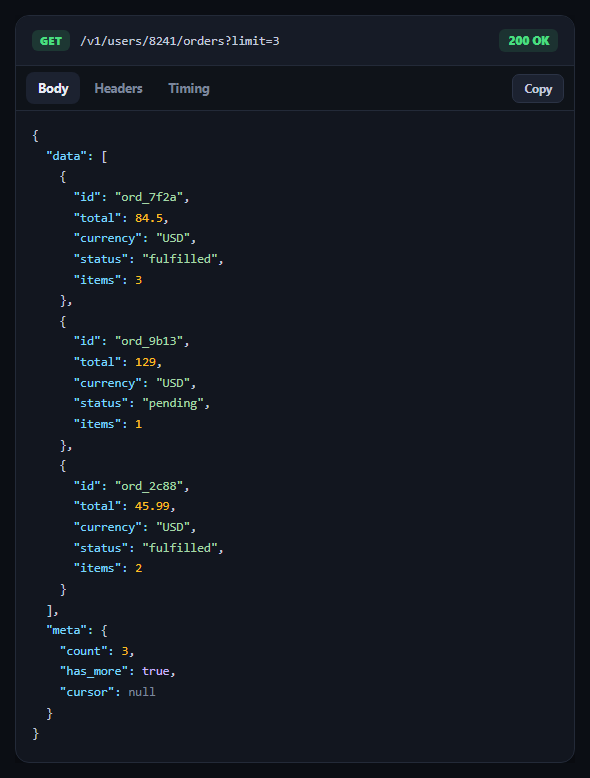
Every developer tool that surfaces an HTTP exchange — an API explorer, a webhook debugger, a support-facing request log — needs the same panel: the request line, a status badge, and tabbed access to the body, headers, and timing. This snippet builds that panel with hand-rolled JSON syntax highlighting and no dependency, pairing well with a code diff viewer or api key manager in a developer dashboard.
Syntax highlighting with one regular expression
Rather than a highlighting library, syntaxHighlight() runs a single regex over the stringified JSON that matches strings, booleans, null, and numbers in one pass, then classifies each match by inspecting it: a quoted string followed by a colon is a key, any other quoted string is a value, and so on. This is the same technique used by classic vanilla JSON highlighters — it's not a full JSON parser, but for displaying already-valid JSON.stringify output it's reliable and tiny.
HTML-escaping before highlighting
The raw JSON string is escaped for &, <, and > before the highlighting regex runs, and the highlighted output is injected via innerHTML. Escaping first matters because response bodies can legitimately contain angle brackets in string values — skipping this step would let response content break the panel's markup.
Tabs driven by a data attribute, not three separate handlers
Each tab button carries data-tab, and a single click handler looks up the matching panel from a panels object keyed by that same string — adding a fourth tab means adding one button and one panel, not another branch of conditional logic. aria-selected is kept in sync with the .active class on every click, so the accessible state matches the visual one.
A copy button that degrades gracefully
The copy handler tries navigator.clipboard.writeText, which is unavailable in some sandboxed/insecure contexts, and falls back to just showing the "Copied" confirmation either way rather than throwing — because from a UI perspective, telling the user copy failed silently is worse than a harmless no-op in an environment where clipboard access is blocked.
A timing breakdown built from CSS bars
Each timing row pairs a label, a proportionally-widthed bar, and a millisecond value — the bar widths are set inline as percentages of total request time, the same lightweight technique used in git diff stat summary's insertion/deletion bars. Swap in real PerformanceResourceTiming values from fetch or XMLHttpRequest to make this reflect an actual request.
Step by step
How to Use
- 1Paste HTML, CSS, and JSA request/response panel renders on the Body tab with highlighted JSON.
- 2Switch tabsClick Headers or Timing to see the response headers list or a request-phase timing breakdown.
- 3Click CopyThe raw JSON body is copied to the clipboard with a brief "Copied" confirmation.
- 4Swap in real dataReplace the responseData object with an actual fetch() response body.
- 5Add real headers/timingPopulate the headers list from response.headers and the timing bars from PerformanceResourceTiming.
- 6Add more tabsAdd a button with a new data-tab value and a matching entry in the panels object — no other logic changes.
Real-world uses
Common Use Cases
data-tab routing.Got questions?
Frequently Asked Questions
A single regular expression matches quoted strings, booleans, null, and numbers across the stringified JSON in one pass. Each match is then classified in a callback: a quoted string immediately followed by a colon is styled as a key, any other quoted string as a string value, and so on for booleans, null, and numbers — each gets a CSS class with its own color.
Response body content can legitimately contain characters like < or > inside string values. Escaping them for &, <, and > before running the highlighting regex and injecting via innerHTML ensures response content is always treated as text, never as markup — protecting the panel from being broken or manipulated by the data it's displaying.
Add a new button with role="tab" and a data-tab value (e.g. data-tab="cookies"), add a matching panel element, and add one entry to the panels object keyed by that same string. The existing click handler already loops generically over all tabs and panel keys, so no new conditional logic is needed.
The copy handler checks for navigator.clipboard.writeText before calling it, and falls back to simply showing the "Copied" confirmation regardless of whether the write succeeded. This avoids throwing an error in sandboxed or insecure (non-HTTPS) contexts where clipboard access is blocked, prioritizing a harmless no-op over a broken button.
Use the Resource Timing API: after a fetch() call, look up performance.getEntriesByName(url)[0] and read its domainLookupStart/End, connectStart/End, responseStart, and responseEnd timestamps to compute each phase's duration. Set each timing bar's inline width as a percentage of the total duration, exactly as the mock values are set here.