


Bootstrap Multi-File Upload Queue with Drag & Drop
Bootstrap Multi-File Upload Queue · Forms · Plain HTML, CSS & JS · Live preview
Copy & paste
Source Code
<div class="bsqueue-page">
<div class="card bsqueue-card">
<div class="card-body p-4">
<div class="d-flex align-items-center gap-3 mb-3">
<span class="bsqueue-icon" aria-hidden="true">
<svg viewBox="0 0 24 24" width="22" height="22" fill="none" stroke="currentColor" stroke-width="1.8" stroke-linecap="round" stroke-linejoin="round"><path d="M12 16V4"/><path d="M7 9l5-5 5 5"/><path d="M4 16v3a1 1 0 0 0 1 1h14a1 1 0 0 0 1-1v-3"/></svg>
</span>
<div>
<h6 class="mb-0 fw-bold">Upload files</h6>
<div class="small text-muted">Each file uploads on its own</div>
</div>
</div>
<label class="bsqueue-zone" id="bsqueueZone">
<input type="file" id="bsqueueInput" class="visually-hidden" multiple>
<span class="fw-semibold">Drag & drop files here</span>
<span class="small text-muted">or <span class="bsqueue-link">browse</span> · up to 10 MB each</span>
</label>
<div class="d-flex justify-content-between align-items-center mt-3 mb-1">
<span class="small fw-semibold" id="bsqueueSummary" aria-live="polite"></span>
<button type="button" class="btn btn-link btn-sm p-0 text-decoration-none d-none" id="bsqueueClear">Clear completed</button>
</div>
<ul class="list-unstyled mb-0" id="bsqueueList"></ul>
</div>
</div>
</div>body { background: linear-gradient(160deg, #eef2ff, #f8fafc 60%); min-height: 100vh; }
.bsqueue-page { width: fit-content; max-width: 100%; margin: 0 auto; padding: 40px 16px; }
.bsqueue-card { width: 460px; max-width: 100%; border: 0; border-radius: 20px; box-shadow: 0 18px 44px rgba(30, 41, 59, .12), 0 2px 6px rgba(30, 41, 59, .05); }
.bsqueue-icon { width: 44px; height: 44px; flex: none; border-radius: 12px; display: grid; place-items: center; color: #4f46e5; background: linear-gradient(135deg, #e0e7ff, #ede9fe); }
.bsqueue-zone {
display: flex; flex-direction: column; align-items: center; gap: 2px; text-align: center;
border: 2px dashed #cbd5e1; border-radius: 14px; padding: 22px 16px; background: #f8fafc; color: #475569; cursor: pointer;
transition: border-color .15s, background .15s, box-shadow .15s;
}
.bsqueue-zone:hover, .bsqueue-zone.drag { border-color: #6366f1; background: #f5f6ff; }
.bsqueue-zone:focus-within { border-color: #6366f1; box-shadow: 0 0 0 4px rgba(99, 102, 241, .16); }
.bsqueue-link { color: #4f46e5; font-weight: 600; text-decoration: underline; }
.bsqueue-row { display: flex; gap: 12px; align-items: flex-start; padding: 12px 0; border-bottom: 1px solid #f1f2f5; }
.bsqueue-row:last-child { border-bottom: none; }
.bsqueue-tile { width: 40px; height: 40px; flex: none; border-radius: 10px; display: grid; place-items: center; font-size: 10px; font-weight: 800; letter-spacing: .02em; color: #fff; background: #64748b; }
.bsqueue-tile.pdf { background: #ef4444; } .bsqueue-tile.img { background: #10b981; } .bsqueue-tile.doc { background: #3b82f6; }
.bsqueue-tile.zip { background: #f59e0b; } .bsqueue-tile.sheet { background: #16a34a; }
.bsqueue-main { flex: 1; min-width: 0; }
.bsqueue-name { font-size: 14px; font-weight: 600; color: #0f172a; }
.bsqueue-status { font-size: 12px; color: #64748b; }
.bsqueue-status.ok { color: #16a34a; } .bsqueue-status.bad { color: #dc2626; }
.bsqueue-row .progress { height: 6px; border-radius: 6px; margin-top: 6px; }
.bsqueue-actions { display: flex; justify-content: flex-end; gap: 6px; flex: none; width: 72px; }
.bsqueue-actions .btn { --bs-btn-padding-y: .15rem; --bs-btn-padding-x: .55rem; --bs-btn-font-size: .75rem; border-radius: 8px; }
.bsqueue-empty { text-align: center; font-size: 13px; color: #94a3b8; padding: 14px 0 4px; }const input = document.getElementById('bsqueueInput');
const zone = document.getElementById('bsqueueZone');
const list = document.getElementById('bsqueueList');
const summary = document.getElementById('bsqueueSummary');
const clearBtn = document.getElementById('bsqueueClear');
const MAX_BYTES = 10 * 1024 * 1024; // 10 MB per file
let files = [];
let seq = 0;
function formatSize(b) { return b < 1048576 ? Math.max(1, Math.round(b / 1024)) + ' KB' : (b / 1048576).toFixed(1) + ' MB'; }
function kindOf(name) {
const ext = (name.split('.').pop() || '').toLowerCase();
const kind = /^(jpe?g|png|gif|webp|svg)$/.test(ext) ? 'img' : ext === 'pdf' ? 'pdf' : /^(docx?|txt|rtf)$/.test(ext) ? 'doc'
: /^(zip|rar|7z|gz)$/.test(ext) ? 'zip' : /^(xlsx?|csv)$/.test(ext) ? 'sheet' : '';
return { kind, label: ext.slice(0, 4).toUpperCase() || 'FILE' };
}
function updateSummary() {
const done = files.filter(f => f.status === 'done').length;
summary.textContent = files.length ? done + ' of ' + files.length + ' uploaded' : '';
clearBtn.classList.toggle('d-none', done === 0);
let empty = list.querySelector('.bsqueue-empty');
if (!files.length && !empty) {
list.insertAdjacentHTML('beforeend', '<li class="bsqueue-empty">No files yet. Drop some above.</li>');
} else if (files.length && empty) empty.remove();
}
function renderRow(f) {
const row = document.getElementById('bsqueue-row-' + f.id);
if (!row) return;
const status = row.querySelector('.bsqueue-status');
const bar = row.querySelector('.progress-bar');
const size = formatSize(f.file.size);
status.className = 'bsqueue-status';
if (f.status === 'done') { status.textContent = 'Uploaded · ' + size; status.classList.add('ok'); }
else if (f.status === 'failed') { status.textContent = f.error + ' · ' + size; status.classList.add('bad'); }
else status.textContent = Math.round(f.progress) + '% · ' + size;
bar.style.width = f.progress + '%';
bar.classList.toggle('bg-success', f.status === 'done');
bar.classList.toggle('bg-danger', f.status === 'failed');
bar.classList.toggle('progress-bar-striped', f.status === 'uploading');
bar.classList.toggle('progress-bar-animated', f.status === 'uploading');
row.querySelector('[data-act="cancel"]').classList.toggle('d-none', f.status !== 'uploading');
row.querySelector('[data-act="retry"]').classList.toggle('d-none', !(f.status === 'failed' && f.retryable));
row.querySelector('[data-act="remove"]').classList.toggle('d-none', f.status === 'uploading');
updateSummary();
}
function runUpload(f, start) {
clearInterval(f.timer);
f.status = 'uploading';
f.progress = start || 0;
f.timer = setInterval(() => {
f.progress += Math.random() * 14;
if (f.progress >= 100) {
f.progress = 100;
f.status = 'done';
clearInterval(f.timer);
}
renderRow(f);
}, 260);
renderRow(f);
}
function addFiles(fileList, startAt) {
Array.from(fileList).forEach((file, i) => {
const f = { id: seq++, file, progress: 0, status: 'queued', timer: null, retryable: true, error: '' };
files.push(f);
const { kind, label } = kindOf(file.name);
const li = document.createElement('li');
li.className = 'bsqueue-row';
li.id = 'bsqueue-row-' + f.id;
li.dataset.id = f.id;
li.innerHTML =
'<span class="bsqueue-tile ' + kind + '"></span>' +
'<div class="bsqueue-main"><div class="bsqueue-name text-truncate"></div><div class="bsqueue-status"></div>' +
'<div class="progress"><div class="progress-bar" style="width:0%"></div></div></div>' +
'<div class="bsqueue-actions">' +
'<button type="button" class="btn btn-outline-secondary" data-act="cancel">Cancel</button>' +
'<button type="button" class="btn btn-outline-primary d-none" data-act="retry">Retry</button>' +
'<button type="button" class="btn btn-outline-secondary d-none" data-act="remove" aria-label="Remove file">Remove</button></div>';
// Set names with textContent so a file called "<img onerror=...>" can never run as HTML
li.querySelector('.bsqueue-tile').textContent = label;
li.querySelector('.bsqueue-name').textContent = file.name;
li.querySelector('.bsqueue-name').title = file.name;
list.appendChild(li);
if (file.size > MAX_BYTES) {
f.status = 'failed'; f.error = 'Too large (max 10 MB)'; f.retryable = false; f.progress = 100;
renderRow(f);
} else if (startAt && startAt[i] === 100) {
f.status = 'done'; f.progress = 100; renderRow(f);
} else runUpload(f, startAt ? startAt[i] : 0);
});
updateSummary();
}
input.addEventListener('change', () => {
if (input.files.length) addFiles(input.files);
input.value = '';
});
// Drag and drop onto the zone
['dragenter', 'dragover'].forEach(t => zone.addEventListener(t, e => { e.preventDefault(); zone.classList.add('drag'); }));
['dragleave', 'drop'].forEach(t => zone.addEventListener(t, e => { e.preventDefault(); zone.classList.remove('drag'); }));
zone.addEventListener('drop', e => { if (e.dataTransfer.files.length) addFiles(e.dataTransfer.files); });
list.addEventListener('click', e => {
const btn = e.target.closest('[data-act]');
if (!btn) return;
const id = Number(btn.closest('.bsqueue-row').dataset.id);
const f = files.find(x => x.id === id);
if (!f) return;
if (btn.dataset.act === 'cancel') {
clearInterval(f.timer);
f.status = 'failed'; f.error = 'Cancelled';
renderRow(f);
} else if (btn.dataset.act === 'retry') {
runUpload(f, 0);
} else {
clearInterval(f.timer);
files = files.filter(x => x.id !== id);
document.getElementById('bsqueue-row-' + id).remove();
updateSummary();
}
});
clearBtn.addEventListener('click', () => {
files.filter(f => f.status === 'done').forEach(f => document.getElementById('bsqueue-row-' + f.id).remove());
files = files.filter(f => f.status !== 'done');
updateSummary();
});
// Demo rows so the card isn't empty. Delete this block in production.
function demoFile(name, bytes) { return new File([new ArrayBuffer(bytes)], name); }
addFiles([
demoFile('brand-guidelines.pdf', 2.4 * 1048576),
demoFile('hero-banner.jpg', 860 * 1024),
demoFile('q3-report.xlsx', 140 * 1024),
demoFile('raw-footage.zip', 14 * 1048576),
], [100, 58, 22, 0]);
updateSummary();Extend with AI
Take This Snippet Further With AI
The AI prompt for this one is for Patreon supporters ($3 a month), along with a site with no ads. Supporters enter the passcode once and it is remembered in this browser.
What's included
Features
About this UI Snippet
Bootstrap Multi-File Upload Queue — Drag & Drop, Per-File Progress, Cancel and Retry

A multi-file upload queue lets a visitor add several files at once and watch each one upload on its own, cancel one without stopping the rest, and retry anything that failed. This snippet builds that pattern with the real Bootstrap 5.3 card, progress bar and button classes, plus a drag-and-drop zone, file-type tiles and a live summary line, in plain JavaScript with no upload library.
One object and one timer per file
Every selected file becomes its own object in a files array: { id, file, progress, status, timer, retryable, error }. Each one gets its own setInterval from runUpload(f). Five files means five independent timers ticking at their own random pace, so one file finishing, failing or being cancelled has no effect on any other row. A single shared progress value could never represent several uploads honestly.
A drop zone that is also a real file input
The zone is a <label> wrapped around a visually hidden <input type="file" multiple>. Clicking it opens the file picker, and the input stays keyboard-focusable (Bootstrap's visually-hidden class, not display:none), with a focus ring through :focus-within. The dragenter, dragover, dragleave and drop handlers add a highlight class and pass the dropped files to the same addFiles() function the picker uses, so both input methods behave identically.
Row states: uploading, done, failed
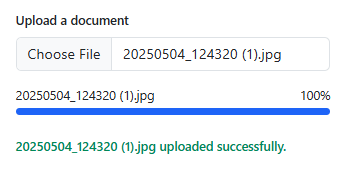
Each row shows a colored file-type tile (PDF, image, document, spreadsheet, archive), the file name, its size and a status line. While uploading, the Bootstrap bar is striped and animated with a Cancel button. When it finishes the bar turns bg-success and the status reads "Uploaded". A cancelled file turns bg-danger and gains Retry and Remove buttons. Retry restarts only that file from zero.
Validation before upload
MAX_BYTES rejects files over 10 MB before any upload starts. The row appears immediately with a red bar and "Too large (max 10 MB)", and no Retry button, because retrying the same file can't succeed. Change the constant, or check file.type too, to match your server rules.
Safe file names
File names are written into the row with textContent, never concatenated into innerHTML. A file literally named <img src=x onerror=alert(1)>.jpg therefore shows as plain text instead of running as HTML, which matters because users control file names.
A summary that cannot drift
updateSummary() recounts files.filter(f => f.status === 'done') every time a row changes, instead of keeping a separate counter, so "2 of 4 uploaded" always matches the rows. When at least one file is done, a "Clear completed" button appears, and an empty state replaces the list when nothing is left.
Connecting a real upload
The demo rows at the bottom of the script are placeholders to delete. Replace the interval in runUpload() with a per-file XMLHttpRequest (use upload.onprogress for the percentage) or fetch with an AbortController, and have Cancel call abort(). The rendering, retry and summary code doesn't need to change. Pair this with bootstrap-file-upload-drag-drop for a single-file version, or bootstrap-file-upload-progress to study one progress bar in isolation.
Step by step
How to Use
- 1Drop or browse for several filesDrag files onto the dashed zone or click it. Each file gets its own row with a type tile, size and progress bar, all uploading in parallel.
- 2Watch the summary lineIt updates as each file finishes, for example "2 of 4 uploaded", and a "Clear completed" button appears.
- 3Click "Cancel" on one file mid-uploadOnly that row stops and turns red. Every other file keeps uploading.
- 4Retry or remove a cancelled fileRetry restarts just that file from zero; Remove deletes the row and updates the count.
- 5Try a file over 10 MBIt is rejected straight away with "Too large", with no upload and no Retry button.
- 6Connect your endpointDelete the demo rows and replace the timer in runUpload() with an XMLHttpRequest or fetch call per file.
Real-world uses
Common Use Cases
Got questions?
Frequently Asked Questions
Yes. Each file gets its own setInterval the moment it is added, with no waiting for a previous file. That matches how a real version using several concurrent fetch or XHR requests would behave.
Cancelling stops that file's timer, marks it failed with "Cancelled" and turns its bar red. You can then Retry it from zero or Remove it. No other row is affected.
Change the MAX_BYTES constant, and add a check on file.type or the extension inside addFiles(). Rejected files are shown as failed rows with a message and no Retry button.
Replace the setInterval simulation inside runUpload() with a per-file XMLHttpRequest, using upload.onprogress for the percentage, or fetch with an AbortController. Cancel then calls abort(); the rest of the row logic stays the same.
Yes. Keep the files array in component state, keep each file's request or timer in a ref-backed map keyed by id so re-renders do not restart it, and derive the summary count from the same array on every render.