






Canvas Ripple Click Effect — Free Expanding Ring Snippet
Canvas Ripple Click Effect · Animations · Plain HTML, CSS & JS · Live preview
Copy & paste
Source Code
<div class="rp-wrap">
  <canvas id="rpCanvas" class="rp-canvas"></canvas>
  <p class="rp-hint">Click anywhere in the panel.</p>
</div>*{box-sizing:border-box;margin:0;padding:0}
body{font-family:system-ui,-apple-system,sans-serif;background:#07080d;color:#fff;min-height:100vh;display:flex;align-items:center;justify-content:center;padding:24px}
.rp-wrap{display:flex;flex-direction:column;align-items:center;gap:14px;width:min(720px,96vw)}
.rp-canvas{width:100%;aspect-ratio:16/9;background:radial-gradient(120% 100% at 50% 0%,#111726,#07080d 70%);border-radius:18px;border:1px solid rgba(255,255,255,.08);display:block;cursor:pointer}
.rp-hint{color:#6b7284;font-size:12px;letter-spacing:.04em}const canvas = document.getElementById('rpCanvas');
const ctx = canvas.getContext('2d');
let width, height, dpr;
let ripples = [];
function resize() {
dpr = Math.min(window.devicePixelRatio || 1, 2);
width = canvas.clientWidth;
height = canvas.clientHeight;
canvas.width = width * dpr;
canvas.height = height * dpr;
ctx.setTransform(dpr, 0, 0, dpr, 0, 0);
}
function clickPos(e) {
const rect = canvas.getBoundingClientRect();
const t = e.touches ? e.changedTouches[0] : e;
return { x: t.clientX - rect.left, y: t.clientY - rect.top };
}
function spawnRipple(x, y) {
const maxRadius = Math.hypot(width, height) * 0.45;
const hue = 190 + Math.random() * 100;
// Each click adds three concentric rings with a slight delay between them,
// each an independent object animating its own radius and fade.
for (let i = 0; i < 3; i++) {
ripples.push({
x, y,
radius: 0,
maxRadius,
delay: i * 8,
age: 0,
hue,
lineWidth: 3 - i * 0.6
});
}
}
canvas.addEventListener('click', e => {
const p = clickPos(e);
spawnRipple(p.x, p.y);
});
canvas.addEventListener('touchstart', e => {
const p = clickPos(e);
spawnRipple(p.x, p.y);
}, { passive: true });
function tick() {
ctx.clearRect(0, 0, width, height);
ripples.forEach(r => {
r.age++;
if (r.age < r.delay) return;
const t = (r.age - r.delay) / 55;
r.radius = r.maxRadius * Math.min(t, 1);
const alpha = Math.max(0, 1 - t);
ctx.beginPath();
ctx.arc(r.x, r.y, r.radius, 0, Math.PI * 2);
ctx.strokeStyle = 'hsla(' + r.hue + ',85%,65%,' + alpha + ')';
ctx.lineWidth = r.lineWidth;
ctx.stroke();
});
ripples = ripples.filter(r => r.age < r.delay || r.radius < r.maxRadius);
requestAnimationFrame(tick);
}
resize();
window.addEventListener('resize', resize);
tick();Extend with AI
Take This Snippet Further With AI
The AI prompt for this one is for Patreon supporters ($3 a month), along with a site with no ads. Supporters enter the passcode once and it is remembered in this browser.
What's included
Features
About this UI Snippet
Canvas Ripple Click Effect — Expanding Rings on Every Click
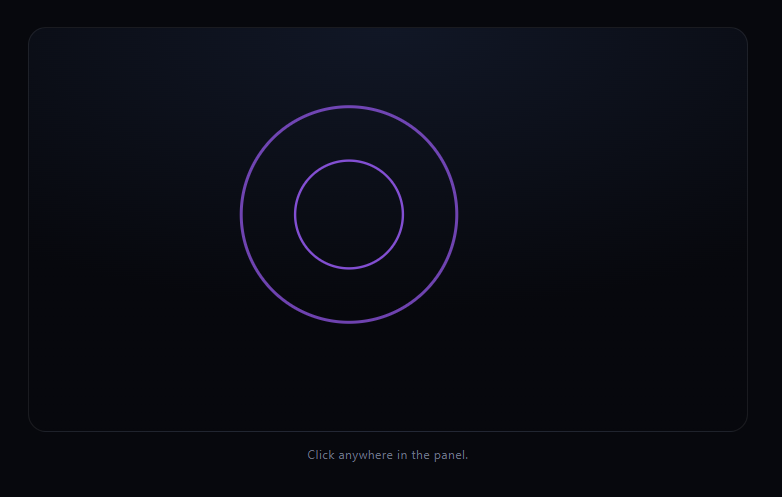
The canvas ripple click effect snippet spawns an expanding, fading ring at every click point on a canvas — click multiple times in quick succession and each ripple grows and fades entirely on its own, overlapping the others freely. It's built from a plain array of ripple objects animated on the Canvas 2D API, with no physics or graphics library involved.
Each click adds independent state, not a single shared effect
spawnRipple(x, y) doesn't animate anything itself — it pushes plain objects describing a ripple's position, growth target, and age into a ripples array. The actual animation loop, tick(), iterates that array every frame and advances each ripple by its own age, completely independent of any other ripple in the array. That's what lets you click five times rapidly and see five rings at different stages of expansion simultaneously, instead of one ripple restarting on every click.
Three rings per click, gently offset
Rather than a single ring, each click actually queues three ripple objects with a staggered delay (i * 8 frames) and a slightly different lineWidth. Because the delay is checked before a ripple starts advancing its radius (if (r.age < r.delay) return), the three rings from one click trail each other outward like real concentric waves instead of drawing as one flat ring.
Radius and opacity are driven by the same progress value
Each ripple computes a single t value — its progress from 0 to 1 based on age — and derives both its current radius (growing toward maxRadius) and its stroke alpha (fading toward 0) from that same t. Tying both to one progress value keeps the ring's growth and its fade perfectly synchronized: it's always fully faded out exactly as it reaches full size, never lingering as a large but invisible ring wasting array space.
Cleanup keeps the array small
The filter at the end of tick() drops any ripple that has both finished its delay and reached full radius, so the ripples array never grows unbounded even under rapid clicking — old, fully-expanded ripples are removed rather than kept around and skipped every frame.
Customizing it
Change the ring count per click, the stagger delay, maxRadius, or the hue formula for a different palette per click (try varying hue by click position instead of randomly). Pair it with canvas fluid cursor trail for a combined move-and-click canvas interaction, or canvas confetti burst for another click-triggered canvas effect.
Step by step
How to Use
- 1Paste HTML, CSS, and JSA canvas panel and hint text render.
- 2Click anywhere in the panelThree staggered rings expand and fade from that point.
- 3Click rapidly in different spotsMultiple ripples animate independently, overlapping freely.
- 4Tap on a touch deviceTouchstart spawns the same ripple effect.
- 5Resize the windowThe canvas and ripple max radius adapt.
- 6Tune ring count or timingEdit the loop in spawnRipple and the progress math in tick.
Real-world uses
Common Use Cases
Got questions?
Frequently Asked Questions
Every click pushes new plain objects into a shared ripples array, each tracking its own position, age, and radius. The animation loop iterates that array every frame and advances each object using only its own state, so ripples from different clicks never interfere with or reset each other — they simply coexist in the same array.
spawnRipple pushes three ripple objects per click, each with a staggered delay value (multiples of 8 frames) and a slightly different line width. Because each ripple waits until its own age passes its delay before it starts expanding, the three rings visibly trail each other outward, reading as concentric waves rather than a single flat ring.
Both the radius and the stroke opacity are derived from the same progress value t, computed from the ripple's age divided by its total animation duration. Since radius grows toward maxRadius and alpha fades toward 0 using that identical t, the ring is always fully transparent right as it reaches full size, rather than fading independently of its growth.
No. At the end of every tick(), the array is filtered to drop any ripple that has both passed its stagger delay and reached full radius. Only ripples still mid-delay or still expanding are kept, so rapid clicking doesn't accumulate stale, fully-faded ripple objects indefinitely.
Move the canvas setup, click/touch listeners, and animation loop into a mount effect scoped to a canvas ref, keeping the ripples array in a ref (not component state) so it isn't reset on re-render. Cancel the requestAnimationFrame loop and remove the event listeners in the effect's cleanup function.