

HTML Invoker Commands: Open Dialog With No JavaScript
HTML Invoker Commands: Open Dialog With No JavaScript · Modals · Plain HTML, CSS & JS · Live preview
About this UI Snippet
command and commandfor: Buttons That Do Things Without a Script
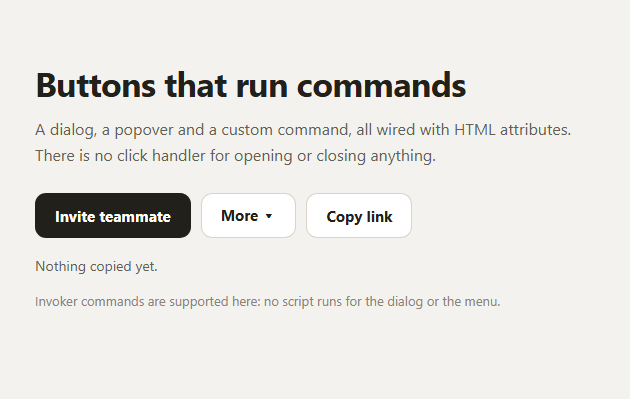
For decades, opening a modal meant a click handler that found the dialog and called showModal(). Invoker commands move that wiring into HTML. A <button command="show-modal" commandfor="myDialog"> opens the dialog with that id, and the browser handles focus and the top layer. This snippet wires a dialog, a popover menu and one custom command using attributes alone.
Built-in commands
show-modal, close and request-close target a <dialog>. toggle-popover, show-popover and hide-popover target any element with the popover attribute. The button needs commandfor with the target's id and nothing else; the menu items use hide-popover so choosing one closes the menu.
Return values
A close button's value becomes the dialog's returnValue, so "Send invite" and "Cancel" can be told apart on the dialog's close event without a click listener on each.
Light dismiss with closedby
closedby="any" on the dialog lets a click outside it, or Escape, close it. closedby="closerequest" limits it to Escape, and none forces an explicit button.
Custom commands
A command starting with two dashes, here --copy-link, does nothing by itself but fires a command event on the target with event.command and event.source. That keeps small actions declarative: the button states what it does, and one listener carries it out.
Fallback
A support check on commandForElement decides whether to add a ten-line click handler that maps the same attributes to showModal, close, togglePopover and hidePopover. For an animated version see the animated dialog and popover.
Accessibility notes
The dialog is labelled with aria-labelledby, focus moves into it when it opens and returns to the button that opened it when it closes, and the status line is an aria-live region so the custom command's result is announced. Give every command button a visible label; an icon-only trigger needs an aria-label.
What's included
Features
Step by step
How to Use
- 1Give the target an idAdd id="icDialog" to a dialog, or id="icMenu" plus the popover attribute to a div.
- 2Point a button at itWrite command="show-modal" commandfor="icDialog" on the opening button. No listener is required in supporting browsers.
- 3Close from insideUse command="close" commandfor="icDialog" on Cancel and Send; the button value becomes dialog.returnValue.
- 4Choose how it dismissesclosedby="any" allows outside click and Escape; closerequest limits it to Escape; none needs a button.
- 5Add a custom commandUse command="--your-name" and listen for the command event on the target, checking event.command.
- 6Keep the fallbackThe script checks commandForElement and only runs a click shim where invokers are missing.
Real-world uses
Common Use Cases
Got questions?
Frequently Asked Questions
Current Chrome, Edge and Firefox, with Safari following. For older versions the snippet adds a small click shim keyed on commandForElement, so behaviour stays the same while support spreads.
show-modal opens a dialog as a modal: the page behind becomes inert and focus is trapped. A popover is non-modal, dismisses on outside click by default and is for menus, tips and small panels.
Any command name that starts with two dashes is allowed. Pressing the button fires a command event on the element named by commandfor, with event.command set to your name, and your listener decides what to do.
Yes. closedby="any" lets a click outside the dialog or the Escape key close it. In browsers without it, the fallback listens for clicks on the dialog element itself, which is the backdrop area.
Copy & paste
Source Code
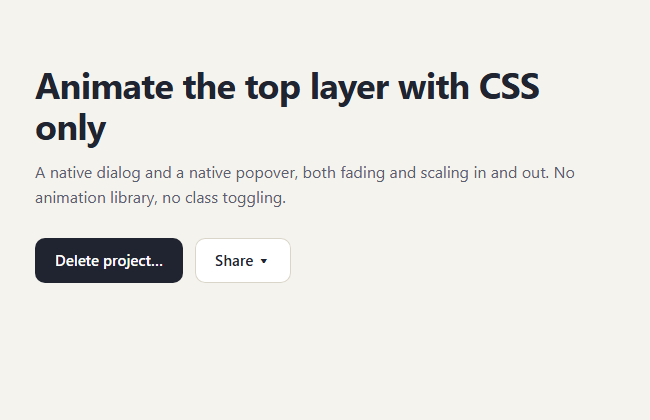
<main class="ic-page">
<h1>Buttons that run commands</h1>
<p class="ic-sub">A dialog, a popover and a custom command, all wired with HTML attributes. There is no click handler for opening or closing anything.</p>
<div class="ic-row">
<button class="ic-btn" type="button" command="show-modal" commandfor="icDialog">Invite teammate</button>
<button class="ic-btn ic-ghost" type="button" command="toggle-popover" commandfor="icMenu">More ▾</button>
<button class="ic-btn ic-ghost" type="button" command="--copy-link" commandfor="icStatus">Copy link</button>
</div>
<p class="ic-status" id="icStatus" aria-live="polite">Nothing copied yet.</p>
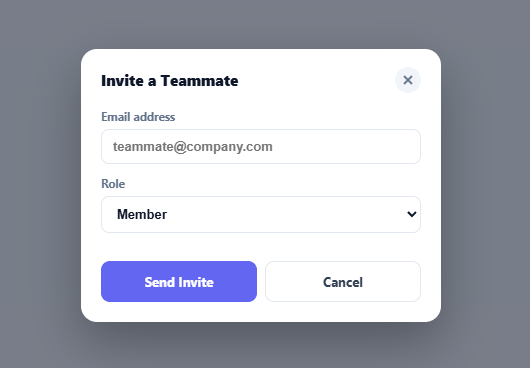
<dialog class="ic-dialog" id="icDialog" closedby="any" aria-labelledby="icTitle">
<h2 id="icTitle">Invite a teammate</h2>
<p>They get an email with a link that works for 7 days. Click outside this box or press Escape to dismiss it.</p>
<div class="ic-actions">
<button class="ic-btn ic-ghost" type="button" command="close" commandfor="icDialog">Cancel</button>
<button class="ic-btn" type="button" command="close" commandfor="icDialog" value="sent">Send invite</button>
</div>
</dialog>
<div class="ic-menu" id="icMenu" popover>
<button type="button" command="hide-popover" commandfor="icMenu">Rename</button>
<button type="button" command="hide-popover" commandfor="icMenu">Duplicate</button>
<button type="button" command="hide-popover" commandfor="icMenu">Archive</button>
</div>
<p class="ic-note" id="icNote"></p>
</main>*{box-sizing:border-box;margin:0;padding:0}
body{font-family:system-ui,-apple-system,'Segoe UI',sans-serif;background:#f4f2ee;color:#22201b;min-height:100vh}
.ic-page{max-width:600px;margin:0 auto;padding:60px 20px}
h1{font-size:clamp(26px,5vw,34px);letter-spacing:-.02em}
.ic-sub{margin:10px 0 26px;color:#645f55;line-height:1.6}
.ic-row{display:flex;gap:10px;flex-wrap:wrap}
.ic-btn{font:700 15px system-ui,sans-serif;padding:12px 20px;border:0;border-radius:11px;background:#22201b;color:#fff;cursor:pointer}
.ic-btn:hover{background:#3a372f}
.ic-btn:focus-visible,.ic-menu button:focus-visible{outline:3px solid #2563eb;outline-offset:2px}
.ic-ghost{background:#fff;color:#22201b;box-shadow:inset 0 0 0 1px #d9d4c7}
.ic-ghost:hover{background:#faf8f3}
.ic-status{margin-top:18px;font-size:14px;color:#645f55;min-height:22px}
.ic-note{margin-top:14px;font-size:13px;color:#8a8478}
.ic-dialog{margin:auto;width:min(420px,calc(100vw - 32px));padding:26px;border:0;border-radius:18px;background:#fff;box-shadow:0 24px 60px rgb(30 25 10 / .28);
opacity:0;transform:scale(.96);transition:opacity .25s,transform .25s,overlay .25s allow-discrete,display .25s allow-discrete}
.ic-dialog[open]{opacity:1;transform:none}
@starting-style{.ic-dialog[open]{opacity:0;transform:scale(.96)}}
.ic-dialog::backdrop{background:rgb(20 16 8 / 0);transition:background .25s,overlay .25s allow-discrete,display .25s allow-discrete}
.ic-dialog[open]::backdrop{background:rgb(20 16 8 / .45)}
@starting-style{.ic-dialog[open]::backdrop{background:rgb(20 16 8 / 0)}}
.ic-dialog h2{font-size:20px;margin-bottom:8px}
.ic-dialog p{color:#645f55;line-height:1.6}
.ic-actions{display:flex;justify-content:flex-end;gap:10px;margin-top:22px}
.ic-menu{position:fixed;inset:auto;margin:0;padding:6px;min-width:180px;border:0;border-radius:12px;background:#fff;box-shadow:0 12px 30px rgb(30 25 10 / .2),0 0 0 1px #e6e1d4;
opacity:0;transform:translateY(-6px);transition:opacity .18s,transform .18s,overlay .18s allow-discrete,display .18s allow-discrete}
.ic-menu:popover-open{opacity:1;transform:none}
@starting-style{.ic-menu:popover-open{opacity:0;transform:translateY(-6px)}}
.ic-menu button{display:block;width:100%;text-align:left;padding:10px 12px;border:0;border-radius:8px;background:none;font:500 15px system-ui,sans-serif;color:inherit;cursor:pointer}
.ic-menu button:hover{background:#f1eee6}
@supports (anchor-name:--a){[commandfor="icMenu"][command="toggle-popover"]{anchor-name:--more}.ic-menu{position-anchor:--more;top:calc(anchor(bottom) + 8px);left:anchor(left)}}
@media (prefers-reduced-motion:reduce){.ic-dialog,.ic-dialog::backdrop,.ic-menu{transition-duration:.01ms}}// Opening, closing and toggling use HTML attributes only (command + commandfor). This script has two jobs:
// 1) handle the CUSTOM command "--copy-link" (custom commands start with two dashes and fire a "command" event);
// 2) a small fallback that gives the built-in commands to browsers that do not support invokers yet.
var supported = 'commandForElement' in HTMLButtonElement.prototype;
var status = document.getElementById('icStatus');
document.getElementById('icStatus').addEventListener('command', function (e) {
if (e.command !== '--copy-link') return;
var url = 'https://webdevpuneet.com/ui-snippets/html-invoker-commands-dialog-popover/';
var settled = false;
var done = function (msg) { if (settled) return; settled = true; status.textContent = msg + url; };
try { navigator.clipboard.writeText(url).then(function () { done('Link copied: '); }, function () { done('Copy was blocked here, link: '); }); } catch (err) { done('Copy is not available here, link: '); }
setTimeout(function () { done('Link ready: '); }, 800);
});
if (!supported) {
document.addEventListener('click', function (e) {
var b = e.target.closest('button[commandfor]');
if (!b) return;
var target = document.getElementById(b.getAttribute('commandfor'));
var cmd = b.getAttribute('command');
if (!target) return;
if (cmd === 'show-modal') target.showModal();
else if (cmd === 'close') target.close(b.value || '');
else if (cmd === 'toggle-popover') target.togglePopover();
else if (cmd === 'hide-popover') target.hidePopover();
else if (cmd && cmd.indexOf('--') === 0) target.dispatchEvent(Object.assign(new Event('command'), { command: cmd, source: b }));
});
// closedby="any" fallback: click on the backdrop closes the dialog
var dlg = document.getElementById('icDialog');
dlg.addEventListener('click', function (e) { if (e.target === dlg) dlg.close(); });
}
document.getElementById('icNote').textContent = supported
? 'Invoker commands are supported here: no script runs for the dialog or the menu.'
: 'Invoker commands are not supported here, so a small fallback script is wiring the same attributes.';Extend with AI
Take This Snippet Further With AI
Paste this snippet into an AI coding assistant and ask it to explain how command and commandfor replace click handlers and what closedby changes. Useful follow-ups: add a delete-confirmation flow using returnValue, chain a dialog opened from a popover item, or log every custom command. Ask it to keep the feature-detected fallback.
Prompt to recreate it
Copy this into your AI assistant of choice to build the effect from scratch, or as a jumping-off point for your own variant:
Build a page that opens a dialog and a popover using HTML invoker commands, with a fallback, in plain HTML, CSS and JavaScript.

Requirements:
- A button with command="show-modal" commandfor="dialogId" that opens a <dialog> with closedby="any", a heading (aria-labelledby), a sentence, and Cancel and Send buttons that use command="close" commandfor="dialogId" (Send has value="sent").
- A button with command="toggle-popover" commandfor="menuId" that toggles a div[popover] menu with three items that each use command="hide-popover" commandfor="menuId". Anchor the menu under its button with anchor-name and position-anchor inside @supports.
- A third button with a custom command="--copy-link" commandfor="statusId"; listen for the command event on the status element, copy a URL to the clipboard and show it in an aria-live line.
- Animate the dialog, its ::backdrop and the popover with @starting-style and transitions that list overlay and display with allow-discrete.
- Fallback: if !('commandForElement' in HTMLButtonElement.prototype), add one click listener mapping show-modal, close, toggle-popover, hide-popover and custom commands, and close the dialog when its backdrop is clicked.
- Respect prefers-reduced-motion and work at phone width.
Want to tighten it up first? Run this prompt through the AI Prompt Studio to score it across 8 quality dimensions, catch anti-patterns, and tune the wording for Claude, ChatGPT, or Gemini before you paste it in.