
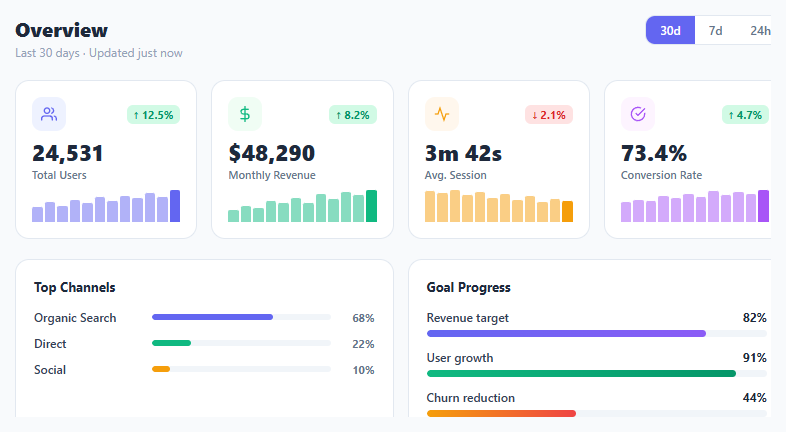
Metric KPI Card Grid

Interact.js Draggable and Resizable Dashboard Panels with Snapping
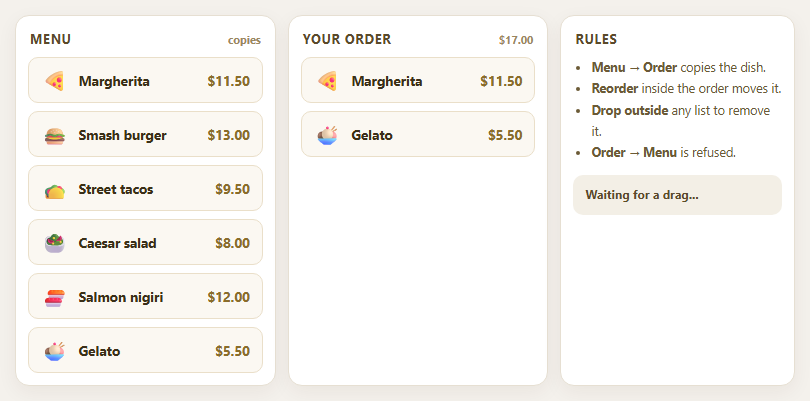
Dragula Copy vs Move Lists with Spill Control

SortableJS Shared Groups: Clone from a Palette into a Page Builder

SortableJS Drag Handle with Pinned and Locked Rows
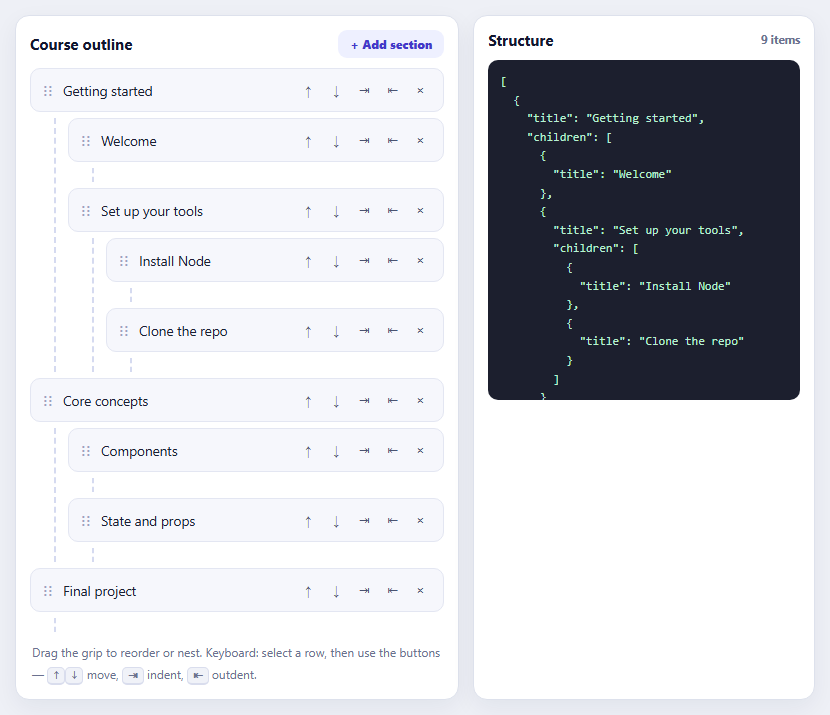
SortableJS Nested Sortable Tree with Keyboard Controls
Trip Itinerary Day Timeline — Free Vertical Timeline Snippet
Trip Itinerary Day Timeline · Dashboards · Plain HTML, CSS & JS · Live preview
Copy & paste
Source Code
<div class="idt-wrap">
<div class="idt-header">
<h2>Day 3</h2>
<span class="idt-date">Saturday, Sep 12</span>
</div>
<ol class="idt-timeline" id="idtTimeline">
<li class="idt-item" data-type="flight">
<span class="idt-icon" aria-hidden="true">✈️</span>
<div class="idt-content">
<span class="idt-time">7:20 AM</span>
<h3 class="idt-title">Flight to Lisbon</h3>
<p class="idt-location">Charles de Gaulle · Terminal 2E</p>
</div>
</li>
<li class="idt-item" data-type="hotel">
<span class="idt-icon" aria-hidden="true">🏨</span>
<div class="idt-content">
<span class="idt-time">11:45 AM</span>
<h3 class="idt-title">Check in — Hotel Alma</h3>
<p class="idt-location">Praça Dom Luís I, Lisbon</p>
</div>
</li>
<li class="idt-item" data-type="activity">
<span class="idt-icon" aria-hidden="true">🏛️</span>
<div class="idt-content">
<span class="idt-time">1:30 PM</span>
<h3 class="idt-title">Belém Tower walking tour</h3>
<p class="idt-location">Av. Brasília, Belém</p>
</div>
</li>
<li class="idt-item" data-type="restaurant">
<span class="idt-icon" aria-hidden="true">🍽️</span>
<div class="idt-content">
<span class="idt-time">4:00 PM</span>
<h3 class="idt-title">Coffee & pastéis de nata</h3>
<p class="idt-location">Pastéis de Belém</p>
</div>
</li>
<li class="idt-item" data-type="restaurant">
<span class="idt-icon" aria-hidden="true">🍽️</span>
<div class="idt-content">
<span class="idt-time">8:00 PM</span>
<h3 class="idt-title">Dinner — Time Out Market</h3>
<p class="idt-location">Av. 24 de Julho 49</p>
</div>
</li>
</ol>
<button type="button" class="idt-add" id="idtAdd">+ Add stop</button>
</div>*{box-sizing:border-box;margin:0;padding:0}
body{font-family:system-ui,-apple-system,sans-serif;background:#0c0e16;color:#fff;min-height:100vh;padding:32px 16px;display:flex;align-items:center;justify-content:center}
.idt-wrap{max-width:460px;margin:0 auto}
.idt-header{display:flex;align-items:baseline;gap:10px;margin-bottom:22px}
.idt-header h2{font-size:24px;letter-spacing:-.01em}
.idt-date{font-size:13px;color:#7a8199}
.idt-timeline{list-style:none;position:relative;padding-left:38px}
.idt-timeline::before{content:'';position:absolute;left:15px;top:6px;bottom:6px;width:2px;background:linear-gradient(#2a3a5c,#1a2036 90%)}
.idt-item{position:relative;padding-bottom:26px;opacity:0;transform:translateY(10px);animation:idtIn .5s ease forwards}
.idt-item:last-child{padding-bottom:0}
.idt-item:nth-child(1){animation-delay:.05s}
.idt-item:nth-child(2){animation-delay:.15s}
.idt-item:nth-child(3){animation-delay:.25s}
.idt-item:nth-child(4){animation-delay:.35s}
.idt-item:nth-child(5){animation-delay:.45s}
@keyframes idtIn{to{opacity:1;transform:none}}
.idt-icon{position:absolute;left:-38px;top:0;width:32px;height:32px;border-radius:50%;background:#151a28;border:2px solid #2a3a5c;display:flex;align-items:center;justify-content:center;font-size:15px;z-index:1}
.idt-item[data-type="flight"] .idt-icon{border-color:#60a5fa}
.idt-item[data-type="hotel"] .idt-icon{border-color:#c084fc}
.idt-item[data-type="activity"] .idt-icon{border-color:#4ade80}
.idt-item[data-type="restaurant"] .idt-icon{border-color:#fb923c}
.idt-content{background:#131722;border:1px solid #232a3d;border-radius:14px;padding:12px 14px;margin-left:6px}
.idt-time{display:block;font-size:11px;font-weight:700;letter-spacing:.05em;color:#7a8199;margin-bottom:4px}
.idt-title{font-size:15px;font-weight:600;margin-bottom:3px}
.idt-location{font-size:12.5px;color:#7a8199}
.idt-add{margin-top:18px;width:100%;padding:11px;border-radius:12px;border:1px dashed #2a3145;background:transparent;color:#7a8199;font-size:13px;font-weight:600;cursor:pointer;transition:all .2s ease}
.idt-add:hover{border-color:#4b5468;color:#fff;background:#151a28}const list = document.getElementById('idtTimeline');
const addBtn = document.getElementById('idtAdd');
const extras = [
{ type: 'activity', icon: '🌅', time: '9:00 PM', title: 'Sunset viewpoint — Miradouro', location: 'Miradouro de Santa Luzia' },
{ type: 'hotel', icon: '🏨', time: '10:30 PM', title: 'Back to hotel', location: 'Hotel Alma, Lisbon' },
];
addBtn.addEventListener('click', () => {
const next = extras.shift();
if (!next) {
addBtn.disabled = true;
addBtn.textContent = 'No more stops';
return;
}
const li = document.createElement('li');
li.className = 'idt-item';
li.dataset.type = next.type;
li.innerHTML = `<span class="idt-icon" aria-hidden="true">${next.icon}</span>
<div class="idt-content">
<span class="idt-time">${next.time}</span>
<h3 class="idt-title">${next.title}</h3>
<p class="idt-location">${next.location}</p>
</div>`;
list.appendChild(li);
if (!extras.length) {
addBtn.disabled = true;
addBtn.textContent = 'No more stops';
}
});Extend with AI
Take This Snippet Further With AI
The AI prompt for this one is for Patreon supporters ($3 a month), along with a site with no ads. Supporters enter the passcode once and it is remembered in this browser.
What's included
Features
About this UI Snippet
Trip Itinerary Day Timeline — One Day of a Trip, Stop by Stop
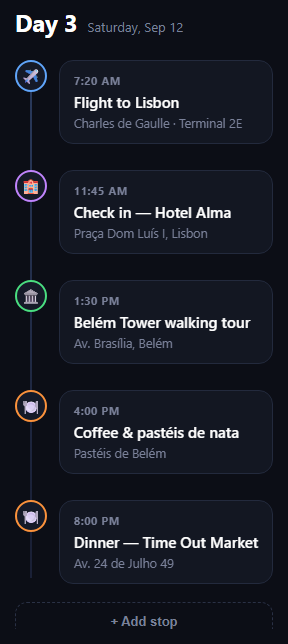
The itinerary day timeline is the vertical list travel apps use to lay out a single day of a trip — a flight, a hotel check-in, a walking tour, a couple of meals — each stop time-stamped, iconed, and connected by a line running down the left edge. This snippet builds it in plain HTML, CSS, and JS.
A connecting line with no JavaScript
The vertical line down the timeline's spine is a single ::before pseudo-element on the <ol>, positioned absolutely and stretched with top/bottom offsets. It sits behind the icon circles (via z-index), so stops read as beads threaded on a thread rather than separate boxes.
Type-coded icons
Each <li> carries a data-type attribute — flight, hotel, activity, or restaurant — and the icon circle's border color is keyed off that attribute in CSS. A flight stop gets a blue ring, a hotel a purple one, and so on, so scanning down the line tells you the shape of the day before you read a single word.
Staggered entrance
Each list item fades and slides in on load with a short animation-delay incrementing per child, using nth-child rather than JavaScript to sequence the reveal — a cheap way to make a static itinerary feel alive without a scroll library.
Cards, not just text
Each stop's content — time, title, location — sits in its own bordered card offset from the icon by a small left margin, so the timeline reads clearly even when titles wrap to two lines or locations run long.
Extendable via one function
The "Add stop" button appends a new <li> from a small queue of extra stops, showing how you'd hydrate the timeline from a real itinerary API — build the markup string once, insert it, and disable the control once the day is fully populated.
Customizing it
Add a "current stop" highlight for today's active item, collapse past stops, or group the list by multiple days with a header per day. Pair it with a boarding pass, property listing card, or an order tracking timeline for a different kind of sequence.
Step by step
How to Use
- 1Paste HTML, CSS, and JSA day header and connected timeline of stops render.
- 2Watch the staggered revealEach stop fades and slides in on load.
- 3Note the icon colorsdata-type on each item colors its icon ring.
- 4Click "Add stop"New items append with the same connecting line.
- 5Swap in real dataBuild the same markup from your itinerary API.
- 6Restyle per typeAdjust the data-type selectors for your own palette.
Real-world uses
Common Use Cases
data-type colouring flights, hotels, activities and meals.Got questions?
Frequently Asked Questions
The vertical line is a single ::before pseudo-element on the ol, absolutely positioned with top and bottom offsets so it spans the list, and given a lower z-index than the icon circles so stops appear threaded on it rather than overlapping it.
Each li carries a data-type attribute (flight, hotel, activity, restaurant), and the icon circle's border-color is set with a [data-type="..."] CSS selector. Changing the attribute is enough to recolor a stop — no per-item inline styles or extra classes needed.
Each .idt-item animates from a slightly offset, transparent state to its resting state using a CSS keyframe, with animation-delay incrementing per child via nth-child selectors. It's a pure-CSS stagger — no scroll or animation library involved — that plays once on page load.
Build the same li markup — icon, data-type, time, title, location — for each stop from your itinerary API response and either render it server-side or append it client-side the way the "Add stop" button's handler does, which builds an HTML string and calls appendChild.
Yes — repeat the .idt-header plus .idt-timeline block once per day, each with its own ol so the connecting line and stagger delays reset per day. You could also wrap each day in a collapsible section for a multi-day trip view.