

Lazy-Loaded Carousel — HTML CSS JS Snippet
Lazy-Loaded Carousel · Carousels · Plain HTML, CSS & JS · Live preview
Copy & paste
Source Code
<div class="llc-wrap">
  <div class="llc-track" id="llcTrack">
    <div class="llc-slide" data-bg="#6366f1,#4338ca" data-icon="🎧"><div class="llc-placeholder"></div></div>
    <div class="llc-slide" data-bg="#0ea5e9,#0369a1" data-icon="📷"><div class="llc-placeholder"></div></div>
    <div class="llc-slide" data-bg="#ec4899,#9d174d" data-icon="⌚"><div class="llc-placeholder"></div></div>
    <div class="llc-slide" data-bg="#10b981,#047857" data-icon="🎮"><div class="llc-placeholder"></div></div>
    <div class="llc-slide" data-bg="#f59e0b,#b45309" data-icon="🔊"><div class="llc-placeholder"></div></div>
  </div>
  <div class="llc-controls">
    <button class="llc-btn" id="llcPrev" aria-label="Previous">‹</button>
    <div class="llc-dots" id="llcDots"></div>
    <button class="llc-btn" id="llcNext" aria-label="Next">›</button>
  </div>
  <p class="llc-log" id="llcLog">Loaded: none yet</p>
</div>*{box-sizing:border-box;margin:0;padding:0}
body{font-family:system-ui,-apple-system,sans-serif;background:#f6f7f9;min-height:100vh;display:flex;align-items:center;justify-content:center;padding:24px}
.llc-wrap{width:100%;max-width:420px}
.llc-track{display:flex;overflow:hidden;border-radius:16px;position:relative;height:220px}
.llc-slide{position:absolute;inset:0;opacity:0;transition:opacity .4s ease;display:flex;align-items:center;justify-content:center}
.llc-slide.llc-active{opacity:1;z-index:1}
.llc-placeholder{width:100%;height:100%;background:#e5e7eb;display:flex;align-items:center;justify-content:center;font-size:11px;color:#9ca3af;font-weight:700}
.llc-slide.llc-loaded .llc-placeholder{background:var(--llc-bg);color:transparent}
.llc-slide.llc-loaded::after{content:attr(data-icon);position:absolute;font-size:56px;z-index:1}
.llc-controls{display:flex;align-items:center;justify-content:center;gap:16px;margin-top:16px}
.llc-btn{width:36px;height:36px;border-radius:50%;background:#fff;border:1.5px solid #e3e5ea;color:#4b5563;font-size:17px;cursor:pointer;display:flex;align-items:center;justify-content:center;transition:border-color .15s,color .15s}
.llc-btn:hover{border-color:#6366f1;color:#6366f1}
.llc-dots{display:flex;gap:7px}
.llc-dot{width:7px;height:7px;border-radius:50%;background:#d1d5db;border:none;cursor:pointer;transition:background .2s,width .2s}
.llc-dot.active{background:#6366f1;width:20px;border-radius:4px}
.llc-log{text-align:center;font-size:11px;color:#9ca3af;margin-top:12px}var slides = document.querySelectorAll('.llc-slide');
var dotsWrap = document.getElementById('llcDots');
var logEl = document.getElementById('llcLog');
var current = 0;
var loaded = {};
slides.forEach(function (s, i) {
var d = document.createElement('button');
d.className = 'llc-dot';
d.setAttribute('aria-label', 'Go to slide ' + (i + 1));
d.addEventListener('click', function () { goTo(i); });
dotsWrap.appendChild(d);
});
var dots = document.querySelectorAll('.llc-dot');
function fakeLoad(index) {
return new Promise(function (resolve) {
// Simulates an async image fetch (a real implementation would set
// img.src here and resolve on the load event). A short randomized delay
// stands in for real network latency so the placeholder-to-content swap
// is visibly distinct from an instant, synchronous render.
setTimeout(function () { resolve(); }, 250 + Math.random() * 250);
});
}
function ensureLoaded(index) {
if (loaded[index]) return;
loaded[index] = true;
var slide = slides[index];
fakeLoad(index).then(function () {
slide.style.setProperty('--llc-bg', 'linear-gradient(160deg,' + slide.dataset.bg + ')');
slide.classList.add('llc-loaded');
logEl.textContent = 'Loaded: slide ' + (index + 1);
});
}
// The IntersectionObserver watches every slide but only triggers a load for
// ones that actually become visible-or-nearly-visible — the neighbors of the
// active slide, driven by a generous rootMargin, load slightly BEFORE they're
// navigated to, so there's no visible pop-in the instant you click next.
var observer = new IntersectionObserver(function (entries) {
entries.forEach(function (entry) {
if (entry.isIntersecting) {
var index = Array.prototype.indexOf.call(slides, entry.target);
ensureLoaded(index);
}
});
}, { root: null, rootMargin: '0px 100% 0px 100%', threshold: 0.01 });
slides.forEach(function (s) { observer.observe(s); });
function render() {
slides.forEach(function (s, i) { s.classList.toggle('llc-active', i === current); });
dots.forEach(function (d, i) { d.classList.toggle('active', i === current); });
ensureLoaded(current);
}
function goTo(i) { current = i; render(); }
function next() { goTo((current + 1) % slides.length); }
function prev() { goTo((current - 1 + slides.length) % slides.length); }
document.getElementById('llcNext').addEventListener('click', next);
document.getElementById('llcPrev').addEventListener('click', prev);
document.addEventListener('keydown', function (e) {
if (e.key === 'ArrowRight') next();
else if (e.key === 'ArrowLeft') prev();
});
render();Extend with AI
Take This Snippet Further With AI
The AI prompt for this one is for Patreon supporters ($3 a month, 7 days free), along with a site with no ads. Supporters enter the passcode once and it is remembered in this browser.
What's included
Features
About this UI Snippet
Lazy-Loaded Carousel — Loading Just Ahead of the Click, Not All Upfront
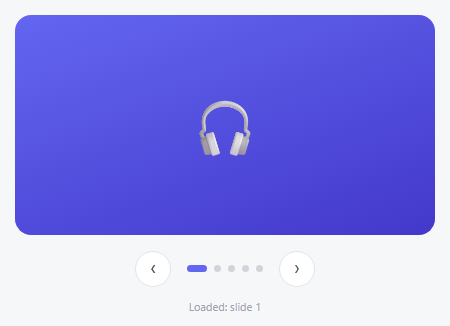
A carousel with ten heavy images usually loads all ten the instant the page loads, even though a visitor might only ever see the first two. This snippet defers that work: every slide starts as a plain gray placeholder, and its real content only loads the moment that slide is genuinely about to matter — either because it's the currently active one, or because it's sitting just outside the viewport where a viewer is about to scroll or click to it.
A generous rootMargin turns "about to be needed" into a real signal
The IntersectionObserver here uses rootMargin: '0px 100% 0px 100%' — expanding its effective viewport by a full container-width on both the left and right. That means a slide is reported as "intersecting" not just when it's literally on screen, but when it's within one carousel-width of being on screen — exactly capturing "the neighbor you're about to navigate to," so its load kicks off *before* you click next, not after.
A load-tracking map instead of re-fetching on every visit
loaded is a plain object keyed by slide index — ensureLoaded() checks it first and does nothing if that index has already started loading, even if the observer fires again for the same slide later (e.g. scrolling back and forth). That guard is what makes this safe to call from both the observer callback *and* directly from render() on every navigation, without ever double-fetching the same slide's content.
Simulated latency, standing in for a real fetch
fakeLoad() returns a Promise that resolves after a short randomized delay — a stand-in for a real <img>'s load event or a fetch call, deliberately visible enough that the placeholder-to-content swap reads as genuine asynchronous loading, not an instant synchronous render.
Step by step
How to Use
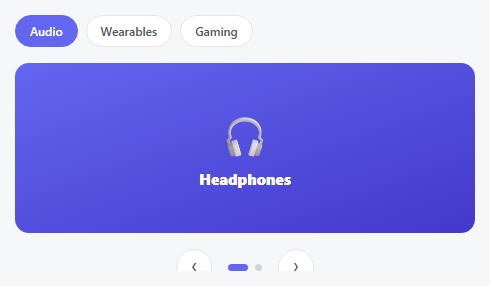
- 1Paste HTML, CSS, and JSThe first slide shows a brief gray placeholder, then loads in with its icon and color.
- 2Watch the log lineIt reports exactly which slide just finished loading, in real time.
- 3Click nextThe slide you land on is often already loaded, since its neighbor status triggered a pre-load earlier.
- 4Click through all fiveNotice each one only ever loads once, even if you navigate back and forth repeatedly.
- 5Swap in real imagesReplace fakeLoad's setTimeout with an actual <img> element whose src is set only inside ensureLoaded, resolving on its load event.
Real-world uses
Common Use Cases
Got questions?
Frequently Asked Questions
Replace the body of fakeLoad with code that creates or updates a real <img> element's src attribute and resolves the returned Promise on that image's load (and error) event, instead of a setTimeout — everything else in the pattern (the observer, the loaded map, ensureLoaded) works unchanged.
The default would only trigger a load once a slide is already visible — by the time a user clicks next, there'd be a visible loading delay. Expanding the observed area by a full container-width in each direction (100%) means a slide starts loading while it's still just off-screen, so it's often already loaded by the time it becomes active.
The loaded object is checked at the very top of ensureLoaded and set to true before the async load even starts — every subsequent call for that same index, whether from the observer firing again or from render(), sees it's already been claimed and does nothing further.
Yes — set root to the carousel's own scrollable ancestor (if the carousel sits inside its own scroll container) instead of null (the viewport) so the intersection calculation is relative to that container rather than the whole page.
Arrows and dots are real labeled buttons operable via Left/Right arrow keys; for real images, ensure meaningful alt text is set at the same time the src is set, so a screen reader announces accurate content once loading completes.