



Matter.js Slingshot Game — Levels, Critters and Aim Preview
Matter.js Slingshot Tower Knockdown Game · Games · Plain HTML, CSS & JS · Live preview
For supporters
Source Code
Want the source code?
Play the game for free. Become a WebDevPuneet supporter to unlock the complete HTML, CSS and JavaScript source code, the exports (HTML, React, Vue, Angular, Tailwind) and Fork.
Extend with AI
Take This Snippet Further With AI
The AI prompt for this one is for Patreon supporters ($3 a month, 7 days free), along with a site with no ads. Supporters enter the passcode once and it is remembered in this browser.
What's included
Features
About this UI Snippet
A Slingshot Game in Matter.js — Exact Aim Preview, Fragile Glass and Critters to Pop
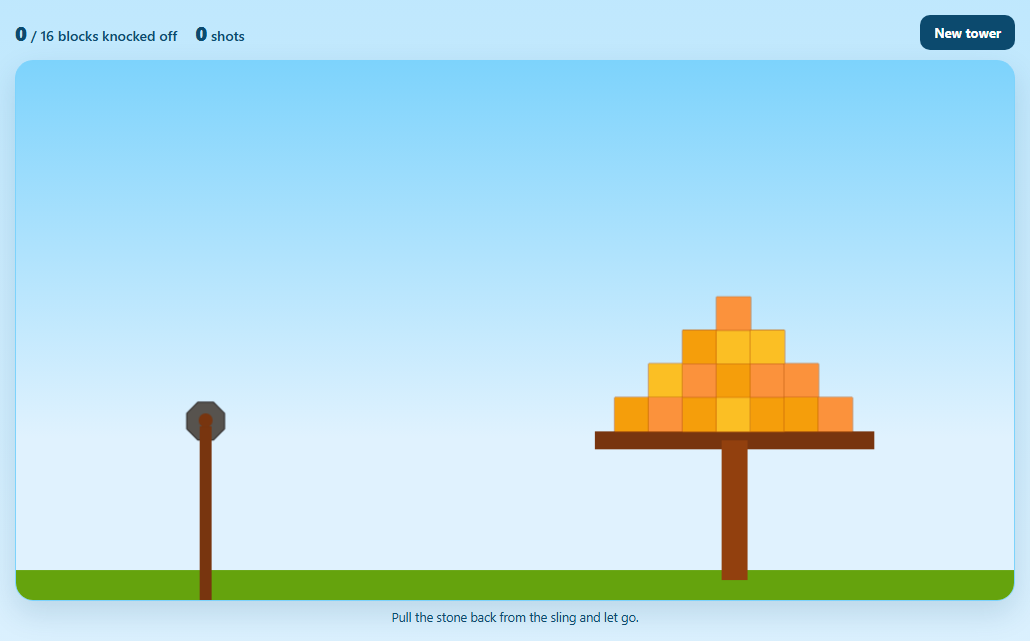
Pull back, let go, watch a tower collapse: slingshot games are the classic physics-engine showcase. This version turns the mechanics into a small game with three levels, a limited number of stones, green critters to pop, blocks of wood, stone and glass, a dotted aim preview that matches the shot exactly, star ratings and particle effects, all on one canvas with plain JavaScript and Matter.js.
An aim preview that is actually accurate
Instead of letting a spring fling the stone and guessing where it goes, the launch is computed. While you drag, the stone is held at your pointer up to 130px from the anchor. On release, Body.setVelocity gives it a speed of pull distance times a constant (POWER). Because that speed is known, the preview can replay the engine's own per-step maths: multiply by the air friction (1 minus 0.004), add gravity (0.2778 per step), move, and draw a dot every fourth step until the path meets the ground. The dots land where the stone will.
Release detection with enddrag
MouseConstraint fires an enddrag event when you let go. If the dragged body is the stone, the state is "play" and the pull is at least 28px, the spring is detached, the velocity is set and one stone is spent. A smaller pull just lets the spring return it. A new stone is loaded 900ms later with a short grow-in, and startdrag rejects every body that is not the loaded stone.
Three materials
Wood, stone and glass differ in density and fragility. Stone is four times heavier than glass, so it barely moves when hit. Glass shatters when it collides above a speed threshold (lower for another body, higher for the ground), spraying blue shards and giving 50 points, which makes glass floors a way to bring a structure down.
Critters that pop on impact
Each green critter is a circle that pops when something hits it hard enough: the relative speed from collisionStart must exceed 3.6 for a moving body or 7.5 for the ground, so a gentle landing is safe but a falling block is not. A pop gives 500 points, a burst of confetti and a short screen shake. The faces blink, and are drawn along with every other body by hand in afterRender.
Levels, stones and stars
Each level is a function that returns bodies placed relative to the platform: a pillar frame, a two-tower fort with glass and stone floors, and a stepped pyramid built with Composites.pyramid. A level is won when no critters remain and lost when the stones run out and the scene settles. Finishing with two or more stones left earns three stars, and every unused stone is worth 300 bonus points.
Housekeeping
Spent stones are removed once they leave the scene or have lain around for nine seconds, particles and floating text are capped, and the background, clouds and hills are painted last with destination-over.
Step by step
How to Use
- 1Press PlayA card explains the goal: pop every green critter before the stones run out. The stones left are shown as dots in the HUD.
- 2Drag the stone backPull it back from the sling, up to 130px. A dotted line shows the exact path the stone will take.
- 3ReleaseThe stone launches at a speed proportional to the pull. Pull further for more power and change the angle for a different arc.
- 4Use the materialsGlass shatters at a touch, wood holds, and stone is heavy. Knock out supports so the structure drops onto the critters.
- 5Clear the levelPop all critters to win, earning 500 each, 300 per unused stone, and up to three stars. Next level changes the structure.
- 6RetryRetry level resets the structure and restores the score from the start of that level.
Real-world uses
Common Use Cases
Got questions?
Frequently Asked Questions
The launch velocity is set directly from the pull (distance times POWER), so the preview repeats Matter's own per-step update: multiply the velocity by one minus the air friction, add 0.2778 of gravity, then move. Plotting every fourth position until it reaches the ground gives a path that matches the real flight.
A spring's launch speed depends on stiffness, damping, mass and frame timing, which makes a trajectory impossible to predict exactly. Computing velocity from the pull gives predictable shots and an accurate preview, while the spring only holds the stone at rest.
Add an object to LEVELS with a stones count and a build function that returns bodies, using block(kind, dx, bottom, w, h) and critter(dx, bottom) to place things relative to the platform. The HUD, win check and star rating pick it up automatically.
In collisionStart the relative speed between the two bodies is measured. A critter pops above 3.6 against a moving body or 7.5 against the ground, and glass shatters above 4.2 or 6.5. Raise the numbers for sturdier objects.
Setting render.visible to false on each body and painting them in afterRender gives full control: faces on critters, grain on wood, cracks on stone and shine on glass. The polygon vertices from Matter are used for the shapes, so collisions and visuals stay in sync.