


Dot Muncher Maze Game: Four Ghosts, Fruit and Tunnels
Dot Muncher Maze Game · Games · Plain HTML, CSS & JS · Live preview
Copy & paste
Source Code
<div class="game-card">
  <div class="game-header">
    <div class="game-title">
      <span class="game-icon">🟡</span>
      <h2>Dot Muncher</h2>
    </div>
    <div class="stat-badges">
      <span class="badge">Lvl <b id="level">1</b></span>
      <span class="badge">Best <b id="best-score">0</b></span>
    </div>
  </div>

  <div class="canvas-wrap">
    <canvas id="game-canvas" width="304" height="336"></canvas>
    <div class="hud">
      <span id="hud-score">0</span>
      <span class="lives" id="hud-lives">🟡🟡🟡</span>
    </div>
    <div class="overlay" id="start-overlay">
      <div class="overlay-card">
        <p class="overlay-title">Dot Muncher</p>
        <p class="overlay-sub">Eat every dot. Four ghosts hunt you, each in its own way. Grab a power pellet to turn them blue and chomp them, and catch the fruit for bonus points.</p>
        <button class="btn btn-primary" id="btn-start">Start</button>
      </div>
    </div>
    <div class="overlay hidden" id="pause-overlay">
      <div class="overlay-card">
        <p class="overlay-title">Paused</p>
        <button class="btn btn-primary" id="btn-resume">Resume</button>
      </div>
    </div>
    <div class="overlay hidden" id="gameover-overlay">
      <div class="overlay-card">
        <p class="overlay-title">Game Over</p>
        <p class="overlay-sub" id="final-score">Score 0</p>
        <p class="overlay-best" id="best-msg"></p>
        <button class="btn btn-primary" id="btn-retry">Play again</button>
      </div>
    </div>
  </div>

  <div class="controls">
    <div class="dpad-cross">
      <button class="ctrl-btn up" id="btn-up" aria-label="Up">▲</button>
      <button class="ctrl-btn left" id="btn-left" aria-label="Left">◀</button>
      <button class="ctrl-btn right" id="btn-right" aria-label="Right">▶</button>
      <button class="ctrl-btn down" id="btn-down" aria-label="Down">▼</button>
    </div>
    <div class="side-box">
      <div class="side-btns">
        <button class="mini-btn" id="btn-pause" type="button" aria-label="Pause">⏸</button>
        <button class="mini-btn" id="btn-mute" type="button" aria-label="Sound on" aria-pressed="false">🔊</button>
      </div>
      <div class="tip-box">Power pellets turn the hunters into the hunted. Eat them in a row: 200, 400, 800, 1600.</div>
    </div>
  </div>

  <p class="hint-text">Arrow keys / WASD or swipe the maze to steer · P to pause</p>
</div>
* { box-sizing: border-box; margin: 0; padding: 0; }
body { font-family: system-ui, -apple-system, sans-serif; background: #f1f5f9; min-height: 100vh; display: flex; align-items: center; justify-content: center; padding: 20px; }
.game-card { width: 100%; max-width: 400px; background: #fff; border-radius: 18px; border: 1px solid #e2e8f0; box-shadow: 0 12px 40px rgba(15,23,42,0.1); padding: 18px; user-select: none; -webkit-user-select: none; }
.game-header { display: flex; align-items: center; justify-content: space-between; margin-bottom: 12px; gap: 8px; }
.game-title { display: flex; align-items: center; gap: 8px; }
.game-icon { font-size: 20px; }
.game-title h2 { font-size: 17px; font-weight: 700; color: #0f172a; }
.stat-badges { display: flex; gap: 6px; }
.badge { font-size: 11px; font-weight: 600; color: #475569; background: #f1f5f9; padding: 4px 9px; border-radius: 20px; white-space: nowrap; }
.badge b { color: #d97706; }
.canvas-wrap { position: relative; border-radius: 12px; overflow: hidden; line-height: 0; touch-action: none; background: #02030d; }
canvas { display: block; width: 100%; height: auto; }
.hud { position: absolute; inset: 6px 10px auto 10px; display: flex; align-items: center; justify-content: space-between; font-size: 13px; font-weight: 800; color: #fff; font-variant-numeric: tabular-nums; text-shadow: 0 1px 4px rgba(0,0,0,0.7); pointer-events: none; }
.lives { font-size: 11px; letter-spacing: 1px; }
.overlay { position: absolute; inset: 0; background: rgba(2,3,13,0.86); display: flex; align-items: center; justify-content: center; padding: 20px; line-height: 1.4; }
.overlay.hidden { display: none; }
.overlay-card { text-align: center; }
.overlay-title { font-size: 21px; font-weight: 800; color: #fde047; margin-bottom: 8px; }
.overlay-sub { font-size: 13px; color: #cbd5e1; margin-bottom: 4px; max-width: 290px; }
.overlay-best { font-size: 12px; color: #fbbf24; font-weight: 700; margin: 6px 0 0; min-height: 16px; }
.btn { padding: 11px 26px; font-size: 14px; font-weight: 700; border-radius: 10px; cursor: pointer; font-family: inherit; transition: background 0.15s; border: none; margin-top: 14px; }
.btn-primary { background: #d97706; color: #fff; }
.btn-primary:hover { background: #b45309; }
.controls { display: flex; align-items: center; justify-content: space-between; gap: 14px; margin-top: 14px; }
.dpad-cross { display: grid; grid-template-columns: repeat(3, 46px); grid-template-rows: repeat(3, 46px); gap: 4px; flex-shrink: 0; }
.ctrl-btn { -webkit-tap-highlight-color: transparent; touch-action: none; cursor: pointer; font-family: inherit; border: 1px solid #e2e8f0; border-radius: 10px; background: #f8fafc; color: #334155; font-size: 18px; font-weight: 700; box-shadow: 0 2px 0 #e2e8f0; transition: transform 0.06s, background 0.12s; }
.ctrl-btn:active { transform: translateY(2px); box-shadow: none; background: #fef3c7; }
.ctrl-btn.up { grid-column: 2; grid-row: 1; }
.ctrl-btn.left { grid-column: 1; grid-row: 2; }
.ctrl-btn.right { grid-column: 3; grid-row: 2; }
.ctrl-btn.down { grid-column: 2; grid-row: 3; }
.side-box { display: flex; flex-direction: column; gap: 8px; align-items: stretch; }
.side-btns { display: flex; gap: 6px; justify-content: flex-end; }
.mini-btn { width: 34px; height: 30px; border: 1px solid #e2e8f0; background: #f8fafc; border-radius: 9px; font-size: 14px; line-height: 1; cursor: pointer; }
.mini-btn[aria-pressed="true"] { opacity: 0.55; }
.tip-box { font-size: 11.5px; font-weight: 600; color: #92400e; background: #fef3c7; border-radius: 12px; padding: 9px 11px; line-height: 1.4; }
.hint-text { font-size: 11px; color: #94a3b8; text-align: center; margin-top: 10px; }const canvas = document.getElementById('game-canvas');
const ctx = canvas.getContext('2d');
const TS = 16;
const BEST_KEY = 'dot-muncher-best';
// Maze: # wall, . dot, o power pellet, P start, H ghost house, - ghost door, space = no dot.
// The open ends of the middle row are a tunnel that wraps around the screen.
const MAZE = [
'###################',
'#........#........#',
'#o##.###.#.###.##o#',
'#.................#',
'#.##.#.#####.#.##.#',
'#....#...#...#....#',
'####.###.#.###.####',
'#.................#',
'#.###.###-###.###.#',
' .....#HHHHH#..... ',
'#.###.#######.###.#',
'#.................#',
'#.##.#.#####.#.##.#',
'#....#...#...#....#',
'####.###.#.###.####',
'#o.#.....P.....#.o#',
'#..#.#.#####.#.#..#',
'#....#...#...#....#',
'#.######.#.######.#',
'#.................#',
'###################',
];
const COLS = MAZE[0].length, ROWS = MAZE.length;
const W = COLS * TS, H = ROWS * TS;
const TUNNEL = MAZE.map(row => row[0] !== '#' && row[COLS - 1] !== '#');
const HOUSE = { c: 9, r: 9 }, EXIT = { c: 9, r: 7 }, FRUIT_AT = { c: 9, r: 11 };
const ZERO = { x: 0, y: 0 };
const DIRS = [{ x: 0, y: -1 }, { x: -1, y: 0 }, { x: 0, y: 1 }, { x: 1, y: 0 }]; // up, left, down, right (ties go in this order)
// Four ghosts, four targeting rules (see ghostTarget)
const GHOSTS = [
{ name: 'Blinky', color: '#ef4444', corner: { c: 17, r: 1 }, release: 0 },
{ name: 'Pinky', color: '#f9a8d4', corner: { c: 1, r: 1 }, release: 1.5 },
{ name: 'Inky', color: '#22d3ee', corner: { c: 17, r: 19 }, release: 5 },
{ name: 'Clyde', color: '#fb923c', corner: { c: 1, r: 19 }, release: 8 },
];
const FRUITS = [{ e: '🍒', p: 100 }, { e: '🍓', p: 300 }, { e: '🍊', p: 500 }, { e: '🍎', p: 700 }, { e: '🍈', p: 1000 }];
const SCHEDULE = [7, 20, 7, 20, 5, 20, 5, Infinity]; // scatter, chase, scatter, chase...
const EXTRA_LIFE_AT = 5000;
let dots, dotsLeft, dotsEaten, playerSpawn, distHome, distExit;
let player, ghosts, fruit, popups;
let score, lives, level, running, paused, rafId, lastFrame, phase, phaseT, deathT;
let modeIdx, modeT, frightT, ghostChain, mouth, tickT, extraGiven;
let wallsBlue, wallsWhite;
let muted = false, ac = null, chompFlip = false;
const $ = id => document.getElementById(id);
const startOverlay = $('start-overlay'), pauseOverlay = $('pause-overlay'), gameoverOverlay = $('gameover-overlay');
const hudScore = $('hud-score'), hudLives = $('hud-lives'), levelEl = $('level'), bestEl = $('best-score');
const finalEl = $('final-score'), bestMsgEl = $('best-msg'), muteBtn = $('btn-mute'), pauseBtn = $('btn-pause');
function getBest() { try { return parseInt(localStorage.getItem(BEST_KEY), 10) || 0; } catch (e) { return 0; } }
function setBest(v) { try { localStorage.setItem(BEST_KEY, String(v)); } catch (e) {} }
// ── Maze helpers (the tunnel rows wrap left to right) ──
const wrapC = c => (c + COLS) % COLS;
function tileCh(c, r) {
if (r < 0 || r >= ROWS) return '#';
if (c < 0 || c >= COLS) { if (!TUNNEL[r]) return '#'; c = wrapC(c); }
return MAZE[r][c];
}
// mode 'p' = the player, 'g' = a roaming ghost, 'x' = a ghost that may use the house and its door
function passable(c, r, mode) {
const ch = tileCh(c, r);
if (ch === '#') return false;
if (ch === 'H' || ch === '-') return mode === 'x';
return true;
}
const center = (c, r) => ({ x: c * TS + TS / 2, y: r * TS + TS / 2 });
const isReverse = (a, b) => a.x === -b.x && a.y === -b.y && (a.x || a.y);
// Walking distance from every tile to a target, used by ghosts that are leaving or returning to the house
function bfsField(target) {
const d = Array.from({ length: ROWS }, () => new Array(COLS).fill(9999));
d[target.r][target.c] = 0;
const q = [target];
while (q.length) {
const t = q.shift();
for (const dir of DIRS) {
const nr = t.r + dir.y, nc = wrapC(t.c + dir.x);
if (!passable(t.c + dir.x, nr, 'x')) continue;
if (d[nr][nc] > d[t.r][t.c] + 1) { d[nr][nc] = d[t.r][t.c] + 1; q.push({ c: nc, r: nr }); }
}
}
return d;
}
function buildMaze() {
dots = []; dotsLeft = 0; dotsEaten = 0;
for (let r = 0; r < ROWS; r++) {
dots[r] = [];
for (let c = 0; c < COLS; c++) {
const ch = MAZE[r][c];
dots[r][c] = ch === '.' ? 1 : ch === 'o' ? 2 : 0;
if (dots[r][c]) dotsLeft++;
if (ch === 'P') playerSpawn = { c, r };
}
}
}
// Wall art is drawn once into two off-screen canvases (blue, and white for the level-clear flash)
function renderWalls(color) {
const cv = document.createElement('canvas'); cv.width = W; cv.height = H;
const g = cv.getContext('2d');
g.lineCap = 'round'; g.lineWidth = 2;
for (let r = 0; r < ROWS; r++) for (let c = 0; c < COLS; c++) {
const ch = MAZE[r][c], x = c * TS, y = r * TS;
if (ch === '#') {
g.fillStyle = '#071034'; g.fillRect(x, y, TS, TS);
g.strokeStyle = color; g.shadowColor = color; g.shadowBlur = 5;
g.beginPath();
DIRS.forEach(d => {
const nc = c + d.x, nr = r + d.y;
if (nc < 0 || nc >= COLS || nr < 0 || nr >= ROWS || MAZE[nr][nc] === '#') return;
if (d.y === -1) { g.moveTo(x + 1, y + 1); g.lineTo(x + TS - 1, y + 1); }
if (d.y === 1) { g.moveTo(x + 1, y + TS - 1); g.lineTo(x + TS - 1, y + TS - 1); }
if (d.x === -1) { g.moveTo(x + 1, y + 1); g.lineTo(x + 1, y + TS - 1); }
if (d.x === 1) { g.moveTo(x + TS - 1, y + 1); g.lineTo(x + TS - 1, y + TS - 1); }
});
g.stroke();
g.shadowBlur = 0;
} else if (ch === '-') { g.fillStyle = '#f9a8d4'; g.fillRect(x, y + TS / 2 - 1.5, TS, 3); }
}
return cv;
}
// ── Movers: a tile, a direction, and progress (0 to 1) toward the next tile ──
function makeMover(c, r, speed) { return { c, r, dir: ZERO, prog: 0, speed, px: 0, py: 0 }; }
function syncPos(e) { const cen = center(e.c, e.r); e.px = cen.x + e.dir.x * e.prog * TS; e.py = cen.y + e.dir.y * e.prog * TS; }
// Turn around on the spot (same pixel position, the other way): the player does it instantly
function reverseMover(e) {
if (!e.dir.x && !e.dir.y) return;
e.c = wrapC(e.c + e.dir.x); e.r += e.dir.y;
e.dir = { x: -e.dir.x, y: -e.dir.y }; e.prog = 1 - e.prog;
}
const playerSpeed = () => Math.min(6.9, 6.4 + (level - 1) * 0.08);
const ghostBase = () => Math.min(6.2, 4.9 + (level - 1) * 0.22);
function resetPositions() {
player = makeMover(playerSpawn.c, playerSpawn.r, playerSpeed());
player.want = { x: -1, y: 0 }; player.face = Math.PI;
const scale = Math.max(0.35, 1 - 0.1 * (level - 1));
ghosts = GHOSTS.map((def, i) => {
const g = i === 0 ? makeMover(EXIT.c, EXIT.r, ghostBase()) : makeMover(HOUSE.c + (i === 2 ? -1 : i === 3 ? 1 : 0), HOUSE.r, ghostBase());
g.def = def; g.idx = i; g.frightened = false; g.hold = def.release * scale;
g.state = i === 0 ? 'roam' : 'house'; // house -> leaving -> roam -> (frightened) -> eaten -> leaving
g.dir = i === 0 ? { x: -1, y: 0 } : ZERO;
return g;
});
syncPos(player); ghosts.forEach(syncPos);
modeIdx = 0; modeT = SCHEDULE[0]; frightT = 0; ghostChain = 0; fruit = null; popups = [];
phase = 'ready'; phaseT = 2.1; deathT = 0;
}
function resetState() {
buildMaze();
score = 0; lives = 3; level = 1; extraGiven = false; mouth = 0; tickT = 0;
resetPositions(); syncHud();
}
function syncHud() {
hudScore.textContent = score;
hudLives.textContent = '🟡'.repeat(Math.max(0, lives));
levelEl.textContent = level;
}
// ── Ghost brains ──
const inScatter = () => modeIdx % 2 === 0;
function ghostTarget(g) {
const p = player, ahead = n => ({ c: p.c + p.dir.x * n, r: p.r + p.dir.y * n });
if (g.idx === 0) return (inScatter() && dotsLeft > 20) ? g.def.corner : { c: p.c, r: p.r };
if (inScatter()) return g.def.corner;
if (g.idx === 1) return ahead(4); // Pinky ambushes four tiles ahead
if (g.idx === 2) { // Inky flanks, using Blinky as a pivot
const a = ahead(2), b = ghosts[0];
return { c: a.c * 2 - b.c, r: a.r * 2 - b.r };
}
const far = (g.c - p.c) * (g.c - p.c) + (g.r - p.r) * (g.r - p.r) > 64; // Clyde shies away when close
return far ? { c: p.c, r: p.r } : g.def.corner;
}
function followField(g, field) {
let best = null, bd = Infinity;
for (const d of DIRS) {
if (!passable(g.c + d.x, g.r + d.y, 'x')) continue;
const v = field[g.r + d.y][wrapC(g.c + d.x)];
if (v < bd) { bd = v; best = d; }
}
g.dir = best || ZERO;
}
function decideGhost(g) {
if (g.state === 'eaten') return followField(g, distHome);
if (g.state === 'leaving') return followField(g, distExit);
const open = DIRS.filter(d => passable(g.c + d.x, g.r + d.y, 'g'));
const fwd = open.filter(d => !isReverse(d, g.dir));
const list = fwd.length ? fwd : open;
if (!list.length) { g.dir = ZERO; return; }
if (g.frightened) { g.dir = list[(Math.random() * list.length) | 0]; return; }
const t = ghostTarget(g);
let best = list[0], bd = Infinity;
for (const d of list) {
const nc = g.c + d.x, nr = g.r + d.y, dist = (nc - t.c) * (nc - t.c) + (nr - t.r) * (nr - t.r);
if (dist < bd) { bd = dist; best = d; }
}
g.dir = best;
}
function ghostArrive(g) {
if (g.state === 'leaving' && g.c === EXIT.c && g.r === EXIT.r) { g.state = 'roam'; g.dir = { x: Math.random() < 0.5 ? -1 : 1, y: 0 }; }
else if (g.state === 'eaten' && g.c === HOUSE.c && g.r === HOUSE.r) { g.state = 'leaving'; g.frightened = false; sfx.revive(); }
}
function ghostSpeed(g) {
if (g.state === 'eaten') return 11;
if (g.state === 'leaving') return 3.6;
let s = ghostBase();
if (g.idx === 0 && dotsLeft <= 10) s *= 1.18; else if (g.idx === 0 && dotsLeft <= 20) s *= 1.1; // Blinky speeds up
if (g.frightened) s *= 0.55;
if (TUNNEL[g.r] && (g.c <= 2 || g.c >= COLS - 3)) s *= 0.55; // slow in the tunnel
return s;
}
function decidePlayer() {
if (player.want && passable(player.c + player.want.x, player.r + player.want.y, 'p')) player.dir = player.want;
else if (!passable(player.c + player.dir.x, player.r + player.dir.y, 'p')) player.dir = ZERO;
}
// ── Sound: a tiny Web Audio synth, no files ──
function tone(f, dur, type, to, vol, delay) {
if (muted) return;
try {
if (!ac) ac = new (window.AudioContext || window.webkitAudioContext)();
if (ac.state === 'suspended') ac.resume();
const t0 = ac.currentTime + (delay || 0), o = ac.createOscillator(), g = ac.createGain();
o.type = type || 'square'; o.frequency.setValueAtTime(f, t0);
if (to) o.frequency.exponentialRampToValueAtTime(to, t0 + dur);
g.gain.setValueAtTime(vol || 0.04, t0); g.gain.exponentialRampToValueAtTime(0.0001, t0 + dur);
o.connect(g); g.connect(ac.destination); o.start(t0); o.stop(t0 + dur + 0.02);
} catch (e) {}
}
const sfx = {
chomp: () => { chompFlip = !chompFlip; tone(chompFlip ? 330 : 240, 0.07, 'square', 0, 0.03); },
power: () => tone(180, 0.35, 'sawtooth', 700, 0.04),
ghost: () => tone(300, 0.22, 'square', 1200, 0.05),
fruit: () => { tone(880, 0.08, 'square', 0, 0.04); tone(1320, 0.14, 'square', 0, 0.04, 0.08); },
death: () => tone(520, 1.1, 'sawtooth', 60, 0.05),
revive: () => tone(500, 0.08, 'triangle', 0, 0.03),
ready: () => [392, 523, 659, 784].forEach((f, i) => tone(f, 0.12, 'square', 0, 0.035, i * 0.11)),
clear: () => [523, 659, 784, 1046, 1318].forEach((f, i) => tone(f, 0.16, 'square', 0, 0.04, i * 0.1)),
life: () => [784, 988, 1175].forEach((f, i) => tone(f, 0.12, 'triangle', 0, 0.05, i * 0.09)),
};
// ── Scoring and eating ──
function addScore(n) {
score += n;
if (!extraGiven && score >= EXTRA_LIFE_AT) { extraGiven = true; lives++; sfx.life(); popup(W / 2, 9 * TS + 8, 'EXTRA LIFE', '#4ade80'); }
}
function popup(x, y, text, color) { popups.push({ x, y, text, color: color || '#fde047', t: 1 }); }
function frightDuration() { return Math.max(1, 7 - (level - 1)); }
function eatAt(c, r) {
const v = dots[r][c];
if (!v) return;
dots[r][c] = 0; dotsLeft--; dotsEaten++;
if (v === 1) { addScore(10); sfx.chomp(); }
else {
addScore(50); sfx.power();
frightT = frightDuration(); ghostChain = 0;
ghosts.forEach(g => { if (g.state !== 'eaten') { if (g.state === 'roam' && !g.frightened) reverseMover(g); g.frightened = true; } });
}
if (dotsEaten === 50 || dotsEaten === 120) fruit = { t: 9.5 };
if (dotsLeft <= 0) { phase = 'clear'; phaseT = 1.9; sfx.clear(); }
}
// ── Frame update ──
function stepMover(e, dt, isPlayer) {
if (isPlayer && (e.dir.x || e.dir.y) && e.want && isReverse(e.want, e.dir)) reverseMover(e);
if (!e.dir.x && !e.dir.y) { isPlayer ? decidePlayer() : decideGhost(e); if (!e.dir.x && !e.dir.y) { syncPos(e); return; } }
e.prog += e.speed * dt;
let guard = 0;
while (e.prog >= 1 && guard++ < 6) {
e.prog -= 1; e.c = wrapC(e.c + e.dir.x); e.r += e.dir.y;
if (isPlayer) eatAt(e.c, e.r); else ghostArrive(e);
isPlayer ? decidePlayer() : decideGhost(e);
if (phase !== 'play') break;
if (!e.dir.x && !e.dir.y) { e.prog = 0; break; }
}
syncPos(e);
}
function update(dt) {
// Scatter / chase timer (ghosts turn around when it flips)
if (frightT <= 0) {
modeT -= dt;
if (modeT <= 0 && modeIdx < SCHEDULE.length - 1) {
modeIdx++; modeT = SCHEDULE[modeIdx] * (modeIdx % 2 === 0 ? Math.max(0.4, 1 - 0.12 * (level - 1)) : 1);
ghosts.forEach(g => { if (g.state === 'roam' && !g.frightened) reverseMover(g); });
}
}
if (frightT > 0) { frightT -= dt; if (frightT <= 0) { ghosts.forEach(g => { g.frightened = false; }); ghostChain = 0; } }
if (fruit) { fruit.t -= dt; if (fruit.t <= 0) fruit = null; }
player.speed = playerSpeed();
stepMover(player, dt, true);
if (phase !== 'play') return;
if (player.dir.x || player.dir.y) mouth += dt * 16;
ghosts.forEach(g => {
if (g.state === 'house') { g.hold -= dt; if (g.hold <= 0) { g.state = 'leaving'; g.dir = ZERO; } return; }
g.speed = ghostSpeed(g);
stepMover(g, dt, false);
});
if (phase !== 'play') return;
// Fruit
if (fruit) {
const fc = center(FRUIT_AT.c, FRUIT_AT.r);
if (Math.hypot(player.px - fc.x, player.py - fc.y) < TS * 0.7) {
const f = FRUITS[Math.min(level - 1, FRUITS.length - 1)];
addScore(f.p); sfx.fruit(); popup(fc.x, fc.y, String(f.p), '#fb923c'); fruit = null;
}
}
// Ghost contact: eat it if frightened, lose a life otherwise
for (const g of ghosts) {
if (g.state === 'house' || g.state === 'eaten') continue;
if (Math.hypot(g.px - player.px, g.py - player.py) < TS * 0.65) {
if (g.frightened) {
g.frightened = false; g.state = 'eaten'; ghostChain++;
const pts = 200 * Math.pow(2, Math.min(3, ghostChain - 1));
addScore(pts); sfx.ghost(); popup(g.px, g.py, String(pts), '#22d3ee');
phase = 'freeze'; phaseT = 0.55;
break;
}
phase = 'dying'; deathT = 0; lives--; sfx.death(); syncHud();
return;
}
}
}
function tick(dt) {
popups.forEach(p => { p.t -= dt; p.y -= dt * 10; });
popups = popups.filter(p => p.t > 0);
tickT += dt;
if (phase === 'ready') { phaseT -= dt; if (phaseT <= 0) phase = 'play'; return; }
if (phase === 'freeze') { phaseT -= dt; if (phaseT <= 0) phase = 'play'; return; }
if (phase === 'dying') { deathT += dt; if (deathT >= 1.4) { if (lives <= 0) endGame(); else { resetPositions(); syncHud(); sfx.ready(); } } return; }
if (phase === 'clear') { phaseT -= dt; if (phaseT <= 0) { level++; buildMaze(); resetPositions(); syncHud(); sfx.ready(); } return; }
update(dt);
syncHud();
}
// ── Drawing ──
function drawGhost(g) {
const x = g.px, y = g.py, rad = TS * 0.46, fr = Math.floor(tickT * 8) % 2;
const flashing = g.frightened && frightT < 2 && Math.floor(frightT * 6) % 2 === 0;
if (g.state !== 'eaten') {
ctx.fillStyle = g.frightened ? (flashing ? '#f1f5f9' : '#2a3ad8') : g.def.color;
ctx.beginPath();
ctx.arc(x, y - 1, rad, Math.PI, 0);
ctx.lineTo(x + rad, y + rad);
for (let i = 0; i < 3; i++) {
const w = rad * 2 / 3, x1 = x + rad - i * w;
ctx.lineTo(x1 - w * 0.5, y + rad - (fr ? 3 : 0));
ctx.lineTo(x1 - w, y + rad - (fr ? 0 : 3) * (i === 2 ? 0 : 1));
}
ctx.closePath(); ctx.fill();
}
if (g.frightened && g.state !== 'eaten') {
ctx.fillStyle = flashing ? '#ef4444' : '#fde68a';
ctx.fillRect(x - 4, y - 3, 2, 2); ctx.fillRect(x + 2, y - 3, 2, 2);
ctx.strokeStyle = ctx.fillStyle; ctx.lineWidth = 1;
ctx.beginPath(); ctx.moveTo(x - 5, y + 3); for (let i = 0; i < 5; i++) ctx.lineTo(x - 5 + (i + 1) * 2, y + (i % 2 ? 3 : 1)); ctx.stroke();
} else {
ctx.fillStyle = '#fff';
ctx.beginPath(); ctx.arc(x - 3.5, y - 2, 3, 0, 6.3); ctx.arc(x + 3.5, y - 2, 3, 0, 6.3); ctx.fill();
ctx.fillStyle = '#1d4ed8';
ctx.beginPath(); ctx.arc(x - 3.5 + g.dir.x * 1.5, y - 2 + g.dir.y * 1.5, 1.5, 0, 6.3); ctx.arc(x + 3.5 + g.dir.x * 1.5, y - 2 + g.dir.y * 1.5, 1.5, 0, 6.3); ctx.fill();
}
}
function drawPlayer() {
const p = player;
if (p.dir.x === 1) p.face = 0; else if (p.dir.x === -1) p.face = Math.PI; else if (p.dir.y === 1) p.face = Math.PI / 2; else if (p.dir.y === -1) p.face = -Math.PI / 2;
let a;
if (phase === 'dying') a = Math.min(1, deathT / 1.2) * Math.PI; // the mouth opens until nothing is left
else a = Math.abs(Math.sin(mouth)) * 0.32 * Math.PI + 0.04;
if (phase === 'dying' && a >= Math.PI) return;
ctx.fillStyle = '#fde047';
ctx.beginPath();
ctx.moveTo(p.px, p.py);
ctx.arc(p.px, p.py, TS * 0.48, p.face + a, p.face + 2 * Math.PI - a);
ctx.closePath(); ctx.fill();
}
function draw() {
ctx.fillStyle = '#02030d'; ctx.fillRect(0, 0, W, H);
const flash = phase === 'clear' && Math.floor(phaseT * 5) % 2 === 0;
ctx.drawImage(flash ? wallsWhite : wallsBlue, 0, 0);
// Dots and power pellets
for (let r = 0; r < ROWS; r++) for (let c = 0; c < COLS; c++) {
const v = dots[r][c];
if (!v) continue;
const cen = center(c, r);
ctx.fillStyle = '#fde68a';
ctx.beginPath();
if (v === 2) { if (Math.floor(tickT * 4) % 2) continue; ctx.arc(cen.x, cen.y, 5, 0, 6.3); } else ctx.arc(cen.x, cen.y, 1.8, 0, 6.3);
ctx.fill();
}
if (fruit && (fruit.t > 2 || Math.floor(fruit.t * 6) % 2)) {
const f = FRUITS[Math.min(level - 1, FRUITS.length - 1)], fc = center(FRUIT_AT.c, FRUIT_AT.r);
ctx.font = '13px serif'; ctx.textAlign = 'center'; ctx.textBaseline = 'middle';
ctx.fillText(f.e, fc.x, fc.y + 1);
}
if (phase !== 'dying') ghosts.forEach(g => { if (!(phase === 'freeze' && g.state === 'eaten' && phaseT > 0)) drawGhost(g); });
drawPlayer();
ctx.font = 'bold 9px system-ui, sans-serif'; ctx.textAlign = 'center'; ctx.textBaseline = 'middle';
popups.forEach(p => { ctx.globalAlpha = Math.min(1, p.t * 2); ctx.fillStyle = p.color; ctx.fillText(p.text, p.x, p.y); });
ctx.globalAlpha = 1;
if (phase === 'ready') { ctx.font = 'bold 12px system-ui, sans-serif'; ctx.fillStyle = '#fde047'; ctx.fillText(level === 1 && score === 0 ? 'READY!' : 'LEVEL ' + level, W / 2, 11 * TS + 8); }
}
// ── Game flow ──
function loop(ts) {
if (!running) return;
if (!lastFrame) lastFrame = ts;
const dt = Math.min((ts - lastFrame) / 1000, 1 / 30);
lastFrame = ts;
tick(dt);
if (running) { draw(); rafId = requestAnimationFrame(loop); }
}
function startGame() {
resetState(); running = true; paused = false; lastFrame = 0;
startOverlay.classList.add('hidden'); pauseOverlay.classList.add('hidden'); gameoverOverlay.classList.add('hidden');
sfx.ready();
rafId = requestAnimationFrame(loop);
}
function setPaused(p) {
if (!running && !paused) return;
if (p === paused) return;
paused = p;
if (p) { running = false; cancelAnimationFrame(rafId); draw(); pauseOverlay.classList.remove('hidden'); }
else { pauseOverlay.classList.add('hidden'); running = true; lastFrame = 0; rafId = requestAnimationFrame(loop); }
}
function endGame() {
running = false; cancelAnimationFrame(rafId); phase = 'over'; draw();
const best = getBest();
finalEl.textContent = 'Score ' + score + ' · Level ' + level;
if (score > best) { setBest(score); bestEl.textContent = score; bestMsgEl.textContent = '🏆 New high score!'; }
else bestMsgEl.textContent = '';
gameoverOverlay.classList.remove('hidden');
}
// ── Input: keyboard, D-pad and swipe all just queue a direction (turned into at the next open tile) ──
const KEY = { ArrowUp: DIRS[0], ArrowLeft: DIRS[1], ArrowDown: DIRS[2], ArrowRight: DIRS[3], w: DIRS[0], a: DIRS[1], s: DIRS[2], d: DIRS[3], W: DIRS[0], A: DIRS[1], S: DIRS[2], D: DIRS[3] };
document.addEventListener('keydown', e => {
if (e.key === 'p' || e.key === 'P' || e.key === 'Escape') { if (running || paused) setPaused(!paused); return; }
if (KEY[e.key]) { e.preventDefault(); if (player && running) player.want = KEY[e.key]; }
else if ((e.key === 'Enter' || e.key === ' ') && !running) {
if (!startOverlay.classList.contains('hidden') || !gameoverOverlay.classList.contains('hidden')) { e.preventDefault(); startGame(); }
else if (paused) { e.preventDefault(); setPaused(false); }
}
});
document.addEventListener('visibilitychange', () => { if (document.hidden && running) setPaused(true); });
function steer(id, d) {
const el = $(id);
el.addEventListener('pointerdown', e => { e.preventDefault(); if (player && running) player.want = d; });
el.addEventListener('contextmenu', e => e.preventDefault());
}
steer('btn-up', DIRS[0]); steer('btn-left', DIRS[1]); steer('btn-down', DIRS[2]); steer('btn-right', DIRS[3]);
// Swipe anywhere on the maze
let swipe = null;
canvas.addEventListener('pointerdown', e => { swipe = { x: e.clientX, y: e.clientY }; });
canvas.addEventListener('pointermove', e => {
if (!swipe || !player || !running) return;
const dx = e.clientX - swipe.x, dy = e.clientY - swipe.y;
if (Math.abs(dx) < 18 && Math.abs(dy) < 18) return;
player.want = Math.abs(dx) > Math.abs(dy) ? (dx > 0 ? DIRS[3] : DIRS[1]) : (dy > 0 ? DIRS[2] : DIRS[0]);
swipe = { x: e.clientX, y: e.clientY };
});
['pointerup', 'pointercancel', 'pointerleave'].forEach(ev => canvas.addEventListener(ev, () => { swipe = null; }));
$('btn-start').addEventListener('click', startGame);
$('btn-retry').addEventListener('click', startGame);
$('btn-resume').addEventListener('click', () => setPaused(false));
pauseBtn.addEventListener('click', () => { if (running || paused) setPaused(!paused); });
muteBtn.addEventListener('click', () => {
muted = !muted; muteBtn.textContent = muted ? '🔇' : '🔊';
muteBtn.setAttribute('aria-pressed', String(muted)); muteBtn.setAttribute('aria-label', muted ? 'Sound off' : 'Sound on');
});
distHome = bfsField(HOUSE);
distExit = bfsField(EXIT);
wallsBlue = renderWalls('#3b82f6');
wallsWhite = renderWalls('#f8fafc');
bestEl.textContent = getBest();
paused = false; running = false;
resetState();
draw();
/* wdp-share:start */
(function () {
var TITLE = 'Dot Muncher Maze Game', URL = 'https://webdevpuneet.com/ui-snippets/dot-muncher-game/';
if (window.__wdpShare) return;
window.__wdpShare = true;
var blob = null;
/* ---- UI: a small pill fixed to the bottom-right corner, and a panel above it ---- */
var st = document.createElement('style');
st.textContent =
'.wdps-btn{position:fixed;right:12px;bottom:12px;z-index:2147483000;border:0;border-radius:99px;padding:9px 16px;font:700 13px/1 system-ui,sans-serif;background:#16a34a;color:#fff;cursor:pointer;box-shadow:0 3px 12px rgba(0,0,0,.3)}' +
'.wdps-btn:active{transform:translateY(1px)}' +
'.wdps-box{position:fixed;right:12px;bottom:56px;z-index:2147483000;max-width:min(92vw,330px);background:#fff;color:#1e293b;border:1px solid #d5e2ee;border-radius:14px;padding:10px 12px;font:600 12px/1.4 system-ui,sans-serif;box-shadow:0 8px 26px rgba(0,0,0,.3);display:flex;flex-wrap:wrap;gap:6px;align-items:center}' +
'.wdps-box[hidden]{display:none}' +
'.wdps-box img{width:100%;border-radius:8px;border:1px solid #e2e8f0}' +
'.wdps-box button,.wdps-box a{border:1px solid #d5e2ee;background:#f8fafc;color:#1e293b;border-radius:99px;padding:5px 11px;font:700 12px system-ui,sans-serif;text-decoration:none;cursor:pointer}' +
'.wdps-box .wdps-x{margin-left:auto;border:0;background:none;font-size:16px;padding:0 4px}';
document.head.appendChild(st);
var btn = document.createElement('button');
btn.type = 'button'; btn.className = 'wdps-btn'; btn.textContent = 'Share result';
var box = document.createElement('div');
box.className = 'wdps-box'; box.hidden = true;
box.innerHTML =
'<img alt="Your result card">' +
'<button type="button" data-a="more" hidden>Share…</button>' +
'<button type="button" data-a="copy">Copy image</button>' +
'<a data-a="dl" download="result.png">Download image</a>' +
'<a data-a="wa" target="_blank" rel="noopener">WhatsApp</a>' +
'<a data-a="x" target="_blank" rel="noopener">X</a>' +
'<a data-a="fb" target="_blank" rel="noopener">Facebook</a>' +
'<button type="button" class="wdps-x" data-a="close" aria-label="Close">×</button>' +
'<span data-a="msg" style="width:100%;color:#64748b"></span>';
document.body.appendChild(box);
document.body.appendChild(btn);
function q(a) { return box.querySelector('[data-a="' + a + '"]'); }
/* ---- reading the result from the screen ---- */
function shown(el) {
if (!el || !el.getClientRects().length) return false;
for (var n = el; n && n !== document.body; n = n.parentElement) {
var cs = getComputedStyle(n);
if (cs.display === 'none' || cs.visibility === 'hidden' || parseFloat(cs.opacity) < 0.1) return false;
if (n.hidden || n.getAttribute('aria-hidden') === 'true') return false;
}
return true;
}
function txt(el) { return (el.textContent || '').replace(/\s+/g, ' ').trim(); }
function sig(el) { return ((el.id || '') + ' ' + (typeof el.className === 'string' ? el.className : '')).toLowerCase(); }
var OUTCOME = /(you win|you won|win!|wins|victory|game over|time.?s up|cleared|complete|solved|defeat|you lose|you lost|lost|draw|crash|failed|success|congrat|score|result|finished|beat)/i;
function readResult() {
var head = '', sub = '', root = null;
var all = document.body.querySelectorAll('h1,h2,h3,h4,p,strong,div,span');
for (var i = 0; i < all.length && !head; i++) {
var el = all[i];
if (el.closest('.wdps-box') || el.children.length > 2) continue;
var s = sig(el);
if (!/(title|headline|msg|message|banner|result|verdict|status)/.test(s)) continue;
var t = txt(el);
if (t.length < 3 || t.length > 70 || !OUTCOME.test(t) || !shown(el)) continue;
head = t; root = el.parentElement;
}
if (root) {
var kids = root.querySelectorAll('p,span,div');
for (var j = 0; j < kids.length && !sub; j++) {
var k = kids[j];
if (k.children.length > 2 || !/(sub|text|summary|note|desc|detail)/.test(sig(k))) continue;
var tt = txt(k);
if (tt && tt !== head && tt.length >= 5 && tt.length <= 160 && shown(k)) sub = tt;
}
}
return { head: head, sub: sub };
}
var STATRE = /(score|moves|time|wpm|best|level|streak|accuracy|combo|coins|distance|height|points|stars|lives|wins|attempt|guess)/;
function readStats() {
var out = [], seen = {};
var all = document.body.querySelectorAll('span,strong,b,div,p,output');
for (var i = 0; i < all.length && out.length < 4; i++) {
var el = all[i];
if (el.closest('.wdps-box') || el.children.length > 1) continue;
if (!STATRE.test(sig(el))) continue;
var t = txt(el);
if (!t || t.length > 28 || !/[0-9]/.test(t) || !shown(el)) continue;
if (!/[a-zA-Z]/.test(t) && el.parentElement) {
var parts = [], ch = el.parentElement.childNodes;
for (var p = 0; p < ch.length; p++) { var pv = (ch[p].textContent || '').replace(/\s+/g, ' ').trim(); if (pv) parts.push(pv); }
var pt = parts.join(' ');
if (pt.length <= 30 && /[a-zA-Z]/.test(pt)) t = pt;
}
var key = t.toLowerCase();
if (seen[key]) continue;
seen[key] = 1; out.push(t);
}
return out;
}
function bestCanvas() {
var cs = document.querySelectorAll('canvas'), best = null, area = 0;
for (var i = 0; i < cs.length; i++) {
var r = cs[i].getBoundingClientRect(), a = r.width * r.height;
if (a > area && a > 8000 && shown(cs[i])) { area = a; best = cs[i]; }
}
return best;
}
/* ---- the card (1080 x 1080, drawn in memory) ---- */
function wrap(g, text, x, y, maxW, lh, maxLines) {
var words = text.split(' '), line = '', n = 0;
for (var i = 0; i < words.length; i++) {
var tst = line ? line + ' ' + words[i] : words[i];
if (g.measureText(tst).width > maxW && line) {
g.fillText(line, x, y); y += lh; n++; line = words[i];
if (n >= maxLines) return y;
} else line = tst;
}
if (line) { g.fillText(line, x, y); y += lh; }
return y;
}
function makeCard(info, cb) {
var S = 1080, c = document.createElement('canvas');
c.width = S; c.height = S;
var g = c.getContext('2d');
var gr = g.createLinearGradient(0, 0, S, S);
gr.addColorStop(0, '#0f172a'); gr.addColorStop(1, '#312e81');
g.fillStyle = gr; g.fillRect(0, 0, S, S);
g.textAlign = 'center';
g.fillStyle = '#a5b4fc'; g.font = '700 38px system-ui, sans-serif';
g.fillText(TITLE.toUpperCase(), S / 2, 100);
g.fillStyle = '#ffffff'; g.font = '800 84px system-ui, sans-serif';
var y = wrap(g, info.head || 'Can you beat me?', S / 2, 215, 940, 94, 2);
g.fillStyle = '#cbd5e1'; g.font = '600 38px system-ui, sans-serif';
if (info.sub) y = wrap(g, info.sub, S / 2, y + 6, 900, 50, 2);
g.fillStyle = '#fde68a'; g.font = '800 48px system-ui, sans-serif';
for (var i = 0; i < info.stats.length; i++) { g.fillText(info.stats[i], S / 2, y + 60 + i * 60); }
y = y + 60 + info.stats.length * 60;
var cv = bestCanvas();
if (cv) {
try {
var maxW = 900, maxH = Math.max(160, 930 - y), r = cv.width / cv.height;
var w = maxW, h = w / r;
if (h > maxH) { h = maxH; w = h * r; }
var x = (S - w) / 2, yy = y + 20;
g.save(); g.shadowColor = 'rgba(0,0,0,0.5)'; g.shadowBlur = 30; g.fillStyle = '#000';
g.fillRect(x - 6, yy - 6, w + 12, h + 12); g.restore();
g.drawImage(cv, x, yy, w, h);
} catch (e) {}
}
g.fillStyle = '#ffffff'; g.font = '800 46px system-ui, sans-serif';
g.fillText('Can you beat it?', S / 2, 990);
g.fillStyle = '#94a3b8'; g.font = '700 32px system-ui, sans-serif';
g.fillText('Play free at webdevpuneet.com', S / 2, 1040);
var dataUrl = '';
try { dataUrl = c.toDataURL('image/png'); } catch (e) {}
c.toBlob(function (b) { cb(b, dataUrl); }, 'image/png');
}
function shareText(info) {
var bits = [];
if (info.head) bits.push(info.head);
if (info.stats.length) bits.push(info.stats.join(', '));
return TITLE + ': ' + (bits.length ? bits.join(' - ') + '. ' : '') + 'Can you beat it? ' + URL;
}
function msg(t) { q('msg').textContent = t; }
function nativeShare(file, text) {
navigator.share({ files: [file], title: TITLE, text: text }).catch(function () {});
}
btn.addEventListener('click', function () {
var info = readResult(); info.stats = readStats();
var text = shareText(info);
makeCard(info, function (b, dataUrl) {
blob = b;
if (!b) { msg('Could not make the image here.'); box.hidden = false; return; }
var file = null;
try { file = new File([b], 'result.png', { type: 'image/png' }); } catch (e) {}
var canNative = !!(file && navigator.canShare && navigator.canShare({ files: [file] }));
var touch = !!(window.matchMedia && window.matchMedia('(pointer: coarse)').matches);
box.querySelector('img').src = dataUrl;
q('dl').href = dataUrl;
var t = encodeURIComponent(text);
q('wa').href = 'https://wa.me/?text=' + t;
q('x').href = 'https://twitter.com/intent/tweet?text=' + t;
q('fb').href = 'https://www.facebook.com/sharer/sharer.php?u=' + encodeURIComponent(URL) + '"e=' + t;
q('more').hidden = !canNative;
q('more').onclick = function () { nativeShare(file, text); };
msg('Copy or download the image, or pick a site.');
if (canNative && touch) { nativeShare(file, text); }
else { box.hidden = false; }
});
});
q('close').addEventListener('click', function () { box.hidden = true; });
q('copy').addEventListener('click', function () {
try {
navigator.clipboard.write([new ClipboardItem({ 'image/png': blob })]).then(
function () { msg('Image copied. Paste it into your chat or post.'); },
function () { msg('Could not copy here. Try Download image.'); }
);
} catch (e) { msg('Copying images is not supported here. Try Download image.'); }
});
})();
/* wdp-share:end */Extend with AI
Take This Snippet Further With AI
Paste this snippet's HTML, CSS and JS into an AI assistant like Claude and ask it to walk through the tile-and-progress movement model, the four ghost targeting functions, and how the breadth-first distance maps send ghosts out of and back into the house. It is a good base to extend: ask for a second maze that is chosen on higher levels, a two-player alternating mode, ghost-specific sounds, a "cruise" difficulty setting, smoother cornering for the player, a replay of your best run, or a port to a React component with the game state in a ref. Treat it as a working prototype to question and rebuild.
Prompt to recreate it
Copy this into your AI assistant of choice to build the effect from scratch, or as a jumping-off point for your own variant:
Build a complete Pac-Man-style maze game on an HTML5 canvas in plain HTML, CSS and JavaScript, with no libraries and no image files.

Requirements:
- A 19x21 tile maze defined as an array of strings (# wall, . dot, o power pellet, P start, H ghost house, - ghost door), with a wrap-around tunnel across the middle row. Draw the walls once into off-screen canvases (neon outlines) and flash them white on level clear.
- Tile-locked movement for the player and every ghost: store the tile, a direction and a 0 to 1 progress toward the next tile, and only decide where to go when a tile is reached. Buffer the wanted direction from the keyboard (arrows and WASD), an on-screen D-pad and swipe gestures; allow instant reversal in a corridor.
- Four ghosts that each choose, at every junction, the exit (never straight back) closest to a target tile: Blinky targets the player, Pinky targets four tiles ahead of the player, Inky doubles the vector from Blinky to a tile two ahead of the player, Clyde targets the player when far away and its corner when close. Alternate scatter and chase on a timer, and make ghosts turn around when the mode changes.
- A ghost house: three ghosts start inside and leave on a timer; use breadth-first distance maps from the exit tile and the house centre so leaving ghosts and eaten ghosts (shown as eyes, moving fast) find their way.
- Power pellets turn the ghosts blue and slow with random movement, flash near the end, and can be eaten for 200, 400, 800, 1600 in a row, with a short freeze and a floating score. Touching a normal ghost loses a life with a death animation.
- Fruit twice per level (worth more on higher levels), an extra life at 5000 points, levels that speed up the ghosts and shorten the frightened time, a READY / LEVEL banner, pause (P, a button and when the tab is hidden), Web Audio sound effects with a mute button, and the best score in localStorage (with try/catch).
Want to tighten it up first? Run this prompt through the AI Prompt Studio to score it across 8 quality dimensions, catch anti-patterns, and tune the wording for Claude, ChatGPT, or Gemini before you paste it in.
What's included
Features
About this UI Snippet
Dot Muncher: Tile-Locked Movement, Four Ghost Personalities and a Ghost House
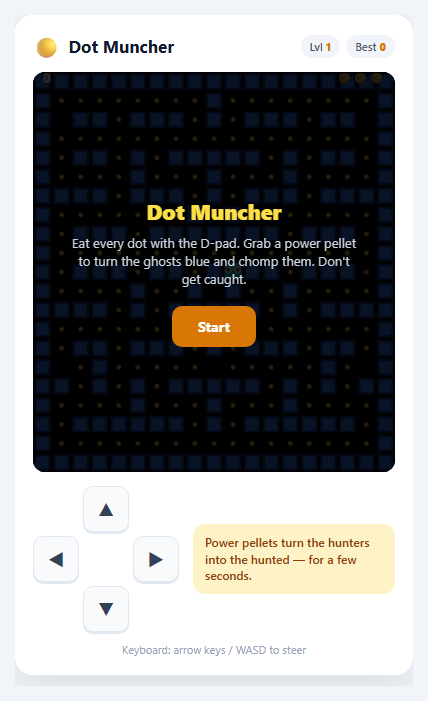
The maze-chase arcade formula (eat every dot while being hunted, with power pellets that swap the roles) packs a lot of game programming into a small board: movement locked to a grid that turns cleanly at junctions, several enemies that each choose their path differently, a global timer that switches them between attacking and retreating, and a ghost house they leave and return to. This snippet builds the whole thing on one HTML5 <canvas> with no libraries or images. It plays with the arrow keys or WASD, with a swipe on the maze, or with an on-screen D-pad, and it pauses when you switch tabs.
Tile-locked movement with progress between tiles
Every mover (the player and each ghost) is stored as a current tile, a direction and a prog value from 0 to 1 for how far it has travelled toward the next tile. Its pixel position is the tile centre plus dir * prog * TS. Each frame prog advances by speed * dt, and when it passes 1 the mover steps onto the next tile and decides where to go next. Because decisions only happen at tile centres, nothing can clip through a wall or miss a turn at a low frame rate. Input is buffered: the D-pad, keys and swipes only set a wanted direction, and the muncher takes it at the first tile where that way is open. Turning back the way you came is allowed instantly, in the middle of a corridor. The middle row is a tunnel: tile lookups wrap around, so a mover leaving one side comes out on the other, and ghosts slow down inside it.
Four ghosts, four ways of hunting
At every junction a ghost looks at the exits (never straight back) and picks the one that ends up closest to a target tile. What differs is the target. Blinky heads for you directly and speeds up when only a few dots remain. Pinky aims four tiles ahead of the way you are facing, to ambush you. Inky uses Blinky as a pivot: it takes the tile two ahead of you and doubles the vector from Blinky, so it flanks. Clyde chases when it is far away and retreats to its corner when it gets close. A timer alternates between *scatter* (each ghost heads for its own corner) and *chase*, and the ghosts turn around when it flips. The scatter periods shrink on higher levels.
The ghost house and frightened mode
Three ghosts start inside the house and leave one by one on a timer. Leaving and returning use a breadth-first distance map computed once from a tile outside the door and from the middle of the house, so the ghost just steps to the neighbouring tile with the smallest distance. Eating a power pellet turns every ghost blue and random-walking, slows it down and reverses it. Catching one sends its eyes racing back to the house along the distance map, where it revives and leaves again. Eaten in a row they score 200, 400, 800 and 1600, shown as floating numbers while the game freezes for a moment.
Levels, fruit and polish
Clearing the board flashes the walls and starts the next level: the ghosts get faster, the frightened time shrinks from 7 seconds down to 1, and they leave the house sooner. A fruit appears twice per level and is worth more on higher levels, and an extra life comes at 5000 points. The walls are drawn once into two off-screen canvases (blue and white for the flash), the player's death plays a mouth-opening animation, and sound effects are made with the Web Audio API, with a mute button. The best score is saved in localStorage.
Step by step
How to Use
- 1Start and steerPress Start, then steer with the arrow keys or WASD, the on-screen D-pad, or a swipe on the maze. Your wanted direction is remembered, so you can press a turn just before the corridor opens.
- 2Eat every dotDots are worth 10 points. Clear them all to finish the level. The two openings in the middle row are a tunnel that wraps to the other side.
- 3Learn the ghostsBlinky (red) chases you, Pinky (pink) ambushes ahead of you, Inky (cyan) flanks using Blinky, and Clyde (orange) retreats when you get close.
- 4Use the power pelletsThe four big pellets (50 points) turn the ghosts blue for a few seconds. Chase them: 200, 400, 800, then 1600 points in a row. Eaten ghosts run back to the house as eyes.
- 5Grab the fruitFruit appears under the ghost house twice per level and disappears after about nine seconds. It is worth 100 on level 1 and more later.
- 6Pause, retry and beat your bestPress P or the pause button to pause (the game also pauses when you leave the tab). You get 3 lives and an extra one at 5000 points; the best score is saved in your browser.
Real-world uses
Common Use Cases
Got questions?
Frequently Asked Questions
They all use the same rule at a junction: look at the exits except straight back and take the one that ends up closest to a target tile. Only the target differs. Blinky targets you, Pinky targets four tiles ahead of your direction, Inky doubles the vector from Blinky to a tile two ahead of you, and Clyde targets you when far away and its own corner when close. During scatter all of them target their corners.
A breadth-first search is run once from the middle of the house (and another from the tile outside the door), giving every tile its walking distance. An eaten ghost simply moves to the neighbouring tile with the smallest number, so it can never get lost, and it revives when it reaches the house and leaves again by following the other map.
Rows whose first and last tiles are open are marked as tunnel rows. tileCh() wraps the column number for those rows, and movers use wrapC() when they step onto a new tile, so a mover that leaves one side arrives on the other. Ghosts are slowed inside the tunnel.
Edit the MAZE array: # is a wall, . a dot, o a power pellet, P the start, H the ghost house, - the door and a space a corridor with no dot. Keep the layout the same width on every row, put the door above the middle of the house, and keep the exit tile (EXIT) and house tile (HOUSE) constants pointing at the tile above the door and the middle of the house.
Each level raises the ghost speed (up to a cap), shortens the scatter periods, cuts the frightened time by a second (down to 1 second) and shortens the ghosts' release times. Blinky also speeds up when 20 and then 10 dots remain.
Yes. You can swipe anywhere on the maze, or use the D-pad. The direction is buffered, so a swipe made just before a junction still turns there, and the game pauses by itself when the tab is hidden.