
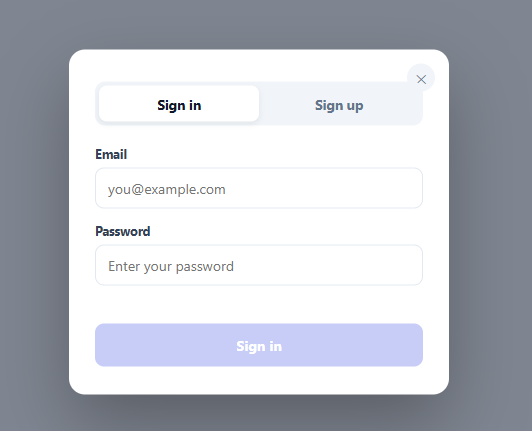
Sign In / Sign Up Modal with Tabs
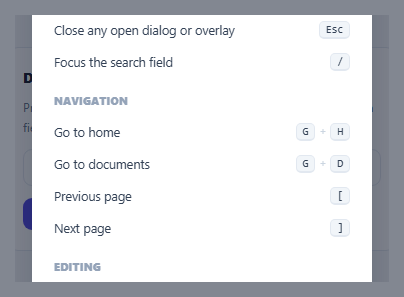
Keyboard Shortcuts Help Overlay — Press "?" to Open
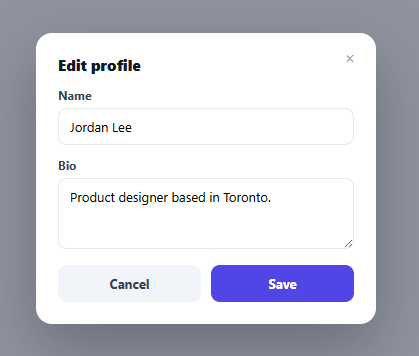
Unsaved Changes Guard — Confirm Before Closing a Dirty Modal
Stacked Modal Manager — Multiple Modals on Top of Each Other, Correctly
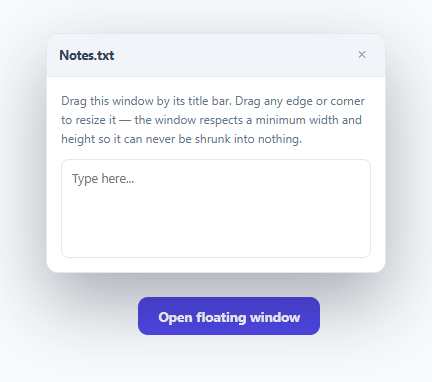
Resizable, Draggable Floating Modal Window
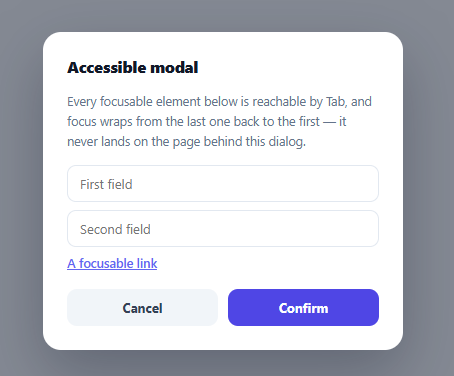
Accessible Modal Primitive with Real Focus Trap
Sign In / Sign Up Modal with Tabs — Free HTML CSS JS Snippet
Sign In / Sign Up Modal with Tabs · Modals · Plain HTML, CSS & JS · Live preview
Copy & paste
Source Code
<div class="ast-page"><button type="button" class="ast-open" id="astOpen">Sign in</button></div>
<div class="ast-backdrop" id="astBackdrop"></div>
<div class="ast-modal" id="astModal" role="dialog" aria-modal="true" aria-labelledby="astTitle">
<button type="button" class="ast-close" id="astClose" aria-label="Close">✕</button>
<h3 id="astTitle" class="ast-visually-hidden">Sign in or create an account</h3>
<div class="ast-tabs" role="tablist">
<button type="button" class="ast-tab active" data-tab="signin" role="tab" aria-selected="true">Sign in</button>
<button type="button" class="ast-tab" data-tab="signup" role="tab" aria-selected="false">Sign up</button>
<span class="ast-tab-thumb" id="astTabThumb"></span>
</div>
<form class="ast-form active" id="astSigninForm" novalidate>
<label class="ast-label">Email<input type="email" class="ast-input" id="siEmail" placeholder="[email protected]" autocomplete="email"></label>
<label class="ast-label">Password<input type="password" class="ast-input" id="siPassword" placeholder="Enter your password" autocomplete="current-password"></label>
<p class="ast-error" id="siError"> </p>
<button type="submit" class="ast-submit" id="siSubmit" disabled>Sign in</button>
</form>
<form class="ast-form" id="astSignupForm" novalidate>
<label class="ast-label">Email<input type="email" class="ast-input" id="suEmail" placeholder="[email protected]" autocomplete="email"></label>
<label class="ast-label">Password<input type="password" class="ast-input" id="suPassword" placeholder="At least 8 characters" autocomplete="new-password"></label>
<div class="ast-strength-track"><div class="ast-strength-bar" id="suStrengthBar"></div></div>
<span class="ast-strength-label" id="suStrengthLabel"> </span>
<p class="ast-error" id="suError"> </p>
<button type="submit" class="ast-submit" id="suSubmit" disabled>Create account</button>
</form>
</div>*{box-sizing:border-box;margin:0;padding:0}
body{font-family:system-ui,-apple-system,sans-serif;background:#f1f5f9;min-height:100vh}
.ast-page{min-height:100vh;display:flex;align-items:center;justify-content:center}
.ast-open{background:#6366f1;color:#fff;border:none;border-radius:11px;padding:12px 24px;font-size:15px;font-weight:700;cursor:pointer;font-family:inherit}
.ast-visually-hidden{position:absolute;width:1px;height:1px;overflow:hidden;clip:rect(0,0,0,0)}
.ast-backdrop{position:fixed;inset:0;background:rgba(15,23,42,.5);opacity:0;pointer-events:none;transition:opacity .2s;z-index:90}
.ast-backdrop.show{opacity:1;pointer-events:all}
.ast-modal{position:fixed;left:50%;top:50%;transform:translate(-50%,-46%) scale(.97);opacity:0;pointer-events:none;
width:min(380px,90vw);background:#fff;border-radius:16px;padding:26px 26px 28px;z-index:91;
transition:opacity .22s,transform .22s;box-shadow:0 30px 70px rgba(0,0,0,.3)}
.ast-modal.show{opacity:1;transform:translate(-50%,-50%) scale(1);pointer-events:all}
.ast-close{position:absolute;top:14px;right:14px;width:28px;height:28px;border-radius:50%;border:none;background:#f1f5f9;color:#64748b;cursor:pointer;font-size:13px}
.ast-tabs{position:relative;display:flex;background:#f1f5f9;border-radius:10px;padding:4px;margin-bottom:20px;margin-top:22px}
.ast-tab{position:relative;z-index:2;flex:1;border:none;background:none;font-family:inherit;font-size:13.5px;font-weight:700;color:#64748b;padding:9px 0;border-radius:8px;cursor:pointer;transition:color .25s}
.ast-tab.active{color:#0f172a}
.ast-tab-thumb{position:absolute;top:4px;left:4px;height:calc(100% - 8px);width:calc(50% - 4px);background:#fff;border-radius:8px;box-shadow:0 2px 6px rgba(15,23,42,.08);transition:transform .28s cubic-bezier(.4,0,.2,1);z-index:1}
.ast-tab-thumb.shift{transform:translateX(100%)}
.ast-form{display:none;flex-direction:column;gap:14px}
.ast-form.active{display:flex}
.ast-label{font-size:12.5px;font-weight:700;color:#334155;display:flex;flex-direction:column;gap:6px}
.ast-input{border:1.5px solid #e2e8f0;border-radius:9px;padding:10px 12px;font-size:14px;font-family:inherit;font-weight:400;outline:none;transition:border-color .15s}
.ast-input:focus{border-color:#6366f1}
.ast-input.invalid{border-color:#ef4444}
.ast-strength-track{height:4px;background:#f1f5f9;border-radius:99px;overflow:hidden;margin-top:-6px}
.ast-strength-bar{height:100%;width:0%;border-radius:99px;background:#ef4444;transition:width .2s,background .2s}
.ast-strength-label{font-size:11px;color:#94a3b8;margin-top:-8px}
.ast-error{font-size:12px;color:#ef4444;min-height:15px;margin-top:-6px}
.ast-submit{background:#6366f1;color:#fff;border:none;border-radius:9px;padding:12px;font-size:14px;font-weight:700;cursor:pointer;font-family:inherit;transition:background .15s,opacity .15s}
.ast-submit:disabled{background:#c7cdf7;cursor:not-allowed}
.ast-submit:not(:disabled):hover{background:#4f46e5}// Two independent forms, each with its own real client-side validation state that is
// preserved when switching tabs — switching from Sign up back to Sign in does not
// clear what was typed in either form.
var openBtn = document.getElementById('astOpen');
var backdrop = document.getElementById('astBackdrop');
var modal = document.getElementById('astModal');
var closeBtn = document.getElementById('astClose');
var tabs = document.querySelectorAll('.ast-tab');
var tabThumb = document.getElementById('astTabThumb');
var forms = { signin: document.getElementById('astSigninForm'), signup: document.getElementById('astSignupForm') };
var EMAIL_RE = /^[^\s@]+@[^\s@]+\.[^\s@]+$/;
function openModal() {
backdrop.classList.add('show');
modal.classList.add('show');
}
function closeModal() {
backdrop.classList.remove('show');
modal.classList.remove('show');
}
openBtn.addEventListener('click', openModal);
closeBtn.addEventListener('click', closeModal);
backdrop.addEventListener('click', closeModal);
document.addEventListener('keydown', function (e) {
if (e.key === 'Escape' && modal.classList.contains('show')) closeModal();
});
function switchTab(name) {
tabs.forEach(function (t) {
var isActive = t.dataset.tab === name;
t.classList.toggle('active', isActive);
t.setAttribute('aria-selected', String(isActive));
});
forms.signin.classList.toggle('active', name === 'signin');
forms.signup.classList.toggle('active', name === 'signup');
tabThumb.classList.toggle('shift', name === 'signup');
}
tabs.forEach(function (tab) {
tab.addEventListener('click', function () { switchTab(tab.dataset.tab); });
});
// --- Sign in validation: valid email + non-empty password ---
var siEmail = document.getElementById('siEmail');
var siPassword = document.getElementById('siPassword');
var siError = document.getElementById('siError');
var siSubmit = document.getElementById('siSubmit');
function validateSignin() {
var emailOk = EMAIL_RE.test(siEmail.value.trim());
var passOk = siPassword.value.length > 0;
siEmail.classList.toggle('invalid', siEmail.value.length > 0 && !emailOk);
siSubmit.disabled = !(emailOk && passOk);
siError.textContent = '\u00a0';
}
[siEmail, siPassword].forEach(function (el) { el.addEventListener('input', validateSignin); });
document.getElementById('astSigninForm').addEventListener('submit', function (e) {
e.preventDefault();
if (siSubmit.disabled) return;
siError.textContent = '\u00a0';
openBtn.textContent = 'Signed in as ' + siEmail.value;
closeModal();
});
// --- Sign up validation: valid email + password strength meter ---
var suEmail = document.getElementById('suEmail');
var suPassword = document.getElementById('suPassword');
var suStrengthBar = document.getElementById('suStrengthBar');
var suStrengthLabel = document.getElementById('suStrengthLabel');
var suError = document.getElementById('suError');
var suSubmit = document.getElementById('suSubmit');
function passwordScore(value) {
var score = 0;
if (value.length >= 8) score++;
if (value.length >= 12) score++;
if (/[A-Z]/.test(value) && /[a-z]/.test(value)) score++;
if (/[0-9]/.test(value)) score++;
if (/[^A-Za-z0-9]/.test(value)) score++;
return score; // 0-5
}
function validateSignup() {
var emailOk = EMAIL_RE.test(suEmail.value.trim());
var score = passwordScore(suPassword.value);
var meetsMinimum = suPassword.value.length >= 8;
suEmail.classList.toggle('invalid', suEmail.value.length > 0 && !emailOk);
var pct = Math.min(score, 5) / 5 * 100;
suStrengthBar.style.width = pct + '%';
var labels = ['Too short', 'Weak', 'Fair', 'Good', 'Strong', 'Very strong'];
var colors = ['#ef4444', '#ef4444', '#f97316', '#eab308', '#22c55e', '#16a34a'];
var idx = suPassword.value.length === 0 ? 0 : score;
suStrengthBar.style.background = colors[idx];
suStrengthLabel.textContent = suPassword.value.length === 0 ? '\u00a0' : labels[idx];
suSubmit.disabled = !(emailOk && meetsMinimum);
suError.textContent = '\u00a0';
}
[suEmail, suPassword].forEach(function (el) { el.addEventListener('input', validateSignup); });
document.getElementById('astSignupForm').addEventListener('submit', function (e) {
e.preventDefault();
if (suSubmit.disabled) return;
suError.textContent = '\u00a0';
openBtn.textContent = 'Account created for ' + suEmail.value;
closeModal();
});Extend with AI
Take This Snippet Further With AI
The AI prompt for this one is for Patreon supporters ($3 a month), along with a site with no ads. Supporters enter the passcode once and it is remembered in this browser.
What's included
Features
About this UI Snippet
Sign In / Sign Up Modal with Tabs — Two Independent Forms, One Sliding Tab Switch
Routing "Sign in" and "Sign up" to two separate pages (or two separate modals) adds a navigation step for a visitor who isn't sure yet which one they need, or who started on the wrong one. This snippet keeps both flows in a single modal, switched with a sliding-pill tab control — and, importantly, keeps the two forms' state fully independent, so switching tabs to peek at the other flow doesn't clear whatever was already typed.
Two <form> elements, not one form with conditional fields
#astSigninForm and #astSignupForm are two separate, complete <form> elements, each always present in the DOM — switchTab() only toggles which one has the .active class (display: flex vs. display: none). This is deliberately not a single form whose fields change based on a mode flag: because both forms keep their own DOM state, typing an email into Sign up, switching to Sign in to check something, and switching back to Sign up preserves exactly what was typed — nothing gets wiped by the tab switch.
Real email validation, not just type="email"
The browser's native type="email" input provides basic format hinting but its actual validation behavior varies across browsers and is easy to bypass with novalidate (used here specifically so JavaScript controls all validation UI consistently). EMAIL_RE — /^[^\s@]+@[^\s@]+\.[^\s@]+$/ — checks for a non-whitespace, non-@ local part, an @ symbol, a non-whitespace, non-@ domain part, a literal dot, and a non-whitespace, non-@ TLD part. It's intentionally a pragmatic, readable pattern rather than the notoriously complex fully-RFC-5322-compliant email regex, which is impractical to actually maintain and, for the purpose of a signup form's client-side sanity check, unnecessary.
The password strength meter, explained
passwordScore() computes a 0–5 integer by checking five independent conditions: length ≥ 8, length ≥ 12, containing both an uppercase and lowercase letter, containing a digit, and containing a non-alphanumeric character — each satisfied condition adds one point. This produces a meter that responds gradually as a password gets more varied and longer, rather than a binary pass/fail. The bar's width and color, and the text label beneath it ("Weak" through "Very strong"), are all driven by the same score value through parallel labels and colors arrays indexed by the score.
Why the submit button only requires an 8-character minimum, not full strength
validateSignup() disables the submit button based on emailOk && meetsMinimum — where meetsMinimum is just length >= 8, not a minimum strength *score*. The strength meter is deliberately advisory: it encourages a stronger password without hard-blocking a visitor who chooses a technically-valid-but-weak one, which matches how most real signup flows balance security guidance against not frustrating users with an unyielding password gate.
Preserving aria-selected alongside the visual tab state
switchTab() updates both the .active CSS class and the aria-selected attribute on each .ast-tab button together, in the same loop — so a screen reader announces the correct active tab in sync with what's visually shown, rather than the two falling out of agreement if only one were updated.
Independent error message slots per form
Each form has its own .ast-error paragraph (#siError, #suError) rather than one shared error area — this is what a real backend-driven error (like "that email is already registered" on sign-up, or "incorrect password" on sign-in) would populate, and keeping them separate means an error surfaced on one form doesn't linger or appear misplaced after switching tabs to the other.
Extending it to a real backend
Replace the submit handlers' final block (currently just updating the trigger button's text and closing the modal) with an actual fetch() call to your auth endpoint. On a failed request, write the server's error message into the relevant form's .ast-error element instead of closing the modal — the existing disabled/validation wiring for the submit button stays exactly as-is.
Step by step
How to Use
- 1Open the modal and switch tabsClick "Sign in" to open, then click the Sign up tab — the sliding pill and form both switch, and previously typed values in either form are preserved.
- 2Try the sign-in formThe Sign in button stays disabled until a valid-looking email and a non-empty password are entered.
- 3Try the sign-up formThe password strength meter updates live as you type, and the Create account button enables once the email looks valid and the password is at least 8 characters.
- 4Wire up real authenticationReplace the submit handlers' final logic with a fetch() call to your auth API, writing any server error into the matching .ast-error element.
- 5Adjust the strength scoringEdit the conditions inside passwordScore() and the matching labels/colors arrays to change what counts as "strong."
- 6Export in your formatClick "HTML" for a standalone file, "JSX" for a React component, or "Tailwind" for a React + Tailwind version.
Real-world uses
Common Use Cases
Got questions?
Frequently Asked Questions
No. Both forms are separate, always-present <form> elements in the DOM — switchTab() only toggles which one has the .active class controlling its display. Because neither form is destroyed or reset when the other becomes visible, whatever was typed into either one is preserved when you switch back to it.
Native browser validation UI (the little "please fill out this field" bubble) varies in appearance and behavior across browsers and is difficult to style consistently. Adding novalidate disables that native validation UI while the type="email" attribute still provides a sensible mobile keyboard layout, and all actual validation feedback (colors, error text, button disabled state) is instead fully controlled by JavaScript for a consistent experience everywhere.
passwordScore() checks five independent conditions and adds one point for each that is satisfied: length of at least 8 characters, length of at least 12 characters, containing both an uppercase and a lowercase letter, containing at least one digit, and containing at least one non-alphanumeric symbol. The resulting 0-5 score drives the meter's fill percentage, its color, and a text label via three parallel arrays indexed by that score.
The submit button is enabled based on a valid-looking email plus a minimum password length of 8 characters — not a minimum strength score. The strength meter is intentionally advisory rather than a hard gate, encouraging a better password without blocking a visitor who chooses one that is valid but not maximally strong, which mirrors how most production signup flows balance security guidance against user friction.
No, and that is deliberate. EMAIL_RE is a pragmatic pattern checking for a local part, an @ symbol, a domain part, a literal dot, and a TLD part — it rejects obviously malformed input without attempting to implement the notoriously complex fully RFC 5322-compliant email grammar, which is impractical to maintain and unnecessary for a client-side sanity check ahead of real server-side validation.
Replace the final lines inside each form's submit event handler (currently just updating the trigger button's text and calling closeModal()) with a fetch() call to your authentication endpoint. On a failed response, write the server's error message into that form's .ast-error element instead of closing the modal — the existing input validation and submit-button disabled logic do not need to change.