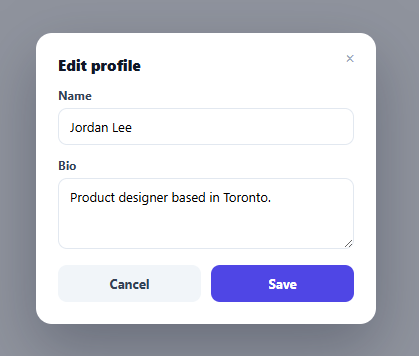
Unsaved Changes Guard — Confirm Before Closing a Dirty Modal
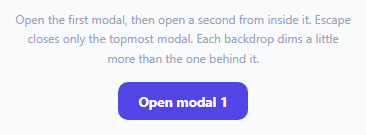
Stacked Modal Manager — Multiple Modals on Top of Each Other, Correctly
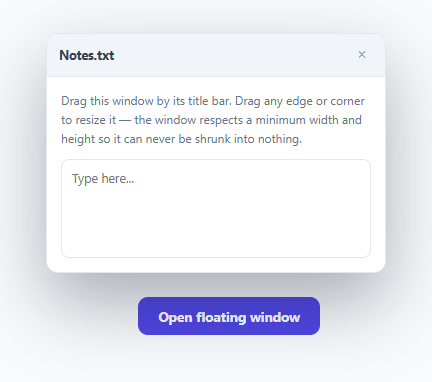
Resizable, Draggable Floating Modal Window
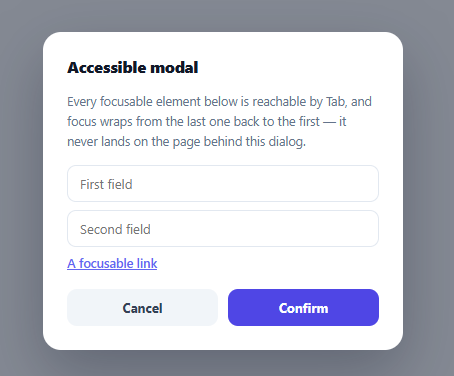
Accessible Modal Primitive with Real Focus Trap
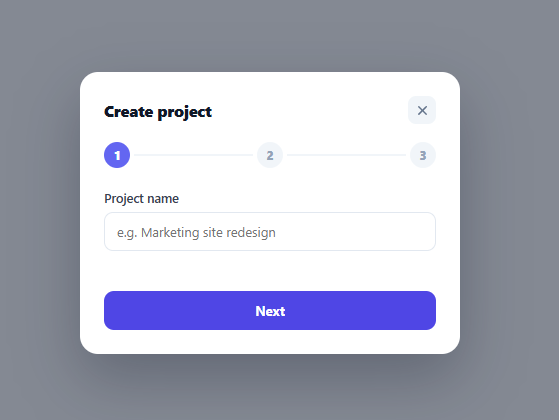
Multi-Step Wizard Modal with Per-Step Validation Gating
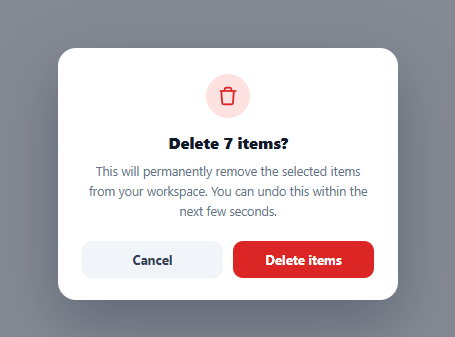
Bulk Action Confirm Dialog — Undo Countdown
Unsaved Changes Guard — Confirm Discard Before Closing a Dirty Modal
Unsaved Changes Guard — Confirm Before Closing a Dirty Modal · Modals · Plain HTML, CSS & JS · Live preview
What's included
Features
About this UI Snippet
Unsaved Changes Guard — Never Silently Lose a User's Edits
A modal that closes immediately on any dismiss action — X button, Cancel, clicking outside, Escape — is fine when nothing has been typed, but silently discards real work the instant a user has made an edit and closes without meaning to. This snippet adds a genuine dirty-state guard: every single way of dismissing the modal funnels through one function that checks whether anything has actually changed, and only interrupts with a confirmation dialog when it has.
Dirtiness is computed, never tracked as a flag
isDirty() does a direct comparison between the form fields' current live values and cleanSnapshot — a plain object captured fresh the moment the modal opens. There is no separate hasUnsavedChanges = true boolean flipped on some input event handler; dirtiness is *derived* fresh every time it's checked, from the actual current state versus the actual last-known-clean state. This avoids an entire class of bugs where a flag gets set but never correctly cleared (or vice versa) — comparing real values can never drift out of sync with reality the way a manually-toggled boolean can.
Every closing path funnels through one gatekeeper function
attemptClose() is called by the X button, the Cancel button, a backdrop click, and Escape — four different user actions, one shared decision point. This matters because it's easy, when handling several separate dismiss triggers independently, to correctly guard three of them and forget the fourth (a very common real-world bug: Escape bypassing a confirmation that the visible Cancel button correctly triggers). Routing every path through the same function makes that class of bug structurally impossible — there's only one place the guard logic lives, so there's nowhere for a path to accidentally skip it.
Escape on the confirmation dialog is the safe default, not a shortcut to discard
When the confirmation modal itself is open and Escape is pressed, it closes the *confirmation*, not the underlying edit modal — returning the user to their still-open, still-unsaved edits, exactly as if they'd clicked "Keep editing." This is a deliberate safety choice: Escape is broadly understood as "back out of this," and a user reflexively pressing it on a confirm-discard dialog should never accidentally trigger the destructive action it exists to guard against.
Saving and discarding both correctly reset the snapshot — for opposite reasons
Clicking Save updates cleanSnapshot to the just-saved values, so an immediate subsequent close is correctly recognized as no-longer-dirty. Clicking Discard instead *restores the field values back to* cleanSnapshot before closing — so if the modal is reopened later, it shows the last saved state, not the discarded edits still sitting in the input fields. Both paths touch the snapshot, but for opposite reasons: one moves the baseline forward, the other rewinds the visible fields back to it.
Step by step
How to Use
- 1Open the modal and close it without editing anythingIt closes immediately — no confirmation, because nothing has actually changed from the clean snapshot.
- 2Edit a field, then try any closing actionX button, Cancel, clicking the backdrop, or pressing Escape — all four now trigger a "Discard changes?" confirmation instead of closing directly.
- 3Click "Keep editing"Returns to the form with your edits still intact — nothing was lost.
- 4Click "Discard changes"Restores the fields to their last-saved values and closes both modals — reopening later shows the clean state, not the discarded edits.
- 5Click Save insteadCommits the new values as the clean baseline; an immediate close right after is correctly treated as not-dirty since the snapshot now matches.
Real-world uses
Common Use Cases
Got questions?
Frequently Asked Questions
A flag set on every input event and never explicitly cleared correctly can easily end up stuck true (after a save) or stuck false (if an edit handler is missed somewhere), silently breaking the guard. Comparing current values directly against a clean snapshot is always accurate because it reflects the real current state, not a manually-maintained proxy for it.
It closes just the confirmation dialog and returns you to the edit modal with your edits intact — the same as clicking "Keep editing." Escape is treated as a safe "back out" action, never as a shortcut that could accidentally discard your changes.
No — the backdrop click handler calls the same attemptClose() gatekeeper as every other dismiss action, so it triggers the discard confirmation exactly like the X button or Cancel would if there are unsaved changes.
They are explicitly reset back to the values captured in cleanSnapshot before the modal closes, so if you reopen the modal later you see the last saved state, not the discarded in-progress edits still sitting in the inputs.
Updating the snapshot to match the just-saved values means the modal correctly recognizes itself as "not dirty" immediately afterward — so if a user saves and then quickly tries to close again, they aren't shown an unnecessary confirmation for changes that have, in fact, already been saved.
Replace the direct cleanSnapshot = snapshot() assignment in the Save handler with your actual async save request, and only update the snapshot and close the modal inside that request's success callback — so a failed save correctly leaves the modal in its still-dirty state.
Build with AI
Build, Understand, Optimize, and Extend It With AI
Ask an AI assistant to explain why routing every dismiss action through one shared gatekeeper function structurally prevents the common bug of a single path (often Escape) bypassing a confirmation that other paths correctly trigger. It's also worth asking for a version that also guards the browser's own tab-close/navigation via a beforeunload event when the modal is open and dirty, or one that shows exactly which fields changed inside the confirmation dialog itself (reusing a diff-preview approach) rather than a generic warning message.
Prompt to recreate it
Copy this into your AI assistant of choice to build the effect from scratch, or as a jumping-off point for your own variant:
Build a form modal with an unsaved-changes guard in HTML, CSS, and vanilla JavaScript — no framework, no external library.

Requirements:
- A modal containing at least two editable fields (a text input and a textarea), with an X close button, a Cancel button, and a Save button, dismissible additionally by clicking its backdrop or pressing Escape.
- On opening, capture a snapshot of the fields' current values as the "clean" baseline. Compute whether the form is currently dirty by directly comparing live field values against that snapshot at the moment of checking — do not track dirtiness with a separately maintained boolean flag that gets set on input events.
- Every single way of dismissing the modal (the X button, Cancel button, a backdrop click, and the Escape key) must call the exact same shared function to decide what happens next — there must be no dismiss path that bypasses this shared check.
- If the form is dirty when a dismiss is attempted, open a second confirmation modal (styled distinctly, e.g. role="alertdialog") asking the user to confirm discarding their changes, with a "Keep editing" option that cancels back to the form and a "Discard changes" option that proceeds.
- Pressing Escape while the confirmation dialog itself is open must close only the confirmation dialog (returning to the still-open edit form), and must never be treated as equivalent to clicking "Discard changes."
- Clicking Save should update the clean baseline snapshot to the newly saved values, so that closing the modal immediately afterward is correctly recognized as having no unsaved changes.
- Clicking "Discard changes" should reset the form fields back to the clean snapshot's values before closing both modals, so reopening the edit modal later never shows the discarded in-progress edits.
Want to tighten it up first? Run this prompt through the AI Prompt Studio to score it across 8 quality dimensions, catch anti-patterns, and tune the wording for Claude, ChatGPT, or Gemini before you paste it in.
Source Code
<div class="demo">
  <button class="open-btn" id="openBtn">Edit profile</button>

  <div class="overlay" id="overlay">
    <div class="modal" role="dialog" aria-modal="true" aria-labelledby="modalTitle">
      <h2 id="modalTitle">Edit profile</h2>
      <div class="f-row">
        <label for="editName">Name</label>
        <input type="text" id="editName" value="Jordan Lee" />
      </div>
      <div class="f-row">
        <label for="editBio">Bio</label>
        <textarea id="editBio" rows="3">Product designer based in Toronto.</textarea>
      </div>
      <div class="modal-actions">
        <button class="btn ghost" id="cancelBtn">Cancel</button>
        <button class="btn primary" id="saveBtn">Save</button>
      </div>
      <button class="modal-x" id="closeX" aria-label="Close">×</button>
    </div>
  </div>

  <div class="overlay confirm-overlay" id="confirmOverlay">
    <div class="modal confirm-modal" role="alertdialog" aria-modal="true" aria-labelledby="confirmTitle">
      <h3 id="confirmTitle">Discard changes?</h3>
      <p>You have unsaved edits to this profile. Closing now will lose them.</p>
      <div class="modal-actions">
        <button class="btn ghost" id="keepEditingBtn">Keep editing</button>
        <button class="btn danger" id="discardBtn">Discard changes</button>
      </div>
    </div>
  </div>
</div>
* { box-sizing: border-box; margin: 0; padding: 0; }
body { font-family: system-ui, sans-serif; background: #f8fafc; display: flex; align-items: center; justify-content: center; min-height: 100vh; padding: 24px; }
.demo { position: relative; }
.open-btn { padding: 10px 20px; border: none; border-radius: 10px; background: #4f46e5; color: #fff; font-size: 13.5px; font-weight: 700; cursor: pointer; font-family: inherit; }
.open-btn:hover { background: #4338ca; }
.overlay { position: fixed; inset: 0; background: rgba(15,23,42,0.45); display: none; align-items: center; justify-content: center; z-index: 50; }
.overlay.open { display: flex; }
.confirm-overlay { background: rgba(15,23,42,0.55); z-index: 60; }
.modal { width: 340px; max-width: calc(100vw - 40px); background: #fff; border-radius: 16px; padding: 22px; box-shadow: 0 24px 60px rgba(15,23,42,0.3); display: flex; flex-direction: column; gap: 12px; position: relative; }
.modal h2, .modal h3 { font-size: 15px; font-weight: 800; color: #111827; }
.modal p { font-size: 12.5px; color: #64748b; line-height: 1.6; }
.f-row { display: flex; flex-direction: column; gap: 5px; }
.f-row label { font-size: 12px; font-weight: 700; color: #334155; }
.f-row input, .f-row textarea { padding: 9px 11px; border: 1.5px solid #e2e8f0; border-radius: 9px; font-size: 13px; font-family: inherit; resize: vertical; }
.f-row input:focus-visible, .f-row textarea:focus-visible { outline: none; border-color: #6366f1; box-shadow: 0 0 0 3px rgba(99,102,241,0.15); }
.modal-actions { display: flex; gap: 10px; margin-top: 4px; }
.btn { flex: 1; border: none; padding: 10px; border-radius: 9px; font-size: 13px; font-weight: 700; cursor: pointer; font-family: inherit; }
.btn.ghost { background: #f1f5f9; color: #334155; }
.btn.ghost:hover { background: #e2e8f0; }
.btn.primary { background: #4f46e5; color: #fff; }
.btn.primary:hover { background: #4338ca; }
.btn.danger { background: #dc2626; color: #fff; }
.btn.danger:hover { background: #b91c1c; }
.modal-x { position: absolute; top: 14px; right: 14px; border: none; background: transparent; font-size: 16px; color: #94a3b8; cursor: pointer; width: 24px; height: 24px; border-radius: 6px; }
.modal-x:hover { background: #f1f5f9; }
.confirm-modal { width: 300px; }const openBtn = document.getElementById('openBtn');
const overlay = document.getElementById('overlay');
const closeX = document.getElementById('closeX');
const cancelBtn = document.getElementById('cancelBtn');
const saveBtn = document.getElementById('saveBtn');
const nameInput = document.getElementById('editName');
const bioInput = document.getElementById('editBio');
const confirmOverlay = document.getElementById('confirmOverlay');
const keepEditingBtn = document.getElementById('keepEditingBtn');
const discardBtn = document.getElementById('discardBtn');
// A snapshot of the "clean" (saved) state, taken fresh every time the modal
// opens. Dirtiness is always computed by comparing live field values against
// THIS snapshot — never a boolean flag flipped ad hoc on every keystroke,
// which would be easy to accidentally leave stuck in the wrong state.
let cleanSnapshot = null;
function snapshot() {
return { name: nameInput.value, bio: bioInput.value };
}
function isDirty() {
if (!cleanSnapshot) return false;
return nameInput.value !== cleanSnapshot.name || bioInput.value !== cleanSnapshot.bio;
}
function openEditModal() {
cleanSnapshot = snapshot();
overlay.classList.add('open');
nameInput.focus();
}
// The single gatekeeper every closing path must go through. It never closes
// anything itself — it only decides whether to proceed straight to closing,
// or to interrupt with the confirmation modal first.
function attemptClose() {
if (isDirty()) {
confirmOverlay.classList.add('open');
keepEditingBtn.focus();
} else {
overlay.classList.remove('open');
}
}
closeX.addEventListener('click', attemptClose);
cancelBtn.addEventListener('click', attemptClose);
overlay.addEventListener('click', (e) => { if (e.target === overlay) attemptClose(); });
document.addEventListener('keydown', (e) => {
if (e.key !== 'Escape') return;
if (confirmOverlay.classList.contains('open')) {
// Escape on the confirmation itself is the safe choice: it cancels the
// confirmation and returns to editing, never accidentally discards.
confirmOverlay.classList.remove('open');
} else if (overlay.classList.contains('open')) {
attemptClose();
}
});
saveBtn.addEventListener('click', () => {
// A real save request would fire here. On success, the just-saved values
// become the new clean baseline, so closing immediately afterward is
// correctly treated as "no unsaved changes" rather than still-dirty.
cleanSnapshot = snapshot();
overlay.classList.remove('open');
});
keepEditingBtn.addEventListener('click', () => {
confirmOverlay.classList.remove('open');
});
discardBtn.addEventListener('click', () => {
// Restore the fields to the clean snapshot before actually closing, so
// reopening the modal later doesn't show the discarded edits lingering.
nameInput.value = cleanSnapshot.name;
bioInput.value = cleanSnapshot.bio;
confirmOverlay.classList.remove('open');
overlay.classList.remove('open');
});
openBtn.addEventListener('click', openEditModal);