


Newsletter Signup Popup Modal — Free HTML CSS JS Snippet
Newsletter Signup Popup Modal · Modals · Plain HTML, CSS & JS · Live preview
Copy & paste
Source Code
<div class="demo-page">
<h1>Blog demo page</h1>
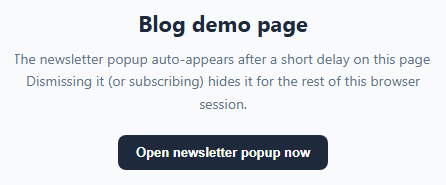
<p>The newsletter popup auto-appears after a short delay on this page. Dismissing it (or subscribing) hides it for the rest of this browser session.</p>
<button class="demo-trigger" onclick="openNewsletterModal()">Open newsletter popup now</button>
</div>
<div class="modal-overlay" id="newsletterOverlay">
<div class="modal" role="dialog" aria-modal="true" aria-labelledby="newsletterTitle">
<button class="modal-close" onclick="closeNewsletterModal()" aria-label="Close">×</button>
<div class="modal-icon">
<svg viewBox="0 0 24 24" width="26" height="26" fill="none" stroke="#6366f1" stroke-width="2" stroke-linecap="round" stroke-linejoin="round"><rect x="2" y="4" width="20" height="16" rx="2"/><path d="M22 6l-10 7L2 6"/></svg>
</div>
<h2 id="newsletterTitle">Join 12,000+ subscribers</h2>
<p>Get one useful email a week — no spam, unsubscribe anytime.</p>
<form id="newsletterForm">
<input type="email" id="newsletterEmail" placeholder="[email protected]" required>
<button type="submit" class="btn primary">Subscribe</button>
</form>
<div class="success-msg" id="newsletterSuccess">Thanks — check your inbox to confirm!</div>
<button class="modal-dismiss" onclick="dismissNewsletterModal()">No thanks</button>
</div>
</div>* { box-sizing: border-box; }
body { font-family: system-ui, sans-serif; background: #f8fafc; margin: 0; display: flex; align-items: center; flex-direction: column; gap: 20px; justify-content: center; min-height: 100vh; }
.demo-page { width: 100%; padding: 60px 24px; max-width: 480px; margin: 0 auto; text-align: center; }
.demo-page h1 { font-size: 22px; color: #1e293b; margin: 0 0 10px; }
.demo-page p { font-size: 14px; color: #64748b; line-height: 1.6; margin: 0 0 20px; }
.demo-trigger {
background: #1e293b;
color: #fff;
border: none;
border-radius: 8px;
padding: 10px 18px;
font-size: 13px;
font-weight: 600;
cursor: pointer;
}
.demo-trigger:hover { background: #334155; }
.modal-overlay {
position: fixed;
inset: 0;
background: rgba(15, 23, 42, 0.5);
display: flex;
align-items: center;
justify-content: center;
opacity: 0;
visibility: hidden;
transition: opacity 0.25s ease;
z-index: 100;
padding: 20px;
}
.modal-overlay.visible { opacity: 1; visibility: visible; }
.modal {
position: relative;
background: #fff;
border-radius: 16px;
padding: 32px 28px;
max-width: 380px;
width: 100%;
text-align: center;
transform: scale(0.92) translateY(10px);
transition: transform 0.25s ease;
box-shadow: 0 20px 50px rgba(0,0,0,0.2);
}
.modal-overlay.visible .modal { transform: scale(1) translateY(0); }
.modal-close {
position: absolute;
top: 14px;
right: 14px;
background: none;
border: none;
font-size: 22px;
color: #94a3b8;
cursor: pointer;
line-height: 1;
}
.modal-close:hover { color: #1e293b; }
.modal-icon {
width: 52px;
height: 52px;
border-radius: 50%;
background: #eef2ff;
display: flex;
align-items: center;
justify-content: center;
margin: 0 auto 14px;
}
.modal h2 { font-size: 19px; color: #1e293b; margin: 0 0 8px; }
.modal p { font-size: 13.5px; color: #64748b; line-height: 1.5; margin: 0 0 18px; }
#newsletterForm { display: flex; flex-direction: column; gap: 10px; }
#newsletterEmail {
padding: 11px 14px;
border: 1px solid #cbd5e1;
border-radius: 8px;
font-size: 14px;
font-family: inherit;
outline: none;
}
#newsletterEmail:focus { border-color: #6366f1; box-shadow: 0 0 0 3px rgba(99,102,241,0.15); }
.btn.primary {
background: #6366f1;
color: #fff;
border: none;
border-radius: 8px;
padding: 11px;
font-size: 14px;
font-weight: 600;
cursor: pointer;
}
.btn.primary:hover { background: #4f46e5; }
.success-msg {
display: none;
background: #dcfce7;
color: #166534;
border-radius: 8px;
padding: 12px;
font-size: 13.5px;
font-weight: 600;
margin-top: 6px;
}
.success-msg.visible { display: block; }
.modal-dismiss {
background: none;
border: none;
color: #94a3b8;
font-size: 12.5px;
margin-top: 14px;
cursor: pointer;
}
.modal-dismiss:hover { color: #64748b; text-decoration: underline; }const STORAGE_KEY = 'newsletterPopupDismissed';
const AUTO_SHOW_DELAY = 3000;
const overlay = document.getElementById('newsletterOverlay');
function wasDismissedThisSession() {
return sessionStorage.getItem(STORAGE_KEY) === '1';
}
function openNewsletterModal() {
overlay.classList.add('visible');
}
function closeNewsletterModal() {
overlay.classList.remove('visible');
}
function dismissNewsletterModal() {
sessionStorage.setItem(STORAGE_KEY, '1');
closeNewsletterModal();
}
// Close by clicking the dark overlay outside the modal card.
overlay.addEventListener('click', (e) => {
if (e.target === overlay) dismissNewsletterModal();
});
document.getElementById('newsletterForm').addEventListener('submit', (e) => {
e.preventDefault();
document.getElementById('newsletterForm').style.display = 'none';
document.getElementById('newsletterSuccess').classList.add('visible');
sessionStorage.setItem(STORAGE_KEY, '1');
// In a real app: fetch('/api/subscribe', { method: 'POST', body: ... })
setTimeout(closeNewsletterModal, 1800);
});
// Auto-open once per session after a short delay, unless already dismissed.
if (!wasDismissedThisSession()) {
setTimeout(openNewsletterModal, AUTO_SHOW_DELAY);
}Extend with AI
Take This Snippet Further With AI
The AI prompt for this one is for Patreon supporters ($3 a month), along with a site with no ads. Supporters enter the passcode once and it is remembered in this browser.
What's included
Features
About this UI Snippet
Newsletter Popup Modal — HTML, CSS & JavaScript Signup Snippet
A newsletter popup is one of the highest-converting, most-hated UI patterns on the web — high-converting when it appears at a reasonable time and disappears politely, hated when it reappears every single page load. The difference between the two usually comes down to two implementation details: *when* it triggers, and whether it *remembers* being dismissed.
This snippet implements both correctly using plain HTML, CSS, and vanilla JavaScript.
How the delayed auto-show works
A single setTimeout(openNewsletterModal, AUTO_SHOW_DELAY) call fires 3 seconds after the page loads (configurable via the AUTO_SHOW_DELAY constant), rather than showing the modal instantly. This gives a visitor a moment to actually see the page content before being interrupted — a widely recommended practice for popup timing.
How session-based dismissal memory works
Before that timeout even fires, the script checks sessionStorage.getItem('newsletterPopupDismissed'). sessionStorage (unlike localStorage) is automatically cleared when the browser tab is closed, so "remembers for the session" specifically means: don't show it again on this visit, but a fresh visit next week starts clean. Three actions all set that flag: closing the modal explicitly, submitting the form successfully, and clicking outside the modal on the dark overlay — all of them count as "the user has made a decision, stop showing this."
How the open/close animation works
The overlay is a fixed, full-screen rgba scrim that transitions opacity and visibility together, and the modal card itself scales up from 0.92 and slides up slightly (translateY(10px) to 0) as the .visible class is applied — a subtle pop-in rather than an instant snap.
Manually triggering the modal
The demo page includes an "Open newsletter popup now" button calling openNewsletterModal() directly, showing that the same modal can be triggered on demand — from an exit-intent listener, a scroll-depth trigger, or a manual "Subscribe" link in your footer — independent of the automatic delayed trigger.
Closing behavior
Three separate interactions close the modal: the explicit × button, clicking the dark overlay outside the card, and a successful form submission (which shows a success message for 1.8 seconds before auto-closing). All three funnel through the same closeNewsletterModal/dismissNewsletterModal functions so there's a single source of truth for the modal's visibility state.
Step by step
How to Use
- 1Load the snippetClick "Newsletter Signup Popup Modal" in the sidebar Library tab. Wait about 3 seconds and the modal auto-appears in the preview.
- 2Dismiss it and reloadClose the modal, then reload the preview — it will not reappear, because sessionStorage remembers the dismissal for this browser tab.
- 3Trigger it manuallyClick "Open newsletter popup now" on the demo page to show the modal on demand, independent of the automatic timer.
- 4Submit the formEnter an email and submit — the form swaps to a success message before the modal auto-closes.
- 5Adjust the delayIn the JS panel, change the AUTO_SHOW_DELAY constant (in milliseconds) to control how long visitors see the page before the popup appears.
- 6Wire it to your backendReplace the commented-out fetch() placeholder in the submit handler with a real call to your email service provider's subscribe endpoint.
Real-world uses
Common Use Cases
Got questions?
Frequently Asked Questions
sessionStorage is automatically cleared when the browser tab or window closes, so "dismissed for this session" means the popup stays hidden for the rest of the current visit but reappears on a brand new visit later — which is friendlier than localStorage, which would suppress it permanently across every future visit until manually cleared.
Edit the AUTO_SHOW_DELAY constant near the top of the JS panel — it is the number of milliseconds after page load before the popup automatically appears. 3000 means 3 seconds.
Yes. Remove or keep the setTimeout call and add your own listener — for example a scroll listener checking window.scrollY against a percentage of document height, or a mouseleave listener on the document that fires when the cursor moves toward the top of the viewport — and call openNewsletterModal() from within it.
Yes. The overlay has a click listener that checks if the click target is the overlay itself (not the modal card), and if so calls dismissNewsletterModal(), which also sets the sessionStorage flag just like the close button does.
The form is hidden and a success message appears in its place, the sessionStorage dismissal flag is set immediately, and the modal automatically closes after about 1.8 seconds. You should replace the commented placeholder with a real fetch call to your email provider's API.
The modal has role="dialog", aria-modal="true", and aria-labelledby pointing at its heading, and all interactive elements are real buttons and inputs reachable via Tab. For full production accessibility, also add a focus trap that keeps Tab cycling within the modal while it is open, and return focus to the trigrigger element when it closes.
Yes. Add the code to the modal's markup (e.g. inside the success message, revealed after subscribing) or generate one dynamically from your backend's response to the subscribe request and inject it into the DOM.
Switch the storage calls from sessionStorage to localStorage — that persists the dismissal flag indefinitely across browser sessions until the user clears their site data.