






Particle Network — Free HTML CSS JS Constellation Snippet
Particle Network · Animations · Plain HTML, CSS & JS · Live preview
Copy & paste
Source Code
<section class="pn-hero">
  <canvas class="pn-canvas" id="pnCanvas" aria-hidden="true"></canvas>
  <div class="pn-content">
    <h1>Everything connected</h1>
    <p>A drifting constellation that links nearby nodes and reaches toward your cursor.</p>
  </div>
</section>*{box-sizing:border-box;margin:0;padding:0}
body{font-family:system-ui,-apple-system,sans-serif;background:#05050d;color:#fff}
.pn-hero{position:relative;min-height:100vh;overflow:hidden;display:flex;align-items:center;justify-content:center;text-align:center;background:radial-gradient(ellipse at 50% 40%,#10102a,#05050d)}
.pn-canvas{position:absolute;inset:0;width:100%;height:100%}
.pn-content{position:relative;z-index:1;padding:0 20px;max-width:600px;pointer-events:none}
.pn-content h1{font-size:clamp(34px,7vw,64px);font-weight:900;letter-spacing:-.03em;text-shadow:0 4px 30px rgba(0,0,0,.5)}
.pn-content p{margin-top:14px;font-size:16px;color:#9a9ac0}var canvas = document.getElementById('pnCanvas');
var ctx = canvas.getContext('2d');
var W, H, dpr, nodes = [], mouse = { x: -9999, y: -9999 };
var LINK = 130, COLOR = '129,140,248';
function resize() {
dpr = Math.min(devicePixelRatio || 1, 2);
W = canvas.clientWidth; H = canvas.clientHeight;
canvas.width = W * dpr; canvas.height = H * dpr;
ctx.setTransform(dpr, 0, 0, dpr, 0, 0);
var count = Math.round(Math.min(W, 900) / 12); // density scales with width
nodes = [];
for (var i = 0; i < count; i++) {
nodes.push({ x: Math.random() * W, y: Math.random() * H,
vx: (Math.random() - 0.5) * 0.4, vy: (Math.random() - 0.5) * 0.4 });
}
}
window.addEventListener('resize', resize);
resize();
var hero = document.querySelector('.pn-hero');
hero.addEventListener('pointermove', function (e) {
var r = canvas.getBoundingClientRect();
mouse.x = e.clientX - r.left; mouse.y = e.clientY - r.top;
});
hero.addEventListener('pointerleave', function () { mouse.x = mouse.y = -9999; });
function draw() {
ctx.clearRect(0, 0, W, H);
// move nodes
for (var i = 0; i < nodes.length; i++) {
var n = nodes[i];
n.x += n.vx; n.y += n.vy;
if (n.x < 0 || n.x > W) n.vx *= -1;
if (n.y < 0 || n.y > H) n.vy *= -1;
}
// links between nearby nodes (and to the cursor)
for (var a = 0; a < nodes.length; a++) {
for (var b = a + 1; b < nodes.length; b++) {
var dx = nodes[a].x - nodes[b].x, dy = nodes[a].y - nodes[b].y;
var d = Math.sqrt(dx * dx + dy * dy);
if (d < LINK) {
ctx.strokeStyle = 'rgba(' + COLOR + ',' + (1 - d / LINK) * 0.5 + ')';
ctx.lineWidth = 1;
ctx.beginPath(); ctx.moveTo(nodes[a].x, nodes[a].y); ctx.lineTo(nodes[b].x, nodes[b].y); ctx.stroke();
}
}
var mdx = nodes[a].x - mouse.x, mdy = nodes[a].y - mouse.y, md = Math.sqrt(mdx * mdx + mdy * mdy);
if (md < LINK * 1.5) {
ctx.strokeStyle = 'rgba(' + COLOR + ',' + (1 - md / (LINK * 1.5)) * 0.7 + ')';
ctx.beginPath(); ctx.moveTo(nodes[a].x, nodes[a].y); ctx.lineTo(mouse.x, mouse.y); ctx.stroke();
}
}
// dots
ctx.fillStyle = 'rgba(' + COLOR + ',.9)';
for (var k = 0; k < nodes.length; k++) {
ctx.beginPath(); ctx.arc(nodes[k].x, nodes[k].y, 2, 0, Math.PI * 2); ctx.fill();
}
requestAnimationFrame(draw);
}
requestAnimationFrame(draw);Extend with AI
Take This Snippet Further With AI
The AI prompt for this one is for Patreon supporters ($3 a month, 7 days free), along with a site with no ads. Supporters enter the passcode once and it is remembered in this browser.
What's included
Features
About this UI Snippet
Particle Network — Connected Constellation Reacting to the Cursor
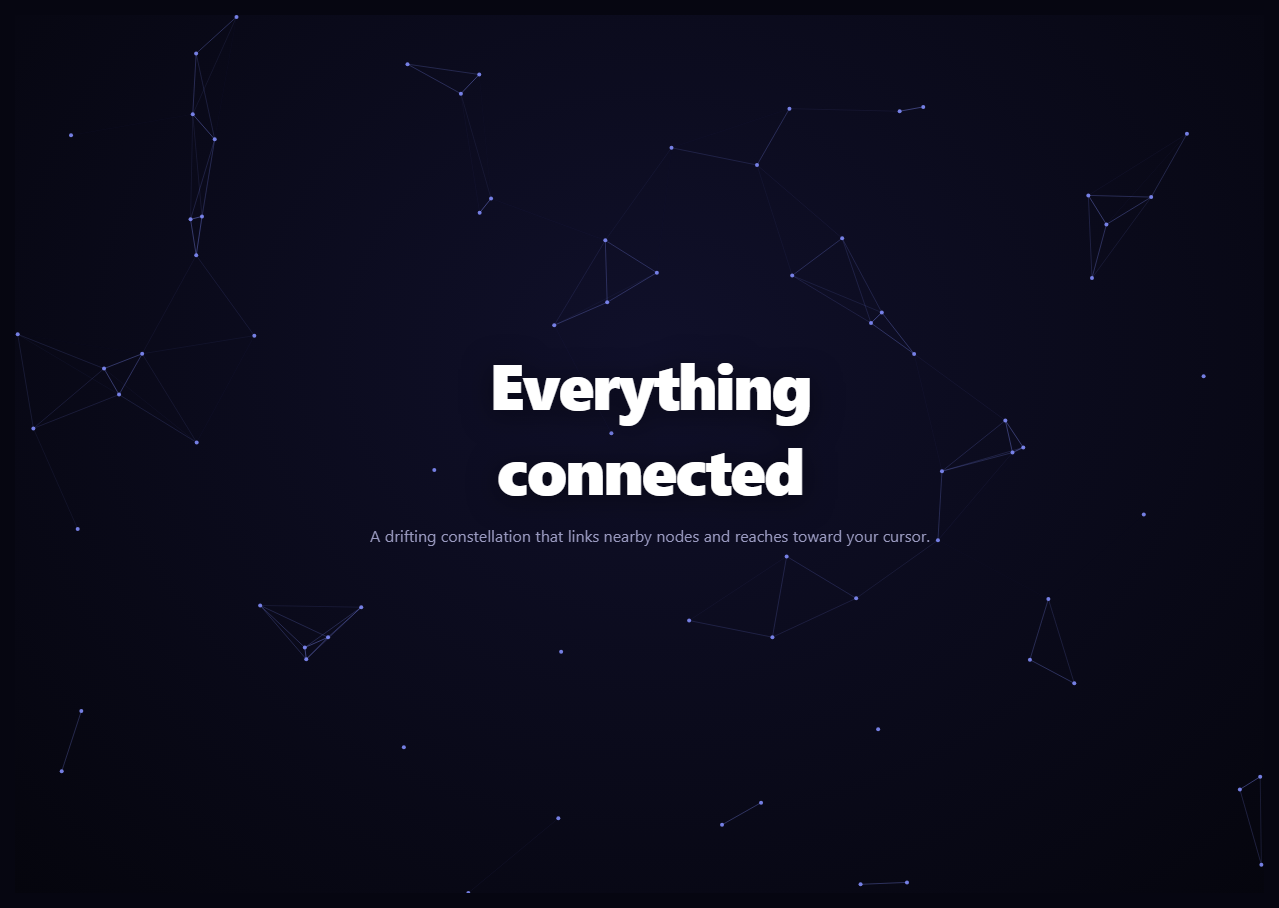
The particle network is the classic interactive backdrop where dozens of dots drift across the screen and draw connecting lines whenever they come near each other, forming an ever-shifting constellation that also reaches toward your cursor. This snippet builds it on an HTML <canvas> with plain vanilla JavaScript — sharp on retina screens, with no library.
Drifting nodes
Each node is a point with a position and a slow random velocity. Every frame the loop advances each node by its velocity and bounces it off the edges by flipping the relevant velocity component when it crosses a boundary. This gives a gentle, perpetual drift with nodes wandering and ricocheting softly off the walls — alive but calm. Node count scales with viewport width (min(W, 900) / 12), so the field stays appropriately dense on phones and desktops alike, recomputed on resize.
Connecting nearby nodes
The defining behavior is the linking. A double loop checks every pair of nodes, and when two are within LINK pixels (130), it draws a line between them whose opacity is 1 - distance / LINK — so links are brightest when nodes are close and fade to nothing as they drift apart. The result is a web that continuously forms and dissolves as nodes move, the hallmark of the constellation effect. This pairwise check is O(n²), which is why keeping the node count modest matters for smoothness.
Reaching toward the cursor
The cursor participates in the network. For each node, the loop also measures the distance to the mouse and, within a larger radius (LINK * 1.5), draws a brighter line from the node to the cursor. So as you move, the nearby part of the web stretches toward your pointer like it is being attracted — the interactive touch that makes the backdrop feel responsive. When the pointer leaves, the mouse position is parked far off-screen so those links disappear.
Crisp on every display
Canvas is resolution-dependent, so resize() reads devicePixelRatio (capped at 2 for performance), sizes the backing buffer accordingly, and applies a setTransform so all drawing is done in CSS pixels but rendered at device resolution. Without this the dots and lines would look soft on HiDPI screens. The handler also re-seeds the node field for the new dimensions.
Layering
The canvas fills the hero behind the content, which sits above with pointer-events: none so moving over the headline still feeds the cursor interaction below. A radial background gradient gives the constellation a subtle glow at the center and darkens the edges.
Customizing it
Change LINK for a denser or sparser web, adjust the node count divisor and velocity range for more or fewer, faster or slower nodes, recolor via the COLOR RGB string, or widen the cursor reach. For large fields, swap the O(n²) check for a spatial grid. Pair it with an aurora text headline or a dot pattern section for a connected, modern hero.
Step by step
How to Use
- 1Paste HTML, CSS, and JSA drifting field of dots fills the hero behind the text.
- 2Watch the linksLines form between nearby nodes and fade as they part.
- 3Move your cursorNearby nodes reach out and link to the pointer.
- 4Resize the windowThe node count and canvas re-fit and stay crisp.
- 5Recolor the webChange the COLOR RGB string.
- 6Tune the densityAdjust LINK, node count, and velocity.
Real-world uses
Common Use Cases
Got questions?
Frequently Asked Questions
A double loop checks every pair of nodes each frame, and when two are within the link radius it draws a line whose opacity is 1 minus distance over the radius. So links are brightest when nodes are close and fade out as they drift apart, producing a web that continually forms and dissolves as the nodes move.
For each node the loop also measures the distance to the mouse and, within a larger radius, draws a brighter line from the node to the cursor. As you move, the nearby part of the web stretches toward the pointer. When the pointer leaves, the mouse position is moved far off-screen so those links vanish.
Yes. The resize function reads devicePixelRatio (capped at 2), sizes the canvas backing buffer to the CSS size times that ratio, and applies a setTransform so drawing happens in CSS pixels but renders at device resolution. Without this, the dots and thin lines would look blurry on HiDPI displays.
It is O(n squared), since every pair of nodes is checked each frame, so the node count is kept modest and scales with viewport width. That is smooth for typical hero fields. For much larger networks you would replace the brute-force check with a spatial grid or quadtree to only compare nearby nodes.
Put the canvas behind your content with a ref and run resize plus the rAF draw loop in a mount effect, cancelling the frame and removing listeners on unmount. Keep nodes and the mouse position in refs, not state, so the loop does not trigger re-renders. The component is framework-agnostic; in Tailwind just position the canvas absolute inset-0 behind a relative content layer.