


Copy & paste
Source Code
<div class="rcc-wrap">
  <h2 class="rcc-heading">Choose your rental class</h2>
  <div class="rcc-cards" id="rccCards">
    <article class="rcc-card" data-class="economy">
      <svg class="rcc-silhouette" viewBox="0 0 120 48" fill="none"><path d="M8 34c0-5 4-9 10-10l8-11c2-3 5-4 9-4h18c4 0 7 1 9 4l7 11c6 1 10 5 10 10v6a3 3 0 0 1-3 3h-5a8 8 0 0 1-16 0H32a8 8 0 0 1-16 0H9a3 3 0 0 1-3-3v-6z" stroke="currentColor" stroke-width="2.5" stroke-linejoin="round"/></svg>
      <h3 class="rcc-name">Economy</h3>
      <p class="rcc-model">Toyota Yaris or similar</p>
      <div class="rcc-capacity">
        <span class="rcc-cap-item">👤 4</span>
        <span class="rcc-cap-item">🧳 2</span>
      </div>
      <span class="rcc-price">$38<small>/day</small></span>
      <button type="button" class="rcc-select" data-class="economy">Select</button>
    </article>

    <article class="rcc-card rcc-featured" data-class="suv">
      <span class="rcc-badge">Best value</span>
      <svg class="rcc-silhouette" viewBox="0 0 120 48" fill="none"><path d="M6 36c0-6 4-10 11-11l6-14c2-4 6-6 11-6h20c5 0 9 2 11 6l6 14c7 1 11 5 11 11v4a3 3 0 0 1-3 3h-6a8 8 0 0 1-16 0H31a8 8 0 0 1-16 0H9a3 3 0 0 1-3-3v-4z" stroke="currentColor" stroke-width="2.5" stroke-linejoin="round"/></svg>
      <h3 class="rcc-name">SUV</h3>
      <p class="rcc-model">Honda CR-V or similar</p>
      <div class="rcc-capacity">
        <span class="rcc-cap-item">👤 5</span>
        <span class="rcc-cap-item">🧳 4</span>
      </div>
      <span class="rcc-price">$64<small>/day</small></span>
      <button type="button" class="rcc-select" data-class="suv">Select</button>
    </article>

    <article class="rcc-card" data-class="luxury">
      <svg class="rcc-silhouette" viewBox="0 0 120 48" fill="none"><path d="M6 34c0-5 4-9 10-10l10-10c3-3 6-4 10-4h16c4 0 7 1 10 4l10 10c6 1 10 5 10 10v5a3 3 0 0 1-3 3h-6a8 8 0 0 1-16 0H31a8 8 0 0 1-16 0H9a3 3 0 0 1-3-3v-5z" stroke="currentColor" stroke-width="2.5" stroke-linejoin="round"/></svg>
      <h3 class="rcc-name">Luxury</h3>
      <p class="rcc-model">BMW 5 Series or similar</p>
      <div class="rcc-capacity">
        <span class="rcc-cap-item">👤 5</span>
        <span class="rcc-cap-item">🧳 3</span>
      </div>
      <span class="rcc-price">$112<small>/day</small></span>
      <button type="button" class="rcc-select" data-class="luxury">Select</button>
    </article>
  </div>
  <p class="rcc-chosen" id="rccChosen">No car selected yet.</p>
</div>*{box-sizing:border-box;margin:0;padding:0}
body{font-family:system-ui,-apple-system,sans-serif;background:#0b0e14;color:#fff;min-height:100vh;padding:36px 16px;display:flex;align-items:center;justify-content:center}
.rcc-wrap{max-width:820px;margin:0 auto}
.rcc-heading{font-size:22px;margin-bottom:20px;letter-spacing:-.01em;text-align:center}
.rcc-cards{display:grid;grid-template-columns:repeat(auto-fit,minmax(220px,1fr));gap:16px;margin-bottom:20px}
.rcc-card{position:relative;background:#131722;border:1.5px solid #232a3d;border-radius:18px;padding:22px 18px;display:flex;flex-direction:column;align-items:center;text-align:center;gap:6px;transition:border-color .2s ease,transform .2s ease}
.rcc-card.rcc-featured{border-color:#3d5fd6;background:#141a2c}
.rcc-card[data-selected="true"]{border-color:#4ade80;background:#0f1f18;transform:translateY(-3px)}
.rcc-badge{position:absolute;top:-11px;left:50%;transform:translateX(-50%);font-size:10px;font-weight:800;text-transform:uppercase;letter-spacing:.05em;background:#3d5fd6;color:#fff;padding:4px 10px;border-radius:999px}
.rcc-silhouette{width:96px;height:auto;color:#6b7690;margin:8px 0 4px}
.rcc-card.rcc-featured .rcc-silhouette{color:#8fa4ff}
.rcc-card[data-selected="true"] .rcc-silhouette{color:#4ade80}
.rcc-name{font-size:17px;font-weight:700}
.rcc-model{font-size:12px;color:#7a8199;margin-bottom:6px}
.rcc-capacity{display:flex;gap:14px;font-size:13px;color:#c3c8db;margin-bottom:8px}
.rcc-price{font-size:22px;font-weight:800}
.rcc-price small{font-size:11px;font-weight:500;color:#7a8199}
.rcc-select{margin-top:12px;width:100%;padding:10px;border-radius:11px;border:1px solid #2a3145;background:#1a1f2e;color:#fff;font-size:13px;font-weight:700;cursor:pointer;transition:all .2s ease}
.rcc-select:hover{background:#232a3d}
.rcc-card[data-selected="true"] .rcc-select{background:#1a5c37;border-color:#4ade80;color:#4ade80}
.rcc-chosen{text-align:center;font-size:13.5px;color:#9aa0b8}
.rcc-chosen strong{color:#4ade80}const cards = document.querySelectorAll('.rcc-card');
const buttons = document.querySelectorAll('.rcc-select');
const chosenEl = document.getElementById('rccChosen');
const names = { economy: 'Economy', suv: 'SUV', luxury: 'Luxury' };
buttons.forEach((btn) => {
btn.addEventListener('click', () => {
const target = btn.dataset.class;
cards.forEach((card) => {
card.dataset.selected = card.dataset.class === target ? 'true' : 'false';
});
buttons.forEach((b) => {
b.textContent = b.dataset.class === target ? 'Selected ✓' : 'Select';
});
chosenEl.innerHTML = 'You selected the <strong>' + names[target] + '</strong> class.';
});
});Extend with AI
Take This Snippet Further With AI
The AI prompt for this one is for Patreon supporters ($3 a month), along with a site with no ads. Supporters enter the passcode once and it is remembered in this browser.
What's included
Features
About this UI Snippet
Rental Car Comparison Cards — Silhouettes, Capacity, and a Chosen State

The rental car comparison card is the row of class options rental sites show before checkout — Economy, SUV, Luxury — each with a car silhouette, seat and bag capacity, a price per day, and a select button that visibly marks the chosen class. This snippet builds it in plain HTML, CSS, and JavaScript, no dependencies.
One inline SVG silhouette per class
Each card's icon is a hand-drawn inline SVG path rather than a photo, so it recolors with currentColor and scales crisply at any size. The three paths are deliberately similar but not identical — the SUV's is taller and boxier, the luxury car's roofline is longer — so the silhouettes alone hint at the class difference before you read a single label.
Capacity as glanceable icon pairs
Seats and bags render as small emoji-plus-number pairs (👤 5, 🧳 4) rather than a sentence, matching how comparison tables on real rental sites present capacity — fast to scan across three cards side by side.
A featured card, set apart in markup
The SUV card carries an extra .rcc-featured class and a "Best value" badge — a common rental-site nudge toward the middle option. It's a static markup difference, not JS-driven, so promoting a different class to "featured" is a one-line HTML change.
Selection state lives on the card, not just the button
Clicking any "Select" button sets data-selected="true" on its parent card and "false" on the other two, and every visual change — border color, background tint, lift, silhouette recolor, button relabeling to "Selected ✓" — is driven by that one attribute per card. A summary line below the cards confirms the chosen class in plain language.
Single-selection logic in one loop
The click handler loops over every card to reset its data-selected attribute before applying the new selection, so there's never a state where two cards claim to be selected — the same pattern you'd use for a mutually exclusive card group backed by radios, but written as plain buttons here since the UI reads more like a comparison than a form.
Customizing it
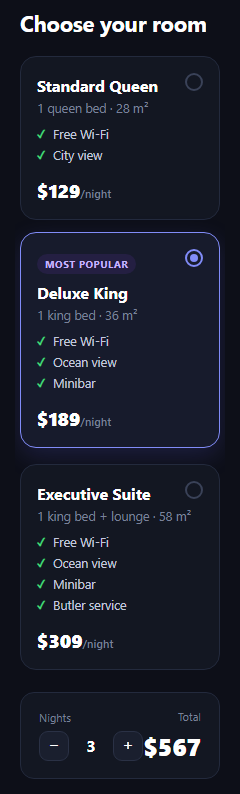
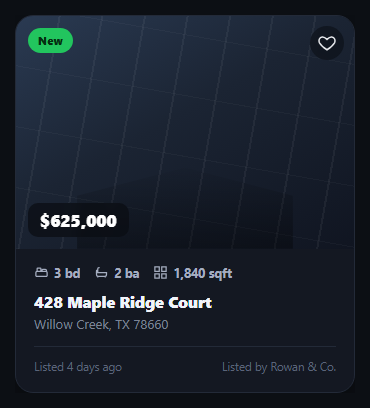
Add a fourth class, wire the price to real per-day rates from a rental API, or turn the buttons into real radio inputs if the cards live inside a booking form. Pair it with a flight search form, property listing card, or radio card group elsewhere in a trip-planning flow.
Step by step
How to Use
- 1Paste HTML, CSS, and JSThree rental class cards render side by side.
- 2Click Select on a cardThat card lifts, recolors, and its button confirms.
- 3Note the featured badgeThe SUV card is marked "Best value" in markup.
- 4Read the summary lineConfirms which class is currently chosen.
- 5Add a fourth classCopy a card, adjust its silhouette path and data.
- 6Wire real pricingReplace the static price with rental API data.
Real-world uses
Common Use Cases
data-selected driving every visual change on the card.currentColor and need no image files.Got questions?
Frequently Asked Questions
Clicking a Select button sets data-selected="true" on its own card and "false" on the other two. Every visual change tied to selection — border color, background tint, a slight lift, the silhouette's recolor, and the button's relabel to "Selected ✓" — is a CSS or JS rule keyed off that one attribute per card.
No, each is an inline SVG path drawn to resemble a car silhouette, so it inherits color via currentColor and stays crisp at any size. The three paths differ slightly in proportion (economy is compact, SUV is boxier and taller, luxury has a longer roofline) to hint at the class visually.
The click handler loops over every card on each click, first resetting all three data-selected attributes to false, then setting true only on the card matching the clicked button's data-class. This guarantees exactly one card is marked selected after every click.
Move the rcc-featured class and the .rcc-badge markup from the SUV article to whichever card should be highlighted — it's a static structural change, not something driven by JavaScript, so no script changes are needed.
Yes — if these cards live inside a larger booking form, swap each Select button for a visually hidden radio input sharing a name, using the input:checked + selector pattern (as in the hotel room picker snippet) to drive the same selected styling, which also gives you native form submission of the chosen class.