





Scroll Stat Reveal Story — Free Scroll-Triggered Counter Snippet (No Library)
Scroll Stat Reveal Story · Scroll · Plain HTML, CSS & JS · Live preview
Copy & paste
Source Code
<section class="srs-intro"><p>Scroll ↓</p><h1>A Year, In Numbers</h1></section>
<section class="srs-beat" data-count="4200000" data-suffix="+" data-prefix="$">
  <div class="srs-num" data-target="4200000">$0</div>
  <p class="srs-copy">raised across two funding rounds, entirely from customers who became believers first and investors second.</p>
</section>
<section class="srs-beat" data-count="98">
  <div class="srs-num" data-target="98" data-suffix="%">0%</div>
  <p class="srs-copy">of support tickets now resolved in under an hour, up from a painful 61% three years ago.</p>
</section>
<section class="srs-beat" data-count="140">
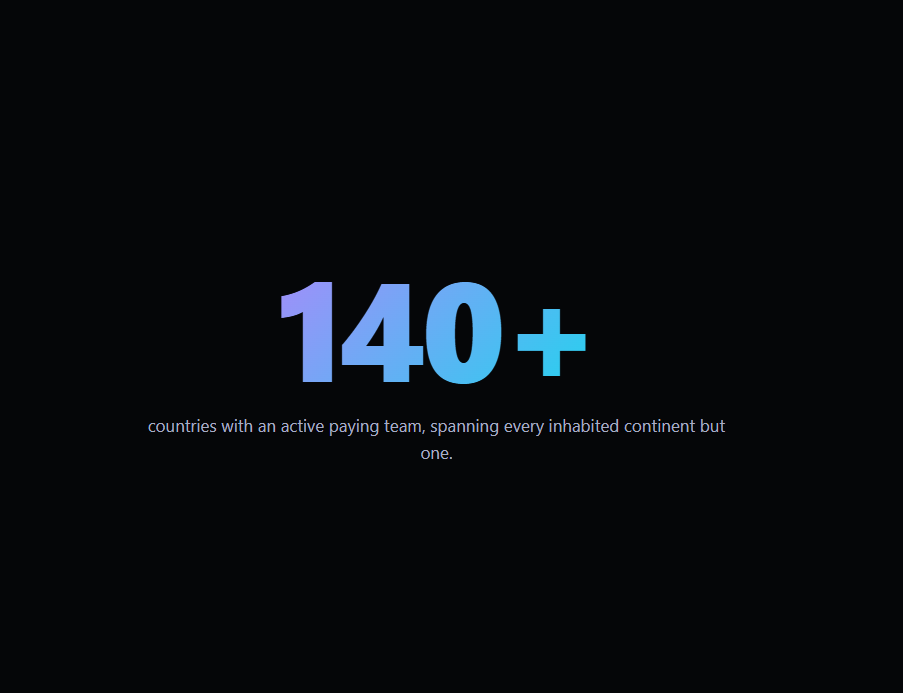
  <div class="srs-num" data-target="140" data-suffix="+">0</div>
  <p class="srs-copy">countries with an active paying team, spanning every inhabited continent but one.</p>
</section>
<section class="srs-beat" data-count="12">
  <div class="srs-num" data-target="12" data-suffix="M">0M</div>
  <p class="srs-copy">API requests handled on an average Tuesday, without a single planned outage this year.</p>
</section>
<section class="srs-outro"><p>Every number here started as a single customer, once.</p></section>*{box-sizing:border-box;margin:0;padding:0}
body{font-family:system-ui,-apple-system,sans-serif;background:#050608;color:#fff;min-height:100vh}
.srs-intro,.srs-outro{min-height:70vh;display:flex;flex-direction:column;justify-content:center;align-items:center;text-align:center;gap:12px;padding:24px}
.srs-intro p{color:#6b7280;font-size:13px;letter-spacing:.14em;text-transform:uppercase}
.srs-intro h1{font-size:clamp(28px,6vw,52px);letter-spacing:-.02em}
.srs-outro p{color:#8b90a8;font-size:16px;max-width:460px}
.srs-beat{min-height:90vh;display:flex;flex-direction:column;justify-content:center;align-items:center;text-align:center;gap:18px;padding:24px;max-width:640px;margin:0 auto}
.srs-num{font-size:clamp(56px,13vw,140px);font-weight:800;letter-spacing:-.03em;line-height:1;background:linear-gradient(135deg,#a78bfa,#22d3ee);-webkit-background-clip:text;background-clip:text;color:transparent;opacity:.25;transform:translateY(24px) scale(.92);transition:opacity .5s ease,transform .5s ease;font-variant-numeric:tabular-nums}
.srs-beat.is-active .srs-num{opacity:1;transform:translateY(0) scale(1)}
.srs-copy{font-size:17px;line-height:1.6;color:#a8adc4;opacity:0;transform:translateY(14px);transition:opacity .6s ease .15s,transform .6s ease .15s}
.srs-beat.is-active .srs-copy{opacity:1;transform:translateY(0)}// Each .srs-beat carries its own target number, prefix, and suffix directly
// on the DOM (data attributes), so the count-up logic reads real markup
// instead of a duplicated JS data array — edit the HTML and the animation
// follows automatically.
function formatValue(raw, prefix, suffix) {
var n = Math.round(raw);
var display = n >= 1000000 ? (n / 1000000).toFixed(n % 1000000 === 0 ? 0 : 1) + 'M'
: n.toLocaleString('en-US');
return prefix + display + (n >= 1000000 ? '' : suffix);
}
function animateCount(el) {
var target = Number(el.getAttribute('data-target'));
var prefix = el.getAttribute('data-prefix') || '';
var suffix = el.getAttribute('data-suffix') || '';
var duration = 1400;
var start = null;
function step(ts) {
if (start === null) start = ts;
var elapsed = ts - start;
var t = Math.min(elapsed / duration, 1);
// easeOutCubic — fast start, gentle settle, reads well for large jumps
var eased = 1 - Math.pow(1 - t, 3);
el.textContent = formatValue(target * eased, prefix, suffix);
if (t < 1) requestAnimationFrame(step);
}
requestAnimationFrame(step);
}
var beats = document.querySelectorAll('.srs-beat');
var counted = new WeakSet();
// A wide middle band (rather than the default "any pixel visible") means a
// beat activates once its number is roughly centered in the viewport —
// where the reader is actually looking — rather than the instant its top
// edge peeks in from the bottom.
var observer = new IntersectionObserver(function (entries) {
entries.forEach(function (entry) {
var beat = entry.target;
beat.classList.toggle('is-active', entry.isIntersecting);
if (entry.isIntersecting && !counted.has(beat)) {
counted.add(beat);
animateCount(beat.querySelector('.srs-num'));
}
});
}, { rootMargin: '-30% 0px -30% 0px', threshold: 0 });
beats.forEach(function (beat) { observer.observe(beat); });Extend with AI
Take This Snippet Further With AI
The AI prompt for this one is for Patreon supporters ($3 a month, 7 days free), along with a site with no ads. Supporters enter the passcode once and it is remembered in this browser.
What's included
Features
About this UI Snippet
Scroll Stat Reveal Story — Big Numbers That Count Up as You Scroll
Annual reports, pitch decks, and "by the numbers" pages all lean on the same trick: a big number that counts up the moment it enters view, so a static fact reads as a small, satisfying event. This snippet builds that pattern with nothing but a native IntersectionObserver and requestAnimationFrame — no GSAP, no counter library, no dependency at all.
Data lives in the markup, not a JS array
Each .srs-beat section carries its own data-target, and its number element carries optional data-prefix/data-suffix attributes. animateCount() reads straight off whichever element triggered, so adding a new stat beat is purely an HTML edit — there's no parallel JavaScript array to keep in sync, unlike patterns that store all step data in one big config object.
A middle-band observer decides when to fire
Every beat is watched with rootMargin: '-30% 0px -30% 0px', shrinking the observer's effective trigger zone to the vertical center 40% of the viewport. A stat only starts counting once it's genuinely centered where a reader's eyes would be, not the instant its top pixel appears at the bottom of the screen — the same middle-band technique scrollytelling libraries like scrollama use for step detection.
Count-once, not count-every-time
A WeakSet tracks which number elements have already animated, so scrolling back up and back down again never restarts the count-up — a real annual-report stat shouldn't visibly reset and recount every time a reader scrolls past it twice. The is-active class (which drives the fade/rise-in of the number and copy) still toggles freely both directions, so the visual reveal itself remains fully reversible even though the counting animation itself only ever plays once per stat.
requestAnimationFrame with manual easing, not setInterval
Each count-up runs its own requestAnimationFrame loop tracking elapsed time against a fixed 1400ms duration, applying an easeOutCubic curve (1 - (1-t)^3) so large numbers start fast and settle gently rather than ticking linearly, which reads as sluggish for big jumps like the funding total. Because it's driven by a real timestamp rather than a fixed tick count, the animation runs at a consistent speed regardless of the visitor's refresh rate.
Honest large-number formatting
formatValue() renders values a million or above as a decimal-and-M short form (matching the 12M API-requests stat) and everything else with locale-aware thousands separators via toLocaleString, so a number like 4,200,000 counts through readable intermediate values instead of a flickering raw integer.
Customizing it
Add beats freely — each just needs a data-target and optional prefix/suffix; nothing else in the JS needs to change. Pair with a scroll number odometer for a persistent header counter, or a scrollytelling chart if the stats should also visualize as a graph.
Step by step
How to Use
- 1Paste the HTML, CSS, and JSNo CDN scripts needed — everything runs on native browser APIs.
- 2Scroll into the first stat beatThe number counts up from zero the moment it's centered in view.
- 3Keep scrollingEach subsequent beat counts up independently, once, the first time it centers.
- 4Scroll back upNumbers stay at their final counted value; only the fade/rise reveal reverses.
- 5Edit the data attributesChange data-target, data-prefix, and data-suffix per beat — no JS array to update.
- 6Add more beatsDuplicate an .srs-beat section; the IntersectionObserver picks it up automatically.
Real-world uses
Common Use Cases
data-target and data-suffix attributes holding each stat's value and format.WeakSet so scrolling back never replays a count.Got questions?
Frequently Asked Questions
A WeakSet named counted tracks which number elements have already run their count-up animation. The IntersectionObserver callback checks this set before calling animateCount, so a beat that has already finished counting simply skips straight to toggling its is-active class again — the fade and rise-in reveal stays fully reversible, but the actual number never restarts from zero on a repeat pass, which matches how a real statistic should behave.
The default IntersectionObserver fires as soon as even one pixel of an element is visible, which for a full-height stat section means it would trigger while the number is still off-screen at the very bottom edge. Shrinking the observation zone with rootMargin: '-30% 0px -30% 0px' collapses it to the vertical middle 40% of the viewport, so a beat only activates once its number is genuinely centered where a reader is looking, matching the middle-band technique used by scrollytelling libraries like scrollama.
A single count-up animation on a single property (a text string derived from a number) doesn't need a full animation engine — requestAnimationFrame plus a manual easing formula does the same job with zero extra script weight. Reach for GSAP and ScrollTrigger instead when you need scrubbed, position-locked timelines (tied continuously to scroll position rather than firing once) or coordinated multi-property tweens, like the pinned line-fill in the scroll company timeline snippet.
Add or edit the data-prefix and data-suffix attributes on the .srs-num element for that beat — the prefix (like "$") is prepended and the suffix (like "%" or "+") is appended around whatever formatValue() produces. For values under a million, formatValue() uses toLocaleString('en-US') for thousands separators; for a million or more it automatically switches to a decimal-and-M short form and drops the suffix, matching the 12M API-requests stat.
Create the IntersectionObserver inside a mount effect (useEffect, onMounted, or ngAfterViewInit) after the beat elements have rendered, and keep a ref or component-scoped Set (rather than a module-level WeakSet) to track which stats have already counted, since a fresh WeakSet on every render would let numbers re-animate. Disconnect the observer in the cleanup function to avoid leaks across route changes.