






Flickering Grid — Free HTML CSS JS Canvas Texture Snippet
Flickering Grid · Animations · Plain HTML, CSS & JS · Live preview
Copy & paste
Source Code
<section class="fg-hero">
  <canvas class="fg-canvas" id="fgCanvas" aria-hidden="true"></canvas>
  <div class="fg-fade" aria-hidden="true"></div>
  <div class="fg-content">
    <h1>Signal in the noise</h1>
    <p>A grid of squares flickering at random — a calm, living texture on canvas.</p>
  </div>
</section>*{box-sizing:border-box;margin:0;padding:0}
body{font-family:system-ui,-apple-system,sans-serif;background:#06060d;color:#fff}
.fg-hero{position:relative;min-height:100vh;overflow:hidden;display:flex;align-items:center;justify-content:center;text-align:center}
.fg-canvas{position:absolute;inset:0;width:100%;height:100%}
.fg-fade{position:absolute;inset:0;background:radial-gradient(ellipse at center,transparent 20%,#06060d 80%);pointer-events:none}
.fg-content{position:relative;z-index:1;padding:0 20px;max-width:560px}
.fg-content h1{font-size:clamp(34px,7vw,64px);font-weight:900;letter-spacing:-.03em;text-shadow:0 4px 30px rgba(0,0,0,.5)}
.fg-content p{margin-top:14px;font-size:16px;color:#9a9ac0;line-height:1.55}var canvas = document.getElementById('fgCanvas');
var ctx = canvas.getContext('2d');
var SIZE = 16, GAP = 4, COLOR = '99,102,241', FLICKER = 0.12, MAXA = 0.55;
var cols, rows, cells, dpr, W, H;
function build() {
dpr = Math.min(devicePixelRatio || 1, 2);
W = canvas.clientWidth; H = canvas.clientHeight;
canvas.width = W * dpr; canvas.height = H * dpr;
ctx.setTransform(dpr, 0, 0, dpr, 0, 0);
cols = Math.ceil(W / (SIZE + GAP));
rows = Math.ceil(H / (SIZE + GAP));
cells = new Float32Array(cols * rows);
for (var i = 0; i < cells.length; i++) cells[i] = Math.random() * MAXA;
}
window.addEventListener('resize', build);
build();
var last = performance.now();
function draw(now) {
var dt = Math.min((now - last) / 1000, 0.1); last = now;
ctx.clearRect(0, 0, W, H);
for (var r = 0; r < rows; r++) {
for (var c = 0; c < cols; c++) {
var idx = r * cols + c;
// Each frame a fraction of cells pick a new random target brightness;
// all cells ease toward their current value for a soft flicker.
if (Math.random() < FLICKER * dt * 60 / 60) cells[idx] = Math.random() * MAXA;
var a = cells[idx];
if (a > 0.01) {
ctx.fillStyle = 'rgba(' + COLOR + ',' + a.toFixed(3) + ')';
ctx.fillRect(c * (SIZE + GAP), r * (SIZE + GAP), SIZE, SIZE);
}
}
}
requestAnimationFrame(draw);
}
requestAnimationFrame(draw);Extend with AI
Take This Snippet Further With AI
The AI prompt for this one is for Patreon supporters ($3 a month), along with a site with no ads. Supporters enter the passcode once and it is remembered in this browser.
What's included
Features
About this UI Snippet
Flickering Grid — Randomly Flickering Squares on Canvas
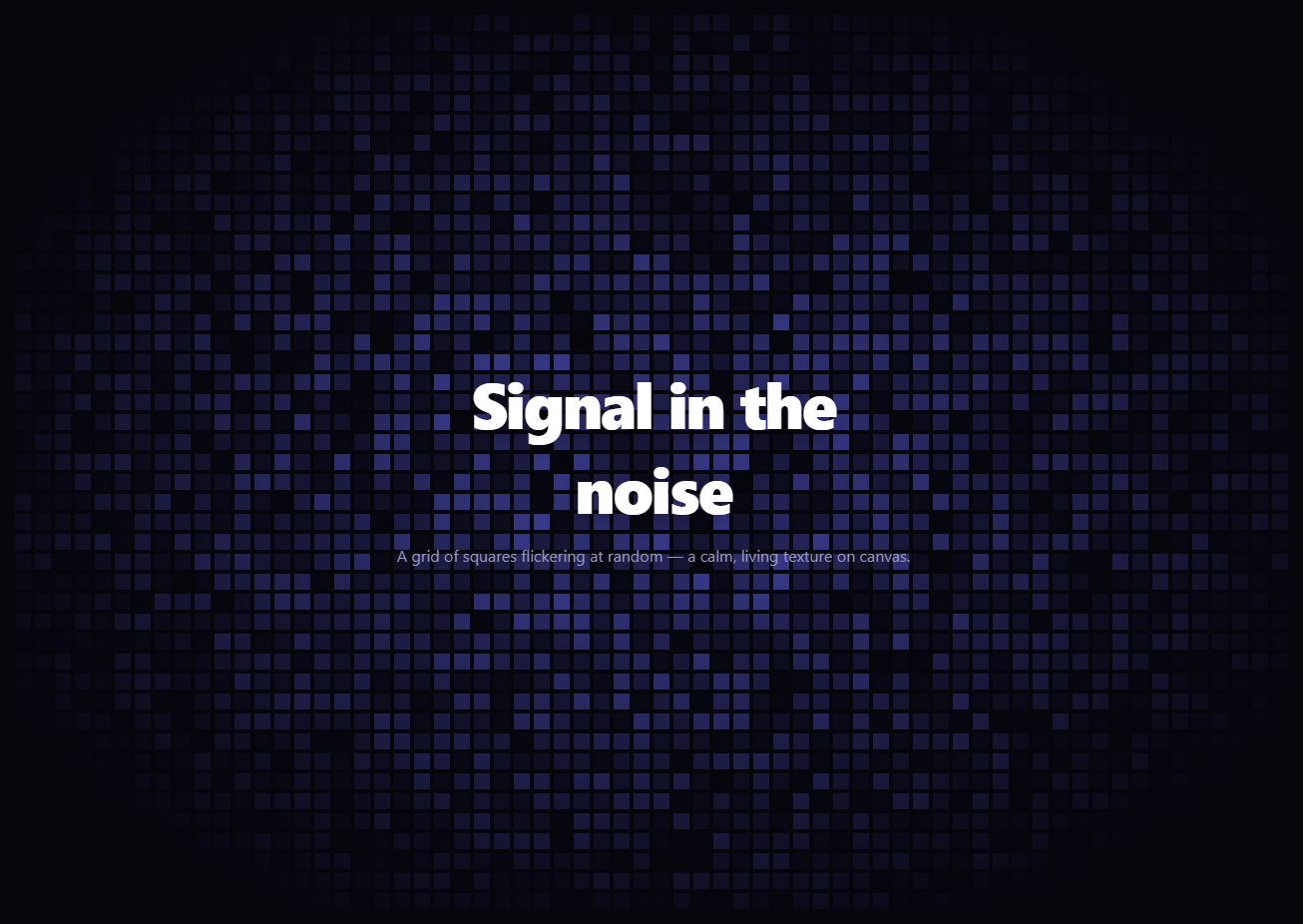
The flickering grid is the subtle, techy backdrop where a lattice of small squares flickers to random opacities — never the same twice, always quietly alive. It is a favorite ambient texture for AI, data, and developer sites. This snippet renders it on an HTML <canvas> with plain vanilla JavaScript, sharp on retina and efficient even with hundreds of cells.
A grid stored as a typed array
The grid is computed from cell SIZE and GAP: the canvas is divided into as many columns and rows as fit, and each cell's current brightness is stored in a Float32Array indexed by row * cols + col. A typed array is used deliberately — it holds the brightness of every cell in a compact, fast-to-iterate buffer, which matters because the draw loop touches every cell each frame. The array is seeded with random starting opacities so the grid is varied from the first frame.
The flicker logic
Each frame, a small fraction of cells (governed by FLICKER) are chosen at random to jump to a new random brightness, while the rest hold their current value. Redrawing every cell at its stored opacity then produces the flicker: most cells stay put on any given frame while a scattered few change, so the texture shimmers gently rather than strobing. Capping brightness at MAXA (0.55) keeps it subtle — a backdrop, not a distraction.
Drawing efficiently
The loop clears the canvas and fills each cell as a small fillRect at its opacity, skipping cells dimmer than a threshold so near-invisible squares cost nothing. Drawing solid rects (rather than per-cell gradients or shadows) keeps each frame cheap, which is what lets a few hundred cells animate at 60fps. The whole grid is one canvas, so it is a single element regardless of cell count.
Crisp on retina
Like any canvas, it scales with devicePixelRatio (capped at 2): the backing buffer is sized up and a setTransform lets drawing happen in CSS pixels while rendering at device resolution, so the square edges stay sharp on HiDPI screens. The grid rebuilds on resize to fit the new dimensions and recomputes the cell count.
Framing the content
A radial .fg-fade vignette darkens the grid toward the edges so the flicker emerges from darkness and the lattice does not end abruptly, keeping focus on the centered headline. The content sits above the canvas at a higher z-index with a soft text-shadow for legibility.
Customizing it
Change SIZE and GAP for a finer or chunkier grid, FLICKER for a busier or calmer shimmer, MAXA for brighter or subtler squares, and COLOR for any hue. Lower the DPR cap or raise the skip threshold for very low-end targets. Pair it with a dot pattern or particle network for a layered technical hero, or an aurora text headline on top.
Step by step
How to Use
- 1Paste HTML, CSS, and JSA grid of squares flickers softly behind the headline.
- 2Watch the shimmerScattered cells change brightness each moment.
- 3Note the vignetteThe grid fades into the page toward the edges.
- 4Resize the windowThe grid rebuilds and stays crisp on retina.
- 5Tune the flickerAdjust FLICKER, MAXA, SIZE, and GAP.
- 6Recolor itChange the COLOR RGB string.
Real-world uses
Common Use Cases
Float32Array to keep brightness updates fast across thousands of cells.Got questions?
Frequently Asked Questions
A Float32Array holds the brightness of every cell in a compact, fast-to-iterate buffer indexed by row times columns plus column. The draw loop touches every cell each frame, so a typed array is faster and lighter than an array of objects, which keeps hundreds of cells animating smoothly.
Each frame only a small fraction of cells, set by FLICKER, jump to a new random brightness while the rest hold their value, and brightness is capped at MAXA around 0.55. So most cells stay put on any frame and only a scattered few change, producing a gentle shimmer rather than a harsh strobe.
The loop clears the canvas and fills each cell as a small solid fillRect at its opacity, skipping cells dimmer than a threshold so near-invisible squares cost nothing. Using solid rects instead of per-cell gradients or shadows keeps each frame cheap, which lets a few hundred cells run at 60fps on one canvas.
Yes. It scales with devicePixelRatio capped at 2: the canvas backing buffer is sized up and a setTransform lets drawing happen in CSS pixels while rendering at device resolution, so the square edges stay crisp. The grid also rebuilds on resize, recomputing the cell count for the new dimensions.
Put the canvas behind your content with a ref and run build plus the rAF draw loop in a mount effect, cancelling the frame and removing the resize listener on unmount. Keep the cells typed array and dimensions in refs, not state. The component is framework-agnostic; in Tailwind position the canvas absolute inset-0 behind a relative content layer with a vignette overlay.