

Orbit Carousel — HTML CSS JS Snippet
Orbit Carousel · Carousels · Plain HTML, CSS & JS · Live preview
Copy & paste
Source Code
<div class="obc-stage">
  <div class="obc-center" id="obcCenter">
    <span id="obcCenterIcon">🎧</span>
  </div>
  <div class="obc-orbit" id="obcOrbit">
    <div class="obc-sat" data-i="0"><span>📷</span></div>
    <div class="obc-sat" data-i="1"><span>⌚</span></div>
    <div class="obc-sat" data-i="2"><span>🎮</span></div>
    <div class="obc-sat" data-i="3"><span>🔊</span></div>
    <div class="obc-sat" data-i="4"><span>💻</span></div>
  </div>
  <div class="obc-label" id="obcLabel">Headphones</div>
</div>*{box-sizing:border-box;margin:0;padding:0}
body{font-family:system-ui,-apple-system,sans-serif;background:#0b0e14;min-height:100vh;display:flex;align-items:center;justify-content:center;padding:24px}
.obc-stage{position:relative;width:300px;height:300px;display:flex;align-items:center;justify-content:center}
.obc-center{position:absolute;width:96px;height:96px;border-radius:50%;background:linear-gradient(160deg,#6366f1,#4338ca);display:flex;align-items:center;justify-content:center;font-size:40px;box-shadow:0 0 0 8px rgba(99,102,241,.14),0 16px 34px rgba(0,0,0,.5);z-index:2;transition:background .3s}
.obc-orbit{position:absolute;inset:0}
.obc-sat{position:absolute;top:50%;left:50%;width:46px;height:46px;margin:-23px 0 0 -23px;border-radius:50%;background:#161c2c;border:1.5px solid #2a3348;display:flex;align-items:center;justify-content:center;font-size:20px;cursor:pointer;transition:transform .6s cubic-bezier(.65,0,.35,1),background .2s,border-color .2s}
.obc-sat:hover{background:#232c42;border-color:#6366f1}
.obc-label{position:absolute;bottom:-36px;color:#fff;font-size:14px;font-weight:800}var ITEMS = ['Headphones', 'Camera', 'Watch', 'Console', 'Speaker', 'Laptop'];
var ICONS = ['🎧', '📷', '⌚', '🎮', '🔊', '💻'];
var center = document.getElementById('obcCenter');
var centerIcon = document.getElementById('obcCenterIcon');
var label = document.getElementById('obcLabel');
var sats = document.querySelectorAll('.obc-sat');
var radius = 130;
var centerIndex = 0;
// Build the order of satellite indices (everyone except the current center)
function satelliteOrder() {
var order = [];
for (var i = 0; i < ICONS.length; i++) if (i !== centerIndex) order.push(i);
return order;
}
function layout() {
var order = satelliteOrder();
sats.forEach(function (sat, slot) {
var itemIndex = order[slot];
var angle = (360 / order.length) * slot - 90;
var rad = angle * Math.PI / 180;
var x = Math.cos(rad) * radius;
var y = Math.sin(rad) * radius;
sat.style.transform = 'translate(' + x + 'px,' + y + 'px)';
sat.querySelector('span').textContent = ICONS[itemIndex];
sat.dataset.item = itemIndex;
});
centerIcon.textContent = ICONS[centerIndex];
label.textContent = ITEMS[centerIndex];
}
sats.forEach(function (sat) {
sat.addEventListener('click', function () {
centerIndex = parseInt(sat.dataset.item, 10);
layout();
});
});
document.addEventListener('keydown', function (e) {
if (e.key === 'ArrowRight') { centerIndex = (centerIndex + 1) % ICONS.length; layout(); }
else if (e.key === 'ArrowLeft') { centerIndex = (centerIndex - 1 + ICONS.length) % ICONS.length; layout(); }
});
layout();Extend with AI
Take This Snippet Further With AI
The AI prompt for this one is for Patreon supporters ($3 a month, 7 days free), along with a site with no ads. Supporters enter the passcode once and it is remembered in this browser.
What's included
Features
About this UI Snippet
Orbit Carousel — A Fixed Center, Satellites That Re-Flow Around It

Unlike the Radial Carousel in this library (which rotates a ring so a *different* item reaches a fixed "front" position), this one keeps the featured item permanently large and centered — clicking any orbiting satellite *swaps* it directly into the center role, and every remaining item re-distributes itself evenly around the new center.
The satellite list is recomputed, not rotated
Every render, satelliteOrder() builds a fresh array of every item index *except* whichever one is currently the center — so when the center changes, the satellite list genuinely changes membership, not just position. The five (or however many) physical satellite <div>s in the DOM are then reused as generic "slots": slot 0 always sits at angle -90° (top) regardless of *which* item currently occupies it, and each slot's icon is simply relabeled to whatever item now belongs there.
Why the DOM elements are slots, not items
This reuse is deliberate: because the same five DOM nodes are always positioned at the same five angles, only their *content* changes when the center swaps — so the CSS transition: transform on each satellite only ever needs to animate a slot occasionally staying put or shifting to an adjacent angle (since removing one item shifts everyone after it by one slot), never a full re-layout of new elements entering and old ones leaving.
Step by step
How to Use
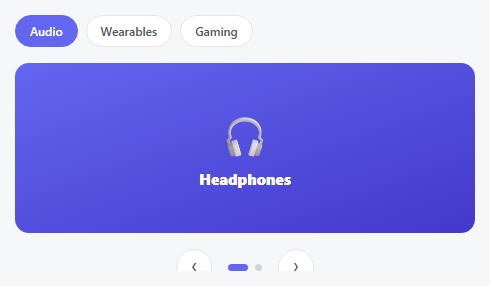
- 1Paste HTML, CSS, and JSA large "Headphones" icon sits centered, with five smaller satellites orbiting around it.
- 2Click any satelliteIt swaps into the center role; the remaining five items redistribute evenly around the new center.
- 3Use arrow keysLeft/Right steps the center through items in order without clicking.
- 4Watch the satellites reflowBecause slots are fixed but membership changes, satellites subtly shift position as items are removed or added to the ring.
- 5Add a seventh itemAdd one entry to ITEMS/ICONS and one .obc-sat element — angles recalculate from the live count automatically.
Real-world uses
Common Use Cases
Got questions?
Frequently Asked Questions
The Radial Carousel rotates a fixed ring of items so a different one reaches a "front" position — every item keeps its ring membership. This Orbit Carousel instead changes WHICH items are satellites at all: the clicked one leaves the ring and becomes the center, and the previous center rejoins the ring.
Change the radius constant (in pixels) — layout() derives every satellite's x/y position from it and the live satellite count.
Yes — extend ITEMS and ICONS together, and add one matching .obc-sat element per new item; the angle spacing (360 / order.length) adapts to any count automatically.
Because satellite slots are fixed at even angles and membership is recomputed as a plain array each time, removing the clicked item from that array shifts every subsequent item into the previous slot — this is expected and keeps the ring evenly spaced rather than leaving a gap.
Each satellite is directly clickable — for full accessibility, convert them to real <button> elements with descriptive aria-labels naming the item they represent, and ensure the center label updates are announced via an aria-live region.