

Scroll Safe Dial Unlock: GSAP Vault Door Open Effect
Scroll Safe Dial Unlock: GSAP Vault Door Open Effect · Scroll · Plain HTML, CSS & JS · Live preview
Copy & paste
Source Code
<section class="sf-stage" id="sfStage">
  <p class="sf-kicker">Keystone Vault</p>
  <h1 class="sf-title">Scroll to crack the code</h1>
  <div class="sf-vault">
    <div class="sf-inside" id="sfInside">
      <h2>Inside the vault</h2>
      <ul>
        <li>Zero-knowledge encryption</li>
        <li>Hardware key backup</li>
        <li>Full audit trail</li>
      </ul>
    </div>
    <div class="sf-door" id="sfDoor">
      <span class="sf-bolt" id="sfB1"></span><span class="sf-bolt" id="sfB2"></span><span class="sf-bolt" id="sfB3"></span>
      <div class="sf-dial" id="sfDial" aria-hidden="true"><i class="sf-notch"></i><span class="sf-knob"></span></div>
      <div class="sf-handle" aria-hidden="true"></div>
    </div>
  </div>
  <div class="sf-panel">
    <span class="sf-led" id="sfL1"></span><span class="sf-led" id="sfL2"></span><span class="sf-led" id="sfL3"></span>
    <output class="sf-read" id="sfRead" aria-live="off">00</output>
  </div>
</section>
<section class="sf-after"><p>The vault is open. Keep scrolling.</p></section>*{box-sizing:border-box;margin:0;padding:0}
body{font-family:system-ui,-apple-system,sans-serif;background:#0c0f16;color:#e9ecf4}
.sf-stage{height:100vh;display:flex;flex-direction:column;align-items:center;justify-content:center;gap:14px;padding:16px;overflow:hidden}
.sf-kicker{font-size:12px;font-weight:700;letter-spacing:.18em;text-transform:uppercase;color:#d4a24c}
.sf-title{font-size:clamp(24px,4.5vw,44px);letter-spacing:-.02em;text-align:center}
.sf-vault{position:relative;width:min(340px,78vw,46vh);aspect-ratio:1;perspective:1100px;border-radius:22px;padding:14px;background:linear-gradient(145deg,#39404f,#1a1e29);box-shadow:0 24px 50px rgba(0,0,0,.6)}
.sf-inside{position:absolute;inset:14px;border-radius:12px;background:radial-gradient(circle at 50% 40%,#3a2d12,#120d05);display:flex;flex-direction:column;justify-content:center;gap:10px;padding:18px 20px;opacity:.25;transform:scale(.92)}
.sf-inside h2{font-size:clamp(16px,2.6vw,20px);color:#f5c451}
.sf-inside ul{list-style:none;display:grid;gap:7px;font-size:clamp(12px,1.8vw,14px);color:#f0e6cf}
.sf-inside li::before{content:'\2713 ';color:#f5c451}
.sf-door{position:absolute;inset:14px;border-radius:12px;transform-origin:left center;background:linear-gradient(145deg,#5a6275,#2d3342);box-shadow:inset 0 0 0 3px #1a1e29,inset 0 0 28px rgba(0,0,0,.45);display:grid;place-items:center}
.sf-dial{position:relative;width:56%;aspect-ratio:1;border-radius:50%;background:radial-gradient(circle,#2a2f3c 52%,transparent 53%),repeating-conic-gradient(#e9ecf4 0 .8deg,#1c202b .8deg 3.6deg);border:6px solid #1a1e29;box-shadow:0 6px 16px rgba(0,0,0,.5)}
.sf-notch{position:absolute;left:50%;top:-10px;width:0;height:0;margin-left:-7px;border:7px solid transparent;border-top-color:#f5c451}
.sf-knob{position:absolute;inset:26%;border-radius:50%;background:linear-gradient(145deg,#8e97ad,#444c5e);box-shadow:0 3px 8px rgba(0,0,0,.5)}
.sf-knob::after{content:'';position:absolute;left:50%;top:6%;width:4px;height:26%;margin-left:-2px;border-radius:2px;background:#1a1e29}
.sf-handle{position:absolute;right:8%;bottom:8%;width:14%;height:14%;border-radius:50%;background:linear-gradient(145deg,#8e97ad,#444c5e)}
.sf-bolt{position:absolute;right:-12px;width:26px;height:16px;border-radius:3px;background:linear-gradient(#c7cddc,#7d8599)}
#sfB1{top:14%}#sfB2{top:32%}#sfB3{top:50%}
.sf-panel{display:flex;align-items:center;gap:10px;padding:8px 16px;border-radius:999px;background:#151923;border:1px solid #262c3a}
.sf-led{width:11px;height:11px;border-radius:50%;background:#3b2024;transition:none}
.sf-read{font:700 18px/1 ui-monospace,Consolas,monospace;color:#f5c451;min-width:2ch;margin-left:6px}
.sf-after{min-height:70vh;display:grid;place-items:center;color:#8a93a8;font-size:15px;padding:24px;text-align:center}gsap.registerPlugin(ScrollTrigger);
var stage = document.getElementById('sfStage');
var dial = document.getElementById('sfDial');
var door = document.getElementById('sfDoor');
var inside = document.getElementById('sfInside');
var read = document.getElementById('sfRead');
var leds = [document.getElementById('sfL1'), document.getElementById('sfL2'), document.getElementById('sfL3')];
var bolts = document.querySelectorAll('.sf-bolt');
var spin = { a: 0 };
// The combination: 24 clockwise, 07 counter-clockwise, 61 clockwise.
// One number on the dial = 3.6 degrees (100 numbers around the circle).
var turns = [360 + 24 * 3.6, 7 * 3.6 - 360, 360 + 61 * 3.6];
function show() {
gsap.set(dial, { rotation: spin.a });
var n = Math.round((((spin.a % 360) + 360) % 360) / 3.6) % 100;
read.textContent = (n < 10 ? '0' : '') + n;
}
var tl = gsap.timeline({ defaults: { ease: 'none' } });
tl.to(spin, { a: turns[0], ease: 'power2.inOut', duration: 0.09, onUpdate: show }, 0)
.to(leds[0], { backgroundColor: '#34d399', boxShadow: '0 0 10px #34d399', duration: 0.01 }, 0.09)
.to(spin, { a: turns[1], ease: 'power2.inOut', duration: 0.09, onUpdate: show }, 0.1)
.to(leds[1], { backgroundColor: '#34d399', boxShadow: '0 0 10px #34d399', duration: 0.01 }, 0.19)
.to(spin, { a: turns[2], ease: 'power2.inOut', duration: 0.09, onUpdate: show }, 0.2)
.to(leds[2], { backgroundColor: '#34d399', boxShadow: '0 0 10px #34d399', duration: 0.01 }, 0.29)
.to(bolts, { x: -26, duration: 0.1 }, 0.3)
.to(door, { rotationY: -112, ease: 'power1.inOut', duration: 0.4 }, 0.4)
.to(inside, { opacity: 1, scale: 1, duration: 0.2 }, 0.65)
.set({}, {}, 1);
if (window.matchMedia('(prefers-reduced-motion: reduce)').matches) {
tl.progress(1);
} else {
ScrollTrigger.create({
trigger: stage,
start: 'top top',
end: '+=2400',
pin: true,
scrub: 0.4,
animation: tl
});
}Extend with AI
Take This Snippet Further With AI
Paste this snippet into an AI coding assistant and ask it to explain how one scrubbed timeline sequences dial turns, LEDs, bolts and a 3D door, and how the dial's angle is converted into the number shown. Follow-ups worth trying: a second dial for a longer code, a click sound tied to each number, or a version where the final content is a pricing card. Ask it to keep reduced-motion support.
Prompt to recreate it
Copy this into your AI assistant of choice to build the effect from scratch, or as a jumping-off point for your own variant:
Build a "scroll safe dial unlock" in plain HTML, CSS and JavaScript using GSAP with ScrollTrigger (from a CDN).

Requirements:
- A pinned full-viewport stage with a kicker, a title, a square steel vault, and a small panel under it containing three LEDs and a two-digit number readout.
- Inside the vault frame, an interior panel (heading plus three checklist items) starts dimmed and slightly scaled down. A door sits over it with transform-origin left center inside a parent with perspective. The door holds a round combination dial (tick marks drawn with repeating-conic-gradient, a notch at the top, a knob), a handle and three bolts on its right edge.
- One GSAP timeline with a pinned ScrollTrigger (pin: true, scrub about 0.4, end: '+=2400'): the dial turns clockwise to 24, then counter-clockwise to 07, then clockwise to 61 (3.6 degrees per number, using an object tween and gsap.set for rotation). After each turn an LED switches from dark red to glowing green. Then bolts retract, the door rotates on Y to about -112 degrees, and the interior brightens and scales to 1.
- Update the readout from the current dial angle on every tween update.
- Scrolling back up must reverse everything.
- If prefers-reduced-motion is set, set the timeline to its end and skip the pin.
Want to tighten it up first? Run this prompt through the AI Prompt Studio to score it across 8 quality dimensions, catch anti-patterns, and tune the wording for Claude, ChatGPT, or Gemini before you paste it in.
What's included
Features
About this UI Snippet
Scroll Safe Dial Unlock: Crack a Combination to Open the Vault
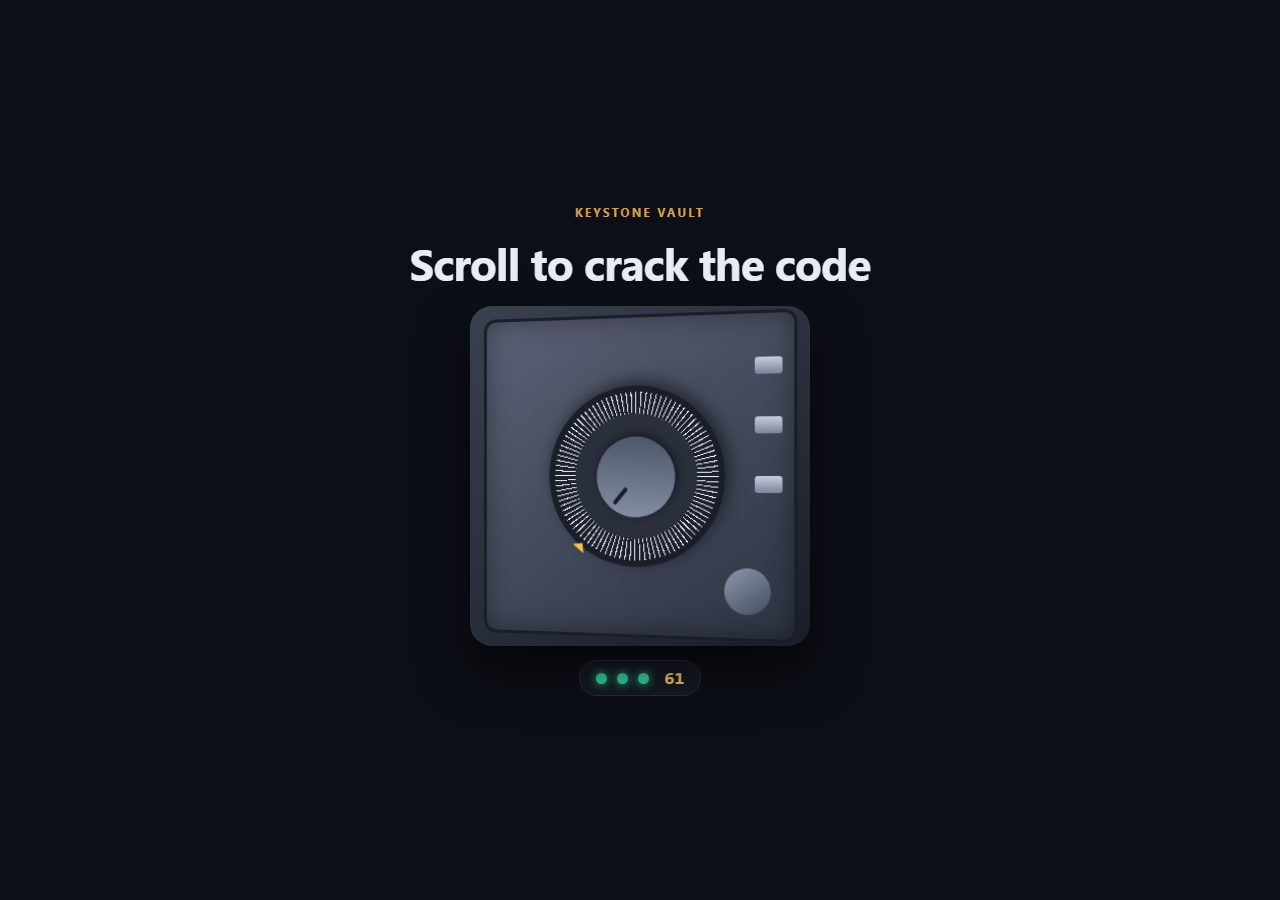
Most reveal effects fade or slide. This one makes the visitor earn it. A steel vault door fills a pinned stage, and scrolling turns the combination dial: clockwise to 24, counter-clockwise to 07, clockwise to 61. A green LED lights after each correct number, the bolts slide back, and the door swings open on a 3D hinge to show what is inside.
One timeline, five stages
The sequence lives on a single GSAP timeline mapped to a pinned ScrollTrigger (end: '+=2400', scrub: 0.4). The first 30% is the three dial turns, 30-40% retracts the bolts, 40-80% swings the door, and the contents settle in last. Because it is scrubbed, scrolling back up spins the dial the other way and locks the door again.
A dial that really is a number
The dial is one rotation value in a small object. A show() function applies it with gsap.set(dial, { rotation }) and works out which of 100 numbers sits at the top (3.6 degrees per number), writing it to the readout. The numbers on screen therefore match the position of the marks.
Alternating directions
Each turn adds a full revolution, and the middle one targets a negative angle so the dial runs backwards. power2.inOut easing on each segment gives it a stop-and-go feel, like someone feeling for the click.
3D door on a hinge
The vault gets perspective: 1100px, and the door uses transform-origin: left center with rotationY: -112. The interior panel behind it starts dimmed and slightly scaled down and brightens as the door clears.
Making it your own
Change the turns array to set your own combination, restyle the contents, or lengthen the pin for a slower crack. With prefers-reduced-motion, the timeline jumps to its end and the vault starts open. For a related locked-content idea, see the PIN pad snippet, or follow this with a scroll portal gate.
Step by step
How to Use
- 1Add the GSAP CDNsInclude gsap and ScrollTrigger from the CDN panel.
- 2Paste HTML, CSS and JSA closed vault with a dial, three LEDs and a number readout renders.
- 3Set your combinationEdit the turns array: one entry per number, alternating direction by using positive and negative angles.
- 4Put your content in .sf-insideThe headline and list are what the door reveals.
- 5Scroll downThe dial turns, LEDs light, bolts retract and the door opens.
- 6Adjust the lengthChange end: '+=2400' to make the safe harder or quicker to crack.
Real-world uses
Common Use Cases
Got questions?
Frequently Asked Questions
The dial's rotation lives in a small object. A show() function applies it with gsap.set and converts it to a number: the angle modulo 360, divided by 3.6, rounded and wrapped at 100. That value is written to the readout on every update.
Edit the turns array. Each entry is an absolute angle: number times 3.6, plus or minus a full 360 for extra revolutions. Use a positive angle for clockwise and a negative one for counter-clockwise movement.
The door has transform-origin set to left center, so rotationY pivots around its left edge like a real hinge. The parent's perspective value controls how strong the 3D foreshortening looks.
Yes. The vault is sized with min() from viewport width and height, so it fits portrait phones. Scroll distance is the same on every device, so the unlock takes the same amount of scrolling everywhere.