Desktop · 1280px · shown at 0% · edit the text, images and colours in the panel
Legal & Long-Form Text Page — Free Website Section Template
Blog · v1.0.0 · Updated 2026-10-24 · Responsive · GSAP animation · HTML, React & Vue
What's included
Features
About this section
Legal & Long-Form Text Page — Free Policy Template
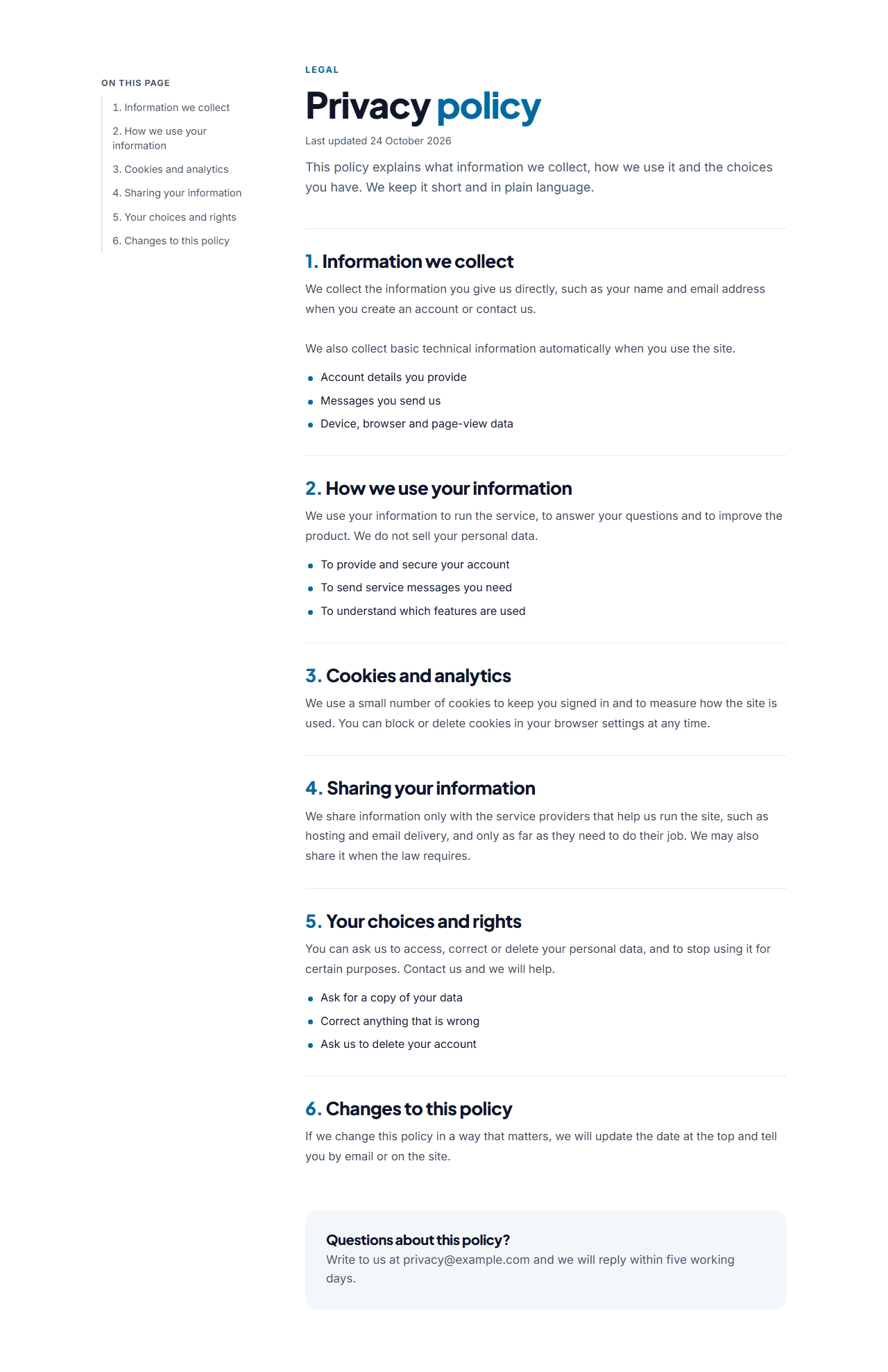
Legal & Long-Form Text Page is a free layout for the pages every website needs and nobody enjoys building: privacy policy, terms of service, cookie policy, accessibility statement, help articles and long guides. It focuses on one thing, being easy to read.
Readable by design
A large title, a last-updated date and an introduction open the page. The body is a column of numbered sections about 760 pixels wide, with generous line height, clear headings and optional bullet lists. Each section has a heading, paragraphs (leave a blank line between them) and an optional list of points, one per line.
An automatic table of contents
On wide screens a contents list sticks to the left and highlights the section you are reading; click a heading to jump to it. The list is built in the browser from your section headings, and each section gets a link-friendly address, so you never maintain it by hand. On tablets and phones it moves above the text, and without JavaScript the page still reads as numbered sections.
A contact box and your wording
A box at the end invites questions, with a heading and text you control, and it can be switched off. Replace the sample text with your own: this is a layout, not legal advice, and a policy must describe what your business actually does, so have a qualified person check it before you publish.
Export it
Copy one HTML file, download a ZIP, copy a React or Vue component, or fork into My Code. In the Website Builder, add it as a Privacy or Terms page and link it from the footer of every page.
Why use it
Why Use the Legal & Long-Form Text Page
How it’s different
How It’s Different From Other Free Section Templates
Step by step
How to Use
- 1Edit the contentFill in the title, sections and contact box in the panel. Switch the contact box on or off. Wrap words in *asterisks* to colour them.
- 2Add your imagesUpload your own images (resized in your browser and kept on your device) or paste a hosted image URL.
- 3Match your brandPick a colour preset or exact colours, choose heading and body fonts from Google Fonts or your own uploaded font, set the corner radius and width, or apply your brand kit.
- 4Animate and previewChoose a GSAP entrance effect and speed, press Play animation, and check the section on desktop, tablet and mobile.
- 5Save and exportSave it to My designs, then export a single HTML file, a ZIP with your images, a React or Vue component, or fork it into My Code.
Real-world uses
Common Use Cases
Got questions?
Frequently Asked Questions
No. It is a page layout with sample wording. A policy has to describe what your business does with data, so replace the text and have a qualified person review it before you publish.
It is created in the browser from your section headings, with a link and an address for each section. It highlights the section being read, and without JavaScript the page still shows the sections in order.
Type paragraphs in the text field with a blank line between them, and put list items one per line in the bullet list field. Select text to make it bold or add a link.
Yes. Rename the sections, remove the contact box if you do not need it and use the intro for a summary. It suits help articles, guides and long-form write-ups.
It saves an editable copy of your Legal & Long-Form Text Page in My Code, the UI Snippets code editor: the section markup goes in the HTML panel, its CSS (theme variables, base styles and layout) in the CSS panel, and the GSAP library is added as a CDN link, so you can keep refining the code and save your own versions.
Yes. It is free for personal and commercial websites, with no sign-up, no watermark and no attribution required. Everything runs in your browser and your edits are saved locally.