Blog Section Templates
3 free, editable blog section templates. Blog and article grids with cover images. Change the text, images, colours and fonts in your browser, add a GSAP animation, then export HTML, React or Vue.
Blog Section Templates
3 sections · Responsive · GSAP animation · HTML, React & Vue
About these sections
Blog Section Templates
A blog section brings your latest writing onto the homepage and other pages, showing visitors that the company is active and giving search engines internal links to your articles.
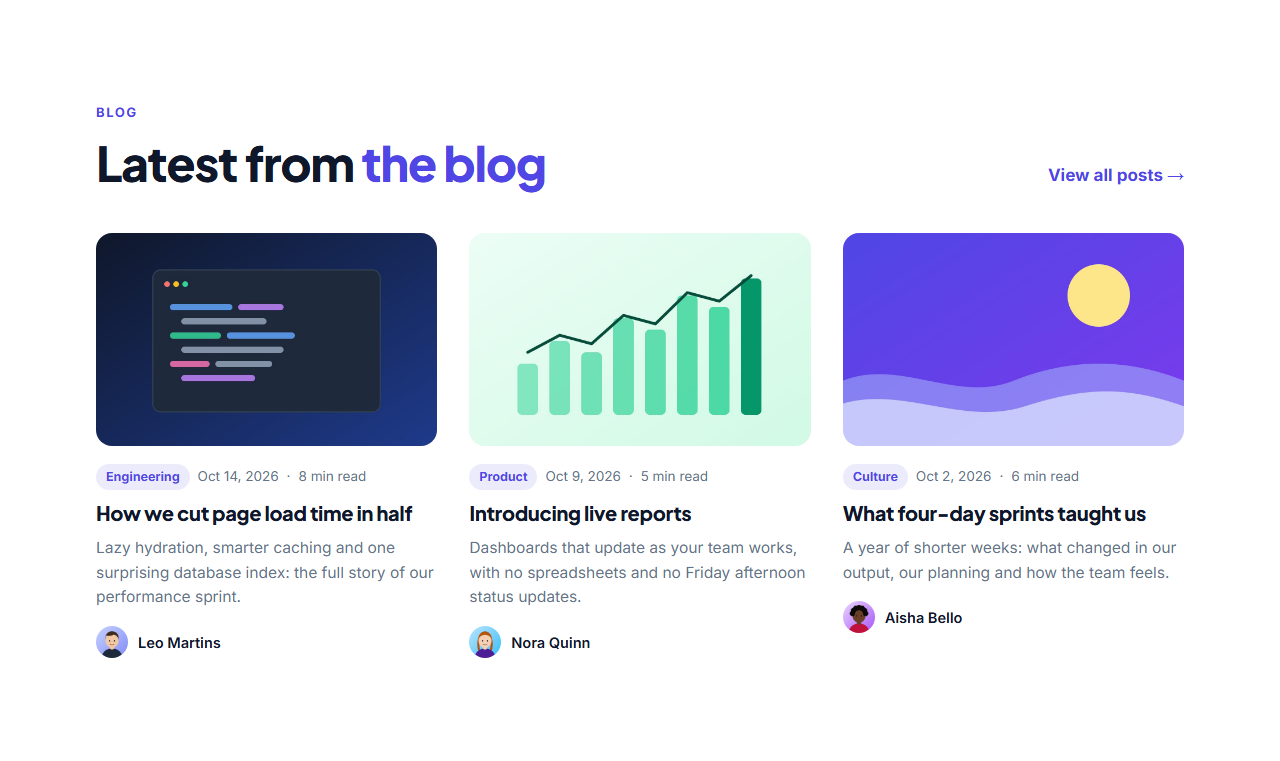
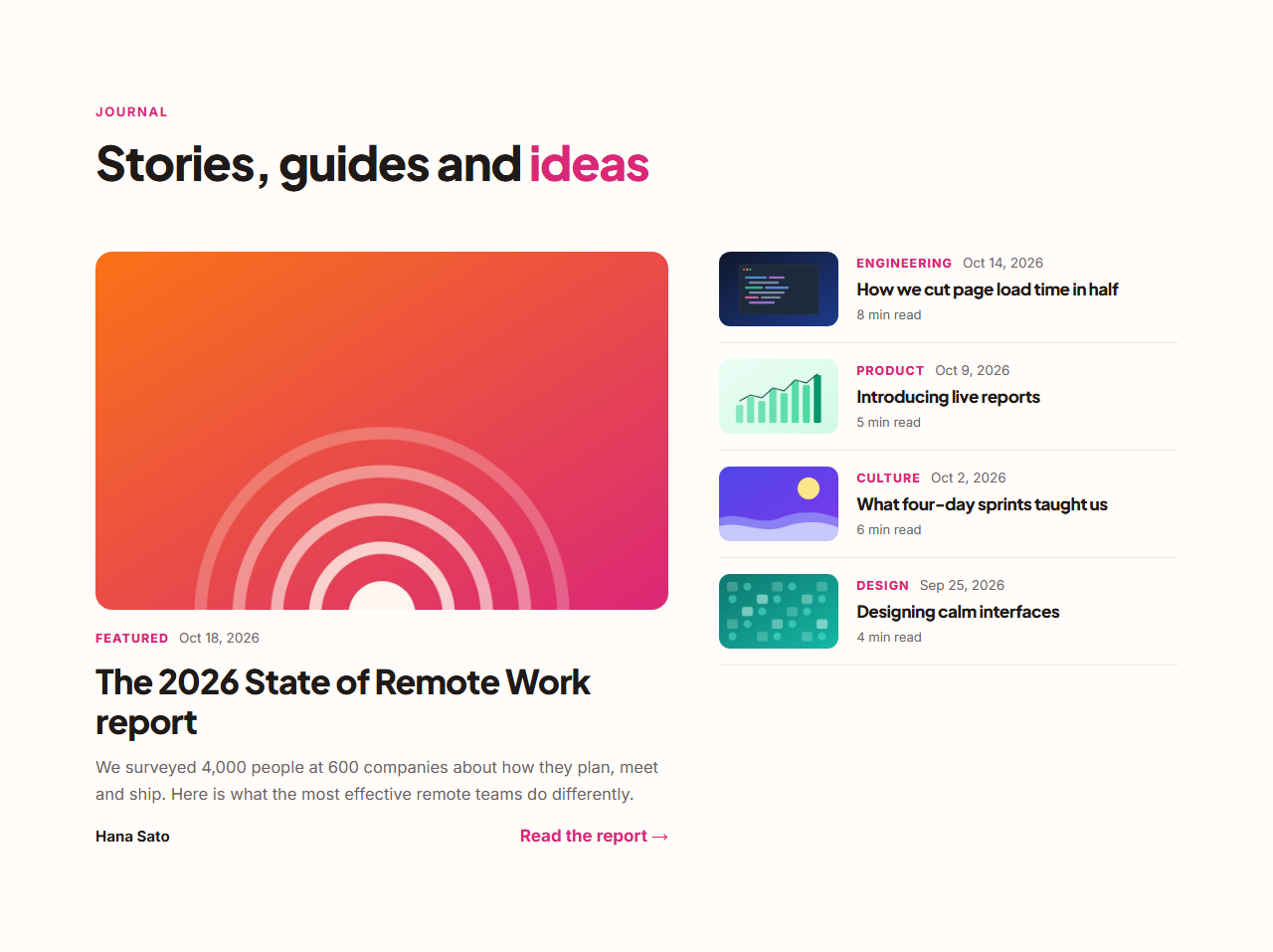
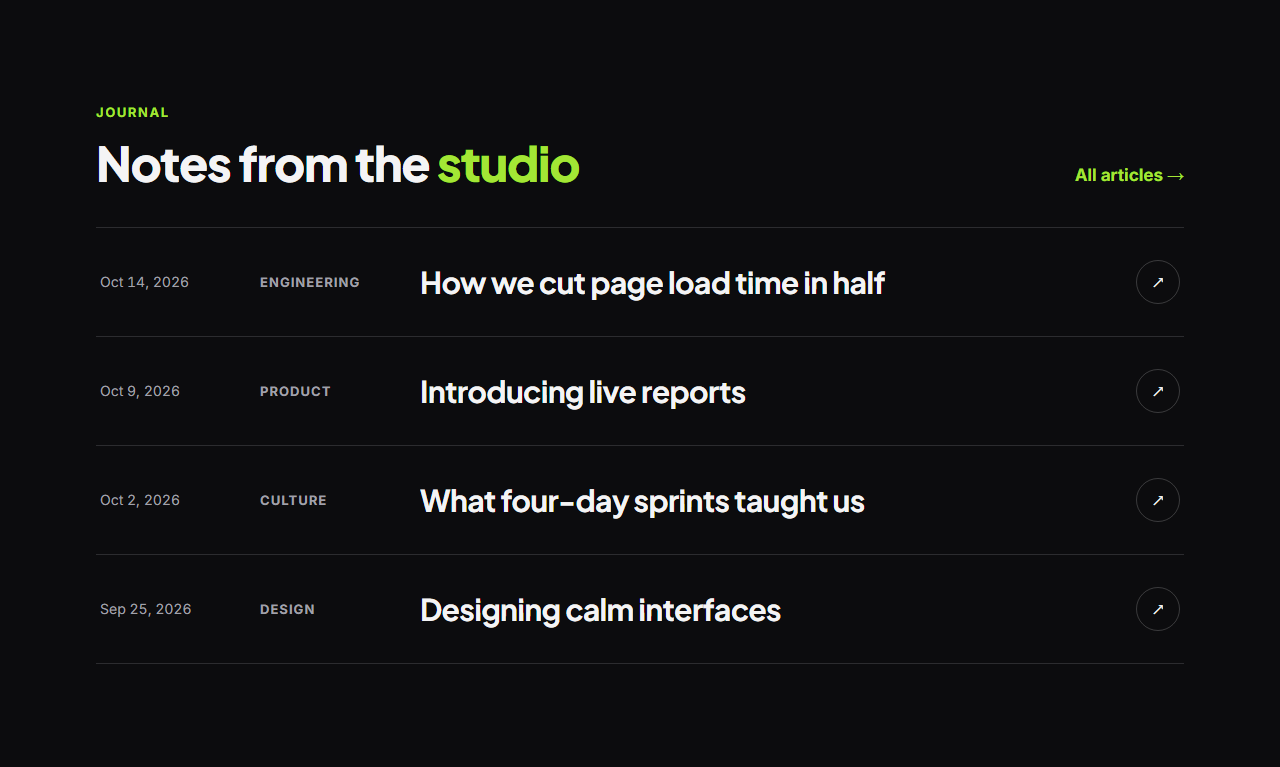
Blog Post Cards shows recent posts as cards with covers, categories, dates, read times and authors. Featured Post With List gives one story the front page beside a list of recent posts, like a magazine. The Editorial Post List presents posts as large typographic rows, with a cover image that follows the cursor on hover.
Posts are editable lists with covers (upload your own or use the included abstract artwork), and every blog section adds an ItemList of BlogPosting structured data to its HTML export. Everything shares the library's theme, animates with GSAP and exports to HTML, React or Vue.
Blog Post Cards: A “latest from the blog” section: a heading with a view-all link, then post cards with a cover image, category tag, date and read time, title, short excerpt and the author’s photo and name. Covers zoom gently on hover; the grid goes from three columns to one.
Featured Post With List: A magazine-style blog layout: one featured post takes the left half with a big cover, category, title, excerpt and author, while a list of recent posts with small thumbnails, categories and dates fills the right. Ideal for homepages and blog front pages.
Editorial Post List: An editorial post list for studios, writers and design-led brands: each post is a wide row with the date, category, a large title and an arrow. On desktop, hovering a row shows its cover image in a tilted card that follows the cursor, animated with GSAP. On phones it’s a clean, fast list.
Real-world uses
Best Uses for Blog Sections
How it’s different
How These Section Templates Are Different
Step by step
How to Use
- 1Pick a sectionOpen one of the blog sections above. Your edits autosave in your browser as you go.
- 2Edit the contentChange the text, buttons, links and images in the panel, and switch optional parts on or off.
- 3Add your brandPick colours, fonts, radius and width, or apply your saved brand kit; every section shares the same theme.
- 4Animate and previewChoose a GSAP entrance effect, press Play animation, and check desktop, tablet and mobile.
- 5ExportDownload HTML or a ZIP, copy a React or Vue component, or fork it into My Code.
Got questions?
Frequently Asked Questions
They export as static HTML and CSS. To make them dynamic, render the same markup from WordPress, Ghost, Sanity, Markdown or any CMS in your framework of choice.
Yes. Each blog section’s HTML export includes an ItemList of BlogPosting JSON-LD with headlines, descriptions, URLs, images and authors.
Three is the most common: enough to show activity without competing with the rest of the page. Link to the full blog for more.
Blog Post Cards: A “latest from the blog” section: a heading with a view-all link, then post cards with a cover image, category tag, date and read time, title, short excerpt and the author’s photo and name. Covers zoom gently on hover; the grid goes from three columns to one. Featured Post With List: A magazine-style blog layout: one featured post takes the left half with a big cover, category, title, excerpt and author, while a list of recent posts with small thumbnails, categories and dates fills the right. Ideal for homepages and blog front pages. Editorial Post List: An editorial post list for studios, writers and design-led brands: each post is a wide row with the date, category, a large title and an arrow. On desktop, hovering a row shows its cover image in a tilted card that follows the cursor, animated with GSAP. On phones it’s a clean, fast list.
Yes. Every section is free for personal and commercial websites, with no account and no watermark. Everything runs in your browser and your edits are saved locally.