Popup & Promo Modal Templates
1 free, editable popups section template. Popups that open after a delay, on exit intent or on scroll, for sign-ups, offers and announcements. Change the text, images, colours and fonts in your browser, add a GSAP animation, then export HTML, React or Vue.
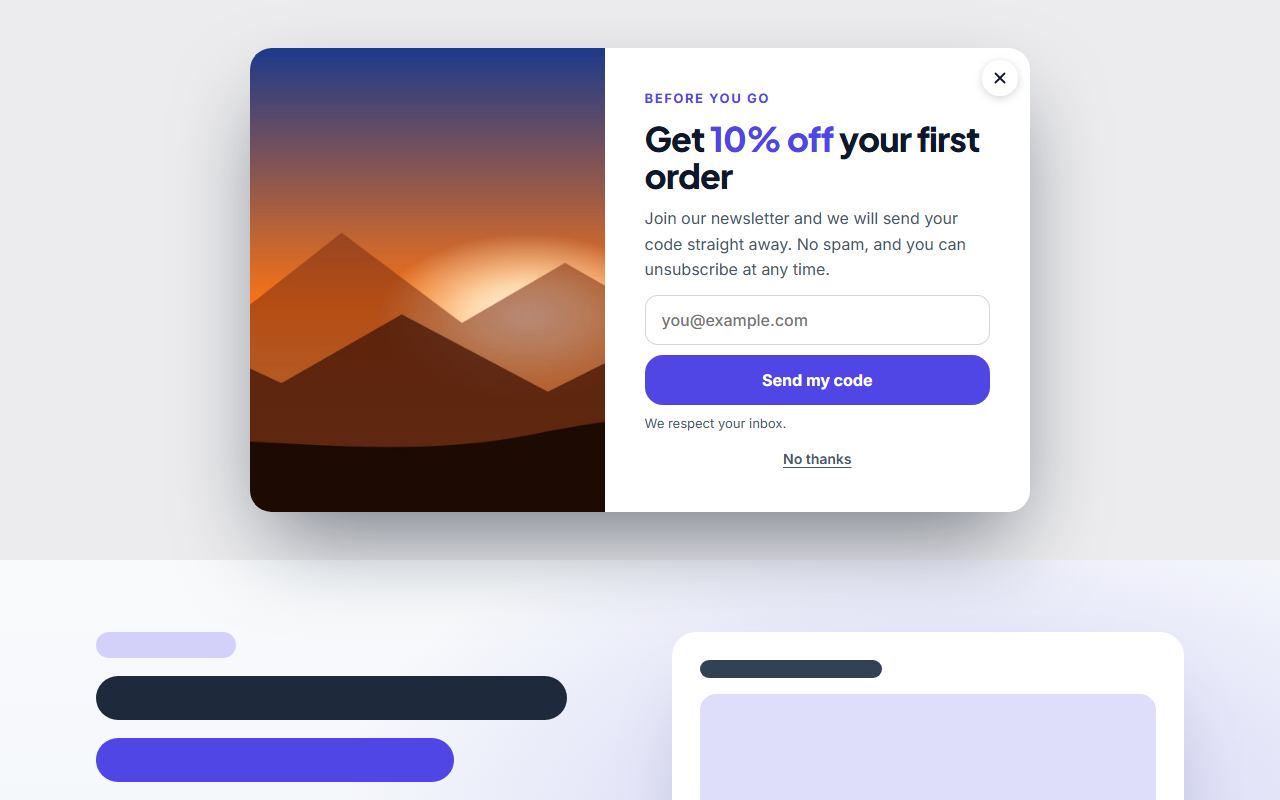
Popup & Promo Modal Templates
1 section · Responsive · GSAP animation · HTML, React & Vue
About these sections
Popup & Promo Modal Templates
A well-timed popup can turn a passing visitor into a subscriber or a customer, and a badly timed one sends them away. These templates are built to be polite: they open when you tell them to, stay out of the way and are easy to close.
The Popup & Promo Modal opens after a delay, when a visitor is about to leave (exit intent) or after they scroll part of the page. Show it in the middle of the screen with a dimmed page, or as a small promo card in any corner or along the bottom or top edge with no overlay. It can hold an image, an image carousel or a click-to-play video, an email form, up to two buttons or your own HTML.
It takes no space in your layout, remembers a closed popup for the number of days you choose, closes with ×, Esc or a click outside, and works with a keyboard. Edit it in your browser and export HTML, a ZIP, React or Vue.
Keep the offer relevant, show one popup per visit and make the close button obvious. For a sign-up that sits inside the page instead, see the call-to-action sections.
Popup & Promo Modal: A popup or promo modal that opens by itself: in the middle of the screen with a dimmed page, or as a small card in a corner or along the bottom or top edge with no overlay, which the visitor can dismiss with ×. It opens after a delay, when the visitor moves to leave the page (exit intent) or after they scroll part of the way down, and can hold an image, an image carousel or a video, a heading, text, your own HTML, an email form and up to two buttons. It takes no space in your layout.
Real-world uses
Best Uses for Popups Sections
How it’s different
How These Section Templates Are Different
Step by step
How to Use
- 1Pick a sectionOpen one of the popups sections above. Your edits autosave in your browser as you go.
- 2Edit the contentChange the text, buttons, links and images in the panel, and switch optional parts on or off.
- 3Add your brandPick colours, fonts, radius and width, or apply your saved brand kit; every section shares the same theme.
- 4Animate and previewChoose a GSAP entrance effect, press Play animation, and check desktop, tablet and mobile.
- 5ExportDownload HTML or a ZIP, copy a React or Vue component, or fork it into My Code.
Got questions?
Frequently Asked Questions
Open the Popup & Promo Modal, set the trigger to exit intent, write your offer and export the HTML or copy it into your page. It opens when a visitor moves to leave the window.
Yes. Set how many days it should stay away after being shown, or use zero to show it on every visit. The choice is remembered in the visitor’s own browser.
Yes. Cards stretch across the screen, and because phones have no mouse, exit intent falls back to a delay of at least ten seconds.
Popup & Promo Modal: A popup or promo modal that opens by itself: in the middle of the screen with a dimmed page, or as a small card in a corner or along the bottom or top edge with no overlay, which the visitor can dismiss with ×. It opens after a delay, when the visitor moves to leave the page (exit intent) or after they scroll part of the way down, and can hold an image, an image carousel or a video, a heading, text, your own HTML, an email form and up to two buttons. It takes no space in your layout.
Yes. Every section is free for personal and commercial websites, with no account and no watermark. Everything runs in your browser and your edits are saved locally.