Pricing Section Templates
4 free, editable pricing section templates. Pricing tables and plan cards with highlighted plans and feature lists. Change the text, images, colours and fonts in your browser, add a GSAP animation, then export HTML, React or Vue.
Pricing Section Templates
4 sections · Responsive · GSAP animation · HTML, React & Vue
About these sections
Pricing Section Templates
The pricing section is where interest turns into a decision, so it has to be clear: what each option costs, what it includes and which one to pick. These pricing sections cover the common cases.
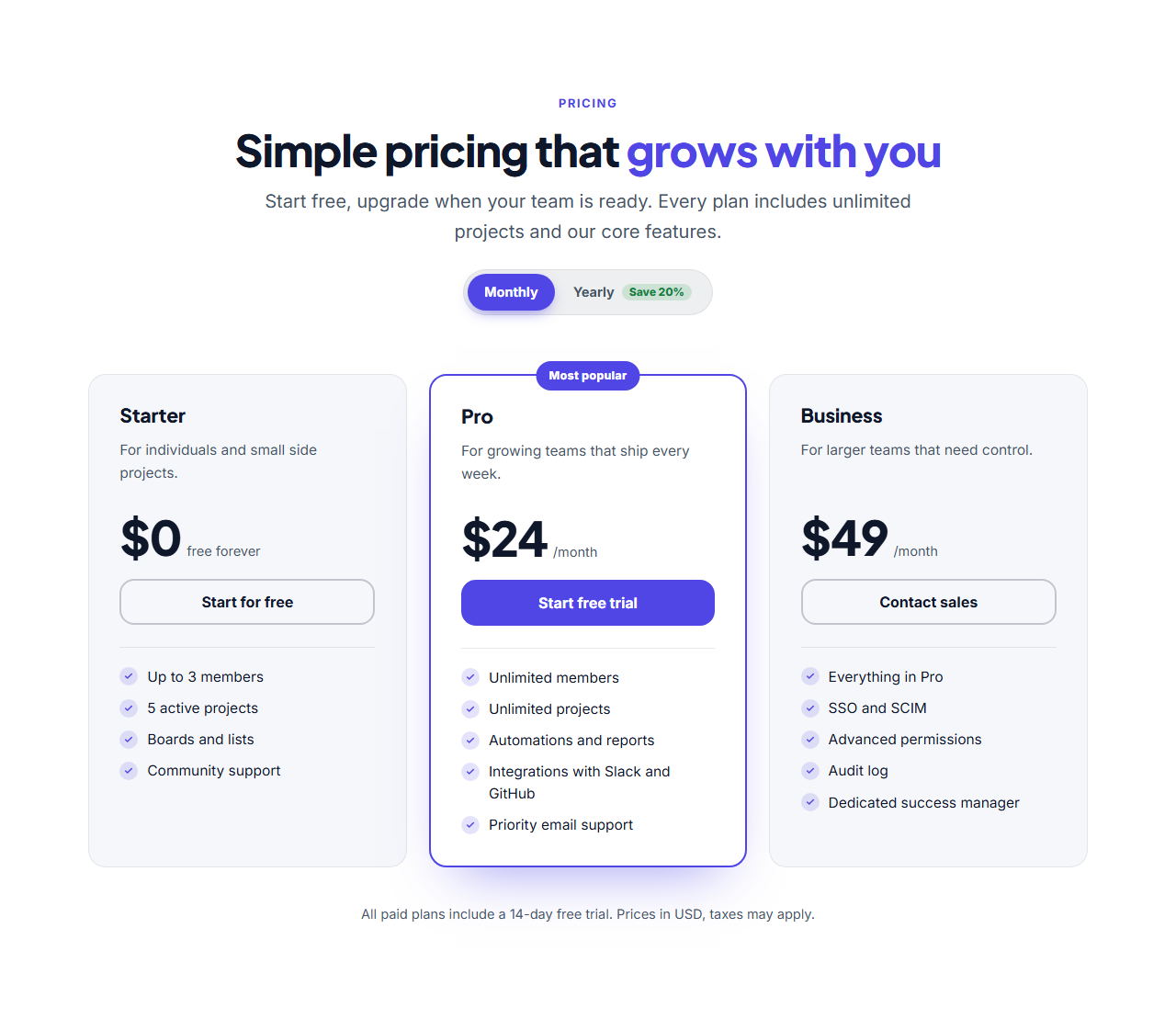
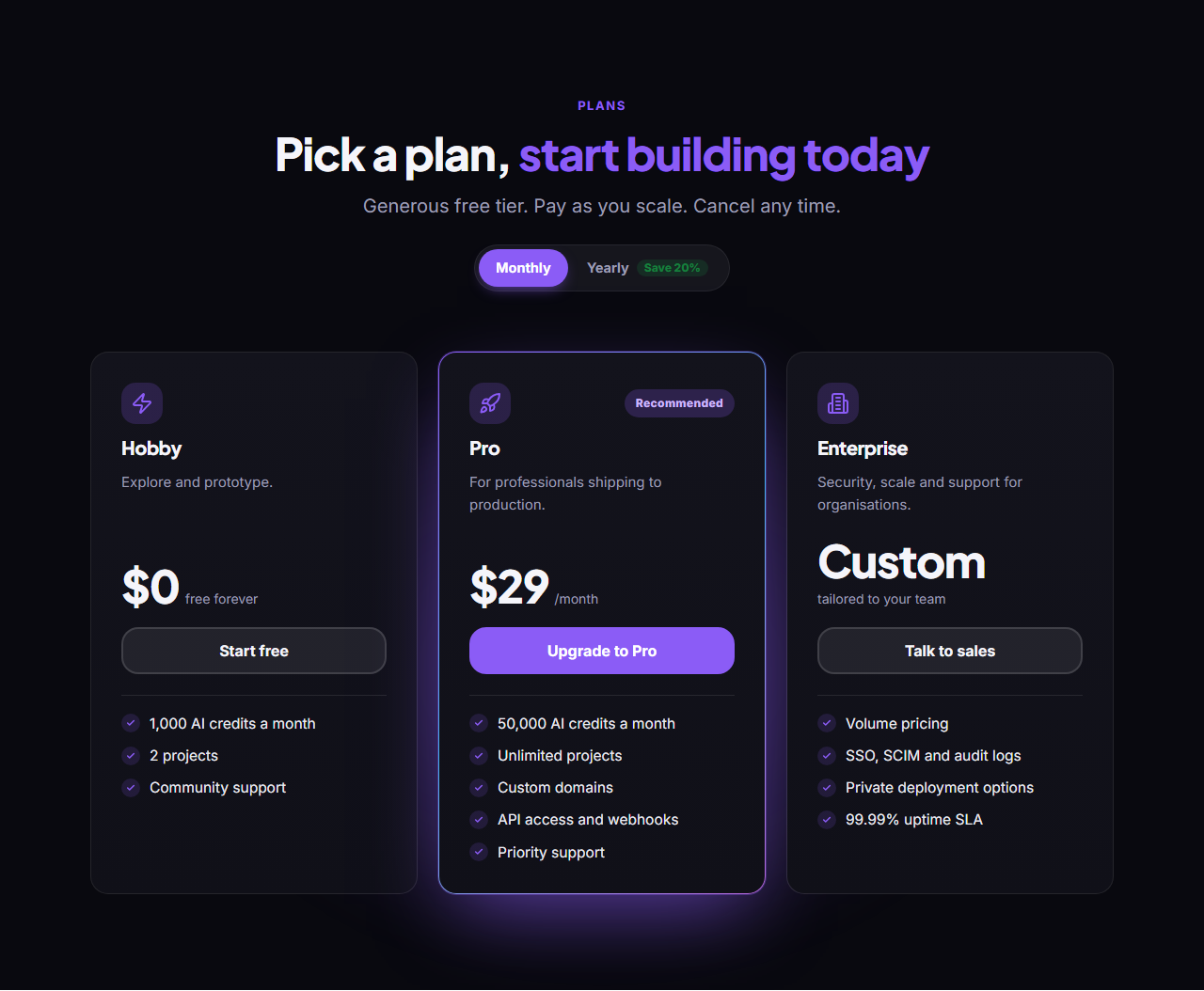
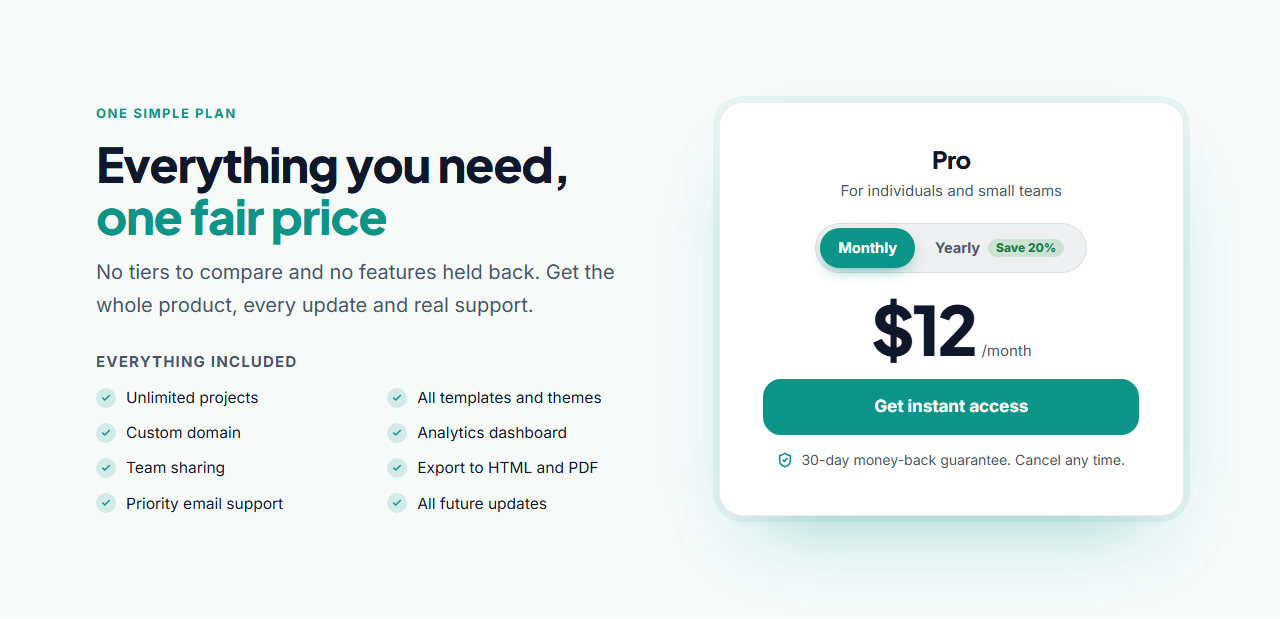
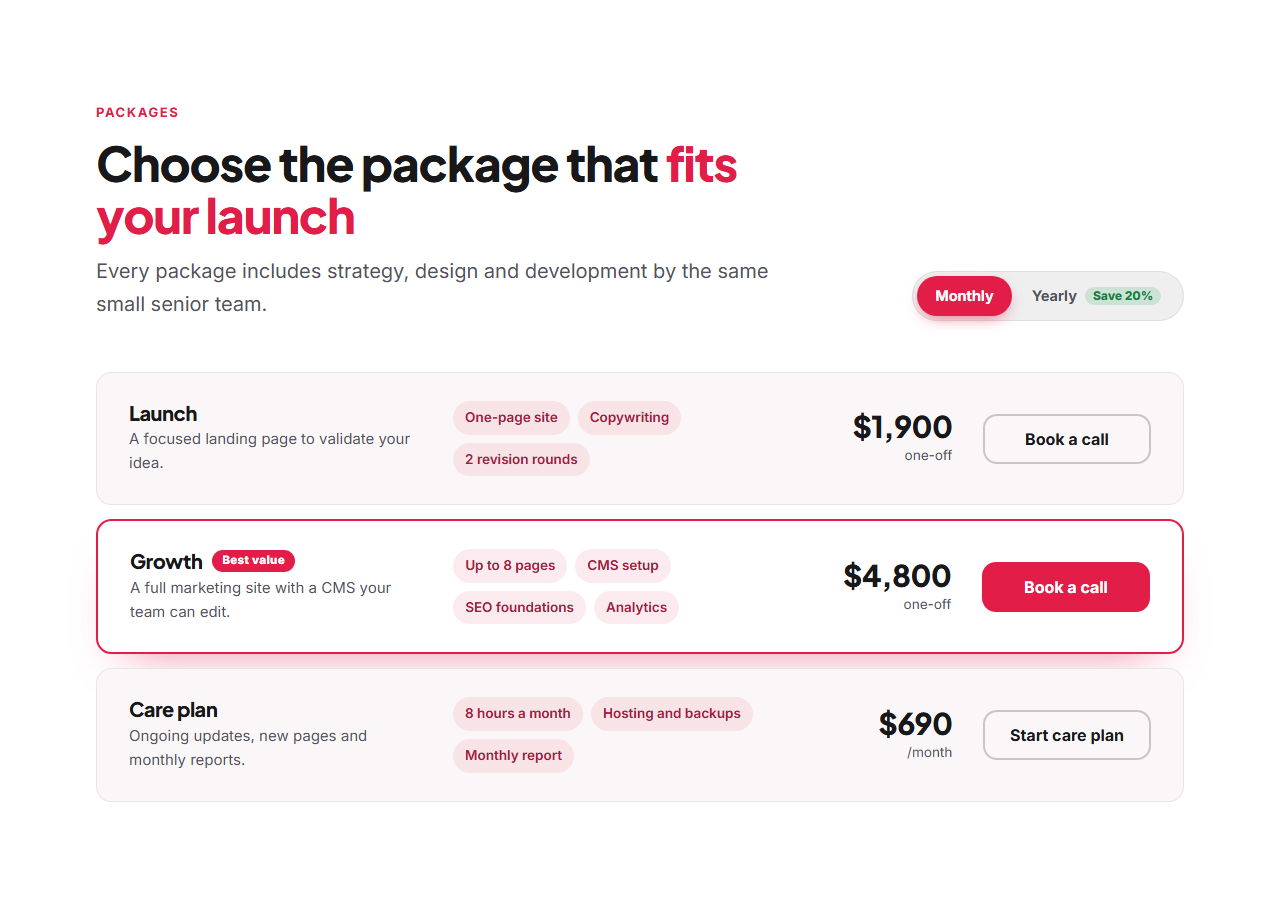
The Three-Tier Pricing table is the SaaS standard, with a highlighted "Most popular" plan. Dark Glow Pricing does the same on a dark theme with a glowing gradient border for AI and developer products. Single Plan Pricing presents one price with an everything-included list and a guarantee, and Pricing List Rows lays plans and service packages out as rows with room for detail.
Every one has a working monthly/yearly switch: the pill slides with GSAP Flip, the prices roll over, it's accessible and it works in HTML, React and Vue exports. Plans are editable lists with price notes for free, custom and one-off prices, and every section shares the library's theme.
Three-Tier Pricing: The classic SaaS pricing table: three plan cards side by side with the middle one highlighted as "Most popular", each with a name, short description, price, button and feature checklist. A monthly/yearly switch above the cards swaps every price, with the toggle sliding across and the new prices rolling in.
Dark Glow Pricing: A dark pricing section for modern AI and developer products: plan cards on a deep background, the featured plan wrapped in a glowing gradient border with a soft halo, and a monthly/yearly switch that slides between options. Holds up to four plans and reflows on smaller screens.
Single Plan Pricing: Pricing for products with one plan: on the left a heading, intro and a two-column "everything included" checklist; on the right a price card with the plan name, a monthly/yearly switch, the price, a button and a money-back guarantee line. Simple pricing, presented with confidence.
Pricing List Rows: Plans and packages as horizontal rows instead of cards: each row shows the plan name and description, a few highlight chips, the price and a button, with one featured row picked out by a badge. A left-aligned heading sits beside the monthly/yearly switch. Rows stack neatly on phones.
Real-world uses
Best Uses for Pricing Sections
How it’s different
How These Section Templates Are Different
Step by step
How to Use
- 1Pick a sectionOpen one of the pricing sections above. Your edits autosave in your browser as you go.
- 2Edit the contentChange the text, buttons, links and images in the panel, and switch optional parts on or off.
- 3Add your brandPick colours, fonts, radius and width, or apply your saved brand kit; every section shares the same theme.
- 4Animate and previewChoose a GSAP entrance effect, press Play animation, and check desktop, tablet and mobile.
- 5ExportDownload HTML or a ZIP, copy a React or Vue component, or fork it into My Code.
Got questions?
Frequently Asked Questions
Three is the most common: it gives a clear entry option, a recommended middle plan and a premium tier. Use one plan if your product is simple, and rows if you have five or more packages.
If you sell subscriptions, usually yes. A yearly option with a visible saving (such as "Save 20%") improves cash flow and retention; the switch lets visitors compare without doubling the number of cards.
No. It is a few lines of plain JavaScript that toggle a class and show the right prices, plus an optional GSAP Flip animation. It works in plain HTML, React and Vue exports.
Three-Tier Pricing: The classic SaaS pricing table: three plan cards side by side with the middle one highlighted as "Most popular", each with a name, short description, price, button and feature checklist. A monthly/yearly switch above the cards swaps every price, with the toggle sliding across and the new prices rolling in. Dark Glow Pricing: A dark pricing section for modern AI and developer products: plan cards on a deep background, the featured plan wrapped in a glowing gradient border with a soft halo, and a monthly/yearly switch that slides between options. Holds up to four plans and reflows on smaller screens. Single Plan Pricing: Pricing for products with one plan: on the left a heading, intro and a two-column "everything included" checklist; on the right a price card with the plan name, a monthly/yearly switch, the price, a button and a money-back guarantee line. Simple pricing, presented with confidence. Pricing List Rows: Plans and packages as horizontal rows instead of cards: each row shows the plan name and description, a few highlight chips, the price and a button, with one featured row picked out by a badge. A left-aligned heading sits beside the monthly/yearly switch. Rows stack neatly on phones.
Yes. Every section is free for personal and commercial websites, with no account and no watermark. Everything runs in your browser and your edits are saved locally.