Hero Section Templates
5 free, editable hero section templates. Above-the-fold hero sections with a headline, supporting text, call-to-action buttons and an image, screenshot or background photo. Change the text, images, colours and fonts in your browser, add a GSAP animation, then export HTML, React or Vue.
Hero Section Templates
5 sections · Responsive · GSAP animation · HTML, React & Vue
About these sections
Hero Section Templates
The hero is the first thing every visitor sees, and it decides in a few seconds whether they keep reading. A good hero states what you offer, who it is for and what to do next, with one clear button and an image that backs up the promise.
These hero sections cover the most common patterns: the SaaS Split Hero with a product screenshot, the dark Centred Gradient Hero, the full-width Image Background Hero, the App Product Hero with store buttons and a phone mockup, and the Personal Portfolio Hero for developers and freelancers. Every one is editable in the browser, responsive through container queries, animated with GSAP, and shares one theme with the rest of the library, so features, pricing and footer sections will match. Export a single HTML file, a ZIP with your images, a React component or a Vue component.
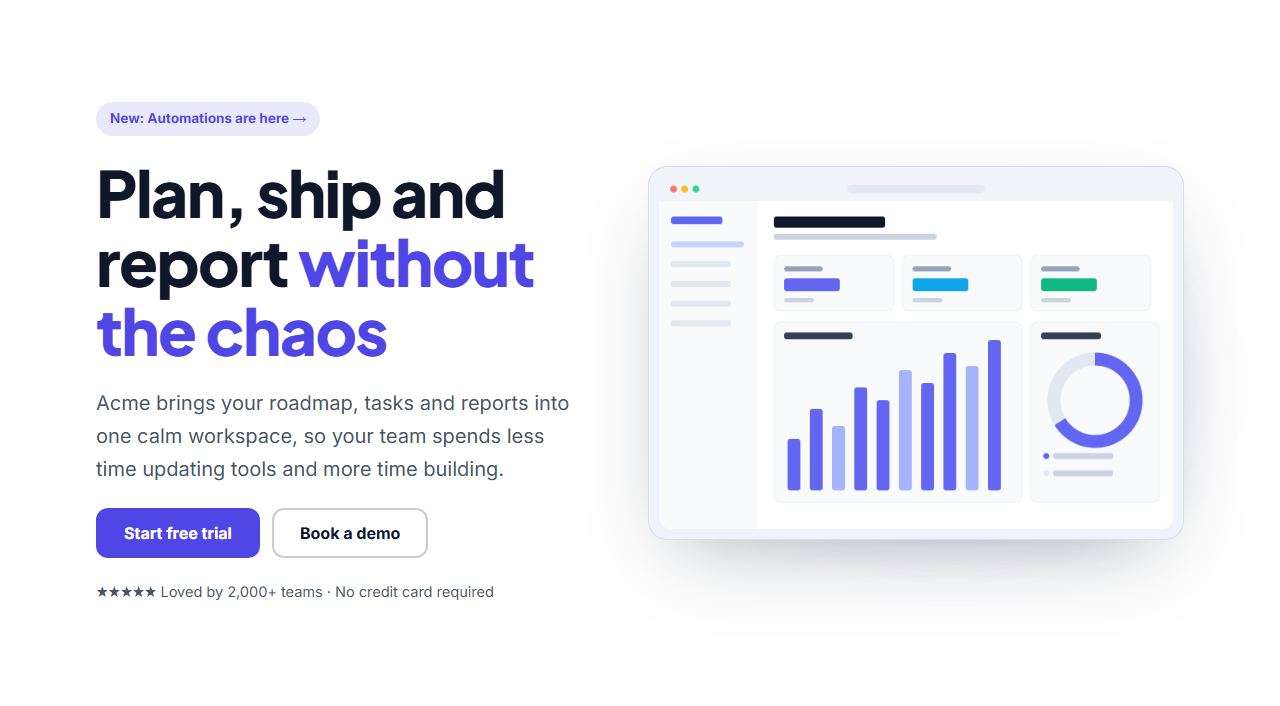
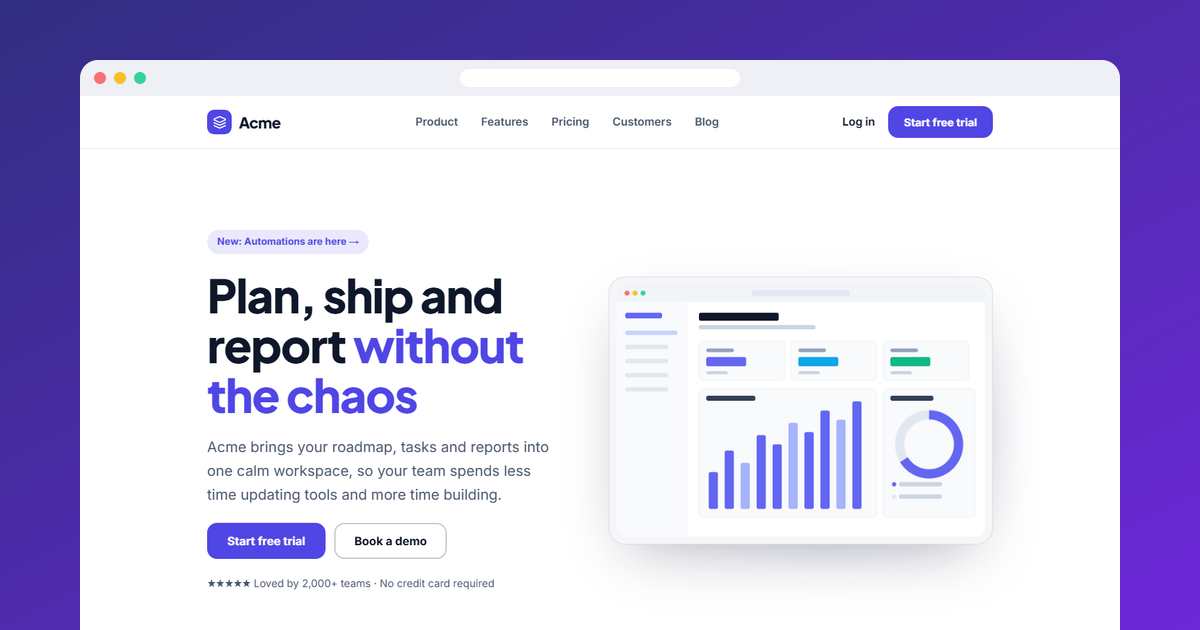
SaaS Split Hero: A two-column SaaS landing page hero: an announcement badge linking to news, a bold headline with a highlighted phrase, supporting text, primary and secondary buttons, a social-proof line and a product screenshot in a glowing frame. It stacks on narrow screens.
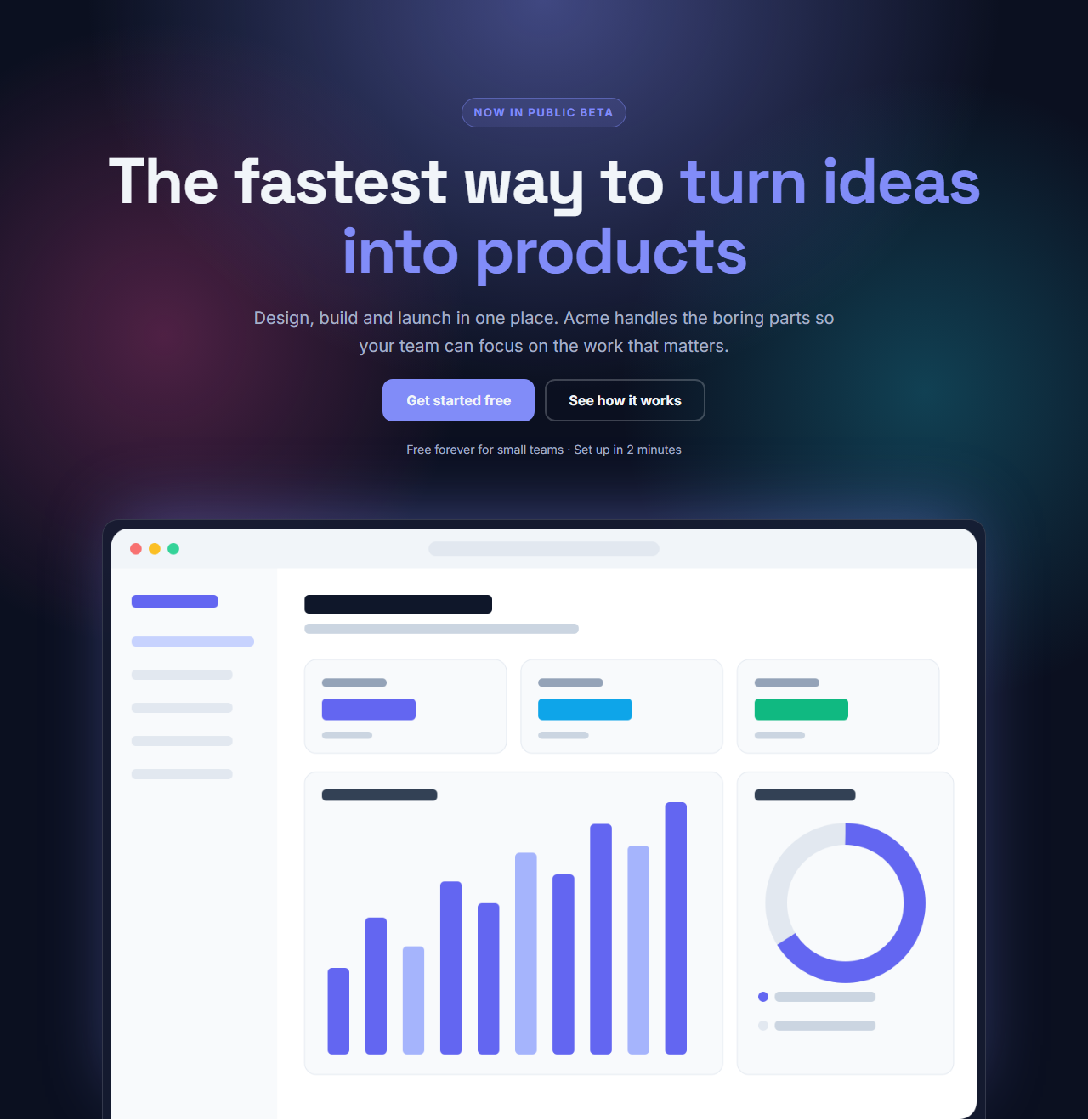
Centred Gradient Hero: A centred, dark landing page hero with soft glowing gradients drawn in CSS: a small eyebrow, a large headline, supporting text, two buttons, a reassurance note and an optional wide product screenshot that rises from the bottom of the section.
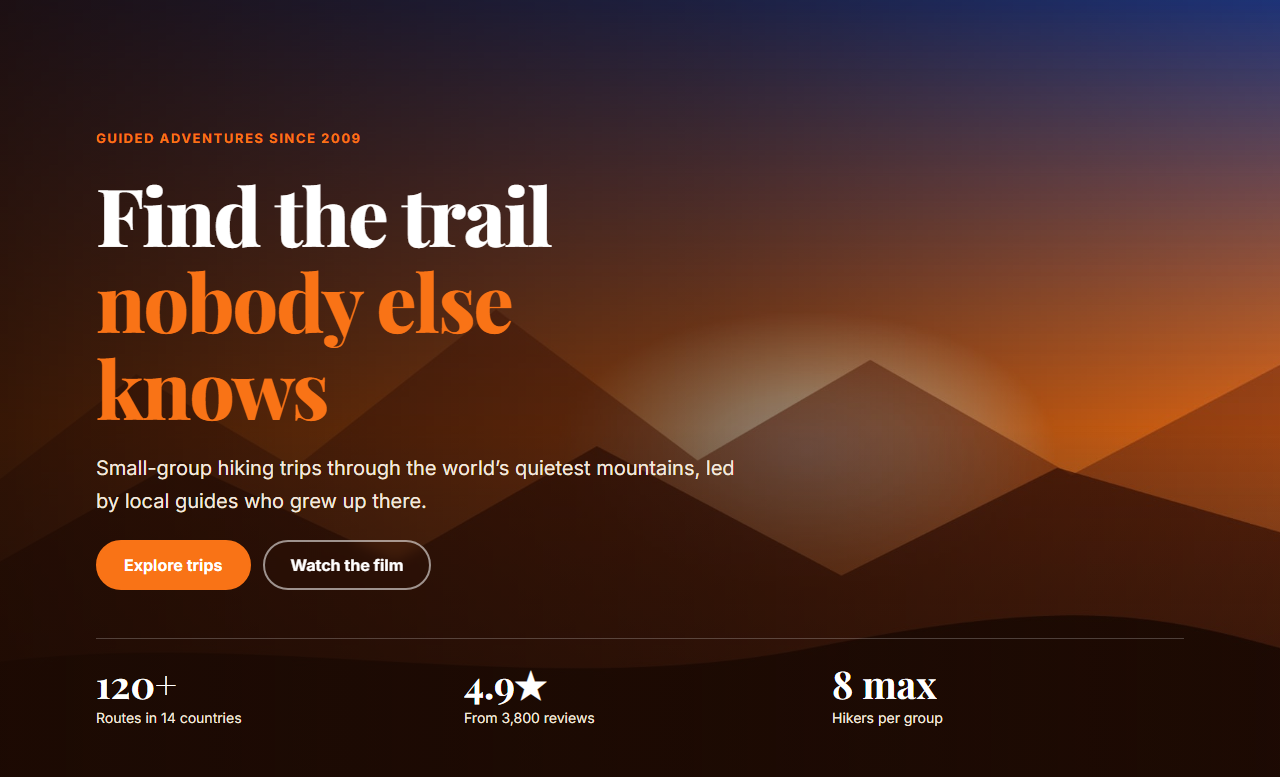
Image Background Hero: A full-width hero with your photo as the background, a dark gradient overlay that keeps text readable, a small label, a large white headline, supporting text, two buttons and an optional row of three stats along the bottom.
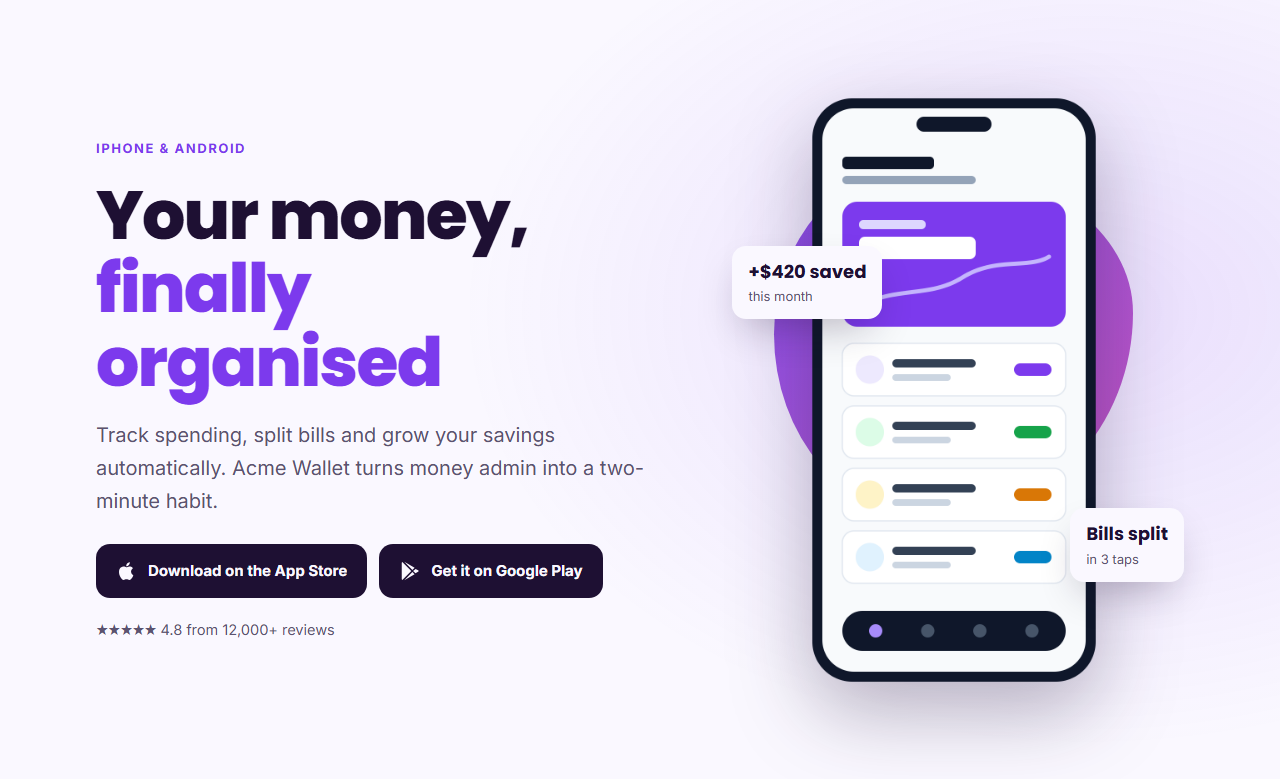
App Product Hero: A mobile app landing hero: a headline and supporting text, App Store and Google Play download buttons, a star rating line, and a phone screenshot with two floating highlight cards, on a soft gradient background.
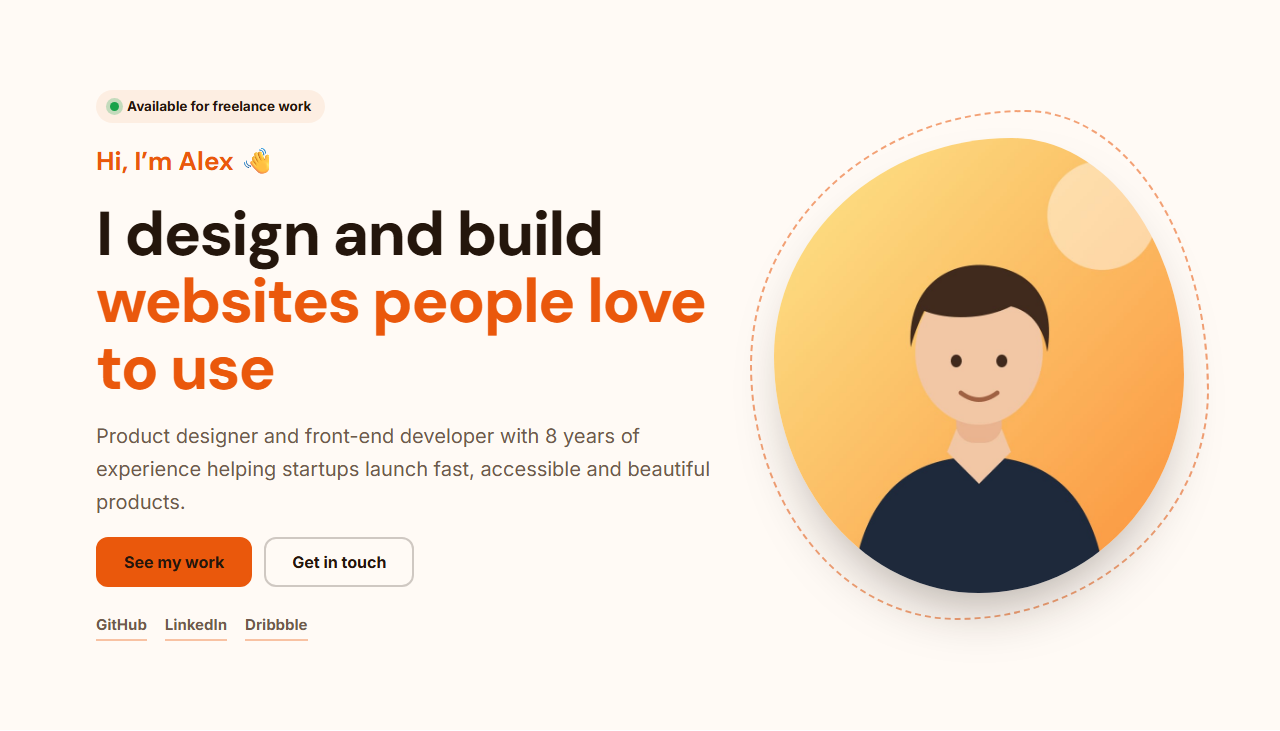
Personal Portfolio Hero: A personal website hero for designers, developers and freelancers: an "available for work" badge with a live dot, a friendly "Hi, I'm…" headline, a short bio, buttons for your work and contact, social links, and your photo in an organic blob frame.
Real-world uses
Best Uses for Hero Sections
How it’s different
How These Section Templates Are Different
Step by step
How to Use
- 1Pick a sectionOpen one of the hero sections above. Your edits autosave in your browser as you go.
- 2Edit the contentChange the text, buttons, links and images in the panel, and switch optional parts on or off.
- 3Add your brandPick colours, fonts, radius and width, or apply your saved brand kit; every section shares the same theme.
- 4Animate and previewChoose a GSAP entrance effect, press Play animation, and check desktop, tablet and mobile.
- 5ExportDownload HTML or a ZIP, copy a React or Vue component, or fork it into My Code.
Got questions?
Frequently Asked Questions
A clear headline that says what you offer, one or two sentences of supporting text, a primary call-to-action button (and optionally a secondary one), and an image, screenshot or photo that supports the message. Social proof such as ratings or customer counts helps too.
Tall enough to show the headline, buttons and the start of the image on a laptop screen without scrolling, usually around 600 to 800 px on desktop. On phones it is fine for the hero to be taller than the screen, as long as the headline and main button appear first.
Yes. Every section exports as a React component (JSX with its CSS) or a Vue single-file component, and the GSAP animation is included. You can also download plain HTML and CSS.
SaaS Split Hero: A two-column SaaS landing page hero: an announcement badge linking to news, a bold headline with a highlighted phrase, supporting text, primary and secondary buttons, a social-proof line and a product screenshot in a glowing frame. It stacks on narrow screens. Centred Gradient Hero: A centred, dark landing page hero with soft glowing gradients drawn in CSS: a small eyebrow, a large headline, supporting text, two buttons, a reassurance note and an optional wide product screenshot that rises from the bottom of the section. Image Background Hero: A full-width hero with your photo as the background, a dark gradient overlay that keeps text readable, a small label, a large white headline, supporting text, two buttons and an optional row of three stats along the bottom. App Product Hero: A mobile app landing hero: a headline and supporting text, App Store and Google Play download buttons, a star rating line, and a phone screenshot with two floating highlight cards, on a soft gradient background. Personal Portfolio Hero: A personal website hero for designers, developers and freelancers: an "available for work" badge with a live dot, a friendly "Hi, I'm…" headline, a short bio, buttons for your work and contact, social links, and your photo in an organic blob frame.
Yes. Every section is free for personal and commercial websites, with no account and no watermark. Everything runs in your browser and your edits are saved locally.