Scroll Effect Section Templates
4 free, editable scroll effects section templates. Scroll-driven sections built with GSAP: horizontal scroll galleries, pinned scroll stories and stacking cards. Change the text, images, colours and fonts in your browser, add a GSAP animation, then export HTML, React or Vue.
Scroll Effect Section Templates
4 sections · Responsive · GSAP animation · HTML, React & Vue
About these sections
Scroll Effect Section Templates
Scroll effects turn a long page into an experience. These sections use GSAP ScrollTrigger to pin, scrub and reveal content as visitors scroll, while staying complete, readable layouts on phones, without JavaScript and for people who prefer reduced motion.
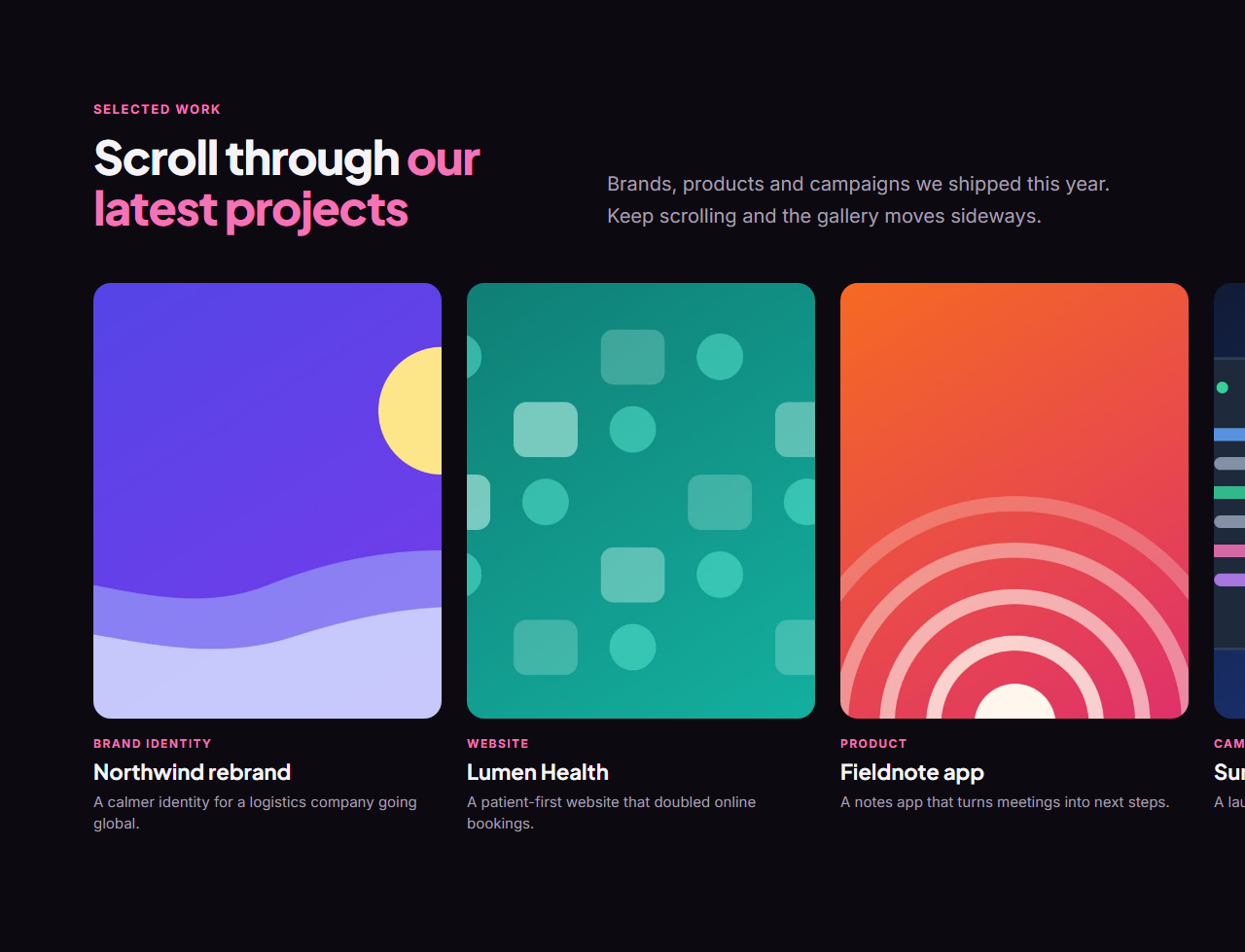
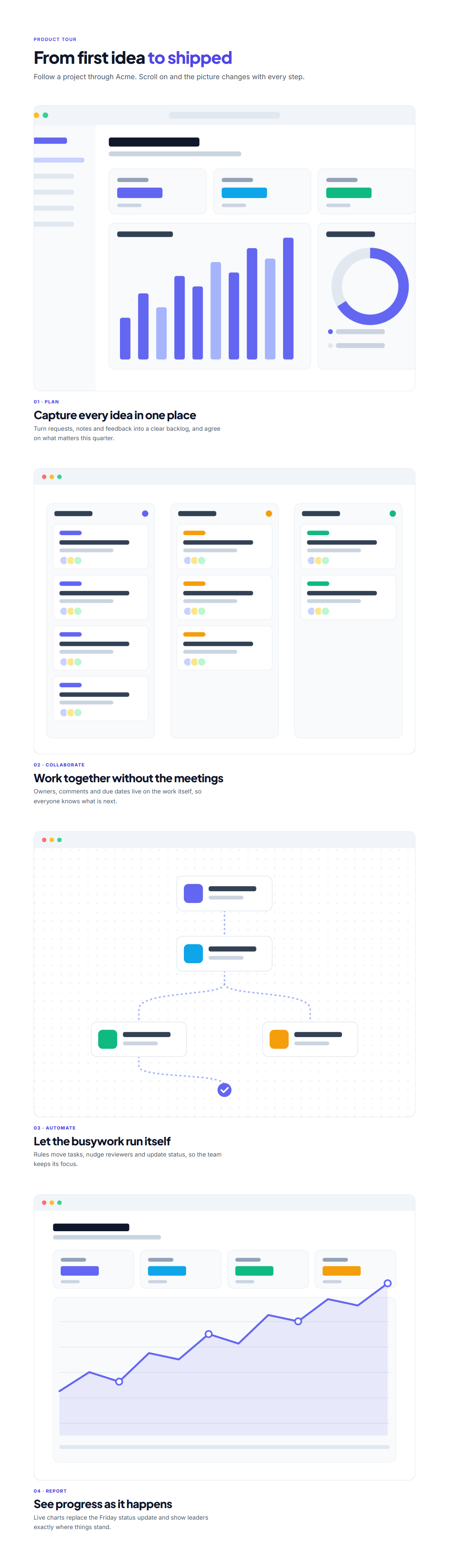
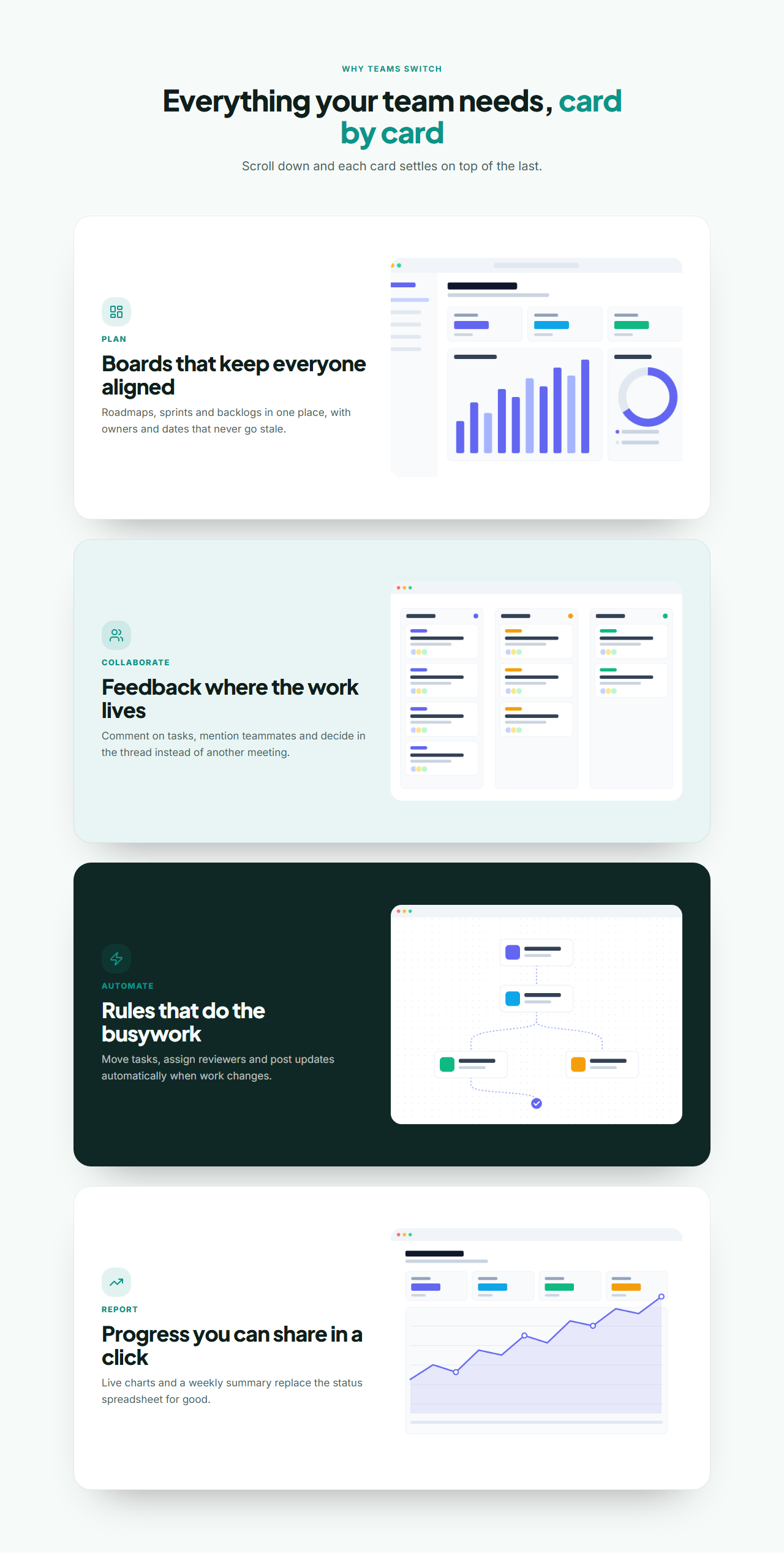
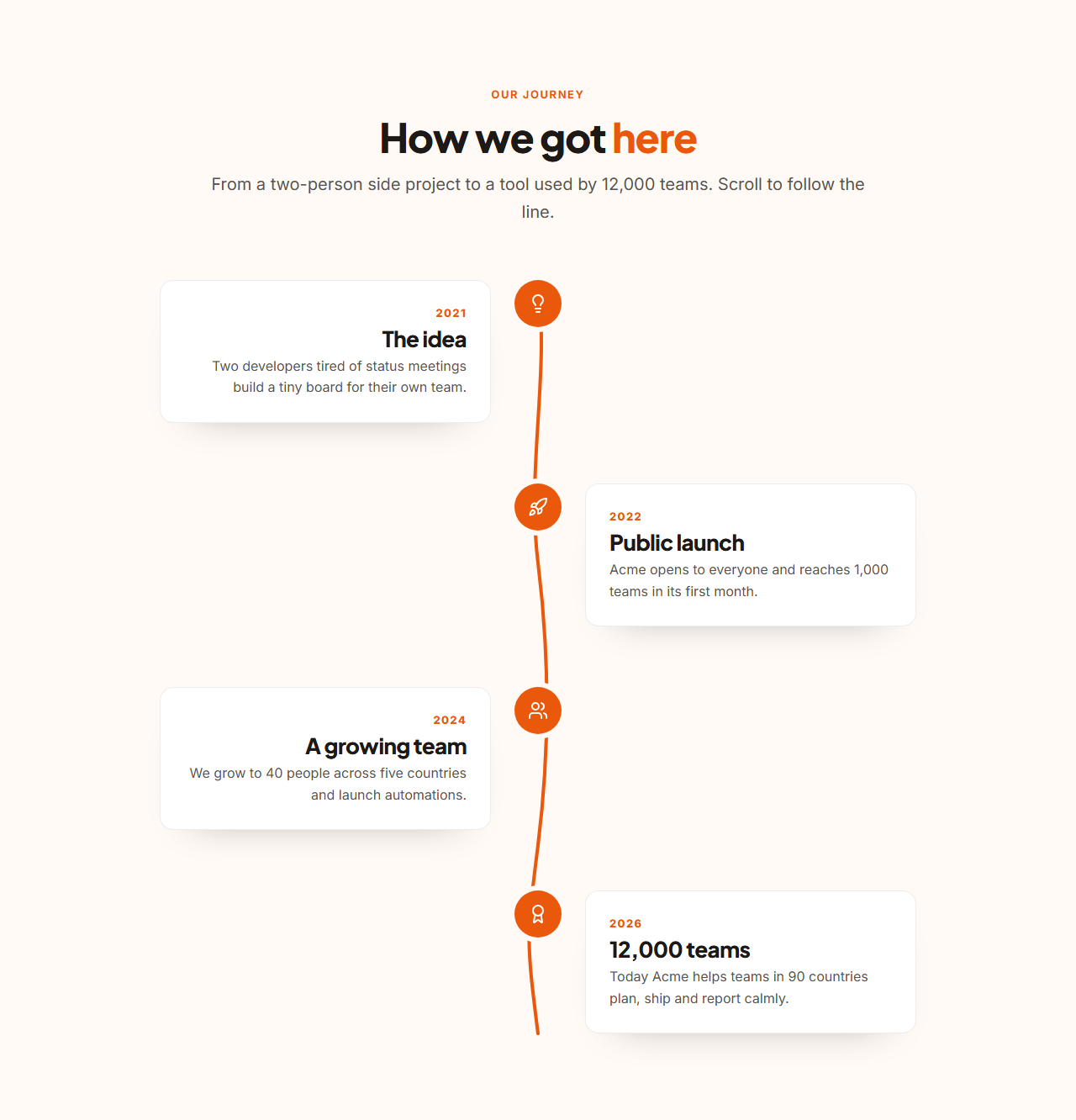
The Horizontal Scroll Gallery pins and slides a row of cards sideways as you scroll down. The Pinned Scroll Story keeps an image stage in view while steps scroll past and crossfades to each step's picture. Stacking Cards pins features one over another like a deck being dealt. The Scroll Path Timeline draws an SVG line through your milestones as you read.
Every section is editable in the browser and shares one theme with the rest of the library. In the Website Builder you can add scroll animations to any section too: pin, scrub, keyframes and effects, without writing code.
Horizontal Scroll Gallery: A gallery that turns vertical scrolling into horizontal movement. On larger screens the section pins and a row of tall image cards slides sideways as visitors scroll down, then the page carries on. Each card has a photo, a tag, a title and a line of text, and links anywhere. On phones and without JavaScript it is a swipeable row with scroll snapping.
Pinned Scroll Story: A scrollytelling section for product tours and stories. On larger screens the steps scroll up one by one while an image stage beside them stays pinned and crossfades to the image of the step in view; the active step is highlighted. On phones and without JavaScript every step simply shows its own image above its text.
Stacking Cards: Feature or service cards that stack up as you scroll. On larger screens each card pins a little below the one before, the next card slides over it, and the covered cards shrink and dim, so the section reads like a deck being dealt. Each card has an icon, label, title, text and an optional image. Without JavaScript and on phones the cards form a normal column.
Scroll Path Timeline: A vertical timeline joined by a hand-drawn SVG line. As visitors scroll, the line draws itself down the page and each milestone lights up when the line reaches it. Milestones have a date, icon, title and text. The line is inline SVG coloured by the theme, so it always matches; without JavaScript it is simply drawn in full.
Real-world uses
Best Uses for Scroll effects Sections
How it’s different
How These Section Templates Are Different
Step by step
How to Use
- 1Pick a sectionOpen one of the scroll effects sections above. Your edits autosave in your browser as you go.
- 2Edit the contentChange the text, buttons, links and images in the panel, and switch optional parts on or off.
- 3Add your brandPick colours, fonts, radius and width, or apply your saved brand kit; every section shares the same theme.
- 4Animate and previewChoose a GSAP entrance effect, press Play animation, and check desktop, tablet and mobile.
- 5ExportDownload HTML or a ZIP, copy a React or Vue component, or fork it into My Code.
Got questions?
Frequently Asked Questions
Not when done well. These sections animate transforms and opacity with GSAP, which the browser handles efficiently, and they skip the effects entirely on small screens where pinning is awkward.
Each section is a complete layout first: a swipeable row, a list of steps with images, a column of cards or a fully drawn timeline. The scroll effects are layered on top.
Content stays in the HTML in reading order, links work with the keyboard, and everyone who sets prefers-reduced-motion gets the static layout.
Horizontal Scroll Gallery: A gallery that turns vertical scrolling into horizontal movement. On larger screens the section pins and a row of tall image cards slides sideways as visitors scroll down, then the page carries on. Each card has a photo, a tag, a title and a line of text, and links anywhere. On phones and without JavaScript it is a swipeable row with scroll snapping. Pinned Scroll Story: A scrollytelling section for product tours and stories. On larger screens the steps scroll up one by one while an image stage beside them stays pinned and crossfades to the image of the step in view; the active step is highlighted. On phones and without JavaScript every step simply shows its own image above its text. Stacking Cards: Feature or service cards that stack up as you scroll. On larger screens each card pins a little below the one before, the next card slides over it, and the covered cards shrink and dim, so the section reads like a deck being dealt. Each card has an icon, label, title, text and an optional image. Without JavaScript and on phones the cards form a normal column. Scroll Path Timeline: A vertical timeline joined by a hand-drawn SVG line. As visitors scroll, the line draws itself down the page and each milestone lights up when the line reaches it. Milestones have a date, icon, title and text. The line is inline SVG coloured by the theme, so it always matches; without JavaScript it is simply drawn in full.
Yes. Every section is free for personal and commercial websites, with no account and no watermark. Everything runs in your browser and your edits are saved locally.