Menus, Listings & Timetables
3 free, editable menus & listings section templates. Industry sections: restaurant menus with prices, property listings and class timetables. Change the text, images, colours and fonts in your browser, add a GSAP animation, then export HTML, React or Vue.

Menus, Listings & Timetables
3 sections · Responsive · GSAP animation · HTML, React & Vue
About these sections
Menus, Listings & Timetables
Some businesses need sections that general landing-page kits don't have. These templates cover the content customers look for first in three common industries.
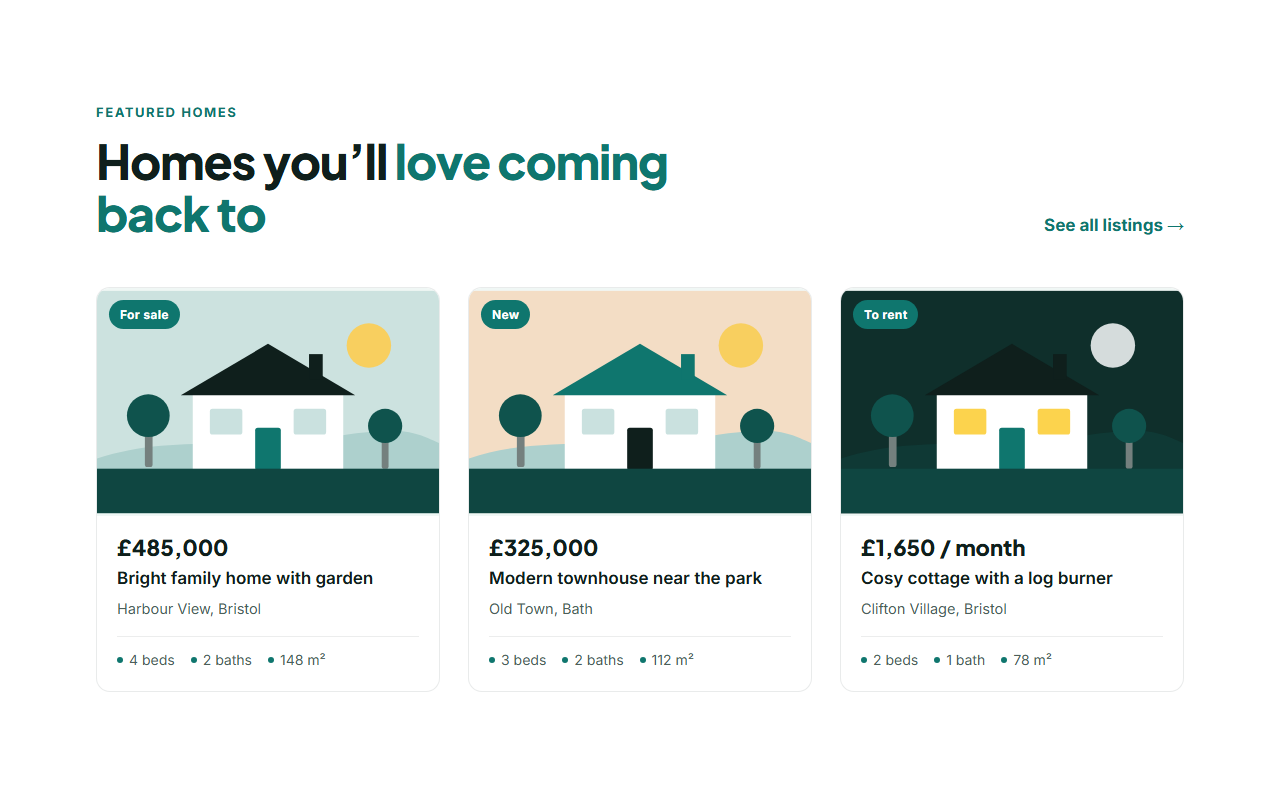
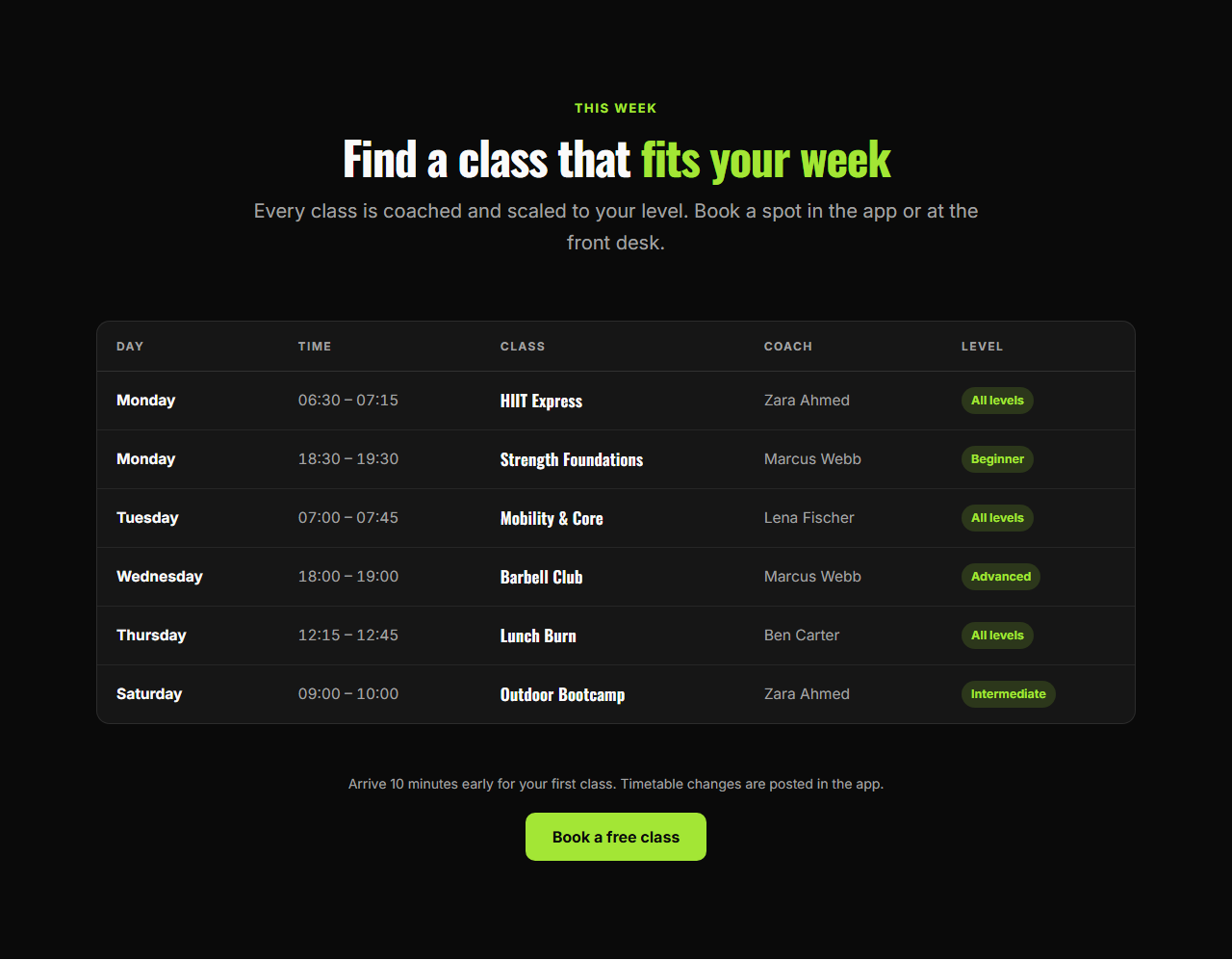
The Restaurant Menu lists dishes with dotted leaders to the price, descriptions and dietary tags, one section per course. Property Listings shows homes as cards with price, status, address and key facts, with themed SVG house illustrations until you add photos. The Class Timetable publishes a weekly schedule as an accessible table that becomes labelled cards on phones.
Each one is editable in the browser, matches the rest of the library's theme and exports as HTML, a ZIP, React or Vue. Combine them with heroes, galleries and contact sections in the Website Builder to build a restaurant, agency or gym website in minutes.
Restaurant Menu: A printed-menu style section for restaurants, cafés and bars. Dishes sit in two columns, each with its name, a dotted leader to the price, a short description and an optional tag such as "V" or "Chef’s pick". A note below covers allergens or service, and an optional button links to bookings. Add one section per course: starters, mains, desserts or drinks.
Property Listings: Real estate listing cards in a responsive grid. Each card shows a photo with a status badge (For sale, To rent, Sold), the price, a title, the address and key facts such as bedrooms, bathrooms and floor area, and links to the full listing. Until you upload photos, every card shows a themed SVG house illustration, so the section looks finished with any colour preset.
Class Timetable: A weekly schedule for classes, sessions or events. Rows show the day, time, class name, coach or teacher and a level badge in an accessible table on larger screens; on phones each row becomes a labelled card. A note and a booking button sit underneath. Column headings are editable, so it works for gyms, yoga studios, dance and music schools, courses and conferences.
Real-world uses
Best Uses for Menus & listings Sections
How it’s different
How These Section Templates Are Different
Step by step
How to Use
- 1Pick a sectionOpen one of the menus & listings sections above. Your edits autosave in your browser as you go.
- 2Edit the contentChange the text, buttons, links and images in the panel, and switch optional parts on or off.
- 3Add your brandPick colours, fonts, radius and width, or apply your saved brand kit; every section shares the same theme.
- 4Animate and previewChoose a GSAP entrance effect, press Play animation, and check desktop, tablet and mobile.
- 5ExportDownload HTML or a ZIP, copy a React or Vue component, or fork it into My Code.
Got questions?
Frequently Asked Questions
Yes for most sites: real text loads faster, reads well on phones, works with screen readers and can be found by search engines.
Yes. The menu works for services with prices, the listings for any catalogue of cards, and the timetable for courses, events and conferences, since every label is editable.
Menus hold up to 24 dishes per section, listings up to 12 homes and timetables up to 40 classes; add another section when you need more.
Restaurant Menu: A printed-menu style section for restaurants, cafés and bars. Dishes sit in two columns, each with its name, a dotted leader to the price, a short description and an optional tag such as "V" or "Chef’s pick". A note below covers allergens or service, and an optional button links to bookings. Add one section per course: starters, mains, desserts or drinks. Property Listings: Real estate listing cards in a responsive grid. Each card shows a photo with a status badge (For sale, To rent, Sold), the price, a title, the address and key facts such as bedrooms, bathrooms and floor area, and links to the full listing. Until you upload photos, every card shows a themed SVG house illustration, so the section looks finished with any colour preset. Class Timetable: A weekly schedule for classes, sessions or events. Rows show the day, time, class name, coach or teacher and a level badge in an accessible table on larger screens; on phones each row becomes a labelled card. A note and a booking button sit underneath. Column headings are editable, so it works for gyms, yoga studios, dance and music schools, courses and conferences.
Yes. Every section is free for personal and commercial websites, with no account and no watermark. Everything runs in your browser and your edits are saved locally.