Call to Action Section Templates
4 free, editable call to action section templates. Closing call-to-action banners and sign-up blocks. Change the text, images, colours and fonts in your browser, add a GSAP animation, then export HTML, React or Vue.

Call to Action Section Templates
4 sections · Responsive · GSAP animation · HTML, React & Vue
About these sections
Call to Action Section Templates
A call-to-action section gives visitors who are ready a clear next step: sign up, download, subscribe or get in touch. It usually sits at the end of a page, and shorter versions work well between sections.
The Gradient CTA Banner is a bold closing panel with a glow that follows the cursor and magnetic buttons. The Split CTA With Image pairs download buttons with a phone or product image on a dark card. The Newsletter Signup CTA is a working email form that posts to Mailchimp, Kit or any service, and the CTA Strip is a slim band you can repeat between sections.
Every section shares the library's theme, animates with GSAP (SplitText headings, a pointer spotlight and magnetic buttons on desktop) and exports to HTML, React or Vue with its scripts included.
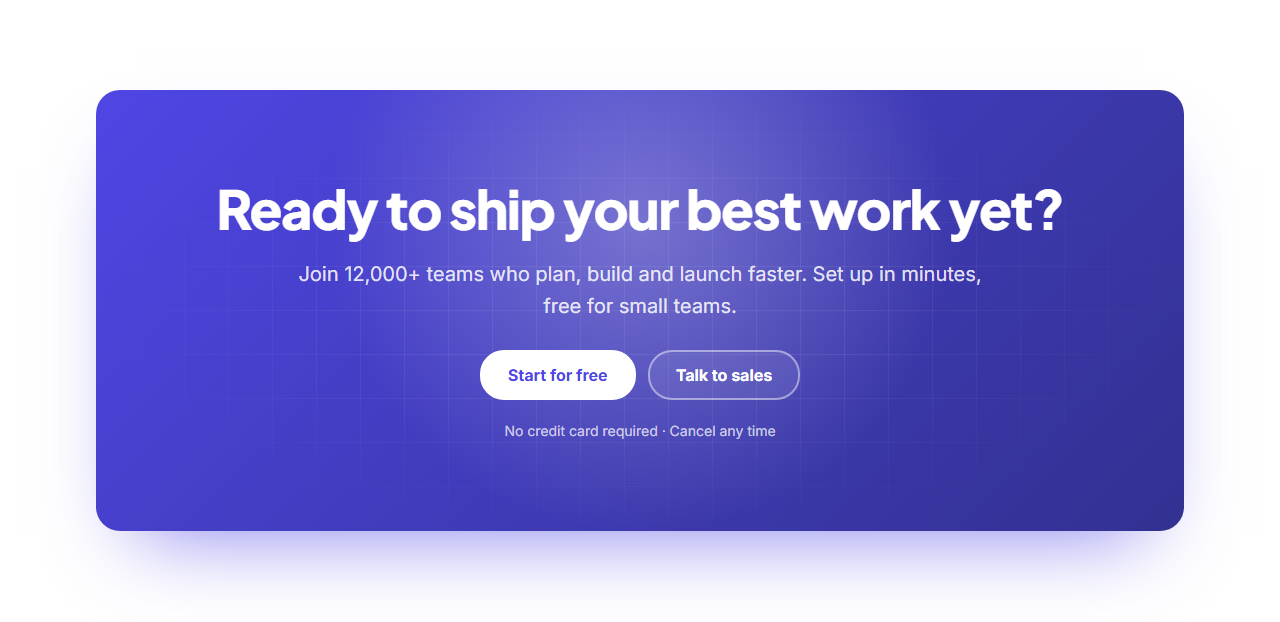
Gradient CTA Banner: A bold closing call to action: a rounded panel in a rich brand gradient with a subtle grid texture and a soft glow that follows the pointer, a centred heading and text, two buttons that drift toward the cursor, and a short reassurance note underneath.
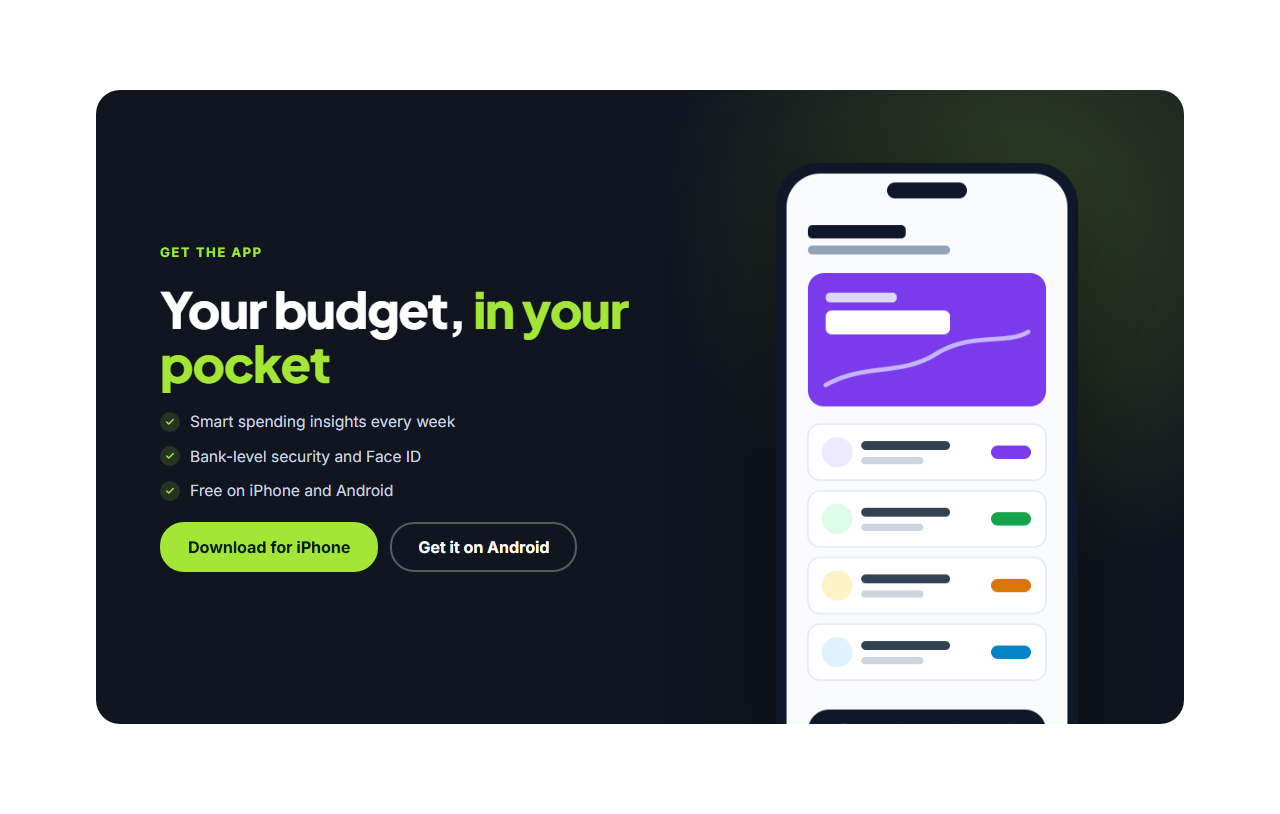
Split CTA With Image: A dark call-to-action card split in two: on the left an eyebrow, heading, short checklist and two buttons; on the right a product image (a phone screen by default) rising from the bottom edge of the card. Great for app downloads and product sign-ups.
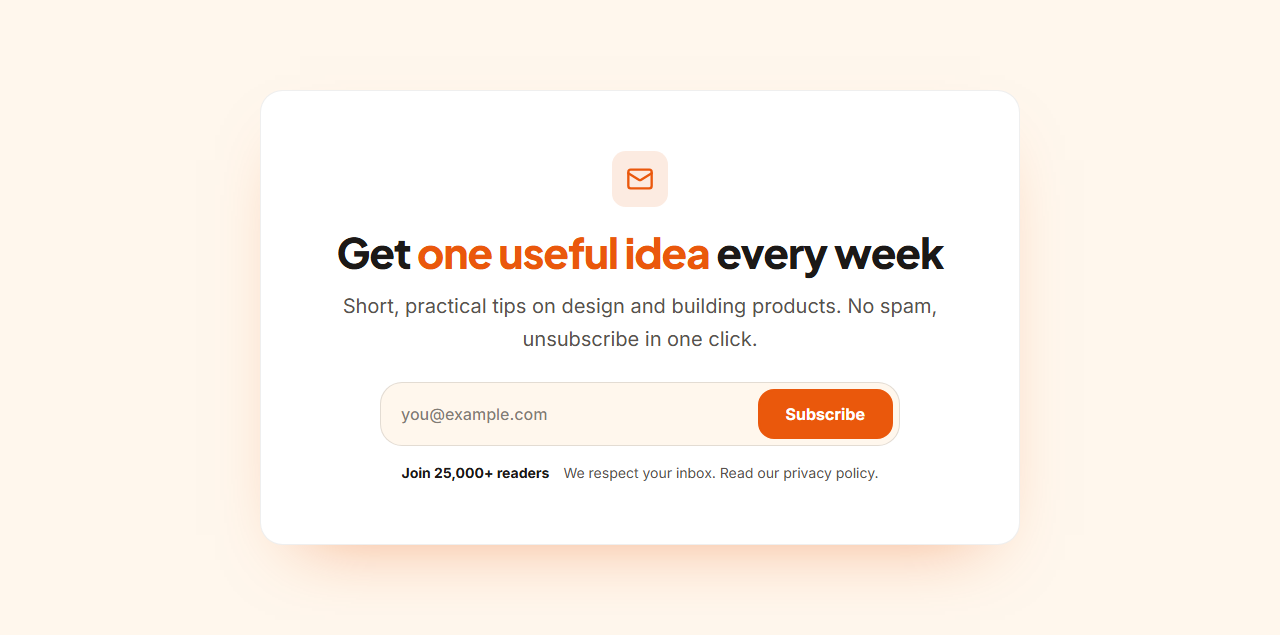
Newsletter Signup CTA: An email newsletter sign-up: an icon, heading and short pitch, social proof (“Join 25,000 readers”), then an email field and subscribe button side by side, with a privacy note below. The form posts to any email service’s form URL, so it works in a plain HTML page.
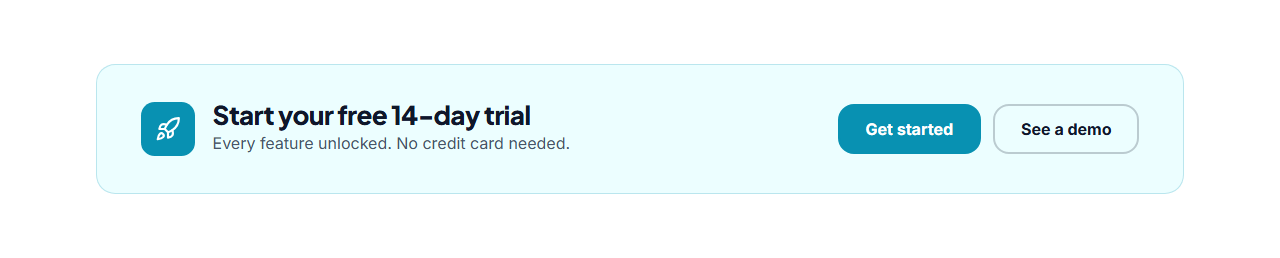
CTA Strip: A compact call to action that fits between other sections: a tinted band with an icon, a one-line heading and a short sentence on the left and two buttons on the right. It stacks neatly on phones and keeps the page moving without a big interruption.
Real-world uses
Best Uses for Call to action Sections
How it’s different
How These Section Templates Are Different
Step by step
How to Use
- 1Pick a sectionOpen one of the call to action sections above. Your edits autosave in your browser as you go.
- 2Edit the contentChange the text, buttons, links and images in the panel, and switch optional parts on or off.
- 3Add your brandPick colours, fonts, radius and width, or apply your saved brand kit; every section shares the same theme.
- 4Animate and previewChoose a GSAP entrance effect, press Play animation, and check desktop, tablet and mobile.
- 5ExportDownload HTML or a ZIP, copy a React or Vue component, or fork it into My Code.
Got questions?
Frequently Asked Questions
One clear action, a heading that states the benefit, a specific button label such as "Start free trial" rather than "Submit", and a short note that removes risk, like "No credit card required".
At the end of every landing page, and as a smaller strip after key sections such as features or testimonials, so people can act as soon as they are convinced.
Yes. Paste your service’s form action URL and field name, and the exported form posts sign-ups directly to it.
Gradient CTA Banner: A bold closing call to action: a rounded panel in a rich brand gradient with a subtle grid texture and a soft glow that follows the pointer, a centred heading and text, two buttons that drift toward the cursor, and a short reassurance note underneath. Split CTA With Image: A dark call-to-action card split in two: on the left an eyebrow, heading, short checklist and two buttons; on the right a product image (a phone screen by default) rising from the bottom edge of the card. Great for app downloads and product sign-ups. Newsletter Signup CTA: An email newsletter sign-up: an icon, heading and short pitch, social proof (“Join 25,000 readers”), then an email field and subscribe button side by side, with a privacy note below. The form posts to any email service’s form URL, so it works in a plain HTML page. CTA Strip: A compact call to action that fits between other sections: a tinted band with an icon, a one-line heading and a short sentence on the left and two buttons on the right. It stacks neatly on phones and keeps the page moving without a big interruption.
Yes. Every section is free for personal and commercial websites, with no account and no watermark. Everything runs in your browser and your edits are saved locally.