Music Website Section Templates
6 free, editable music section templates. Sections for bands, artists and labels: a music hero, an audio player with a track list, tour dates with tickets, a discography grid, a release countdown and streaming links. Change the text, images, colours and fonts in your browser, add a GSAP animation, then export HTML, React or Vue.
Streaming Links Bar
Responsive · HTML, React & Vue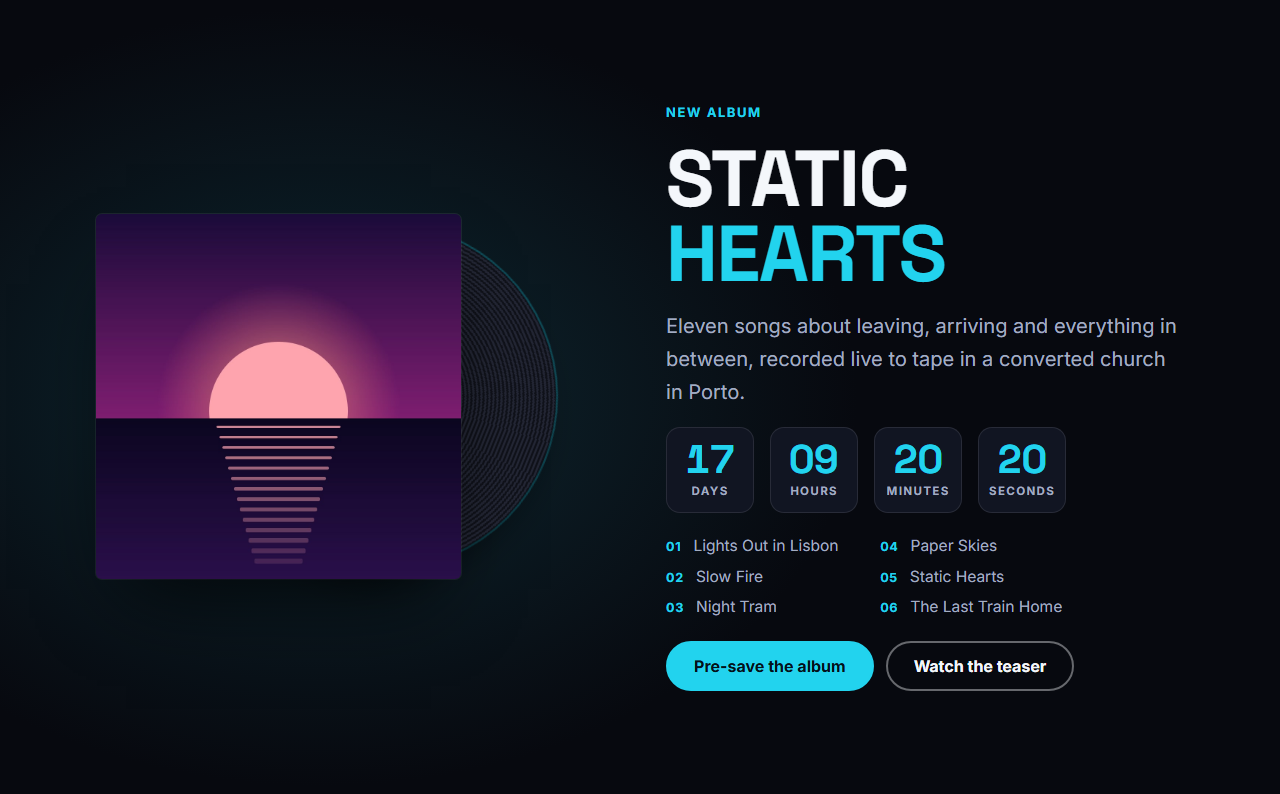
New Release Spotlight
Responsive · HTML, React & Vue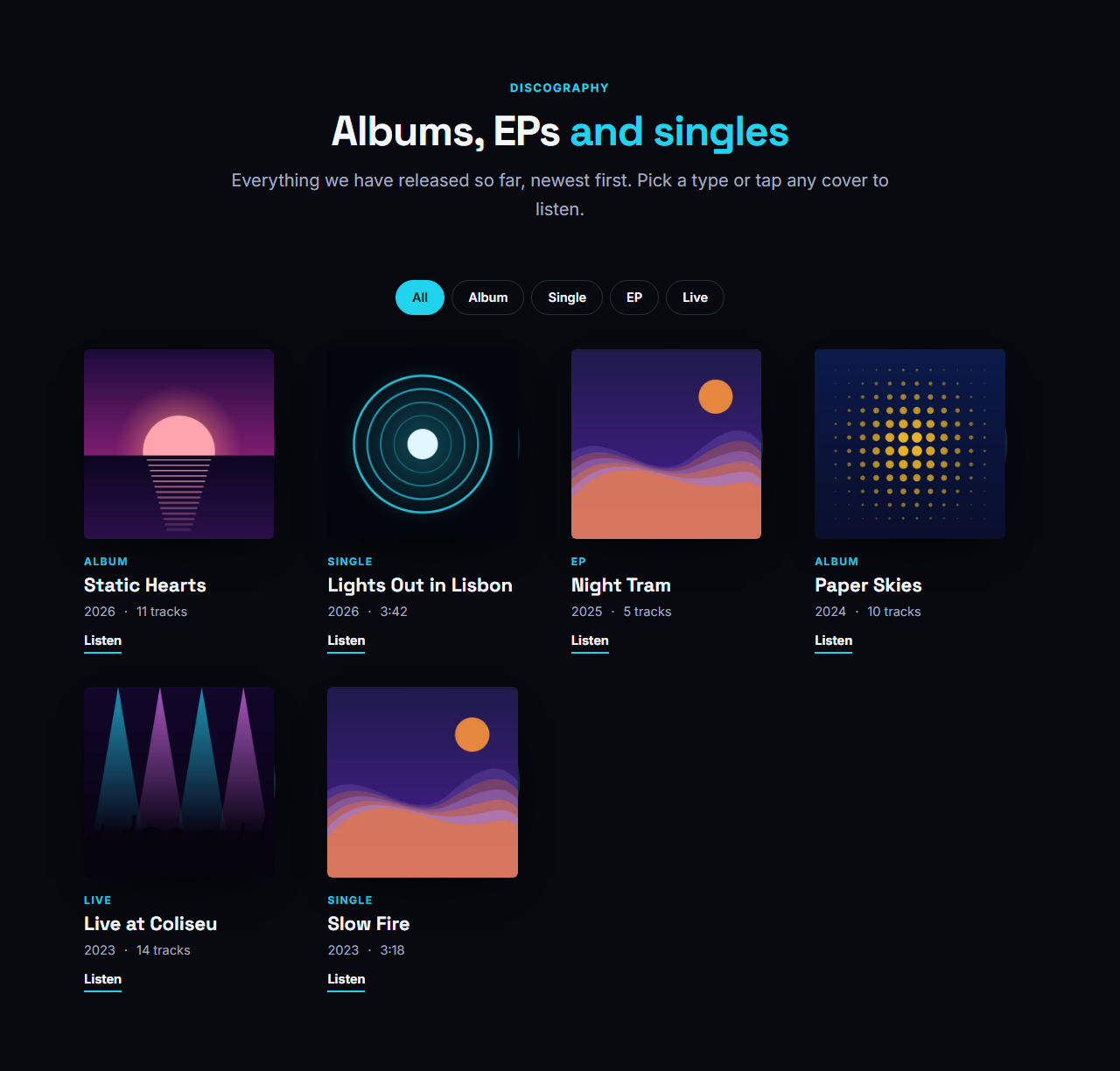
Discography Grid
Responsive · HTML, React & Vue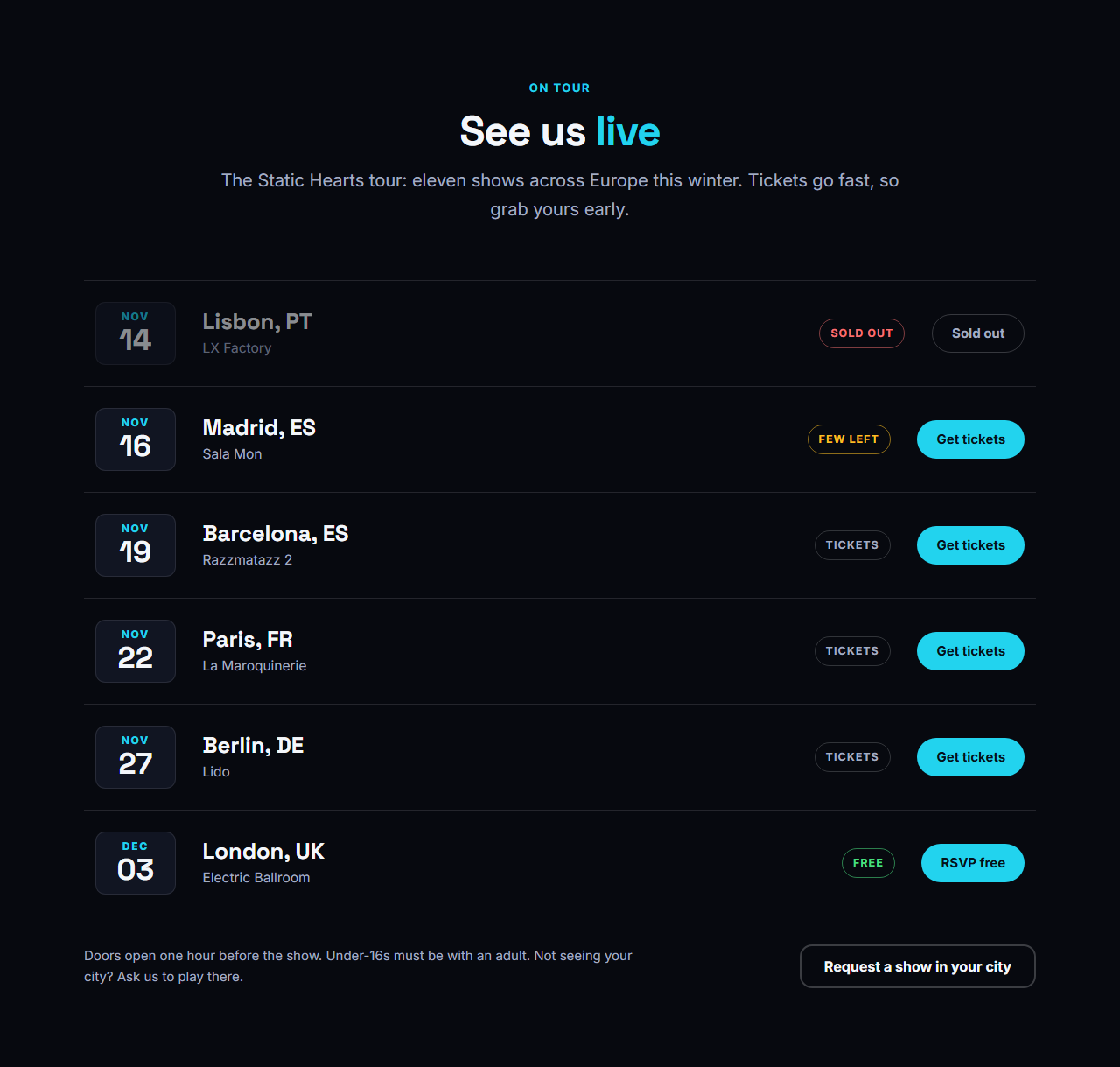
Tour Dates & Tickets
Responsive · HTML, React & Vue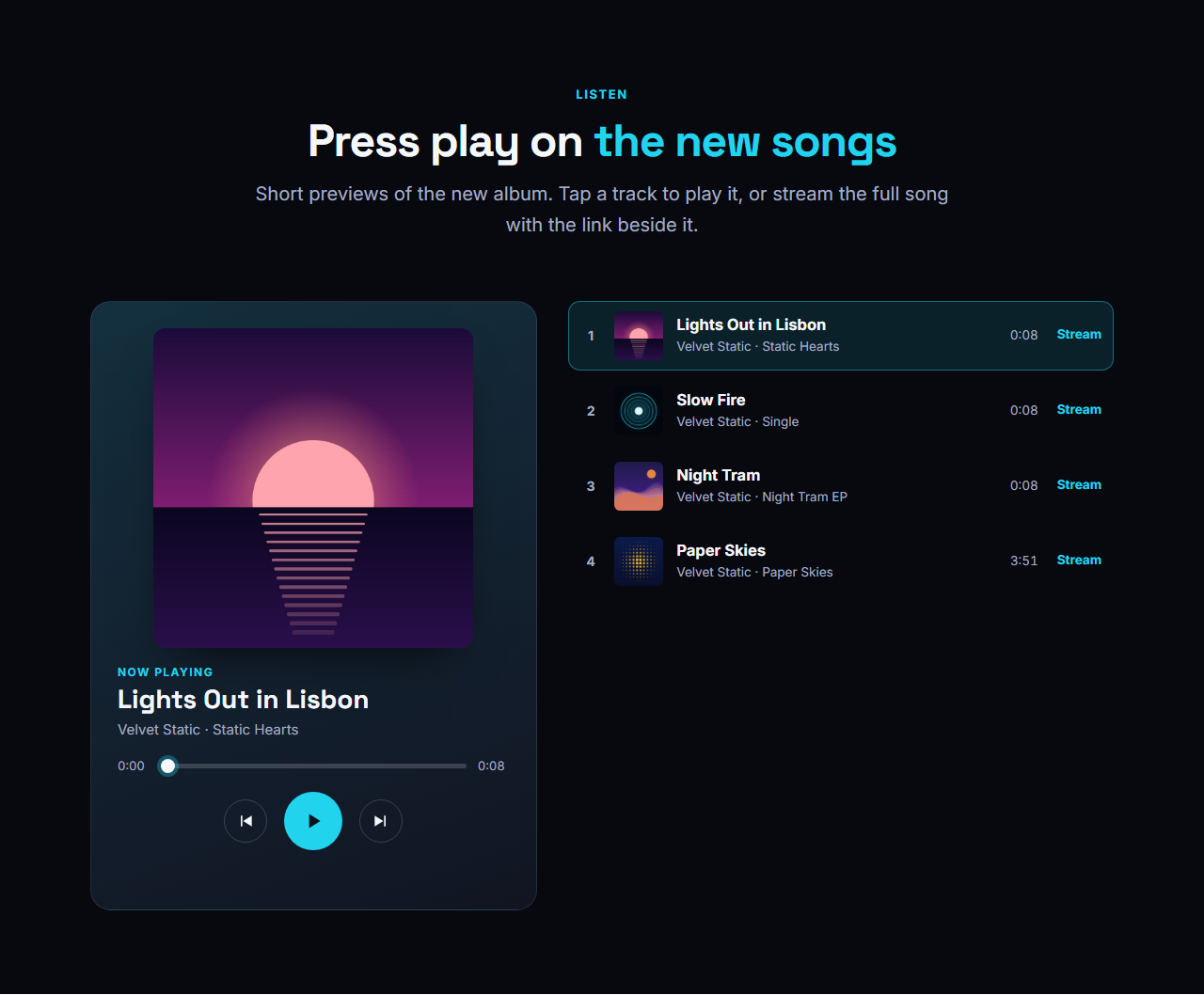
Audio Player & Track List
Responsive · HTML, React & Vue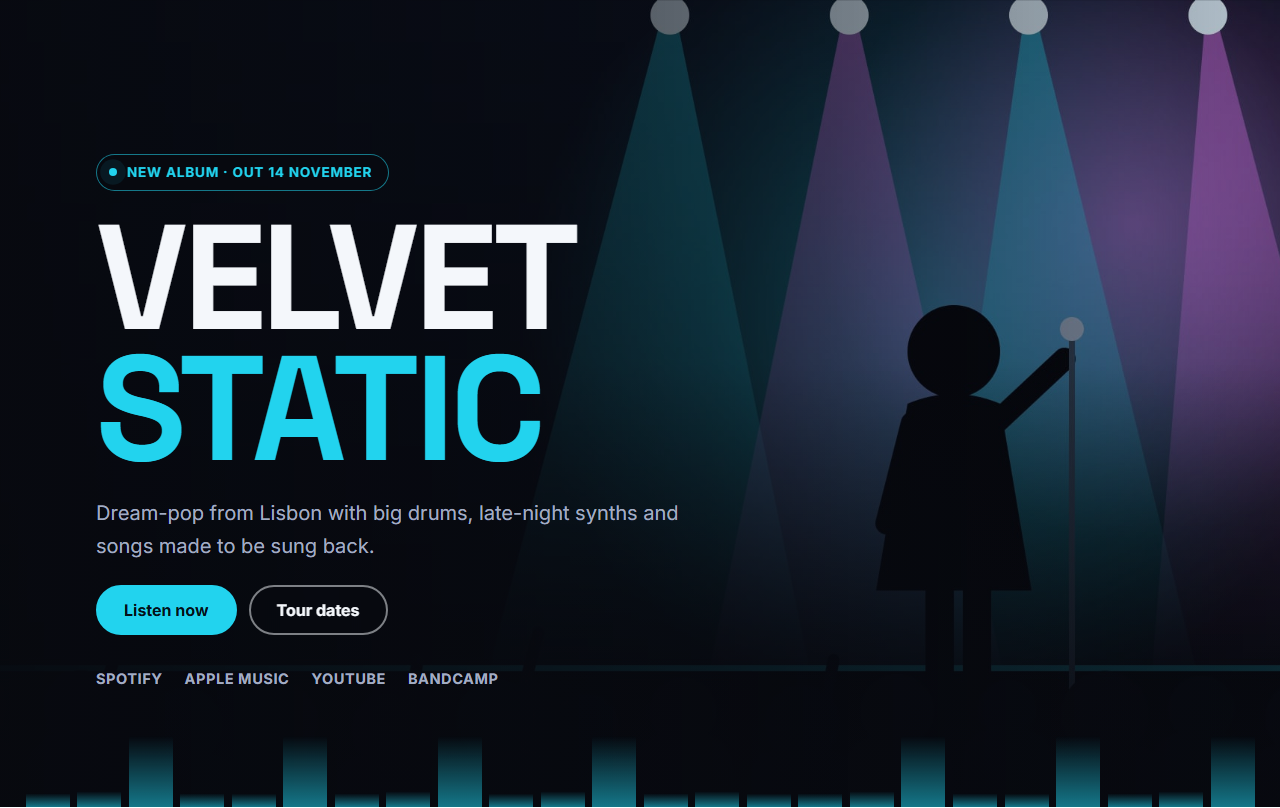
Music Artist Hero
Responsive · HTML, React & VueMusic Website Section Templates
6 sections · Responsive · GSAP animation · HTML, React & Vue
About these sections
Music Website Section Templates
A band website needs a few sections that general landing-page kits do not have. These templates cover them: a place to hear the music, somewhere to buy tickets, your whole catalogue and a countdown to what comes next.
The Music Artist Hero opens with a stage photo, a huge name and listen buttons. The Audio Player & Track List plays MP3 or WAV previews with plain HTML audio. Tour Dates & Tickets lists shows with status and ticket buttons and adds Event structured data. The Discography Grid shows cover art with filter chips and a vinyl that slides out. The New Release Spotlight counts down to release day and switches to "Out now" by itself, and the Streaming Links Bar gives fans big buttons for every platform.
Every section is editable in the browser, shares one theme with the rest of the library and exports as HTML, a ZIP, React, Vue or Next.js. Combine them with the 3D Scroll Carousel for an album showcase, or start from the complete Music Artist & Band Website template.
Music Artist Hero: The top of a band or artist website: your photo fills the screen under a dark gradient, the artist name is set huge, a small pill announces the new release, two buttons lead to the music and the tour, and a row of streaming links sits underneath. A quiet equalizer along the bottom edge moves gently and stops for visitors who prefer reduced motion.
Audio Player & Track List: A music player that works on any website with no plugin. A now-playing panel shows the cover, title, a progress bar you can click or drag, the time and previous, play and next buttons; beside it is the track list with numbers, covers and durations, and a small equalizer on the playing row. Each track takes the link to an MP3 or WAV file and an optional stream or buy link. When a track ends the next one starts, and only one player on a page plays at a time.
Tour Dates & Tickets: A tour page in one section. Each show is a row with a big date, the city and venue, a status (Tickets, Few left, Sold out, Free) and a ticket button. Sold-out shows are dimmed, rows lift on hover, and on phones each row stacks neatly. Add an ISO date to a show and the section also writes Event structured data, so search engines can show your concerts.
Discography Grid: Your catalogue as a grid of cover art. Each release shows its cover, title, type, year and a listen link, and a vinyl record slides out from behind the cover on hover. Filter chips are built from the release types you write (Album, EP, Single, Live), so visitors can narrow the catalogue in one tap. Without JavaScript every release is simply shown.
New Release Spotlight: Put your newest album or single in the spotlight. A large cover sits in front of a slowly spinning vinyl, with the title, a short blurb, an optional tracklist and two buttons (pre-save and listen or watch). A live countdown runs to your release date and time; when the moment passes it switches to an "Out now" message by itself, and the primary button can change to “Listen now”.
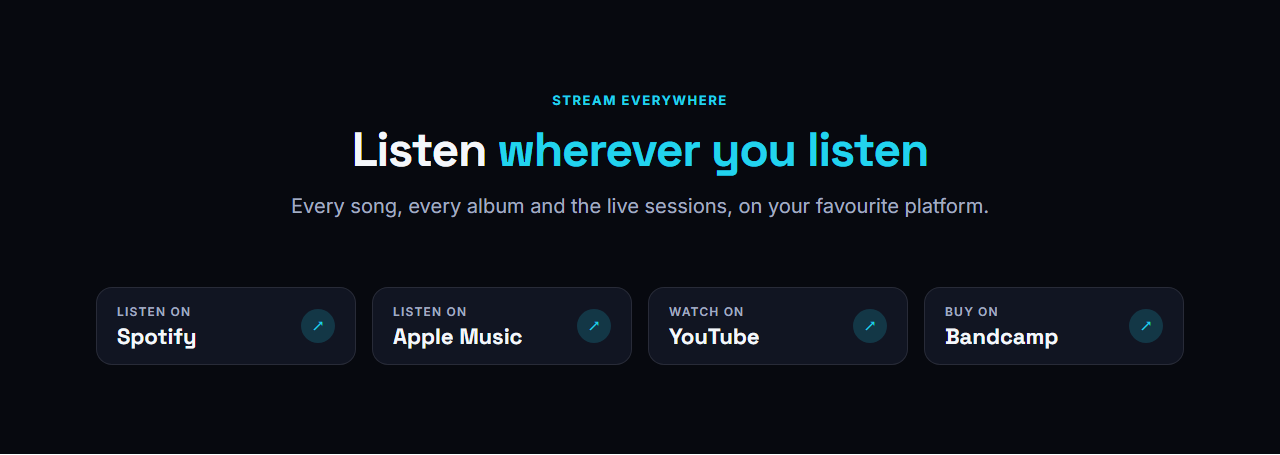
Streaming Links Bar: A clear row of "Listen on" buttons for the places your music lives: Spotify, Apple Music, YouTube, Bandcamp, SoundCloud or anywhere else. Each button has a small "Listen on" label, the platform name and an arrow, and they wrap neatly on phones. Use it under a hero, in a footer area or on its own on a links page.
Real-world uses
Best Uses for Music Sections
How it’s different
How These Section Templates Are Different
Step by step
How to Use
- 1Pick a sectionOpen one of the music sections above. Your edits autosave in your browser as you go.
- 2Edit the contentChange the text, buttons, links and images in the panel, and switch optional parts on or off.
- 3Add your brandPick colours, fonts, radius and width, or apply your saved brand kit; every section shares the same theme.
- 4Animate and previewChoose a GSAP entrance effect, press Play animation, and check desktop, tablet and mobile.
- 5ExportDownload HTML or a ZIP, copy a React or Vue component, or fork it into My Code.
Got questions?
Frequently Asked Questions
Yes. The Audio Player section uses the browser’s built-in audio element, so you only paste links to MP3 or WAV files. There is no plugin, account or tracking.
Yes. Add the date of each show in the Tour Dates section and it writes Event structured data with the venue, city, date and ticket link, which helps your concerts appear in search.
Yes. Every label is editable, so the sections work for DJs, producers, orchestras, labels and podcasts as well as bands. Rename the types, status words and button text to match your own scene.
Music Artist Hero: The top of a band or artist website: your photo fills the screen under a dark gradient, the artist name is set huge, a small pill announces the new release, two buttons lead to the music and the tour, and a row of streaming links sits underneath. A quiet equalizer along the bottom edge moves gently and stops for visitors who prefer reduced motion. Audio Player & Track List: A music player that works on any website with no plugin. A now-playing panel shows the cover, title, a progress bar you can click or drag, the time and previous, play and next buttons; beside it is the track list with numbers, covers and durations, and a small equalizer on the playing row. Each track takes the link to an MP3 or WAV file and an optional stream or buy link. When a track ends the next one starts, and only one player on a page plays at a time. Tour Dates & Tickets: A tour page in one section. Each show is a row with a big date, the city and venue, a status (Tickets, Few left, Sold out, Free) and a ticket button. Sold-out shows are dimmed, rows lift on hover, and on phones each row stacks neatly. Add an ISO date to a show and the section also writes Event structured data, so search engines can show your concerts. Discography Grid: Your catalogue as a grid of cover art. Each release shows its cover, title, type, year and a listen link, and a vinyl record slides out from behind the cover on hover. Filter chips are built from the release types you write (Album, EP, Single, Live), so visitors can narrow the catalogue in one tap. Without JavaScript every release is simply shown. New Release Spotlight: Put your newest album or single in the spotlight. A large cover sits in front of a slowly spinning vinyl, with the title, a short blurb, an optional tracklist and two buttons (pre-save and listen or watch). A live countdown runs to your release date and time; when the moment passes it switches to an "Out now" message by itself, and the primary button can change to “Listen now”. Streaming Links Bar: A clear row of "Listen on" buttons for the places your music lives: Spotify, Apple Music, YouTube, Bandcamp, SoundCloud or anywhere else. Each button has a small "Listen on" label, the platform name and an arrow, and they wrap neatly on phones. Use it under a hero, in a footer area or on its own on a links page.
Yes. Every section is free for personal and commercial websites, with no account and no watermark. Everything runs in your browser and your edits are saved locally.