
Form Section Templates
13 free, editable forms section templates. Forms for every job: contact, multi-step, quote request, survey, application, RSVP, support, donation, waitlist and code verification, with floating labels, selects, switches, ratings, steppers and file drop areas. Change the text, images, colours and fonts in your browser, add a GSAP animation, then export HTML, React or Vue.
Form With Image
Responsive · HTML, React & Vue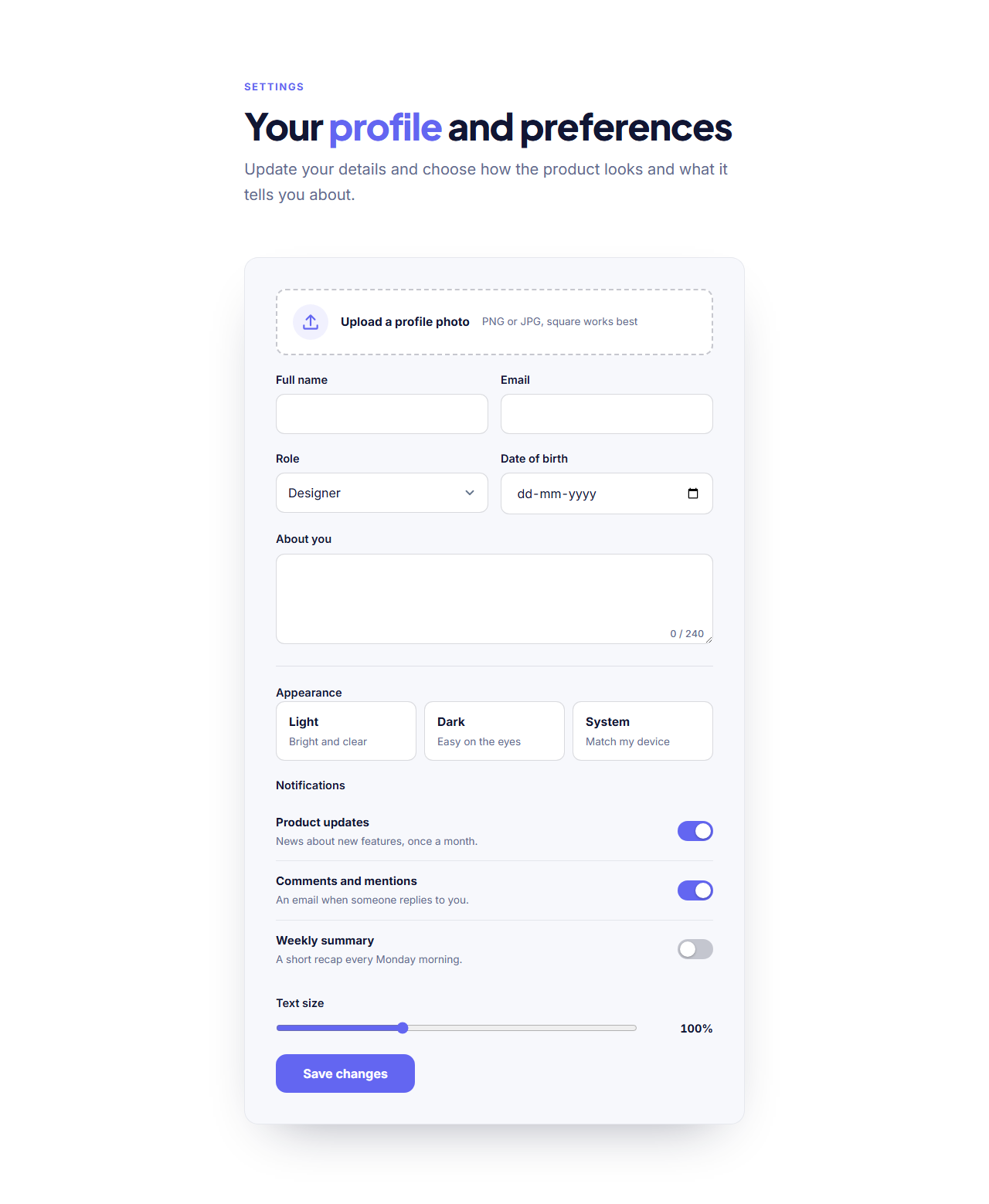
Profile & Preferences Form
Responsive · HTML, React & Vue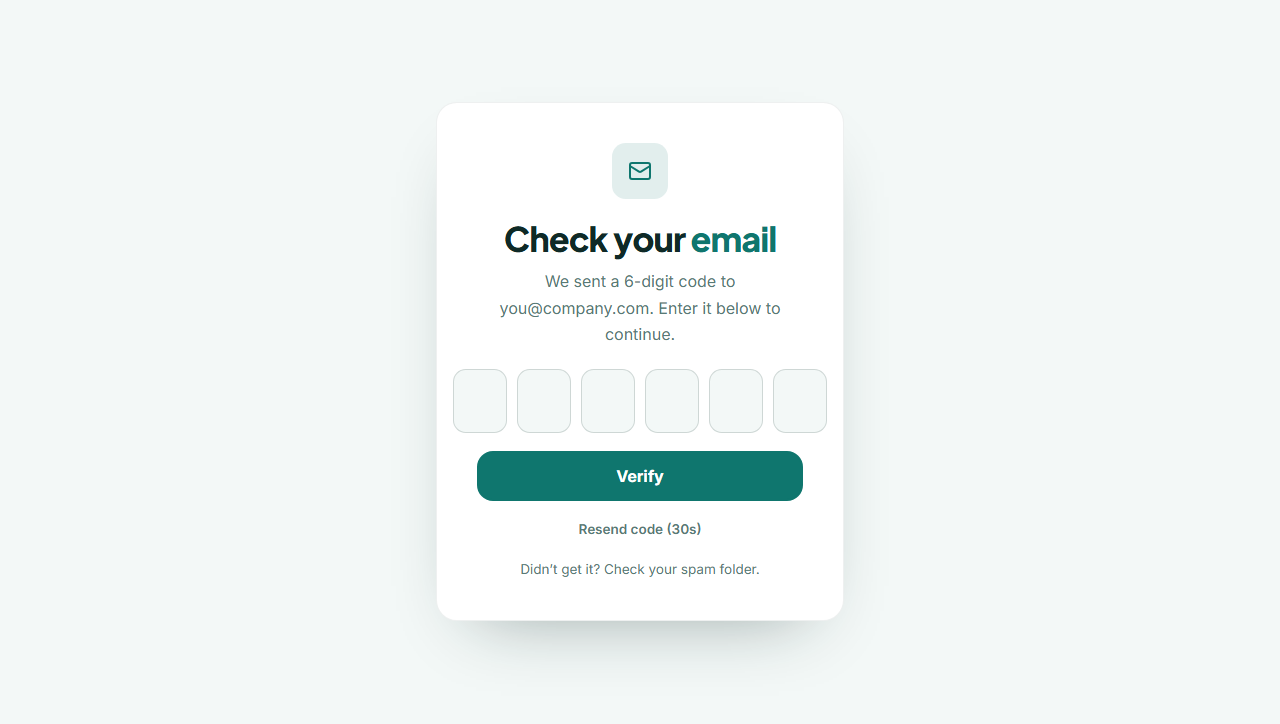
Verification Code Form
Responsive · HTML, React & Vue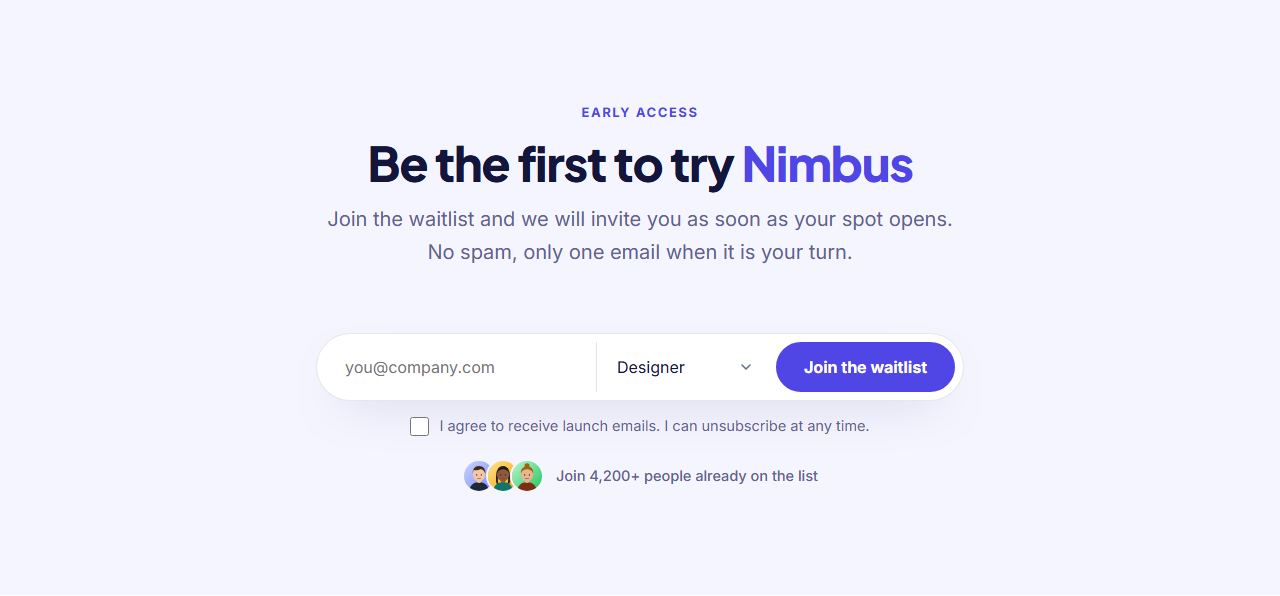
Waitlist Form
Responsive · HTML, React & Vue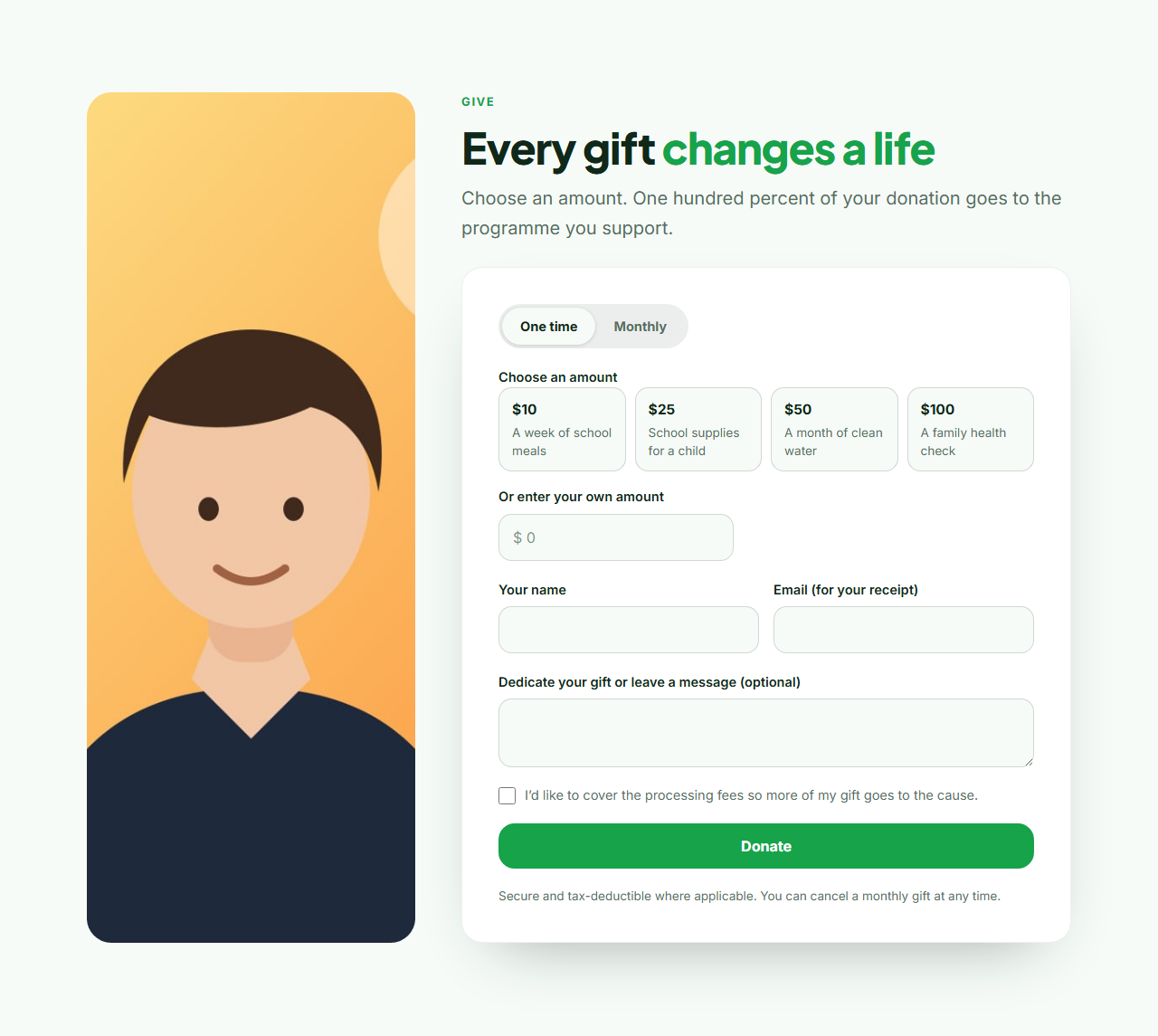
Donation Form
Responsive · HTML, React & Vue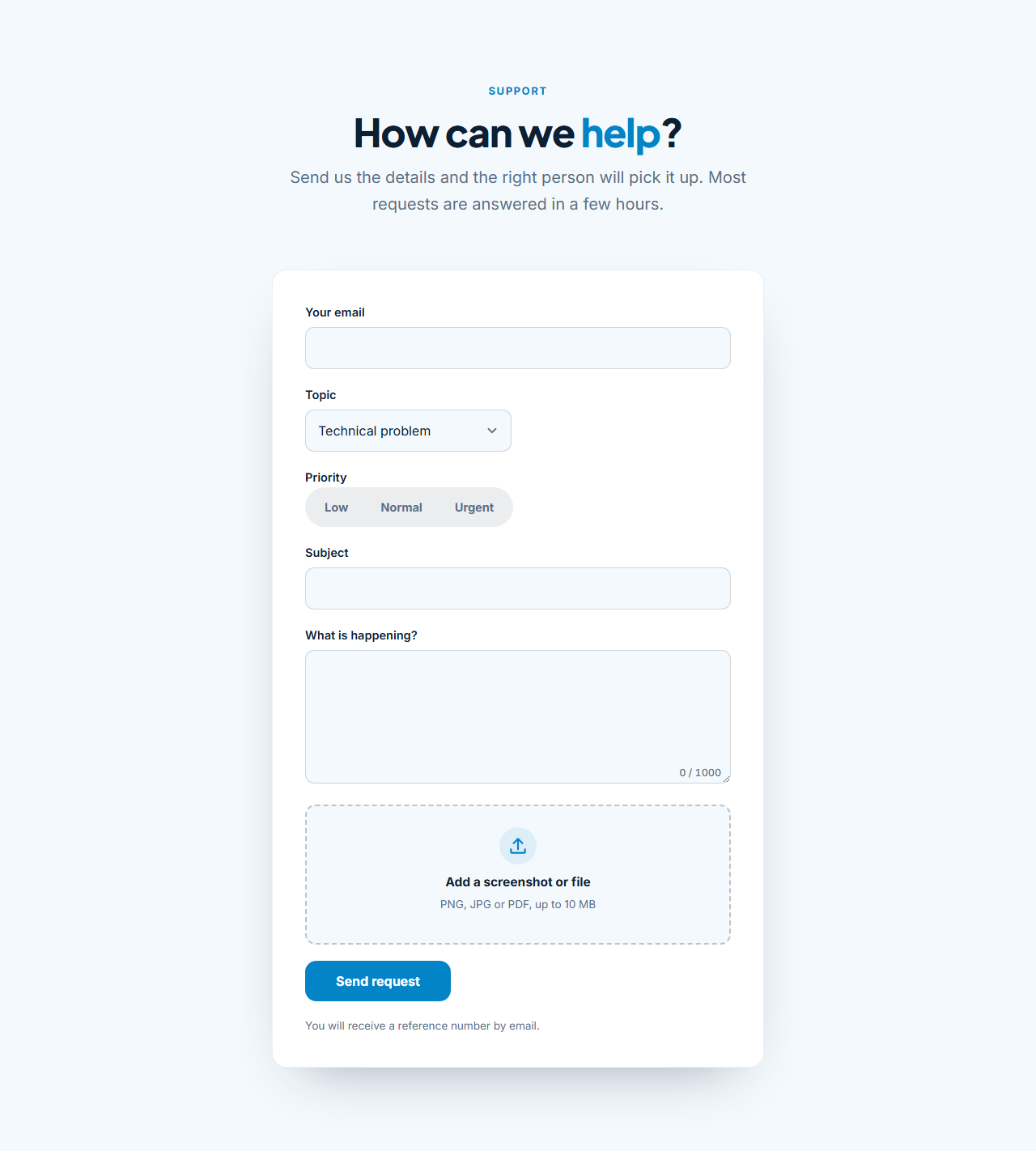
Support Ticket Form
Responsive · HTML, React & Vue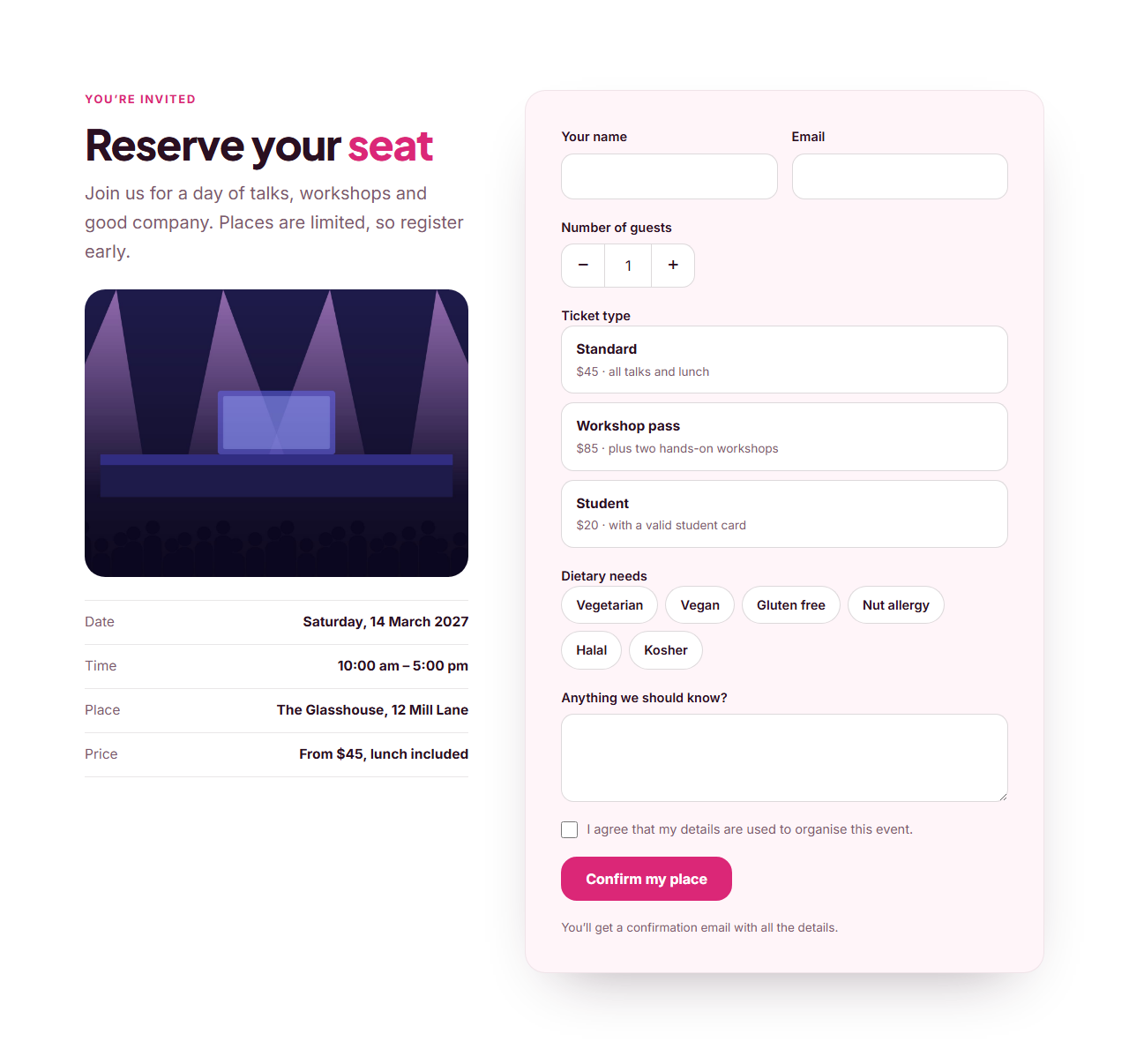
Event RSVP Form
Responsive · HTML, React & Vue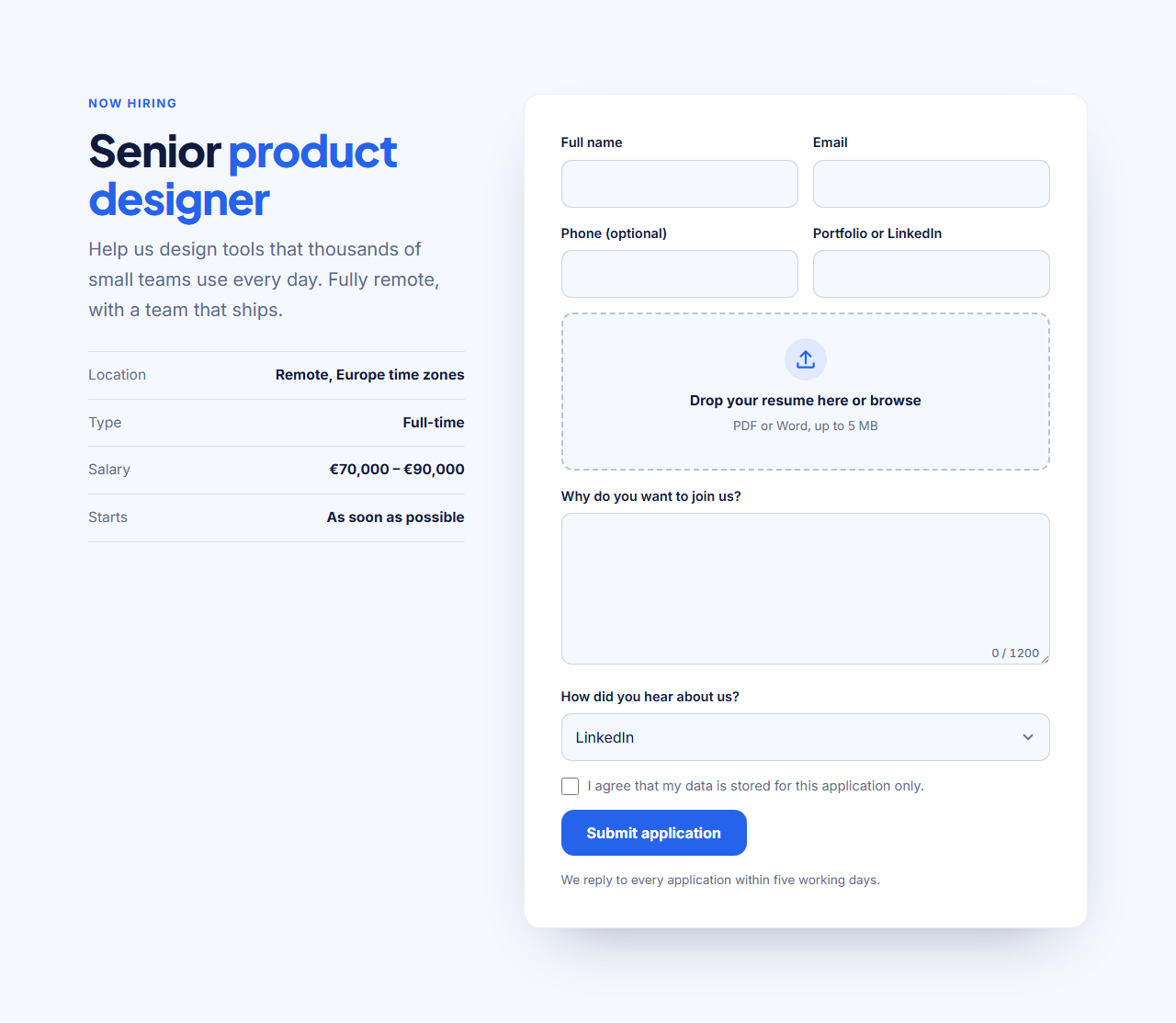
Job Application Form
Responsive · HTML, React & VueForm Section Templates
13 sections · Responsive · GSAP animation · HTML, React & Vue
About these sections
Form Section Templates
A good form is mostly small decisions: which fields to ask for, how to show errors, what happens after sending. These sections make those decisions for you, in plain HTML and CSS with a little JavaScript where a control needs it, and every one of them really sends. Paste your form address from Formspree, Basin or Getform (or point it at your own server) and the form posts with a success message, an error message and a hidden spam-trap field. Without JavaScript it is an ordinary form post.
For a plain message form start with the Centered Contact Form (topic menu, character counter, consent) or the Floating Label Form, where labels glide up as you type using CSS only. Long forms feel shorter in steps: the Multi-Step Form has a progress bar, checks each step and ends with a review of every answer. The Quote Request Form uses pill buttons, budget cards and a brief upload so you can price a job in one reply.
Other forms for specific jobs: the Feedback Survey Form (five stars and a 0 to 10 recommend scale), the Job Application Form with a resume drop area, the Event RSVP Form with a guest counter and ticket cards, the Support Ticket Form whose order number appears only when needed, the Donation Form with amount buttons, the one-row Waitlist Form, the Verification Code Form with six digit boxes and a Profile & Preferences Form that shows every control in one style. The Form With Image puts a photo and a quote beside the fields.
Every control is a real HTML input, so keyboards, screen readers and browser autofill work, labels are always visible and focus rings are clear. Colours, fonts and corner radius come from your theme, and each section exports as HTML, a ZIP, a React component or a Vue component. For login and register screens see Login & Sign up, and for contact details and maps see Contact.
Centered Contact Form: A clean centered contact form in a soft card: name and email side by side, an optional phone number, a topic menu, a message box with a live character counter and a consent checkbox. The form posts to Formspree, Basin, Getform or your own server with a success message, an error message and a hidden spam trap, and it still works as a normal form without JavaScript. Every label, the topics and all messages are editable.
Floating Label Form: A modern lead or contact form where each label sits inside its box and glides up when the field is focused or filled, built with CSS only. On the left a heading and a short list of promises, on the right the form card with name, email, company, phone and a message, an optional consent box, and the same working Formspree-style posting with success and error messages as every other form in this category.
Multi-Step Form: A three-step form wizard: about you, your project and a review screen. A progress bar shows where you are, each step is checked before you can continue (with the browser’s own error messages), Enter moves to the next step, and the last step lists every answer so people can check them before sending. The answers post to Formspree, Basin, Getform or your own server, and without JavaScript all steps simply show one after another.
Quote Request Form: A project quote form for service businesses: pick the services you need from pill buttons, choose a budget from option cards, set a timeline, describe the project and attach a brief with a drag-and-drop file area. Beside it, a short list explains what happens next. Services, budgets and timelines are editable lists, and the answers post to Formspree, Basin, Getform or your own server.
Feedback Survey Form: A short customer feedback survey: a five-star rating, a 0–10 “how likely are you to recommend us” scale (net promoter score), pill buttons for what went well, and a comment box with a live character counter, plus an optional email for a follow-up. The stars and the scale are plain radio buttons styled with CSS, so they work with keyboards and screen readers, and the answers post to Formspree, Basin, Getform or your own server.
Job Application Form: A careers form for one open role: on the left the job title, a short summary and key facts (location, type, salary), on the right the application with name, email, phone, a portfolio or LinkedIn link, a resume drop area that shows the chosen file name, a cover letter with a character counter, a “how did you hear about us” menu and a consent box. It posts files and text to Formspree, Basin, Getform or your own server.
Event RSVP Form: An event registration or RSVP section: a photo and the key facts (date, time, place, price) on the left, a registration form on the right with name, email, a plus/minus guest counter, ticket option cards, dietary needs as pill buttons and a message. Works for conferences, workshops, weddings and parties, and posts to Formspree, Basin, Getform or your own server.
Support Ticket Form: A help-desk form: pick a topic, and a field for an order number appears only when the topic needs it; choose a priority with a segmented control, describe the problem in a box with a character counter and drop in a screenshot. The topic, priority and file area are editable, and the request posts to Formspree, Basin, Getform or your own server.
Donation Form: A fundraising form for charities and causes: a one-time / monthly switch, a row of amount buttons that each say what the gift does, a custom amount field (choosing one clears the other), donor name and email, an optional note and a “cover the fees” checkbox. It collects the donor’s choices and posts them to Formspree, Basin, Getform or your own server. It does not process payments itself: connect your payment link or follow up with an invoice.
Waitlist Form: A compact early-access or waitlist section: heading and text, then a one-row form with an email field, an optional “I am a…” menu and the join button, a consent line, and a proof row with avatars and a sign-up count. On narrow screens the fields stack. It posts to Formspree, Basin, Getform or your own server with a success message.
Verification Code Form: A “check your email” code screen: six digit boxes that move forward as you type, go back on Backspace, accept a pasted code and fill from the browser’s one-time-code suggestion on phones, a verify button, and a resend link with a countdown timer. The whole code is also sent as one hidden field named “code” to your form endpoint. It does not send codes itself: your server does, this is the front end.
Profile & Preferences Form: A settings-style form that shows every common control in one consistent style: text and email fields, a bio box with a character counter, a select menu, a date picker, an avatar drop area, toggle switches with descriptions, theme option cards and a range slider with a live value. Use it as a profile page, a preferences screen, an onboarding step or a reference for how each control should look, and it posts to Formspree, Basin, Getform or your own server.
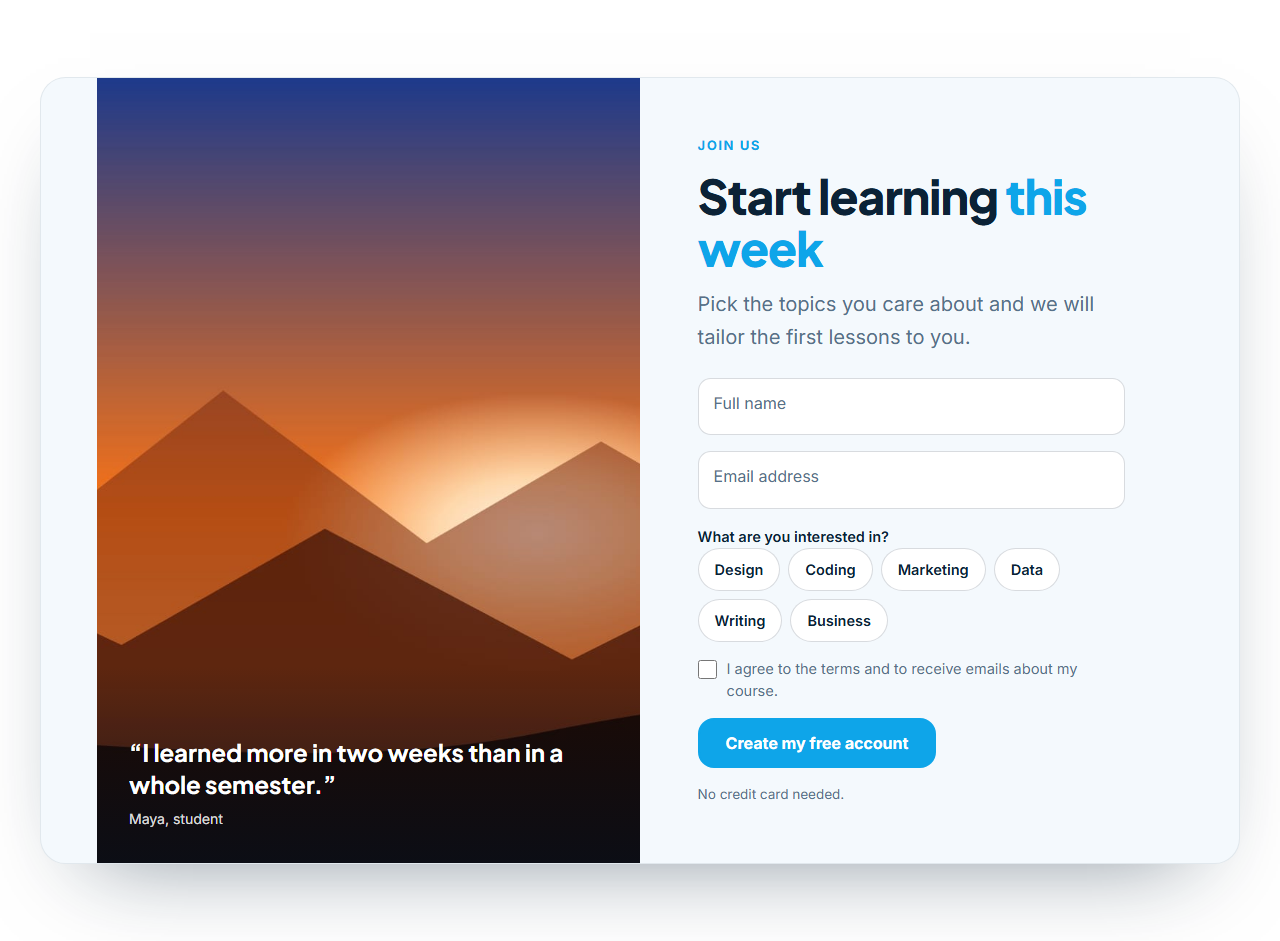
Form With Image: A split-screen sign-up or lead form: on one side a full-height photo with an overlaid quote, on the other a floating-label form with name, email, interest chips and a consent box. The image can sit on the left or right, and the form posts to Formspree, Basin, Getform or your own server with success and error messages.
Browse other categories
More Section Categories
| Category | What it is for | Sections | Includes |
|---|---|---|---|
| Hero | Above-the-fold hero sections with a headline, supporting text, call-to-action buttons and an image, screenshot or background photo. | 5 | SaaS Split Hero, Centred Gradient Hero, Image Background Hero, App Product Hero, Personal Portfolio Hero |
| Navbar | Responsive navigation bars with a logo, links and a call-to-action button. | 3 | Simple Sticky Navbar, Floating Pill Navbar, Navbar With Announcement Bar |
| Features | Feature grids, alternating image-and-text rows and benefit lists. | 5 | Icon Grid Features, Split Features With Image, Bento Grid Features, Alternating Feature Rows, How It Works Steps |
| Pricing | Pricing tables and plan cards with highlighted plans and feature lists. | 5 | Three-Tier Pricing, Dark Glow Pricing, Single Plan Pricing, Pricing List Rows, Pricing Comparison Table |
| Testimonials | Customer quotes, review walls and case-study highlights. | 6 | Testimonial Wall, Testimonial Carousel, Testimonial Marquee, Testimonial Spotlight, Case Study Showcase, Reviews Summary & Rating |
| FAQ | Frequently asked question sections with expandable answers. | 3 | FAQ Accordion, Split FAQ With Contact Card, FAQ Grid |
| Call to action | Closing call-to-action banners and sign-up blocks. | 4 | Gradient CTA Banner, Split CTA With Image, Newsletter Signup CTA, CTA Strip |
| Stats & logos | Social-proof numbers and customer logo strips. | 3 | Animated Stats Counters, Scrolling Logo Cloud, Stats With Logos (Dark) |
| Team | Team grids with photos, names and roles. | 4 | Team Grid, Team Carousel, Interactive Team Accordion, Team With Hiring CTA |
| About us | About us and our story sections: a picture, the story, the founder, key facts and company values. | 1 | About Us & Our Story |
| Contact | Contact sections with details, maps and forms. | 5 | Contact Form With Details, Contact Options Cards, Contact With Map, Booking Request Form, Opening Hours & Location |
| Blog | Blog and article grids with cover images. | 6 | Blog Post Cards, Featured Post With List, Editorial Post List, Legal & Long-Form Text Page, Blog Post Page (Single Article), Blog Grid with Pagination |
| Gallery & media | Photo galleries with filters and a lightbox, video sections and before-and-after sliders. | 3 | Filterable Image Gallery, Video Section with Poster, Before & After Slider |
| Scroll effects | Scroll-driven sections built with GSAP: horizontal scroll galleries, pinned scroll stories and stacking cards. | 6 | Horizontal Scroll Gallery, Pinned Scroll Story, Stacking Cards, Scroll Path Timeline, 3D Scroll Carousel, Scroll Zoom Image Stack (Ken Burns) |
| Menus & listings | Industry sections: restaurant menus with prices, property listings and class timetables. | 4 | Restaurant Menu, Property Listings, Product Grid, Class Timetable |
| Music | Sections for bands, artists and labels: a music hero, an audio player with a track list, tour dates with tickets, a discography grid, a release countdown and streaming links. | 6 | Music Artist Hero, Audio Player & Track List, Tour Dates & Tickets, Discography Grid, New Release Spotlight, Streaming Links Bar |
| Login & Sign up | Login and register screens with email and password, social sign-in buttons, show password and a password strength hint. | 2 | Login Form (Sign In Page), Register Form (Sign Up Page) |
| Popups | Popups that open after a delay, on exit intent or on scroll, for sign-ups, offers and announcements. | 1 | Popup & Promo Modal |
| Accessibility | Floating accessibility toolbars that let visitors enlarge text, change contrast, hide images, pause animations and more. | 1 | Accessibility Toolbar Widget |
| Cursor & page effects | Page-wide effects that take no space in the layout: cursor followers that invert what is under them and floating back-to-top buttons. | 2 | Cursor Follower (Blend Mode Circle), Back to Top Button |
| Timelines | Timelines for company history, roadmaps and milestones, laid out along a scrollable line. | 1 | Horizontal Timeline |
| Social share | Floating social share bars that take no space in the layout, with share buttons for the popular networks. | 1 | Floating Social Share Bar |
| Footer | Website footers with link columns, newsletter sign-up and social links. | 4 | Multi-Column Footer, Big Wordmark Footer, Footer With Newsletter, Minimal Footer |
Real-world uses
Best Uses for Forms Sections
How it’s different
How These Section Templates Are Different
Step by step
How to Use
- 1Pick a sectionOpen one of the forms sections above. Your edits autosave in your browser as you go.
- 2Edit the contentChange the text, buttons, links and images in the panel, and switch optional parts on or off.
- 3Add your brandPick colours, fonts, radius and width, or apply your saved brand kit; every section shares the same theme.
- 4Animate and previewChoose a GSAP entrance effect, press Play animation, and check desktop, tablet and mobile.
- 5ExportDownload HTML or a ZIP, copy a React or Vue component, or fork it into My Code.
Got questions?
Frequently Asked Questions
Create a free form at Formspree, Basin or Getform, copy its address into the "Form URL (action)" field of the section and export. Every submission is delivered to your inbox by that service. You can also post to your own server.
Yes. They are normal HTML forms that post to your endpoint. JavaScript adds the smooth success message, the multi-step wizard, the code boxes, steppers and counters. Without it a multi-step form simply shows all steps one after another.
Each form contains a hidden field named _gotcha that people never see but bots fill in, which services such as Formspree use to discard bot messages. Add the service’s own captcha for extra protection.
The quote request, job application, support ticket and profile forms have file drop areas and post as multipart form data. The service that receives the form must accept file uploads; check its plan limits.
No. The donation form collects the donor’s choices and posts them to your endpoint, and the verification code form is only the front end. Connect a payment provider or your own server for charging cards and checking codes.
They use real labels, fieldsets and legends, visible focus rings, large touch targets and announced errors. Stars, scales, switches and option cards are native radio buttons and checkboxes, so they work with keyboards and screen readers.
Centered Contact Form: A clean centered contact form in a soft card: name and email side by side, an optional phone number, a topic menu, a message box with a live character counter and a consent checkbox. The form posts to Formspree, Basin, Getform or your own server with a success message, an error message and a hidden spam trap, and it still works as a normal form without JavaScript. Every label, the topics and all messages are editable. Floating Label Form: A modern lead or contact form where each label sits inside its box and glides up when the field is focused or filled, built with CSS only. On the left a heading and a short list of promises, on the right the form card with name, email, company, phone and a message, an optional consent box, and the same working Formspree-style posting with success and error messages as every other form in this category. Multi-Step Form: A three-step form wizard: about you, your project and a review screen. A progress bar shows where you are, each step is checked before you can continue (with the browser’s own error messages), Enter moves to the next step, and the last step lists every answer so people can check them before sending. The answers post to Formspree, Basin, Getform or your own server, and without JavaScript all steps simply show one after another. Quote Request Form: A project quote form for service businesses: pick the services you need from pill buttons, choose a budget from option cards, set a timeline, describe the project and attach a brief with a drag-and-drop file area. Beside it, a short list explains what happens next. Services, budgets and timelines are editable lists, and the answers post to Formspree, Basin, Getform or your own server. Feedback Survey Form: A short customer feedback survey: a five-star rating, a 0–10 “how likely are you to recommend us” scale (net promoter score), pill buttons for what went well, and a comment box with a live character counter, plus an optional email for a follow-up. The stars and the scale are plain radio buttons styled with CSS, so they work with keyboards and screen readers, and the answers post to Formspree, Basin, Getform or your own server. Job Application Form: A careers form for one open role: on the left the job title, a short summary and key facts (location, type, salary), on the right the application with name, email, phone, a portfolio or LinkedIn link, a resume drop area that shows the chosen file name, a cover letter with a character counter, a “how did you hear about us” menu and a consent box. It posts files and text to Formspree, Basin, Getform or your own server. Event RSVP Form: An event registration or RSVP section: a photo and the key facts (date, time, place, price) on the left, a registration form on the right with name, email, a plus/minus guest counter, ticket option cards, dietary needs as pill buttons and a message. Works for conferences, workshops, weddings and parties, and posts to Formspree, Basin, Getform or your own server. Support Ticket Form: A help-desk form: pick a topic, and a field for an order number appears only when the topic needs it; choose a priority with a segmented control, describe the problem in a box with a character counter and drop in a screenshot. The topic, priority and file area are editable, and the request posts to Formspree, Basin, Getform or your own server. Donation Form: A fundraising form for charities and causes: a one-time / monthly switch, a row of amount buttons that each say what the gift does, a custom amount field (choosing one clears the other), donor name and email, an optional note and a “cover the fees” checkbox. It collects the donor’s choices and posts them to Formspree, Basin, Getform or your own server. It does not process payments itself: connect your payment link or follow up with an invoice. Waitlist Form: A compact early-access or waitlist section: heading and text, then a one-row form with an email field, an optional “I am a…” menu and the join button, a consent line, and a proof row with avatars and a sign-up count. On narrow screens the fields stack. It posts to Formspree, Basin, Getform or your own server with a success message. Verification Code Form: A “check your email” code screen: six digit boxes that move forward as you type, go back on Backspace, accept a pasted code and fill from the browser’s one-time-code suggestion on phones, a verify button, and a resend link with a countdown timer. The whole code is also sent as one hidden field named “code” to your form endpoint. It does not send codes itself: your server does, this is the front end. Profile & Preferences Form: A settings-style form that shows every common control in one consistent style: text and email fields, a bio box with a character counter, a select menu, a date picker, an avatar drop area, toggle switches with descriptions, theme option cards and a range slider with a live value. Use it as a profile page, a preferences screen, an onboarding step or a reference for how each control should look, and it posts to Formspree, Basin, Getform or your own server. Form With Image: A split-screen sign-up or lead form: on one side a full-height photo with an overlaid quote, on the other a floating-label form with name, email, interest chips and a consent box. The image can sit on the left or right, and the form posts to Formspree, Basin, Getform or your own server with success and error messages.
Yes. Every section is free for personal and commercial work, with no account, no watermark and no attribution: export it on its own as HTML, React, Vue or Next.js from its page, or use it in a website you build and export in the Website Builder.