
Desktop · 1280px · shown at 0% · edit the text, images and colours in the panel
Quote Request Form — Free Website Section Template
Forms · v1.0.0 · Updated 2026-11-12 · Responsive · GSAP animation · HTML, React & Vue
Extend with AI
Take This Section Further With AI
The AI prompt for this one is for Patreon supporters ($3 a month), along with a site with no ads. Supporters enter the passcode once and it is remembered in this browser.
What's included
Features
About this section
Quote Request Form — Free HTML Estimate Form With Service Chips
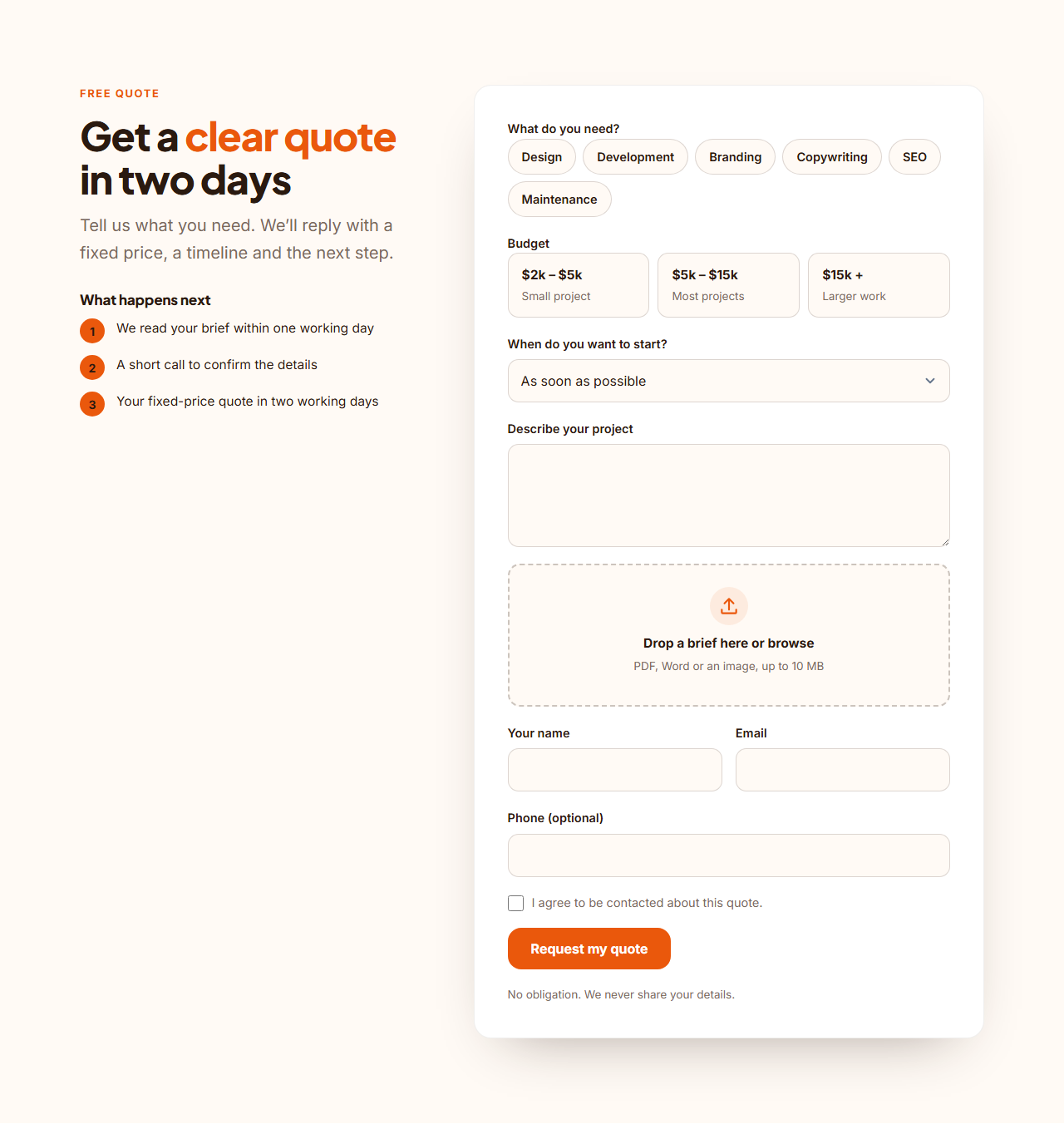
Quote Request Form helps service businesses collect what they need to price a job in one go. Visitors pick the services they want from pill buttons, choose a budget from option cards, set a timeline, describe the project and attach a brief by dragging a file onto a drop area. A short “what happens next” list beside the form tells them when to expect a reply.
Choices instead of typing
Pill buttons and option cards are real checkboxes and radio buttons styled to look like buttons, so they work with the keyboard, screen readers and a plain form post. Services, budgets and timelines are three lists you edit, and each budget can carry a short note such as “Most projects”. People answer faster by choosing than by writing, and you get consistent data.
A brief you can attach
The drop area accepts PDF, Word and images, shows the chosen file name and highlights while a file is dragged over it. The form is sent as multipart form data so the file arrives with the other answers. Every form posts to the address you paste into "Form URL" (Formspree, Basin, Getform or your own server), shows a success message, shows an error message when something fails and contains a hidden spam-trap field. Without JavaScript it is an ordinary form post.
Make it yours
Rename the headings, empty the phone and consent labels to remove them, change the colours to match your brand and export. For a stepped version of the same idea use the Multi-Step Form; to book a time slot instead of a quote try the Booking Request Form.
Why use it
Why Use the Quote Request Form
How it’s different
How It’s Different From Other Free Section Templates
Step by step
How to Use
- 1Edit the contentFill in the heading, what happens next, labels, choices and form in the panel. Wrap words in *asterisks* to colour them.
- 2Add your imagesUpload your own images (resized in your browser and kept on your device) or paste a hosted image URL.
- 3Match your brandPick a colour preset or exact colours, choose heading and body fonts from Google Fonts or your own uploaded font, set the corner radius and width, or apply your brand kit.
- 4Animate and previewChoose a GSAP entrance effect and speed, press Play animation, and check the section on desktop, tablet and mobile.
- 5Save and exportSave it to My designs, then export a single HTML file, a ZIP with your images, a React or Vue component, or fork it into My Code.
Real-world uses
Common Use Cases
Got questions?
Frequently Asked Questions
It is a file input inside a drop area. The form is posted as multipart form data, so services that accept files (such as Formspree on paid plans, Basin or your own server) receive the attachment with the answers.
Yes. The service pills are checkboxes. Budget is a single choice because its cards are radio buttons.
Edit the Services, Budgets and Timelines lists in the editor. Add, remove or reorder items and the form updates.
The accept list restricts the file type in the picker. Size limits are enforced by the service that receives the form, so set them there.
Yes. The layout is one column, the drop area opens the file picker and the pills and cards are large touch targets.
It saves an editable copy of your Quote Request Form in My Code, the UI Snippets code editor: the section markup goes in the HTML panel, its CSS (theme variables, base styles and layout) in the CSS panel, and the GSAP library is added as a CDN link, so you can keep refining the code and save your own versions.
Yes. Every section is free for personal and commercial work, with no account, no watermark and no attribution: export it on its own as HTML, React, Vue or Next.js from its page, or use it in a website you build and export in the Website Builder.