Login & Register Page Templates
2 free, editable login & sign up section templates. Login and register screens with email and password, social sign-in buttons, show password and a password strength hint. Change the text, images, colours and fonts in your browser, add a GSAP animation, then export HTML, React or Vue.
Login & Register Page Templates
2 sections · Responsive · GSAP animation · HTML, React & Vue
About these sections
Login & Register Page Templates
A sign-in or sign-up page is where a visitor becomes a customer or a member, so it should be quick, clear and easy to trust. These templates give you the screens without the busywork: labelled fields, a show-password button and a layout that works from small phones up.
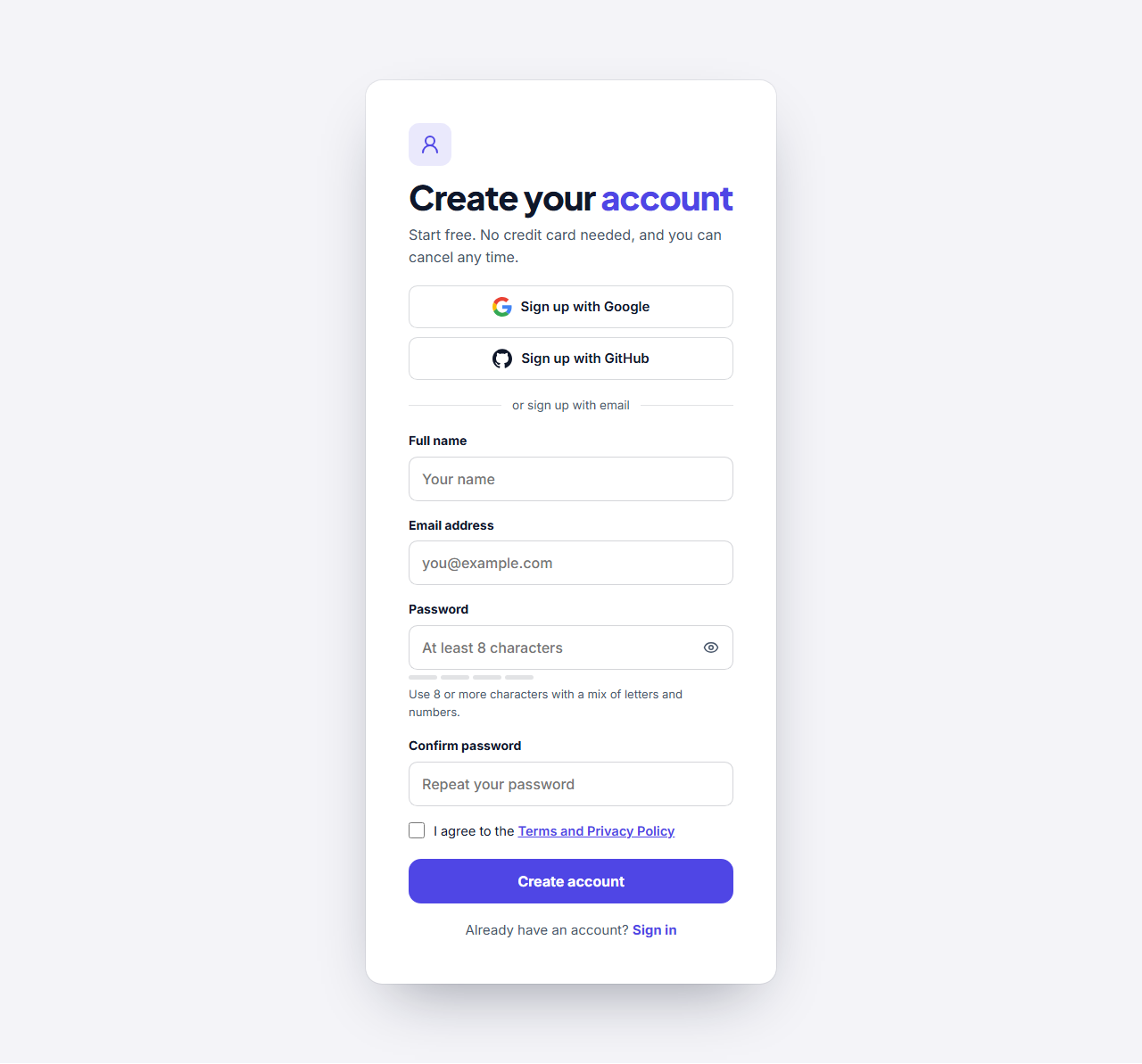
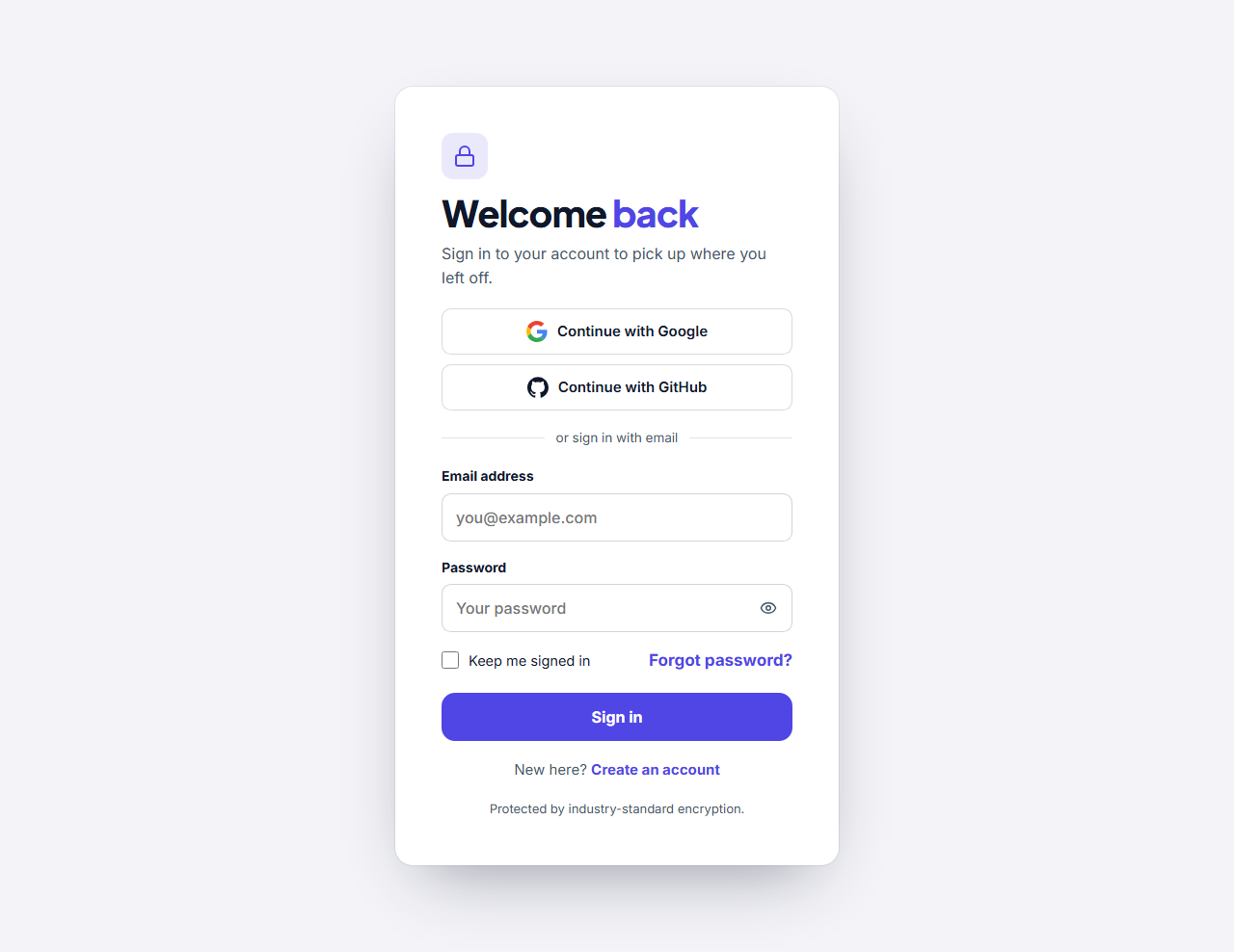
Use the Login Form for returning visitors: email, password, remember me, a forgot-password link and optional buttons for Google, GitHub and other services. Use the Register Form for new accounts: a name, email and password with a live strength meter, a confirm field and a terms checkbox. Each comes as a centred card or as a split layout with a photo and a customer quote.
The forms post to the address you enter, with the field names you choose, so they connect to your own server or an authentication service such as Firebase, Supabase or Auth0. They are the front end only: checking passwords and creating accounts must happen on your server over HTTPS. Edit them in your browser and export HTML, a ZIP, React or Vue.
Keep the form short, ask only for what you need and give people a clear way to recover a password. For the page that follows, see the call-to-action sections.
Login Form (Sign In Page): A sign-in screen: a centred card, or a split layout with an image panel and a customer quote, holding a heading, optional social sign-in buttons, an email and password form with a show-password button, a remember-me box, a forgot-password link and a link to the register page. The form posts to the address you give it, so it works with your own backend or any auth service.
Register Form (Sign Up Page): A create-account screen: a centred card, or a split layout with an image panel and a quote, holding a heading, optional social sign-up buttons and a form with name, email, password and confirm-password fields, a live password strength hint, a terms checkbox and a link to the login page. The form posts to the address you give it.
Real-world uses
Best Uses for Login & Sign up Sections
How it’s different
How These Section Templates Are Different
Step by step
How to Use
- 1Pick a sectionOpen one of the login & sign up sections above. Your edits autosave in your browser as you go.
- 2Edit the contentChange the text, buttons, links and images in the panel, and switch optional parts on or off.
- 3Add your brandPick colours, fonts, radius and width, or apply your saved brand kit; every section shares the same theme.
- 4Animate and previewChoose a GSAP entrance effect, press Play animation, and check desktop, tablet and mobile.
- 5ExportDownload HTML or a ZIP, copy a React or Vue component, or fork it into My Code.
Got questions?
Frequently Asked Questions
Open the Login Form, set your form address and field names, edit the text and export the HTML. The page then posts to your own sign-in endpoint or service.
Yes. They are plain forms and links, so they connect to any service that accepts a form post or gives you a sign-in address, including Firebase, Supabase and Auth0.
Yes. Every field has a real label and the right autocomplete setting, buttons are real buttons, focus is visible and the whole page works with a keyboard.
Login Form (Sign In Page): A sign-in screen: a centred card, or a split layout with an image panel and a customer quote, holding a heading, optional social sign-in buttons, an email and password form with a show-password button, a remember-me box, a forgot-password link and a link to the register page. The form posts to the address you give it, so it works with your own backend or any auth service. Register Form (Sign Up Page): A create-account screen: a centred card, or a split layout with an image panel and a quote, holding a heading, optional social sign-up buttons and a form with name, email, password and confirm-password fields, a live password strength hint, a terms checkbox and a link to the login page. The form posts to the address you give it.
Yes. Every section is free for personal and commercial websites, with no account and no watermark. Everything runs in your browser and your edits are saved locally.