Desktop · 1280px · shown at 0% · edit the text, images and colours in the panel
Cursor Follower (Blend Mode Circle) — Free Website Section Template
Cursor & page effects · v1.0.0 · Updated 2026-10-30 · Responsive · GSAP animation · HTML, React & Vue
What's included
Features
About this section
Cursor Follower: Free Circle Cursor That Inverts the Page With Blend Modes
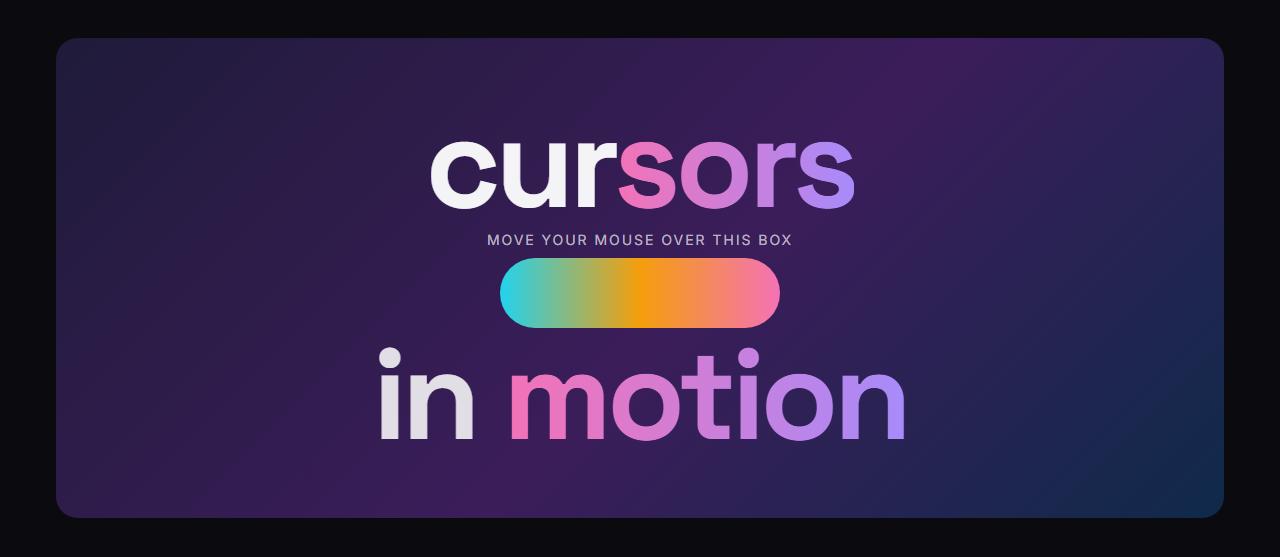
Cursor Follower puts a circle on the page that trails the mouse and inverts or recolours whatever text and images are underneath it. It is made with a single fixed element and the CSS property mix-blend-mode, so the effect works over the whole page: text, photos, gradients and buttons. It is plain HTML, CSS and a short vanilla JavaScript file, with no library.
The blend mode effect
With the Difference blend mode and a white circle, every colour under it flips to its opposite, so black text turns white and a blue photo turns orange. Exclusion gives a softer version, Multiply darkens, Screen lightens, and Overlay, Soft light, Hard light and Color dodge each bring their own look. Change the circle colour to tint the result, or choose Normal for a plain coloured circle.
Size, border and fill
Set the diameter from 20 to 240 pixels, with around 50 to 100 working best. Add an optional border with a thickness and a style (solid, dashed, dotted or double), and switch the fill off to get a ring that only outlines what it covers. A ring with no border automatically gets a thin one, so it never disappears.
Smooth and light on the browser
The circle eases towards the pointer inside a requestAnimationFrame loop, and the loop stops as soon as it has caught up. Four smoothness levels run from instant to floaty. Only the transform property is animated, which the browser can do on the graphics card, so scrolling and typing stay smooth. On phones and tablets without a mouse the circle is not created at all.
Works across the entire page
On a real page the circle is moved to the end of the body and drawn with position fixed, so page layout, overflow and stacking never affect it, and it blends with everything. It can grow over links and buttons, and you can hide the normal cursor if you want the circle to replace it. People who prefer reduced motion get a circle that sticks to the pointer without easing.
Customise and export
An editor demo shows the effect over large text and a gradient before you export. Turn the effect off with one switch, then export HTML, a ZIP, React or Vue, or fork it into My Code. Pair it with a bold Pinned Scroll Story or an Interactive Team Accordion for a playful portfolio.
Extend with AI
Take This Section Further With AI
Ask an AI assistant to adapt the Cursor Follower HTML, CSS and JavaScript: add a text label inside the circle, change its size on click, use GSAP quickTo for the movement, or turn it into a React hook.
Prompt to recreate it
Copy this into your AI assistant of choice to build the effect from scratch, or as a jumping-off point for your own variant:
Create a circular cursor follower in plain HTML, CSS and vanilla JavaScript.

- A single div (80px by default) that is position fixed, border-radius 50 percent, pointer-events none, with a very high z-index and mix-blend-mode set to difference, with a white background so it inverts the page under it.
- Follow the mouse across the whole page: on mousemove store the pointer position, and in a requestAnimationFrame loop move the circle towards it with linear interpolation (a smoothness factor between 0.05 and 1). Move it with transform translate3d only and stop the loop when it has caught up.
- Settings as data attributes: size, colour, blend mode (difference, exclusion, multiply, screen and others), border width and style, filled or ring-only, smoothness.
- Scale the circle up to 1.6 over links, buttons and inputs. Optionally hide the normal cursor.
- Fade it in on the first move and out when the pointer leaves the window. Do not create it on touch screens (hover: none), and use no smoothing for prefers-reduced-motion.
Want to tighten it up first? Run this prompt through the AI Prompt Studio to score it across 8 quality dimensions, catch anti-patterns, and tune the wording for Claude, ChatGPT, or Gemini before you paste it in.
Why use it
Why Use the Cursor Follower (Blend Mode Circle)
How it’s different
How It’s Different From Other Free Section Templates
Step by step
How to Use
- 1Edit the contentFill in the circle, border (optional) and movement in the panel. Wrap words in *asterisks* to colour them.
- 2Add your imagesUpload your own images (resized in your browser and kept on your device) or paste a hosted image URL.
- 3Match your brandPick a colour preset or exact colours, choose heading and body fonts from Google Fonts or your own uploaded font, set the corner radius and width, or apply your brand kit.
- 4Animate and previewChoose a GSAP entrance effect and speed, press Play animation, and check the section on desktop, tablet and mobile.
- 5Save and exportSave it to My designs, then export a single HTML file, a ZIP with your images, a React or Vue component, or fork it into My Code.
Real-world uses
Common Use Cases
In real websites
Website Templates That Use the Cursor Follower (Blend Mode Circle) Section
The Cursor Follower (Blend Mode Circle) section is part of 4 complete website templates in the free Website Builder, so you can see it in a full page before you use it on its own: Creative Agency Website, Personal Portfolio Website, Photographer Website, Music Artist & Band Website. Open any of them in the builder to edit the whole page, or keep customising this section by itself.
Got questions?
Frequently Asked Questions
The circle is a fixed element with the CSS property mix-blend-mode set to difference. The browser blends it with the pixels underneath, so a white circle flips each colour to its opposite.
No. Only the transform property is animated, the loop stops when the circle has caught up with the pointer, and nothing is measured on scroll. On touch screens no circle is created.
Yes. Choose from nine blend modes, including difference, exclusion, multiply and screen, and set any hex colour. Different combinations invert, darken, lighten or tint what is under the circle.
Yes. On a real page the circle is moved to the body and drawn with position fixed, so it follows the pointer over every section, and it blends with text, images and backgrounds.
It can be if it hides the normal cursor or distracts. The default keeps the normal cursor, the circle ignores pointer events, and reduced motion removes the easing. Keep important actions obvious and test with real users.
It saves an editable copy of your Cursor Follower (Blend Mode Circle) in My Code, the UI Snippets code editor: the section markup goes in the HTML panel, its CSS (theme variables, base styles and layout) in the CSS panel, and the GSAP library is added as a CDN link, so you can keep refining the code and save your own versions.
Yes. It is free for personal and commercial websites, with no sign-up, no watermark and no attribution required. Everything runs in your browser and your edits are saved locally.