Desktop · 1280px · shown at 0% · edit the text, images and colours in the panel

Product Grid — Free Website Section Template
Menus & listings · v1.0.0 · Updated 2026-10-24 · Responsive · GSAP animation · HTML, React & Vue
What's included
Features
About this section
Product Grid — Free E-commerce Product Cards Template
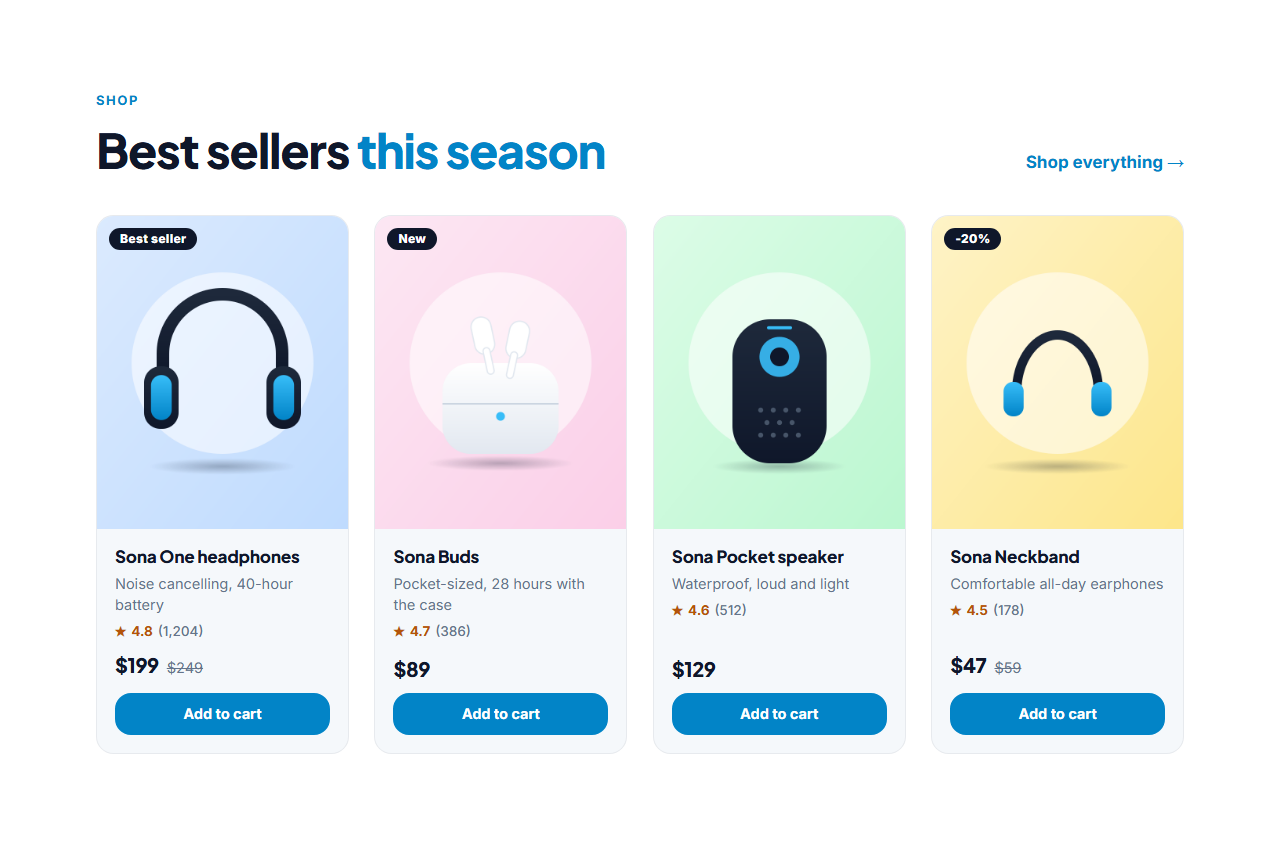
Product Grid is a free section for showing products on a landing page, a shop front or any site that sells something. A heading with a "shop everything" link sits above a grid of cards; each card has a product photo, an optional badge, the name, a short line, the price, an optional old price crossed out, a star rating and a button.
Cards that sell
The photo is a 4:5 portrait frame that zooms gently on hover, with a badge such as "New", "Best seller" or "-20%" in the corner. Under it the name links to the product page, the price is large and clear, and the old price sits beside it crossed out when an item is on sale. A rating with the number of reviews adds trust, and a button sends people to your product page or checkout.
Built for search
The section writes Product structured data for every card: name, description, image, price, currency, availability and, when you enter a rating and a review count, an aggregate rating. Write prices with a symbol and a number, such as $49 or £35.50, so the currency can be read. The structured data helps search engines understand your catalogue; whether rich results appear is up to them.
A showcase, not a shopping cart
This section displays products and links out. Point each button at a checkout link from Shopify, Stripe, Gumroad or your own store. Add up to twelve products, and the grid goes from four columns to three, two and one as the space gets narrower.
Export it
Copy one HTML file, download a ZIP with your product photos, copy a React or Vue component, or fork into My Code. Pair it with a Pricing Comparison Table for subscription plans, or add proof with Testimonials Grid.
Why use it
Why Use the Product Grid
How it’s different
How It’s Different From Other Free Section Templates
Step by step
How to Use
- 1Edit the contentFill in the heading and products in the panel. Wrap words in *asterisks* to colour them.
- 2Add your imagesUpload your own images (resized in your browser and kept on your device) or paste a hosted image URL.
- 3Match your brandPick a colour preset or exact colours, choose heading and body fonts from Google Fonts or your own uploaded font, set the corner radius and width, or apply your brand kit.
- 4Animate and previewChoose a GSAP entrance effect and speed, press Play animation, and check the section on desktop, tablet and mobile.
- 5Save and exportSave it to My designs, then export a single HTML file, a ZIP with your images, a React or Vue component, or fork it into My Code.
Real-world uses
Common Use Cases
In real websites
Website Templates That Use the Product Grid Section
The Product Grid section is part of 2 complete website templates in the free Website Builder, so you can see it in a full page before you use it on its own: Photographer Website, Product Landing Page Store. Open any of them in the builder to edit the whole page, or keep customising this section by itself.
Got questions?
Frequently Asked Questions
No. It displays products and links out. Point each button at a checkout or payment link from a store platform such as Shopify, Stripe or Gumroad, which handles payment securely.
Enter the sale price in the Price field and the original price in Old price. The old price appears crossed out beside it, and you can add a badge such as -20%.
Yes. It writes Product data for each card with the name, image, description, price, currency and availability, plus a rating when you enter one with a review count.
Up to twelve. For a bigger catalogue, show your best sellers here and link to your full shop with the heading link.
It saves an editable copy of your Product Grid in My Code, the UI Snippets code editor: the section markup goes in the HTML panel, its CSS (theme variables, base styles and layout) in the CSS panel, and the GSAP library is added as a CDN link, so you can keep refining the code and save your own versions.
Yes. It is free for personal and commercial websites, with no sign-up, no watermark and no attribution required. Everything runs in your browser and your edits are saved locally.