Desktop · 1280px · shown at 0% · edit the text, images and colours in the panel

Testimonial Marquee — Free Website Section Template
Testimonials · v1.0.0 · Updated 2026-10-20 · Responsive · GSAP animation · HTML, React & Vue
What's included
Features
About this section
Testimonial Marquee — Free Infinite Scrolling Reviews Section
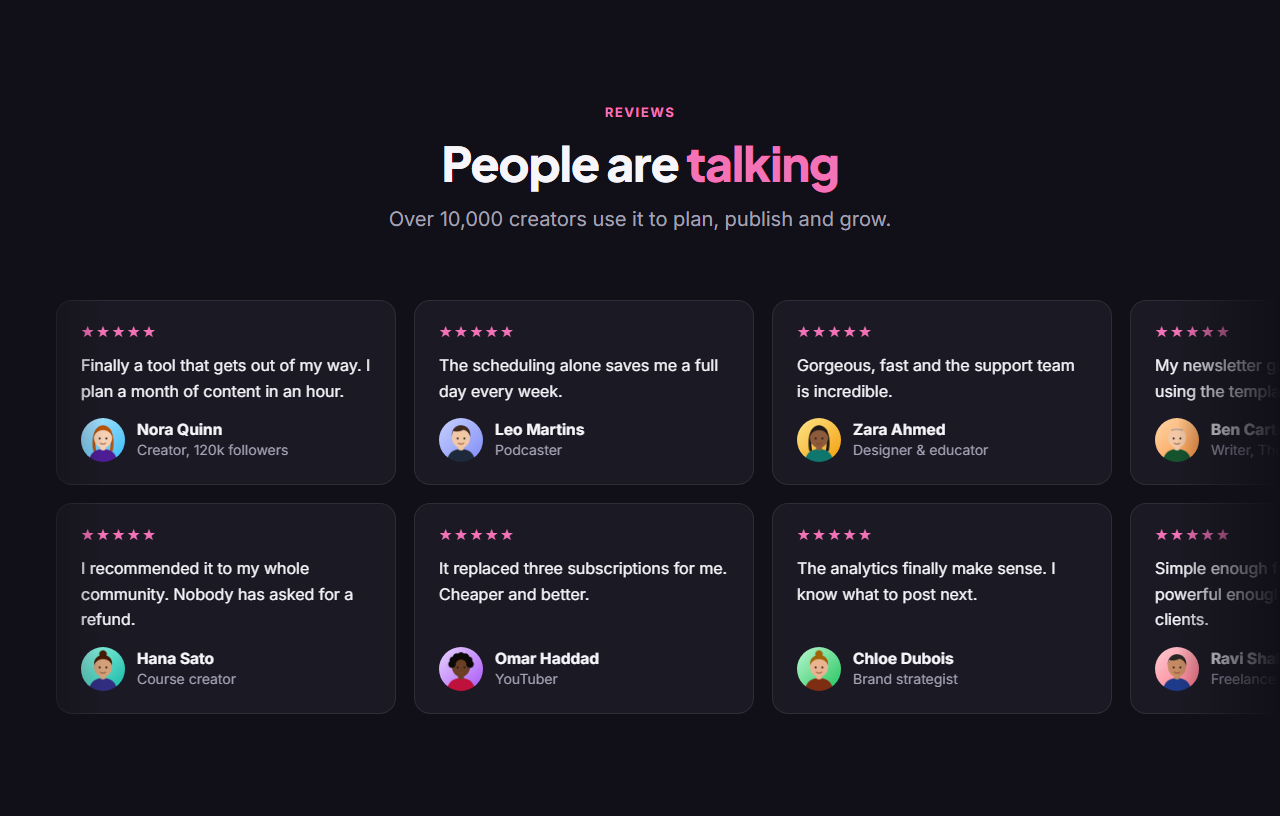
Testimonial Marquee fills a section with movement: two rows of review cards glide endlessly in opposite directions under a centred heading, with soft fades at both edges. It's the eye-catching social proof you see on creator tools and AI product launches, and it shows a lot of reviews without asking visitors to do anything.
Seamless, readable loop
The script duplicates each row once and loops it with GSAP at a steady pixels-per-second speed, so there's never a jump or a gap. Hover over a row (or tab into it) and it eases smoothly to a stop so the quote can be read, then picks up again when you move away. Each row runs on its own.
Accessible by design
The duplicated cards are hidden from screen readers, so every review is read once. For people who prefer reduced motion, or if GSAP doesn't load, there's no animation at all: each row becomes a normal horizontal list they can scroll by hand.
Two editable rows
Each row is its own list of up to ten reviews with a quote, name, role, photo and optional stars. Switch the bottom row off for a single marquee. The dark theme with a pink accent is easy to recolour with any preset or your brand kit.
Export it
Download HTML or a ZIP, copy a React or Vue component, or fork it into My Code. For a static layout, see the Testimonial Wall.
Why use it
Why Use the Testimonial Marquee
How it’s different
How It’s Different From Other Free Section Templates
Step by step
How to Use
- 1Edit the contentFill in the heading, top row and bottom row in the panel. Switch the bottom row on or off. Wrap words in *asterisks* to colour them.
- 2Add your imagesUpload your own images (resized in your browser and kept on your device) or paste a hosted image URL.
- 3Match your brandPick a colour preset or exact colours, choose heading and body fonts from Google Fonts or your own uploaded font, set the corner radius and width, or apply your brand kit.
- 4Animate and previewChoose a GSAP entrance effect and speed, press Play animation, and check the section on desktop, tablet and mobile.
- 5Save and exportSave it to My designs, then export a single HTML file, a ZIP with your images, a React or Vue component, or fork it into My Code.
Real-world uses
Common Use Cases
Got questions?
Frequently Asked Questions
The script clones each row’s cards once, then GSAP moves the row by exactly half its width on repeat. Because the second half is an identical copy, the end lines up with the start and the loop never jumps.
Yes. Hovering or focusing a row eases its speed to zero with GSAP, and moving away eases it back. Each row stops on its own.
If the visitor prefers reduced motion (or GSAP fails to load), nothing animates and no clones are made; each row becomes a horizontally scrollable list.
In exported code, set data-speed on each track (pixels per second; the defaults are 38 and 32). Lower numbers scroll more slowly.
It saves an editable copy of your Testimonial Marquee in My Code, the UI Snippets code editor: the section markup goes in the HTML panel, its CSS (theme variables, base styles and layout) in the CSS panel, and the GSAP library is added as a CDN link, so you can keep refining the code and save your own versions.
Yes. It is free for personal and commercial websites, with no sign-up, no watermark and no attribution required. Everything runs in your browser and your edits are saved locally.