
Interact.js Draggable and Resizable Dashboard Panels with Snapping
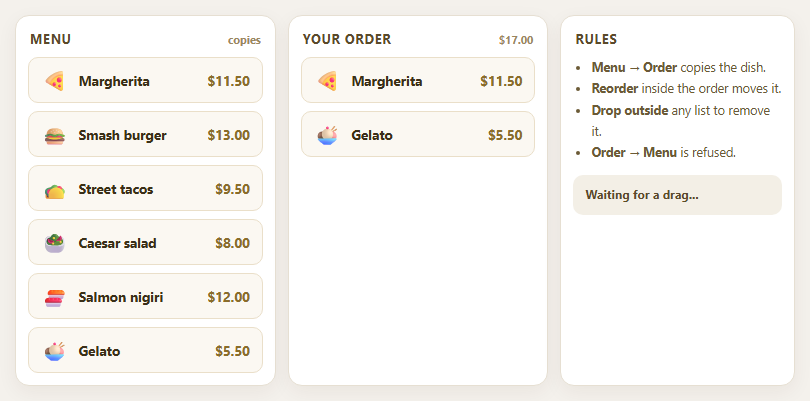
Dragula Copy vs Move Lists with Spill Control

SortableJS Shared Groups: Clone from a Palette into a Page Builder

SortableJS Drag Handle with Pinned and Locked Rows
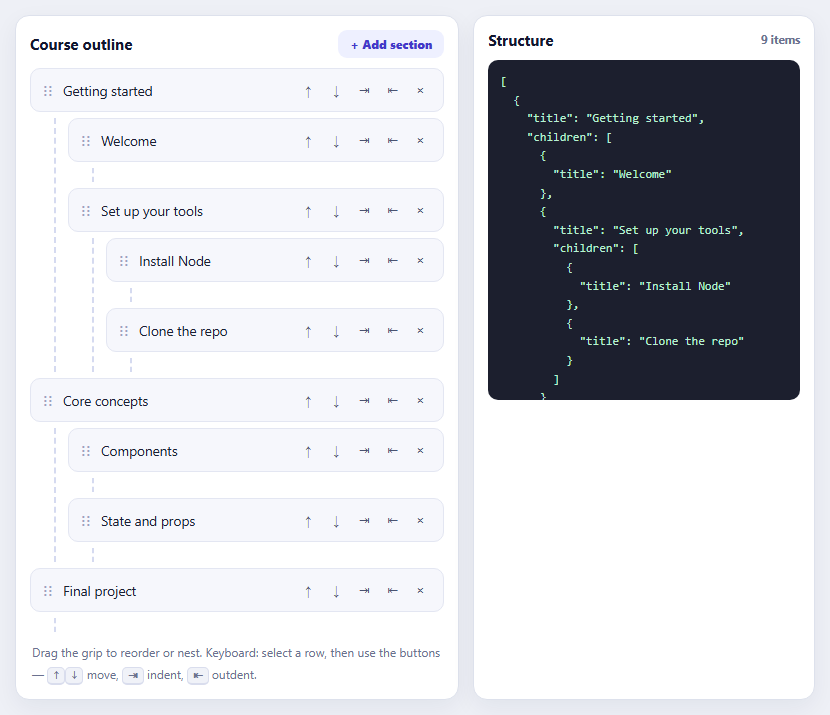
SortableJS Nested Sortable Tree with Keyboard Controls
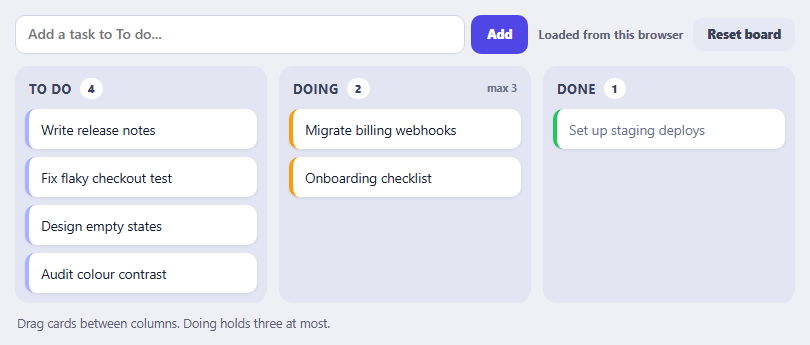
SortableJS Multi-List Kanban with Persistence and WIP Limit
Background Sync Status Panel — Free Queue-and-Retry UI Pattern
Background Sync Status Panel · Dashboards · Plain HTML, CSS & JS · Live preview
What's included
Features
About this UI Snippet
Background Sync Status Panel — Real Connectivity Signals, Simulated Sync Execution
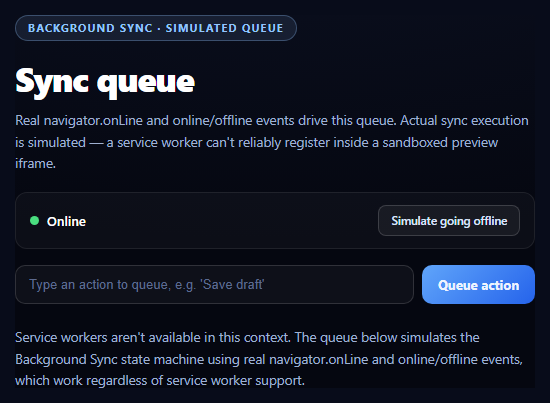
The Background Sync API lets a service worker retry a failed or offline action once connectivity genuinely returns — even if the tab that queued it has since closed. This snippet builds the queue/retry *state machine* for real, driven by real navigator.onLine and online/offline events, while being explicit that the actual sync-registration half is simulated rather than pretending a service worker registered successfully.
Why this can't run the real API end-to-end
A production Background Sync flow needs navigator.serviceWorker.ready to resolve, then registration.sync.register('tag') to queue a sync, then a service worker's own sync event handler to execute the retry — potentially minutes later, with no tab open at all. Service worker registration depends on a stable origin and scope; inside a sandboxed preview <iframe> (unpredictable origin, restrictive sandbox attributes, or a Permissions-Policy that blocks it), registration frequently fails inconsistently across environments. Rather than attempt a registration that might silently fail depending on exactly how the snippet is embedded, this demo simulates the queue-and-retry state machine directly — and shows the real registration.sync.register() call as a source comment, never executed.
Real signals driving a simulated engine
navigator.onLine and the window 'online'/'offline' events are universally supported and genuinely reflect the device's actual network state — nothing about those is faked. This snippet wires the queue's queued → syncing → synced state machine directly to those real events, plus a manual "simulate offline" toggle for testing the flow without physically disconnecting.
Feature detection, three-way
The support check distinguishes three real states: full Background Sync support ('sync' in ServiceWorkerRegistration.prototype), service workers available but the sync extension missing (true in Firefox and Safari, which have never implemented Background Sync), and no service worker support at all. Each gets distinct, accurate copy — none of them claim the simulated queue is doing real background execution.
A pattern worth the honesty
The queued-action-with-visible-retry pattern is genuinely useful UI regardless of whether the underlying sync is real or simulated — pair this with an uptime status page or status dashboard for a fuller connectivity-aware operations view.
Step by step
How to Use
- 1Paste HTML, CSS, and JSA connection indicator and empty sync queue render.
- 2Type an action and queue itWhile online, it syncs immediately through the simulated engine.
- 3Click "Simulate going offline"New actions now queue instead of syncing.
- 4Queue a few actions offlineThey sit in "queued" state.
- 5Click "Simulate coming back online"Queued actions transition queued → syncing → synced.
- 6Read the noteExplains exactly which parts are real versus simulated.
Real-world uses
Common Use Cases
navigator.onLine and online and offline events.registration.sync.register() call shown as a comment and the engine clearly labelled as simulated.Got questions?
Frequently Asked Questions
Partially, and it says so explicitly. The connectivity detection (navigator.onLine, the online/offline window events) is completely real and works identically everywhere. The actual sync EXECUTION — a service worker retrying a queued action once connectivity returns — is simulated with a setTimeout-driven state machine, because service worker registration frequently fails inside a sandboxed preview iframe. The real registration.sync.register() call this would use in production is included as a source comment.
Service worker registration depends on a stable origin and scope, and many sandboxed preview/iframe environments either can't provide one consistently, restrict it via the iframe's sandbox attribute (missing allow-same-origin), or block it via Permissions-Policy. Rather than attempt a registration that might succeed in one embedding context and silently fail in another — producing inconsistent behavior depending on exactly how the snippet is viewed — this demo simulates the queue engine directly using signals that work everywhere.
It mirrors what a real Background Sync flow does: an action is queued while offline (or immediately attempted if online), transitions to syncing once connectivity is available and the service worker's sync event fires, then to synced once the retry succeeds. This demo drives the same three states from real online/offline detection, just executing the "syncing" step with a timer instead of an actual network request from a service worker.
No — it's a Chromium-only extension to the Service Worker API (Chrome, Edge, Opera, Android WebView, Samsung Internet). Firefox and Safari, including iOS Safari, have never implemented it, so 'sync' in ServiceWorkerRegistration.prototype is false there even though service workers themselves are supported. This snippet's feature-detection distinguishes that case from full support and from no service worker support at all, with distinct explanatory copy for each.
Register a service worker, call navigator.serviceWorker.ready.then(reg => reg.sync.register('tag-name')) when an action needs to be queued, and add a self.addEventListener('sync', event => { if (event.tag === 'tag-name') event.waitUntil(retryQueuedActions()) }) handler inside the service worker file itself — the browser then invokes that handler automatically once connectivity returns, even without any tab open. You'd also want a fallback (like this snippet's simulation) for browsers lacking Background Sync support.
Build with AI
Build, Understand, Optimize, and Extend It With AI
Paste this snippet's HTML, CSS, and JS into an AI coding assistant like Claude and ask it to explain why a real Background Sync implementation needs a service worker's own 'sync' event handler (registered via registration.sync.register()) rather than page-level JavaScript, and why that execution can happen even after the tab that queued the action has closed — which is precisely what this demo's setTimeout-based simulation can't replicate, since it only runs while the page is open. It's also useful for reasoning about sandboxed-preview constraints more broadly — ask why service worker registration is unreliable inside iframes and what specific conditions (origin stability, sandbox attributes, Permissions-Policy) affect it. For extensions, ask it to sketch the actual service worker file this pattern would need in production, including a minimal sync event handler and an IndexedDB-backed queue for real persistence across page reloads. Treat the code less like a finished artifact and more like a starting point for a conversation.
Prompt to recreate it
Copy this into your AI assistant of choice to build the effect from scratch, or as a jumping-off point for your own variant:
Build a "background sync status panel" in plain HTML, CSS, and JavaScript demonstrating the queue-and-retry UX pattern behind the Background Sync API — no actual service worker registration, no libraries.

Requirements:
- A connection indicator (dot + label) reflecting real navigator.onLine state, updated live via the window 'online' and 'offline' events, plus a manual "simulate offline / simulate online" toggle button for testing without physically disconnecting.
- A text input plus "Queue action" button that adds items to a visible queue list, each item showing one of three states with a distinct badge: queued, syncing, synced.
- CRITICAL: implement the actual sync EXECUTION (the transition from queued to syncing to synced) as an honestly-labeled SIMULATION using setTimeout, NOT a real navigator.serviceWorker / SyncManager registration — because a real service worker frequently fails to register inside a sandboxed preview iframe (unstable origin/scope, restrictive sandbox attributes, or Permissions-Policy restrictions), attempting the real API here would produce inconsistent, confusing behavior depending on the embedding context. Queued items should only begin "syncing" once the connection is (really or simulatedly) online, and should auto-flush automatically when the online event fires or the manual toggle switches back to online.
- Include the REAL production code as a code comment (not executed) showing navigator.serviceWorker.ready.then(registration => registration.sync.register('tag-name')) for queuing a sync, and a self.addEventListener('sync', ...) handler example for what the service worker file itself would contain to process it — clearly marked as illustrative, unexecuted reference code.
- Feature-detect Background Sync support with something like `window.ServiceWorkerRegistration && 'sync' in ServiceWorkerRegistration.prototype` and also check `'serviceWorker' in navigator` separately, showing three distinct, accurately-worded status states: full Background Sync support, service-worker-but-no-sync support (true in Firefox/Safari), and no service worker support at all — in every case, the visible queue/retry UI must still work identically via the simulation.
- UI copy and code comments must be explicit and unambiguous that the actual background execution shown is a simulation using real connectivity signals (navigator.onLine, online/offline events) but simulated sync processing — never implying a real service worker registered or that sync would survive the tab actually closing.
Want to tighten it up first? Run this prompt through the AI Prompt Studio to score it across 8 quality dimensions, catch anti-patterns, and tune the wording for Claude, ChatGPT, or Gemini before you paste it in.
Source Code
<section class="bss-wrap">
  <span class="bss-tag">background sync · simulated queue</span>
  <h1>Sync queue</h1>
  <p id="bssStatus">Real navigator.onLine and online/offline events drive this queue. Actual sync execution is simulated — a service worker can't reliably register inside a sandboxed preview iframe.</p>

  <div class="bss-net-row">
    <span class="bss-net-dot" id="bssNetDot"></span>
    <span id="bssNetLabel">Checking connection…</span>
    <button class="bss-net-btn" id="bssToggleNet">Simulate going offline</button>
  </div>

  <div class="bss-compose">
    <input class="bss-input" id="bssInput" type="text" placeholder="Type an action to queue, e.g. 'Save draft'" />
    <button class="bss-add" id="bssAdd">Queue action</button>
  </div>

  <ul class="bss-queue" id="bssQueue"></ul>

  <p class="bss-note" id="bssNote">Checking Background Sync API support…</p>
</section>*{box-sizing:border-box;margin:0;padding:0}
body{font-family:system-ui,-apple-system,sans-serif;background:radial-gradient(120% 90% at 50% 0%,#0e1428,#050710 60%);color:#fff;min-height:100vh;display:flex;align-items:center;justify-content:center;padding:26px}
.bss-wrap{width:100%;max-width:520px}
.bss-tag{display:inline-block;font-size:10.5px;font-weight:700;letter-spacing:.14em;text-transform:uppercase;color:#93c5fd;background:rgba(147,197,253,.1);border:1px solid rgba(147,197,253,.3);padding:5px 12px;border-radius:99px;margin-bottom:14px}
.bss-wrap h1{font-size:clamp(26px,6vw,34px);font-weight:800;letter-spacing:-.03em}
.bss-wrap p{font-size:13.5px;color:#9fb0d1;margin-top:8px;line-height:1.6}
.bss-net-row{margin-top:18px;display:flex;align-items:center;gap:8px;padding:12px 14px;border-radius:12px;background:rgba(255,255,255,.03);border:1px solid rgba(255,255,255,.08)}
.bss-net-dot{width:9px;height:9px;border-radius:50%;background:#4ade80;flex-shrink:0}
.bss-net-dot.offline{background:#f87171}
.bss-net-row span:nth-child(2){font-size:13px;font-weight:600;flex:1}
.bss-net-btn{padding:7px 12px;border-radius:8px;border:1px solid rgba(255,255,255,.16);background:rgba(255,255,255,.05);color:#dbe4fb;font:600 11.5px system-ui;cursor:pointer}
.bss-net-btn:hover{background:rgba(255,255,255,.11)}
.bss-compose{margin-top:16px;display:flex;gap:8px}
.bss-input{flex:1;padding:11px 13px;border-radius:10px;border:1px solid rgba(255,255,255,.14);background:rgba(255,255,255,.04);color:#fff;font-size:13px}
.bss-input::placeholder{color:#5c6a8f}
.bss-input:focus{outline:none;border-color:#60a5fa}
.bss-add{padding:11px 16px;border-radius:10px;border:none;background:linear-gradient(135deg,#60a5fa,#2563eb);color:#eef4ff;font:700 13px system-ui;cursor:pointer;white-space:nowrap}
.bss-queue{margin-top:14px;list-style:none;display:flex;flex-direction:column;gap:8px}
.bss-queue li{display:flex;align-items:center;gap:10px;padding:11px 13px;border-radius:10px;background:rgba(255,255,255,.03);border:1px solid rgba(255,255,255,.08);font-size:13px}
.bss-state{font-size:10px;font-weight:800;letter-spacing:.06em;text-transform:uppercase;padding:3px 9px;border-radius:99px;flex-shrink:0}
.bss-state.queued{background:rgba(251,191,36,.15);color:#fcd34d}
.bss-state.syncing{background:rgba(96,165,250,.15);color:#93c5fd}
.bss-state.synced{background:rgba(74,222,128,.15);color:#86efac}
.bss-queue-text{flex:1;overflow:hidden;text-overflow:ellipsis;white-space:nowrap}
.bss-note{font-size:11.5px;color:#67759c;margin-top:16px;line-height:1.6}
.bss-note code{background:rgba(147,197,253,.1);color:#bfdbfe;padding:1px 5px;border-radius:4px}var statusEl = document.getElementById('bssStatus');
var noteEl = document.getElementById('bssNote');
var netDot = document.getElementById('bssNetDot');
var netLabel = document.getElementById('bssNetLabel');
var toggleNetBtn = document.getElementById('bssToggleNet');
var input = document.getElementById('bssInput');
var addBtn = document.getElementById('bssAdd');
var queueEl = document.getElementById('bssQueue');
// A real service worker + SyncManager registration is what a production
// Background Sync implementation needs — but service workers frequently
// fail to register at all inside a sandboxed preview <iframe> (no stable
// origin/scope, restrictive Permissions-Policy, or the iframe's sandbox
// attribute lacking 'allow-same-origin'). Rather than attempt a registration
// that would silently fail or throw inconsistently across preview
// environments, this demo is upfront that it SIMULATES the sync-queue
// state machine using real, always-available signals: navigator.onLine and
// the window 'online'/'offline' events. The real API call this would use
// in production is shown below as a comment, never executed.
//
// navigator.serviceWorker.ready.then(function (registration) {
// return registration.sync.register('queued-action-sync');
// });
// // ...and inside the service worker's sync event handler:
// self.addEventListener('sync', function (event) {
// if (event.tag === 'queued-action-sync') {
// event.waitUntil(flushQueuedActionsToServer());
// }
// });
var hasBackgroundSyncAPI = !!(window.ServiceWorkerRegistration && 'sync' in ServiceWorkerRegistration.prototype);
var hasServiceWorker = 'serviceWorker' in navigator;
var queue = []; // { id, text, state: 'queued' | 'syncing' | 'synced' }
var nextId = 1;
var manualOffline = false;
function isOnline() {
return navigator.onLine !== false && !manualOffline;
}
function renderNet() {
var online = isOnline();
netDot.classList.toggle('offline', !online);
netLabel.textContent = online ? 'Online' : 'Offline';
toggleNetBtn.textContent = online ? 'Simulate going offline' : 'Simulate coming back online';
}
function renderQueue() {
queueEl.innerHTML = '';
queue.forEach(function (item) {
var li = document.createElement('li');
var state = document.createElement('span');
state.className = 'bss-state ' + item.state;
state.textContent = item.state;
var text = document.createElement('span');
text.className = 'bss-queue-text';
text.textContent = item.text;
li.appendChild(state);
li.appendChild(text);
queueEl.appendChild(li);
});
}
// The state machine: queued -> syncing -> synced. A queued item only ever
// advances to syncing once the connection is (simulated as) online, mirroring
// what registration.sync.register() would trigger for real via the
// service worker's 'sync' event once connectivity returns.
function attemptSync() {
if (!isOnline()) return;
var pending = queue.filter(function (i) { return i.state === 'queued'; });
if (!pending.length) return;
statusEl.textContent = 'Connection is online — syncing ' + pending.length + ' queued action' + (pending.length > 1 ? 's' : '') + '…';
pending.forEach(function (item, i) {
item.state = 'syncing';
renderQueue();
setTimeout(function () {
item.state = 'synced';
renderQueue();
var stillPending = queue.some(function (q) { return q.state === 'queued' || q.state === 'syncing'; });
if (!stillPending) {
statusEl.textContent = 'All queued actions synced.';
}
}, 700 + i * 500);
});
}
addBtn.addEventListener('click', function () {
var text = input.value.trim();
if (!text) return;
queue.push({ id: nextId++, text: text, state: 'queued' });
input.value = '';
renderQueue();
if (isOnline()) {
statusEl.textContent = 'Already online — syncing immediately.';
attemptSync();
} else {
statusEl.textContent = 'Offline — action queued. It will sync automatically once connectivity returns.';
}
});
input.addEventListener('keydown', function (e) {
if (e.key === 'Enter') addBtn.click();
});
toggleNetBtn.addEventListener('click', function () {
manualOffline = !manualOffline;
renderNet();
if (!manualOffline && navigator.onLine !== false) {
statusEl.textContent = 'Back online (simulated).';
attemptSync();
} else {
statusEl.textContent = 'Offline (simulated). New actions will queue instead of syncing.';
}
});
// Real, always-available signals — these genuinely fire based on the
// device's actual network state, unlike the sync execution above.
window.addEventListener('online', function () {
if (manualOffline) return; // manual simulation still overrides
renderNet();
statusEl.textContent = 'Browser reported coming online — attempting to flush the queue.';
attemptSync();
});
window.addEventListener('offline', function () {
renderNet();
statusEl.textContent = 'Browser reported going offline — new actions will queue.';
});
if (hasServiceWorker && hasBackgroundSyncAPI) {
noteEl.textContent = 'This browser genuinely supports the Background Sync API (ServiceWorkerRegistration.prototype.sync). However, this panel still simulates the actual queue processing rather than registering a real sync — a service worker very often can\'t register successfully inside a sandboxed preview iframe (unstable origin/scope, restrictive iframe sandboxing). The real registration.sync.register() call this would use in production is shown as a comment in the source.';
} else if (hasServiceWorker) {
noteEl.textContent = 'Service workers are supported here, but this browser lacks the Background Sync API extension (Firefox and Safari, including iOS Safari, have never implemented it — only Chromium-based browsers have). The queue below simulates the same state machine using real online/offline detection.';
} else {
noteEl.textContent = 'Service workers aren\'t available in this context. The queue below simulates the Background Sync state machine using real navigator.onLine and online/offline events, which work regardless of service worker support.';
}
renderNet();
renderQueue();